
Screenshot Editor - Redact
Blur & Pixellate Text Privacy
Entwickelt für iPhone
Kostenlos · In-App-Käufe
- Altersfreigabe4+
- KategorieDienstprogramme
- EntwicklerChris Wakefield
- SprachenEnglisch
- Größe6,5 MB
Verlinkt auf die offizielle App Store-Seite
Download.org hostet keine Datei von Screenshot Editor - Redact. Die Schaltfläche öffnet die App-Seite bei App Store, wo Chris Wakefield die App veröffentlicht. Eintrag zuletzt geprüft am 14.11.2026.
Screenshots

Info
Der Entwickler hat diesen Text nicht in Ihrer Sprache bereitgestellt.
Screenshot Editor is the essential tool for protecting your privacy and enhancing your screenshots with professional editing capabilities. Whether you need to hide sensitive information, highlight important details, or simply redact confidential text before sharing, Screenshot Editor makes it effortless with its intelligent text detection and powerful editing tools.
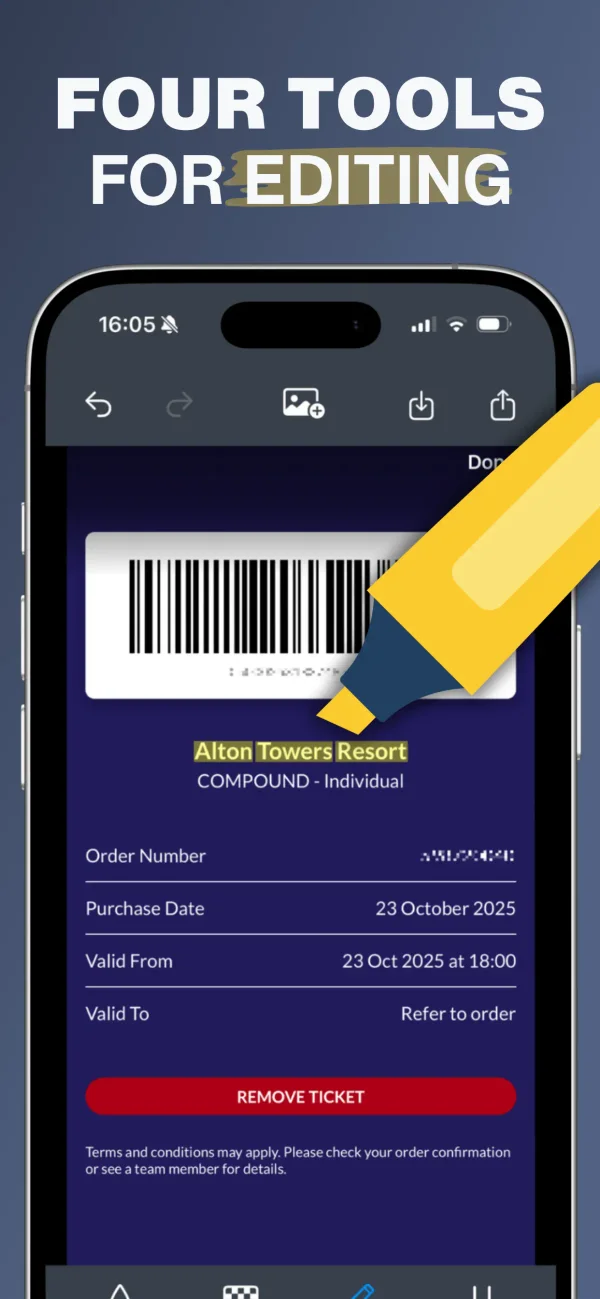
Simply select any screenshot or image, and Screenshot Editor instantly detects all the text within it using advanced OCR technology. Tap on any word to apply your chosen effect with precision. Blur sensitive information like passwords, emails, or personal details until they're completely unreadable. Pixelate text for a modern, stylized look that maintains privacy. Add bright yellow highlights to draw attention to key information. Or underline important text to emphasize what matters most.
The app's intuitive interface makes editing feel natural and effortless. Zoom in for pixel-perfect precision on any word, or work quickly through multiple edits with the easy-to-use toolbar. Made a mistake? No problem. Full undo and redo support means you can experiment freely and perfect your edits without worry. Switch between blur, pixelate, highlight, and underline tools seamlessly as you work through your screenshot.
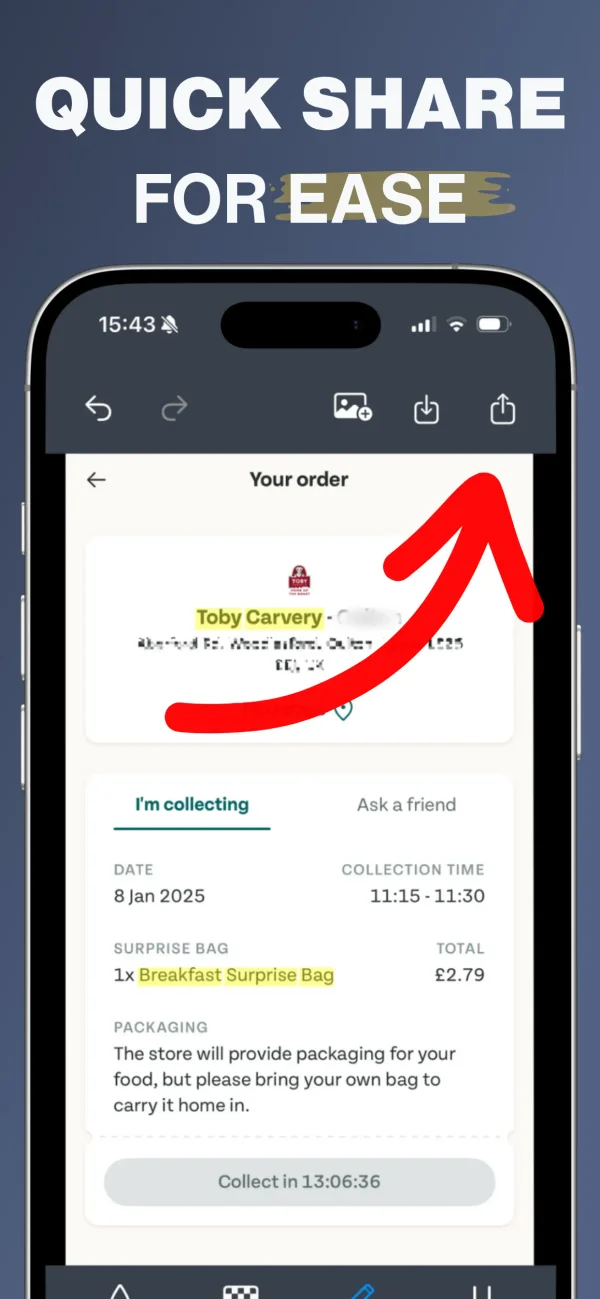
Once your edits are complete, save your professionally edited screenshot directly to your Photos library or share it instantly with colleagues, friends, or social media. Screenshot Editor ensures your sensitive information stays private while keeping your workflow smooth and efficient.
Perfect for business professionals sharing work documents, students protecting personal information in assignments, social media users redacting private details, or anyone who needs to edit screenshots quickly and professionally. Screenshot Editor puts powerful privacy protection and professional editing tools right at your fingertips.
Note: An active subscription is required in order to save/share your final images
EULA: https://www.apple.com/legal/internet-services/itunes/dev/stdeula/
App-Datenschutz
Was Chris Wakefield im App Store zum Umgang dieser App mit Daten angibt.
-
Keine Daten erfasst
Der Entwickler erfasst keine Daten von dieser App.
Die Datenschutzpraktiken können variieren, zum Beispiel je nach den von Ihnen verwendeten Funktionen oder Ihrem Alter.
Informationen
- Anbieter
- Chris Wakefield
- Kategorie
- Dienstprogramme
- Version
- 1.0
- Aktualisiert
- 07.11.2025
- Veröffentlicht
- 07.11.2025
- Größe
- 6,5 MB
- Erfordert
- iOS 17.6 oder neuer
- Altersfreigabe
- 4+
- Preis
- Kostenlos
- In-App-Käufe
- Ja
- Sprachen
- Englisch
- Copyright
- © 2025 Chris Wakefield
Das könnte Ihnen auch gefallen
-
 Tabletop: Mac FernzugriffVNC Bildschirmfreigabe & Maus
-
 BithashDienstprogramme
-
 Emko-Isometric_PipefitterDienstprogramme
-
 Blur Info: Daten schwärzenFotos & Dokumente zensieren
-
 Blur Text - Censor & RedactDienstprogramme
-
 Text in Foto ändern - QutuText entfernen & bearbeiten KI
-
 LocalMind: Ollama & LM StudioPrivate KI, lokal und vernetzt
-
 Langbild- Scrollshots & MergeAuto zuschneiden & ausrichten
-
 Authenticator App 。Dienstprogramme