- Altersfreigabe4+
- KategorieProduktivität
- EntwicklerROBERT DANIEL FORCE
- SprachenEnglisch
- Größe4,4 MB
Verlinkt auf die offizielle App Store-Seite
Download.org hostet keine Datei von Scribble - Quick Capture. Die Schaltfläche öffnet die App-Seite bei App Store, wo ROBERT DANIEL FORCE die App veröffentlicht. Eintrag zuletzt geprüft am 18.11.2026.
Screenshots
Info
Der Entwickler hat diesen Text nicht in Ihrer Sprache bereitgestellt.
Scribble is the fastest way to get a thought out of your head.
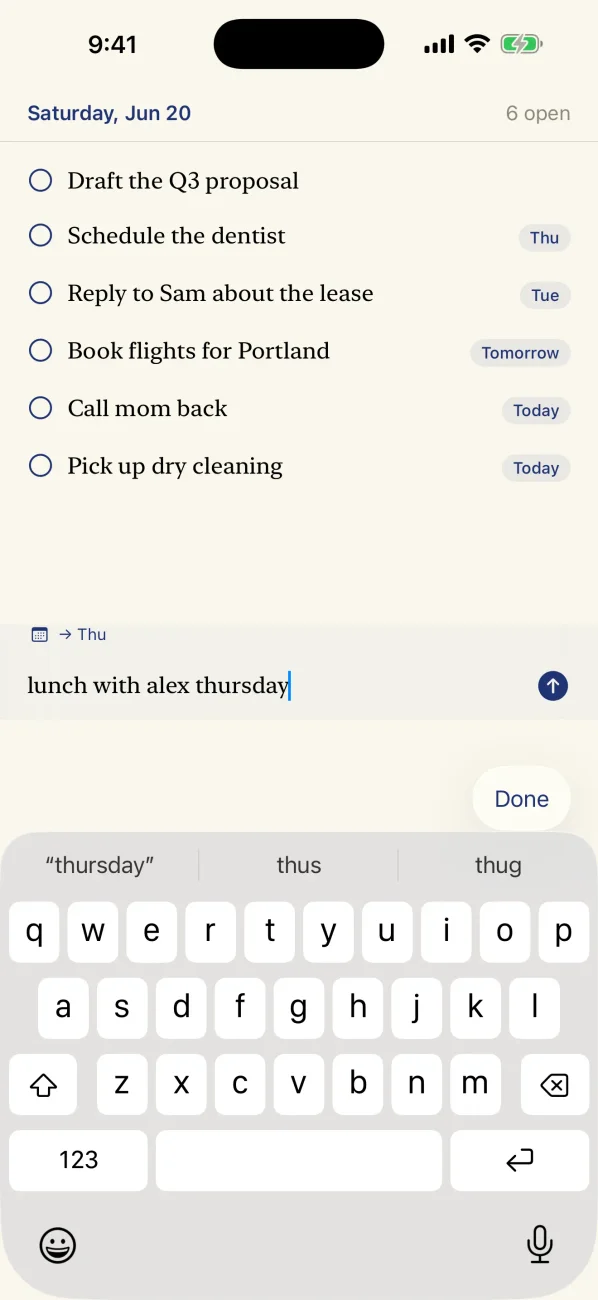
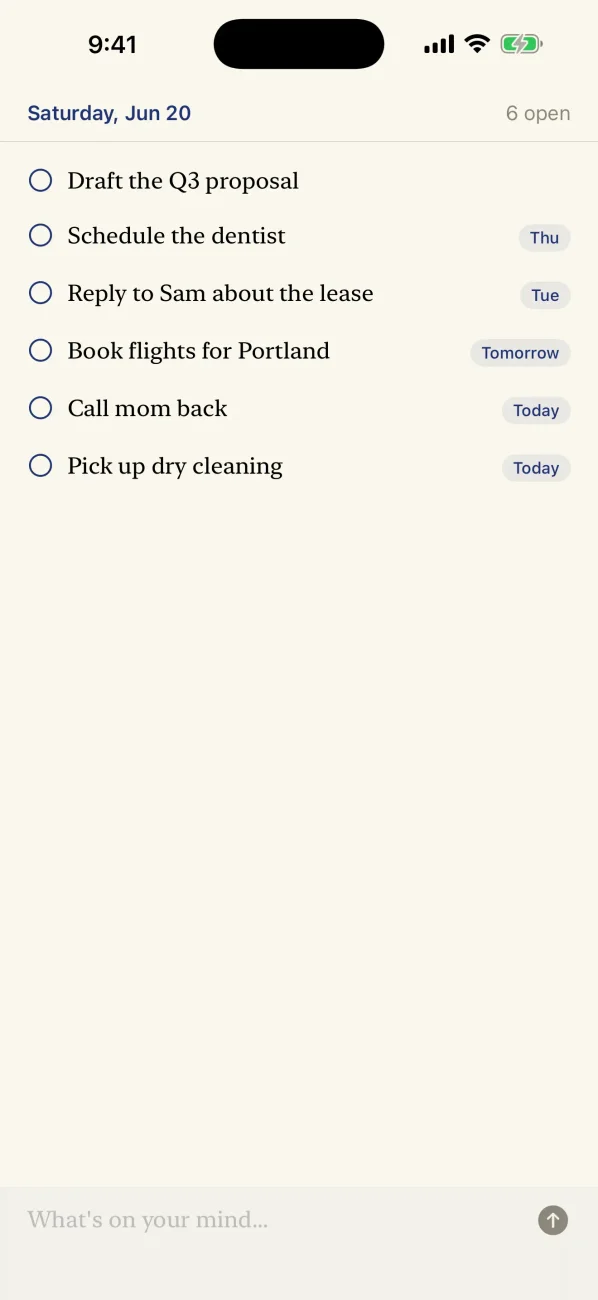
Most to-do apps make you wait — open the app, find the right list, tap a plus, then type. By then the thought's gone and you're back to scribbling on paper. Scribble opens straight to a blank line with the keyboard already up. Type it, hit return, and it's saved. That's the whole app.
• Instant capture — the keyboard is up the moment you open it. No menus, no lists to scroll past.
• Rapid-fire — hit return to save and keep going. Empty your head in one sitting.
• Natural dates — type "call mom friday" or "renew passport in 2 weeks" and Scribble quietly files the date for you.
• Hands-free — say "Hey Siri, Scribble" on your iPhone or Apple Watch and just speak. It lands in your list.
• Calm by design — pen-blue ink on warm paper. Nothing to configure, nothing to nag you.
No account. No sign-up. No ads. Your jots stay on your device.
Scribble isn't trying to be your project manager. It's the napkin that's always in your pocket — just faster.
Neue Funktionen
Version 1.3 · 25.07.2026
Your list now shows its age. Notes gently grey out and grow bolder the longer they sit unfinished, and a Staleness score at the top tells you at a glance how fresh you're keeping things — with a friendly nudge when it's time to tidy up.
• Swipe right on any line to underline what matters — it jumps to the top of your list
• Swipe left to edit or delete
• A roomier editing screen
• New notes scroll into view above the keyboard as you capture
• Your text is now kept exactly as you write it
App-Datenschutz
Was ROBERT DANIEL FORCE im App Store zum Umgang dieser App mit Daten angibt.
-
Keine Daten erfasst
Der Entwickler erfasst keine Daten von dieser App.
Die Datenschutzpraktiken können variieren, zum Beispiel je nach den von Ihnen verwendeten Funktionen oder Ihrem Alter.
Informationen
- Anbieter
- ROBERT DANIEL FORCE
- Kategorie
- Produktivität
- Version
- 1.3
- Aktualisiert
- 25.07.2026
- Veröffentlicht
- 23.06.2026
- Größe
- 4,4 MB
- Erfordert
- iOS 18.0 oder neuer
- Altersfreigabe
- 4+
- Preis
- Kostenlos
- Sprachen
- Englisch
- Copyright
- © 2026 Rober Force
Das könnte Ihnen auch gefallen
-
 Pharos LibraryProduktivität
-
 Spark Memo: SofortnotizenKeine Titel. Keine Ordner.
-
 Debrief: AI Meeting NotesProduktivität
-
 DoChecklist - Workflow ProcessProduktivität
-
 ShuffleNoteProduktivität
-
 GSD Task ManagerProduktivität
-
 Mango | Remember Special DatesProduktivität
-
 AuraUINativer Client für Open WebUI
-
 Linked Notes - Bi-directionalProduktivität
-
 Notelux: Notizen & NotizblockPrivates Offline-Notizbuch