- Clasificación por edad4+
- CategoríaProductividad
- DesarrolladorROBERT DANIEL FORCE
- IdiomasInglés
- Tamaño4,4 MB
Enlaza a la página oficial de App Store
Download.org no aloja ningún archivo de Scribble - Quick Capture. El botón abre la página de la aplicación en App Store, donde la publica ROBERT DANIEL FORCE. Ficha comprobada por última vez el 18/11/2026.
Capturas de pantalla
Acerca de
El desarrollador no ha proporcionado este texto en tu idioma.
Scribble is the fastest way to get a thought out of your head.
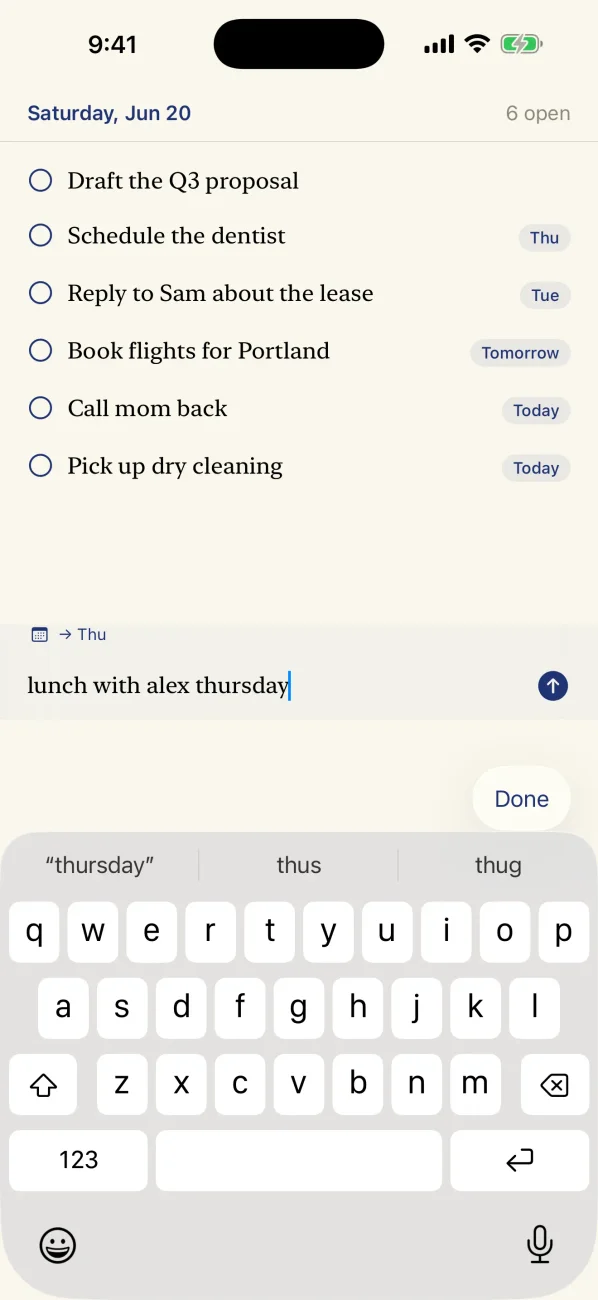
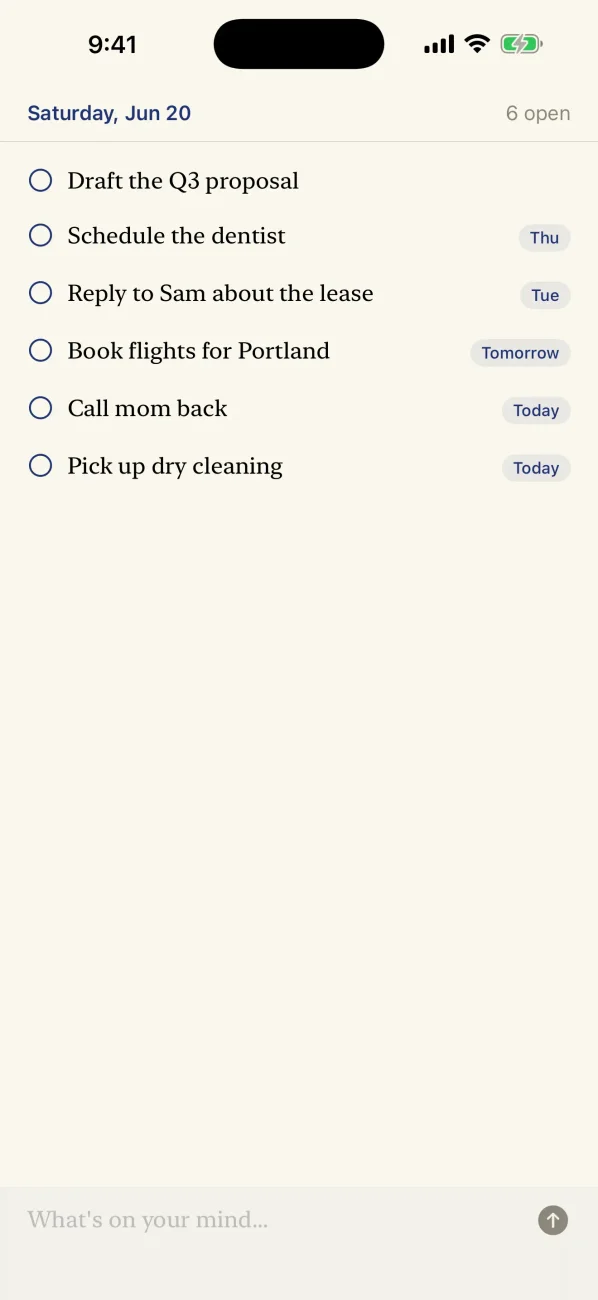
Most to-do apps make you wait — open the app, find the right list, tap a plus, then type. By then the thought's gone and you're back to scribbling on paper. Scribble opens straight to a blank line with the keyboard already up. Type it, hit return, and it's saved. That's the whole app.
• Instant capture — the keyboard is up the moment you open it. No menus, no lists to scroll past.
• Rapid-fire — hit return to save and keep going. Empty your head in one sitting.
• Natural dates — type "call mom friday" or "renew passport in 2 weeks" and Scribble quietly files the date for you.
• Hands-free — say "Hey Siri, Scribble" on your iPhone or Apple Watch and just speak. It lands in your list.
• Calm by design — pen-blue ink on warm paper. Nothing to configure, nothing to nag you.
No account. No sign-up. No ads. Your jots stay on your device.
Scribble isn't trying to be your project manager. It's the napkin that's always in your pocket — just faster.
Novedades
Versión 1.3 · 25/7/2026
Your list now shows its age. Notes gently grey out and grow bolder the longer they sit unfinished, and a Staleness score at the top tells you at a glance how fresh you're keeping things — with a friendly nudge when it's time to tidy up.
• Swipe right on any line to underline what matters — it jumps to the top of your list
• Swipe left to edit or delete
• A roomier editing screen
• New notes scroll into view above the keyboard as you capture
• Your text is now kept exactly as you write it
Privacidad de la aplicación
Lo que ROBERT DANIEL FORCE declara en App Store sobre cómo esta aplicación gestiona los datos.
-
No se recopilan datos
El desarrollador no recopila ningún dato de esta aplicación.
Las prácticas de privacidad pueden variar, por ejemplo, según las funciones que uses o tu edad.
Información
- Vendedor
- ROBERT DANIEL FORCE
- Categoría
- Productividad
- Versión
- 1.3
- Actualizado
- 25/7/2026
- Publicado
- 23/6/2026
- Tamaño
- 4,4 MB
- Requiere
- iOS 18.0 o posterior
- Clasificación por edad
- 4+
- Precio
- Gratis
- Idiomas
- Inglés
- Copyright
- © 2026 Rober Force
Quizá también te guste
-
 Pharos LibraryProductividad
-
 Spark Memo: notas al vueloSin títulos. Sin carpetas.
-
 Debrief: AI Meeting NotesProductividad
-
 DoChecklist - Workflow ProcessProductividad
-
 ShuffleNoteProductividad
-
 GSD Task ManagerProductividad
-
 Mango | Remember Special DatesProductividad
-
 AuraUICliente nativo para Open WebUI
-
 Linked Notes - Bi-directionalProductividad
-
 Notelux: Notas y ApuntesLibreta privada sin conexión