- Classification d’âge4+
- CatégorieProductivité
- DéveloppeurROBERT DANIEL FORCE
- LanguesAnglais
- Taille4,4 Mo
Renvoie vers la page App Store officielle
Download.org n’héberge aucun fichier de Scribble - Quick Capture. Le bouton ouvre la page de l’application sur App Store, où ROBERT DANIEL FORCE la publie. Fiche vérifiée pour la dernière fois le 18/11/2026.
Captures d’écran
À propos
Le développeur n’a pas fourni ce texte dans votre langue.
Scribble is the fastest way to get a thought out of your head.
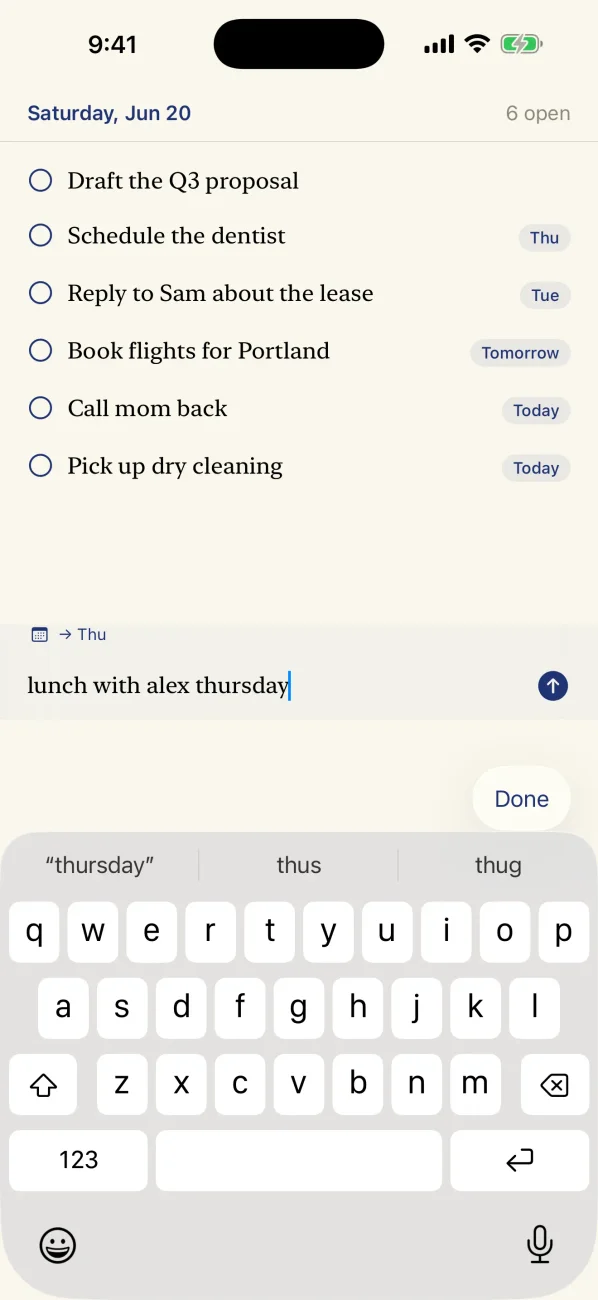
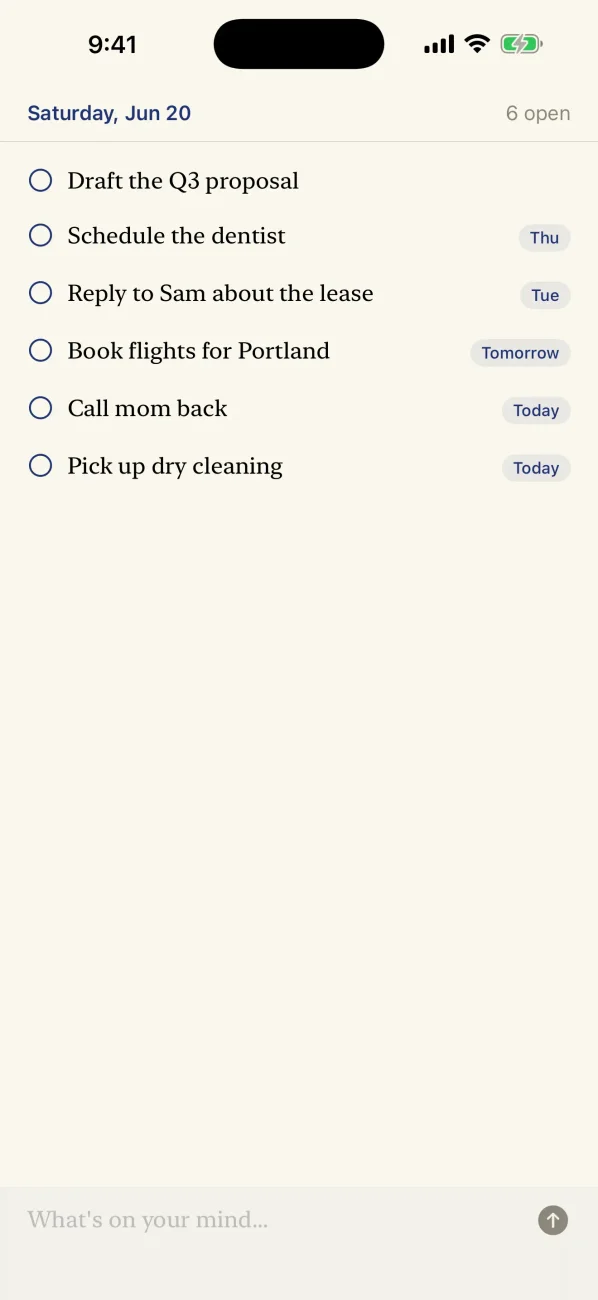
Most to-do apps make you wait — open the app, find the right list, tap a plus, then type. By then the thought's gone and you're back to scribbling on paper. Scribble opens straight to a blank line with the keyboard already up. Type it, hit return, and it's saved. That's the whole app.
• Instant capture — the keyboard is up the moment you open it. No menus, no lists to scroll past.
• Rapid-fire — hit return to save and keep going. Empty your head in one sitting.
• Natural dates — type "call mom friday" or "renew passport in 2 weeks" and Scribble quietly files the date for you.
• Hands-free — say "Hey Siri, Scribble" on your iPhone or Apple Watch and just speak. It lands in your list.
• Calm by design — pen-blue ink on warm paper. Nothing to configure, nothing to nag you.
No account. No sign-up. No ads. Your jots stay on your device.
Scribble isn't trying to be your project manager. It's the napkin that's always in your pocket — just faster.
Nouveautés
Version 1.3 · 25/07/2026
Your list now shows its age. Notes gently grey out and grow bolder the longer they sit unfinished, and a Staleness score at the top tells you at a glance how fresh you're keeping things — with a friendly nudge when it's time to tidy up.
• Swipe right on any line to underline what matters — it jumps to the top of your list
• Swipe left to edit or delete
• A roomier editing screen
• New notes scroll into view above the keyboard as you capture
• Your text is now kept exactly as you write it
Confidentialité de l’application
Ce que ROBERT DANIEL FORCE déclare sur l’App Store au sujet du traitement des données par cette application.
-
Données non collectées
Le développeur ne collecte aucune donnée à partir de cette application.
Les pratiques en matière de confidentialité peuvent varier, notamment en fonction des fonctionnalités que vous utilisez ou de votre âge.
Informations
- Vendeur
- ROBERT DANIEL FORCE
- Catégorie
- Productivité
- Version
- 1.3
- Mis à jour
- 25/07/2026
- Publié
- 23/06/2026
- Taille
- 4,4 Mo
- Nécessite
- iOS 18.0 ou version ultérieure
- Classification d’âge
- 4+
- Prix
- Gratuit
- Langues
- Anglais
- Copyright
- © 2026 Rober Force
Vous aimerez peut-être aussi
-
 Pharos LibraryProductivité
-
 Spark Memo : notes éclairSans titre. Sans dossier.
-
 Debrief: AI Meeting NotesProductivité
-
 DoChecklist - Workflow ProcessProductivité
-
 ShuffleNoteProductivité
-
 GSD Task ManagerProductivité
-
 Mango | Remember Special DatesProductivité
-
 AuraUIClient natif pour Open WebUI
-
 Linked Notes - Bi-directionalProductivité
-
 Notelux : Notes et bloc-notesListes privées, hors ligne