
Scrolly - Auto Web Scroller
Hands-free web scrolling
Entwickelt für iPhone, iPad
0,99 €
- Altersfreigabe4+
- KategorieDienstprogramme
- Entwicklerkyeongju Moon
- SprachenEnglisch
- Größe708,0 KB
Verlinkt auf die offizielle App Store-Seite
Download.org hostet keine Datei von Scrolly - Auto Web Scroller. Die Schaltfläche öffnet die App-Seite bei App Store, wo kyeongju Moon die App veröffentlicht. Eintrag zuletzt geprüft am 12.11.2026.
Screenshots
Info
Der Entwickler hat diesen Text nicht in Ihrer Sprache bereitgestellt.
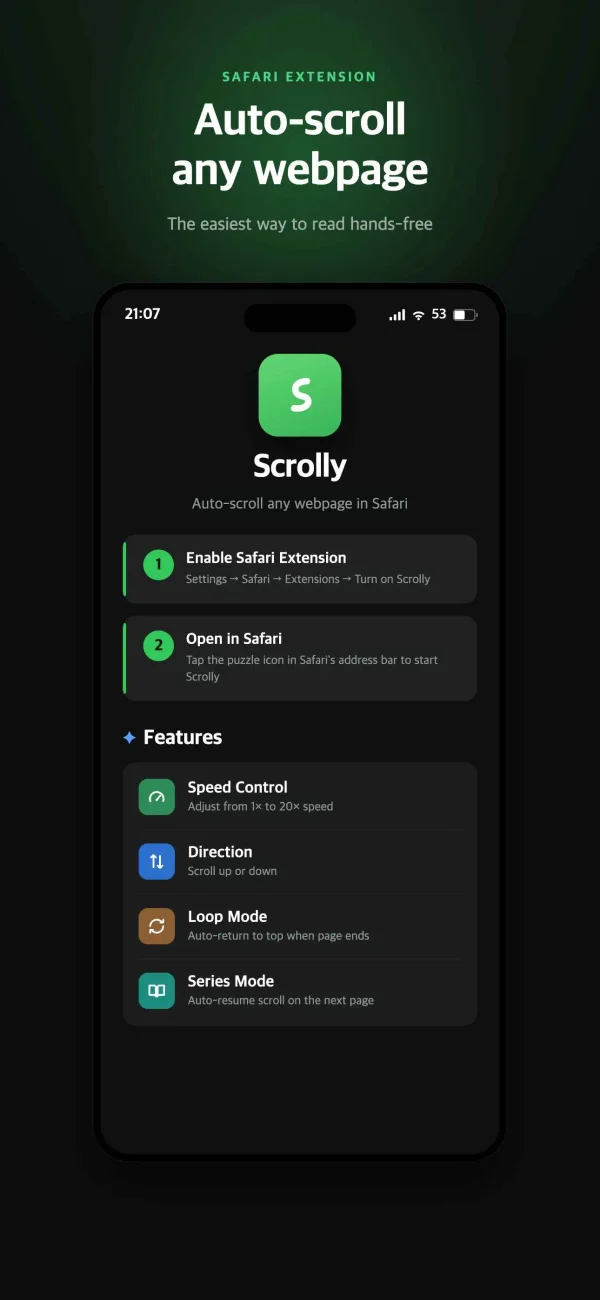
Scrolly is an auto-scroll extension for Safari on iPhone and iPad.
Whether you're cooking, exercising, or just want to read hands-free,
Scrolly smoothly scrolls any webpage in Safari — automatically.
+ KEY FEATURES +
* One-Tap Start / Stop
- Toggle auto-scroll instantly from the Safari popup.
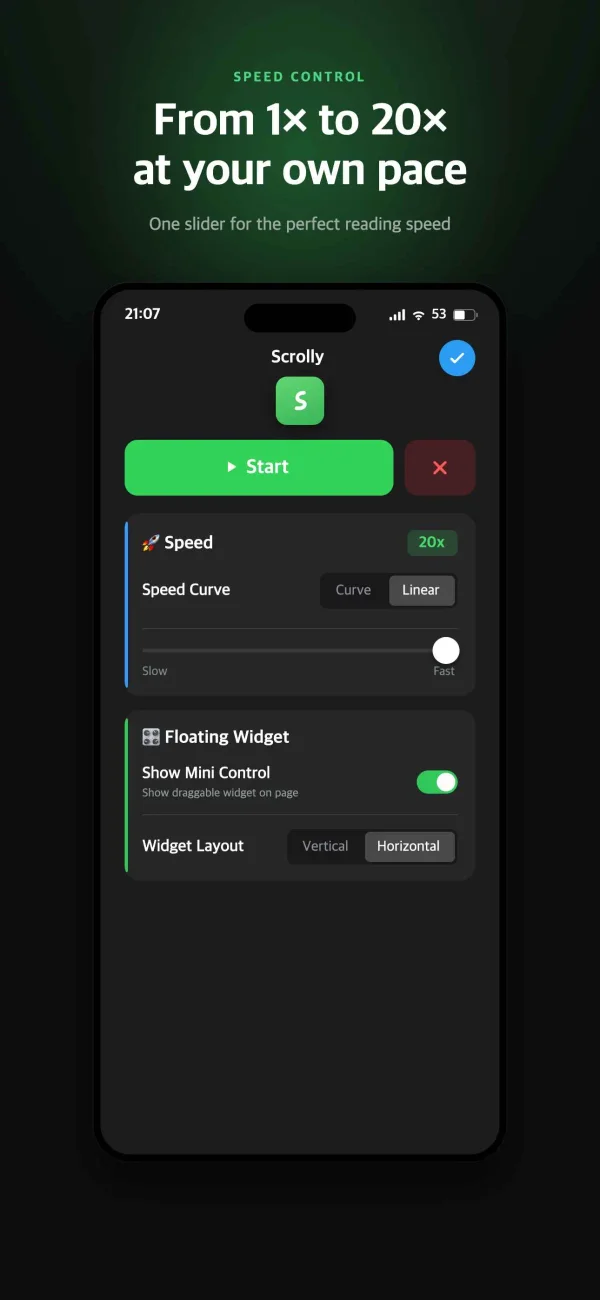
* Adjustable Speed (1x – 20x)
- Slow read or quick skim — drag the slider to your perfect pace.
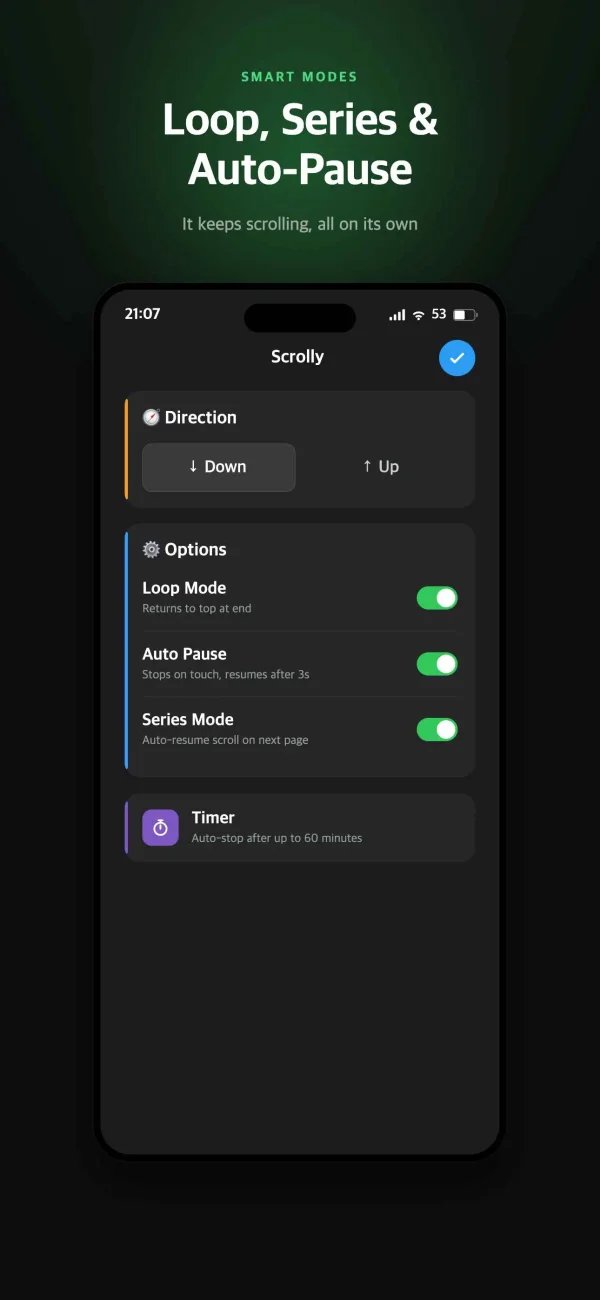
* Direction Control
- Scroll down ↓ or up ↑, whichever you need.
* Loop Mode
- Reaches the bottom? Jumps right back to the top.
- Perfect for banners, scripts, or continuous reading.
* Auto-Pause
- Touching the screen pauses scrolling instantly.
- Scrolly resumes automatically after 3 seconds.
- Tap links, zoom in — all without turning off auto-scroll.
* Timer (5 – 60 min)
- Set a duration and Scrolly stops on its own.
- Great for bedtime reading or timed sessions.
* Gesture Shortcuts
- Double tap: pause / resume instantly
- Triple tap: reset speed to default (2x)
Control Scrolly without ever opening the popup.
* Floating Widget
- A draggable mini-controller that stays on top of the page.
- Drag it anywhere — play/stop button and speed slider always handy.
* Keep Screen Awake
- Screen stays on while scrolling. No more tapping just to keep
- the display lit while following a recipe or sheet music.
* 6 Languages
Korean · English · Japanese · Chinese · French · Spanish
* HOW TO USE
1. After installing, go to Settings → Safari → Extensions → enable Scrolly
2. Open any webpage in Safari
3. Tap the puzzle icon in the address bar → select Scrolly
4. Press ▶ to start scrolling!
* PERFECT FOR
- Reading long articles or blogs hands-free
- Following recipes while cooking
- Keeping up with workout or stretching guides
- Auto-advancing sheet music, scripts, or e-books
- Looping dashboards or presentations
Neue Funktionen
Version 1.0.7 · 17.06.2026
Improved overall experience
Mini control updates
App-Datenschutz
Was kyeongju Moon im App Store zum Umgang dieser App mit Daten angibt.
-
Keine Daten erfasst
Der Entwickler erfasst keine Daten von dieser App.
Die Datenschutzpraktiken können variieren, zum Beispiel je nach den von Ihnen verwendeten Funktionen oder Ihrem Alter.
Informationen
- Anbieter
- kyeongju Moon
- Kategorie
- Dienstprogramme
- Version
- 1.0.7
- Aktualisiert
- 17.06.2026
- Veröffentlicht
- 03.03.2026
- Größe
- 708,0 KB
- Erfordert
- iOS 16.4 oder neuer
- Altersfreigabe
- 4+
- Preis
- 0,99 €
- Sprachen
- Englisch
- Copyright
- © 2026 kyeongju Moon
Das könnte Ihnen auch gefallen
-
 EasyScroll - Hands-free scrollDienstprogramme
-
 Zuru-zuruDienstprogramme
-
 변호사 계산기Dienstprogramme
-
 Web Live ActivitiesDienstprogramme
-
 QuickScroll for SafariDienstprogramme
-
 Screenshot Cleaner AIDienstprogramme
-
 Auto Scroll for Safari: GlidaDienstprogramme
-
 Sodam - Photo Vault & NotesDienstprogramme
-
 저내려요 - 하차 알람·환승 알림Dienstprogramme