Scrolly - Auto Web Scroller
Hands-free web scrolling
Được thiết kế cho iPhone, iPad
29.000đ
- Độ tuổi4+
- Danh mụcTiện Ích
- Nhà phát triểnkyeongju Moon
- Ngôn ngữTiếng Anh
- Kích thước708,0 KB
Liên kết đến trang App Store chính thức
Download.org không lưu trữ tệp nào của Scrolly - Auto Web Scroller. Nút này mở trang ứng dụng trên App Store, nơi kyeongju Moon phát hành ứng dụng. Trang được kiểm tra lần cuối: 12/11/2026.
Ảnh chụp màn hình
Giới thiệu
Nhà phát triển chưa cung cấp nội dung này bằng ngôn ngữ của bạn.
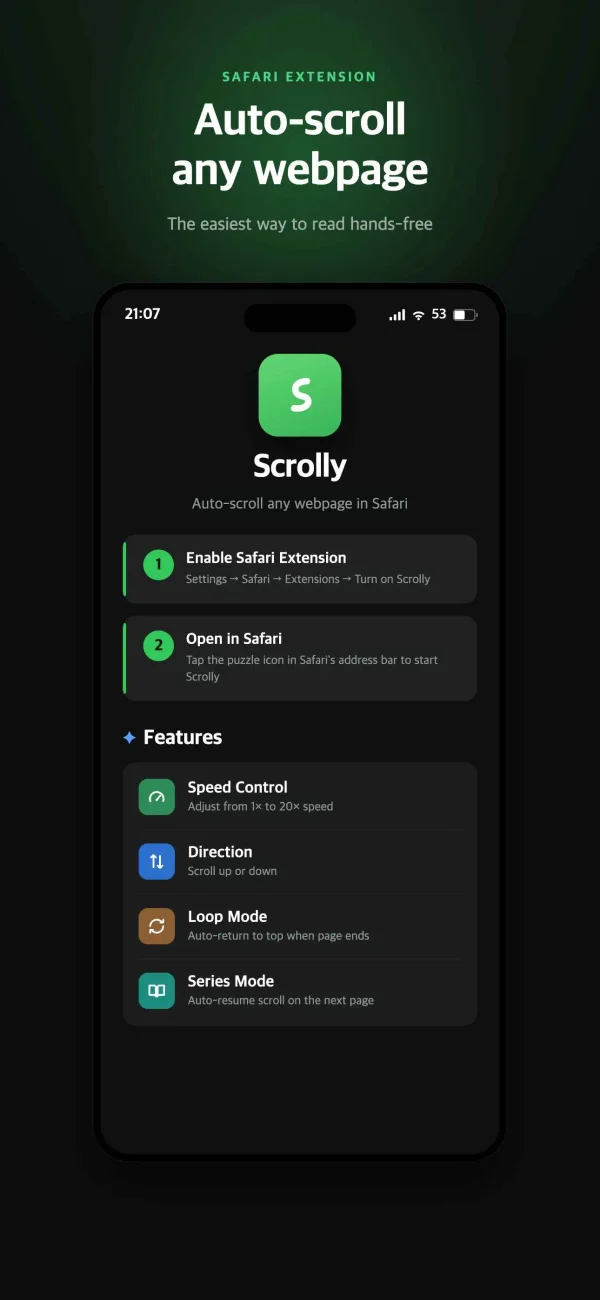
Scrolly is an auto-scroll extension for Safari on iPhone and iPad.
Whether you're cooking, exercising, or just want to read hands-free,
Scrolly smoothly scrolls any webpage in Safari — automatically.
+ KEY FEATURES +
* One-Tap Start / Stop
- Toggle auto-scroll instantly from the Safari popup.
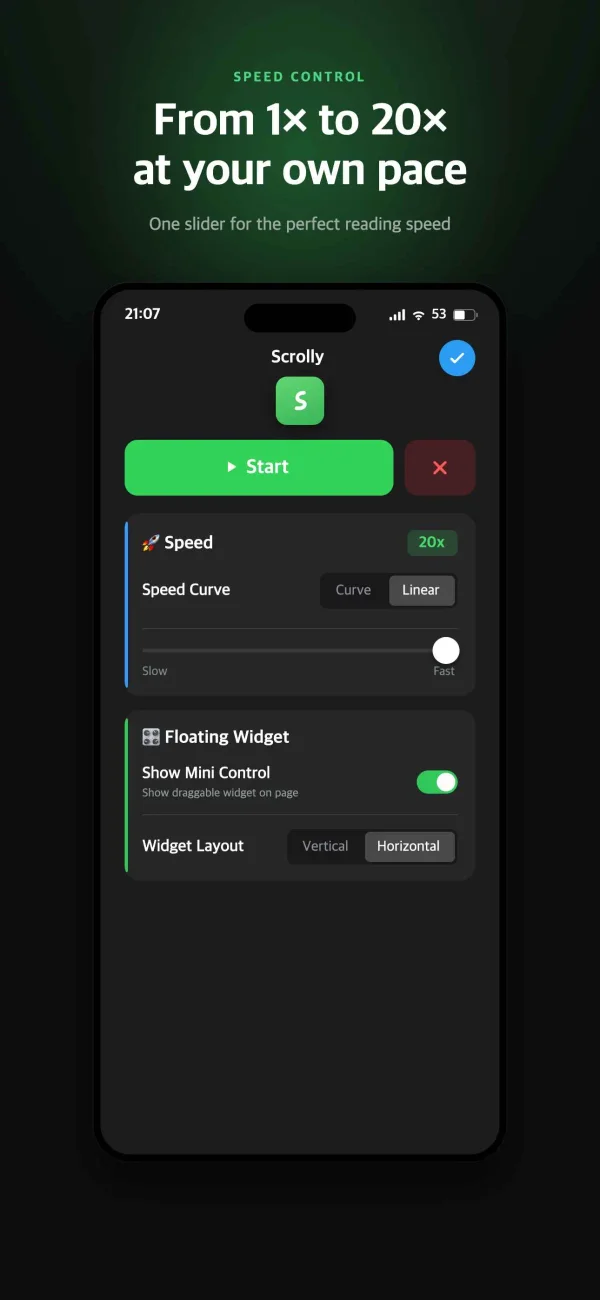
* Adjustable Speed (1x – 20x)
- Slow read or quick skim — drag the slider to your perfect pace.
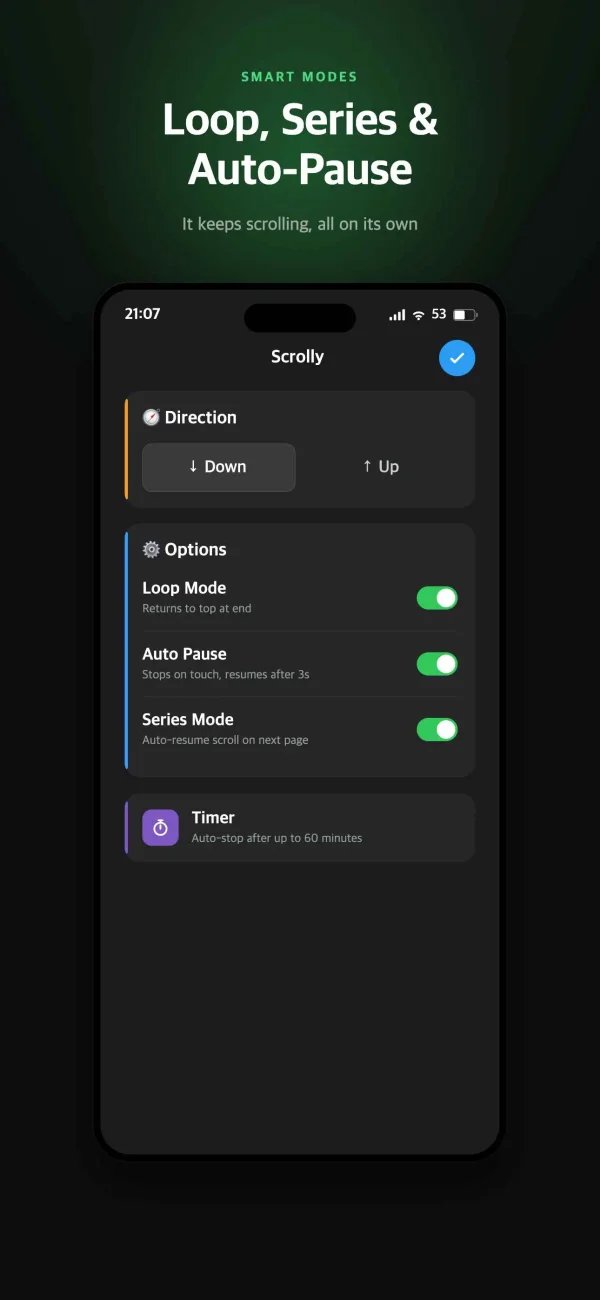
* Direction Control
- Scroll down ↓ or up ↑, whichever you need.
* Loop Mode
- Reaches the bottom? Jumps right back to the top.
- Perfect for banners, scripts, or continuous reading.
* Auto-Pause
- Touching the screen pauses scrolling instantly.
- Scrolly resumes automatically after 3 seconds.
- Tap links, zoom in — all without turning off auto-scroll.
* Timer (5 – 60 min)
- Set a duration and Scrolly stops on its own.
- Great for bedtime reading or timed sessions.
* Gesture Shortcuts
- Double tap: pause / resume instantly
- Triple tap: reset speed to default (2x)
Control Scrolly without ever opening the popup.
* Floating Widget
- A draggable mini-controller that stays on top of the page.
- Drag it anywhere — play/stop button and speed slider always handy.
* Keep Screen Awake
- Screen stays on while scrolling. No more tapping just to keep
- the display lit while following a recipe or sheet music.
* 6 Languages
Korean · English · Japanese · Chinese · French · Spanish
* HOW TO USE
1. After installing, go to Settings → Safari → Extensions → enable Scrolly
2. Open any webpage in Safari
3. Tap the puzzle icon in the address bar → select Scrolly
4. Press ▶ to start scrolling!
* PERFECT FOR
- Reading long articles or blogs hands-free
- Following recipes while cooking
- Keeping up with workout or stretching guides
- Auto-advancing sheet music, scripts, or e-books
- Looping dashboards or presentations
Có gì mới
Phiên bản 1.0.7 · 17/06/2026
Improved overall experience
Mini control updates
Quyền riêng tư của ứng dụng
Những gì kyeongju Moon khai báo trên App Store về cách ứng dụng này xử lý dữ liệu.
-
Dữ liệu không được thu thập
Nhà phát triển không thu thập bất kỳ dữ liệu nào từ ứng dụng này.
Phương thức đảm bảo quyền riêng tư có thể khác nhau, chẳng hạn như tuỳ theo các tính năng bạn sử dụng hoặc độ tuổi của bạn.
Thông tin
- Người bán
- kyeongju Moon
- Danh mục
- Tiện Ích
- Phiên bản
- 1.0.7
- Cập nhật
- 17/06/2026
- Phát hành
- 03/03/2026
- Kích thước
- 708,0 KB
- Yêu cầu
- iOS 16.4 trở lên
- Độ tuổi
- 4+
- Giá
- 29.000đ
- Ngôn ngữ
- Tiếng Anh
- Bản quyền
- © 2026 kyeongju Moon