SP Car Remote
Your car's controls, in hand
Entwickelt für iPhone, iPad
Kostenlos
- Altersfreigabe4+
- KategorieDienstprogramme
- EntwicklerSokpheang Duong
- SprachenEnglisch
- Größe19,0 MB
Verlinkt auf die offizielle App Store-Seite
Download.org hostet keine Datei von SP Car Remote. Die Schaltfläche öffnet die App-Seite bei App Store, wo Sokpheang Duong die App veröffentlicht. Eintrag zuletzt geprüft am 23.11.2026.
Screenshots


Info
Der Entwickler hat diesen Text nicht in Ihrer Sprache bereitgestellt.
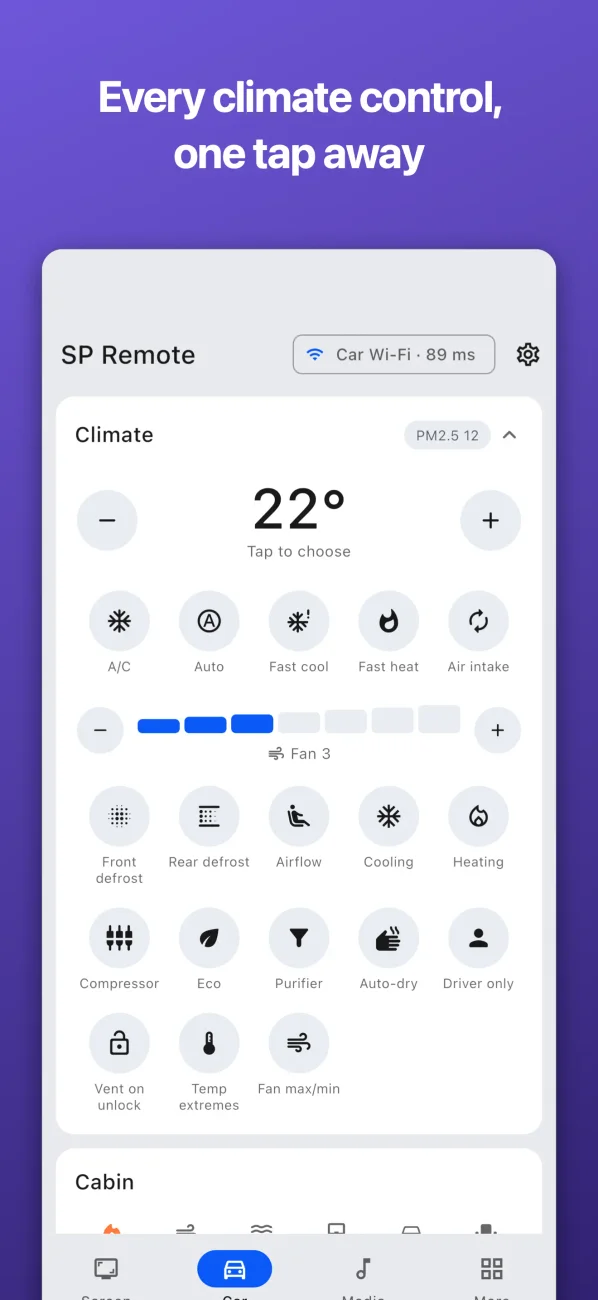
SP Remote puts your car's screens and controls on your phone.
Set the cabin before you get in, warm the seats for your passengers, close a window you
left open, or pick the music from the back seat. SP Remote talks to your car over its own
Wi-Fi when you are close, and over the internet when you are not.
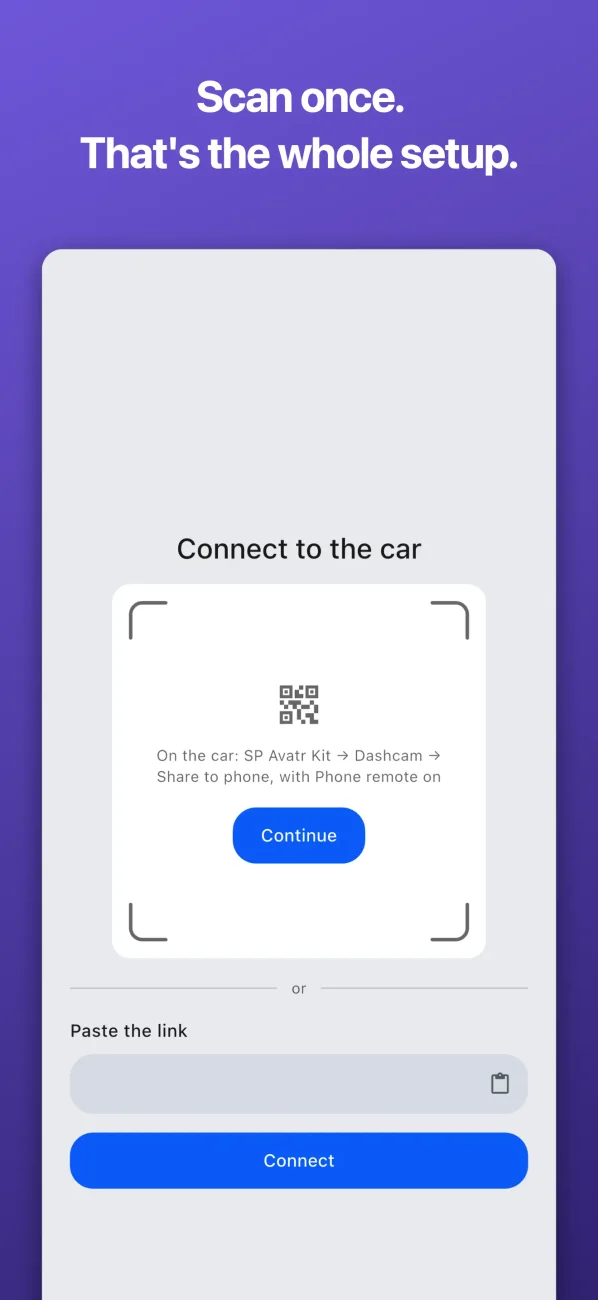
PAIR ONCE
On the centre screen, open the Dashcam panel, turn on Share to phone and Phone remote, and
scan the code. That is the whole setup — no account, no sign-up, no password. The car asks
once whether to allow your phone.
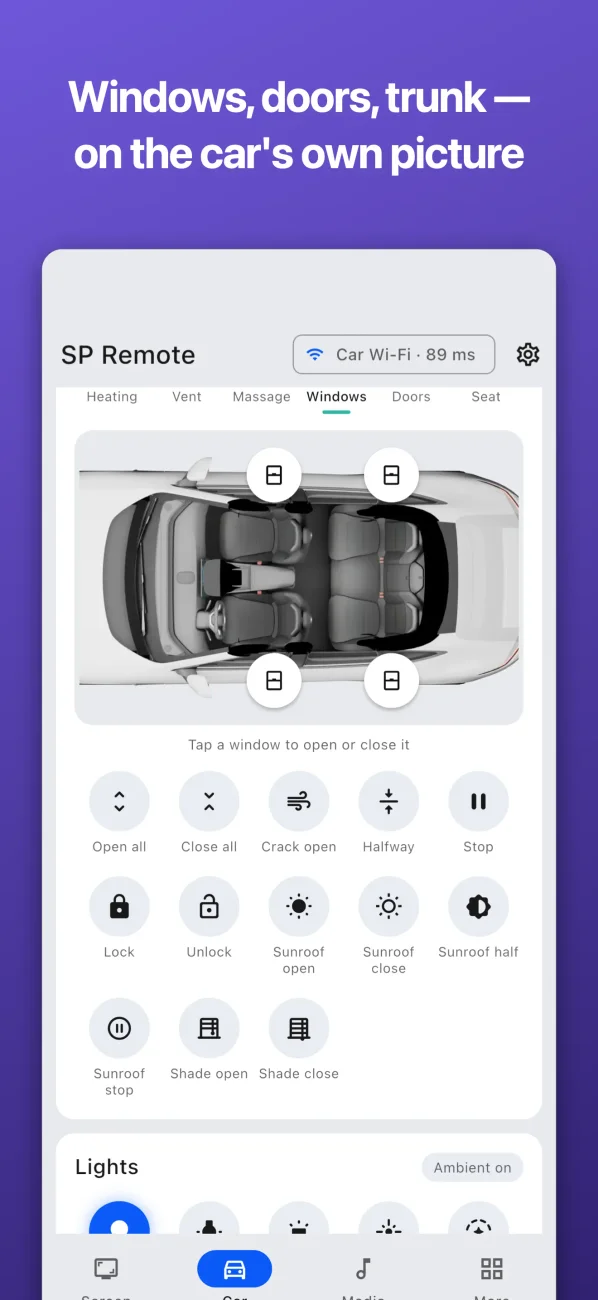
CLIMATE AND CABIN, THE WAY THE CAR SHOWS THEM
Temperature, fan, A/C, auto, fast cool and fast heat sit at the top; open the card for
defrost, airflow, air intake, purifier and the rest. Seat heating, ventilation and massage
are set by tapping the seats on a picture of your own car, and the steering wheel heats
the same way. Windows, doors, mirrors, trunk and charging port are there too, with a
question before anything opens.
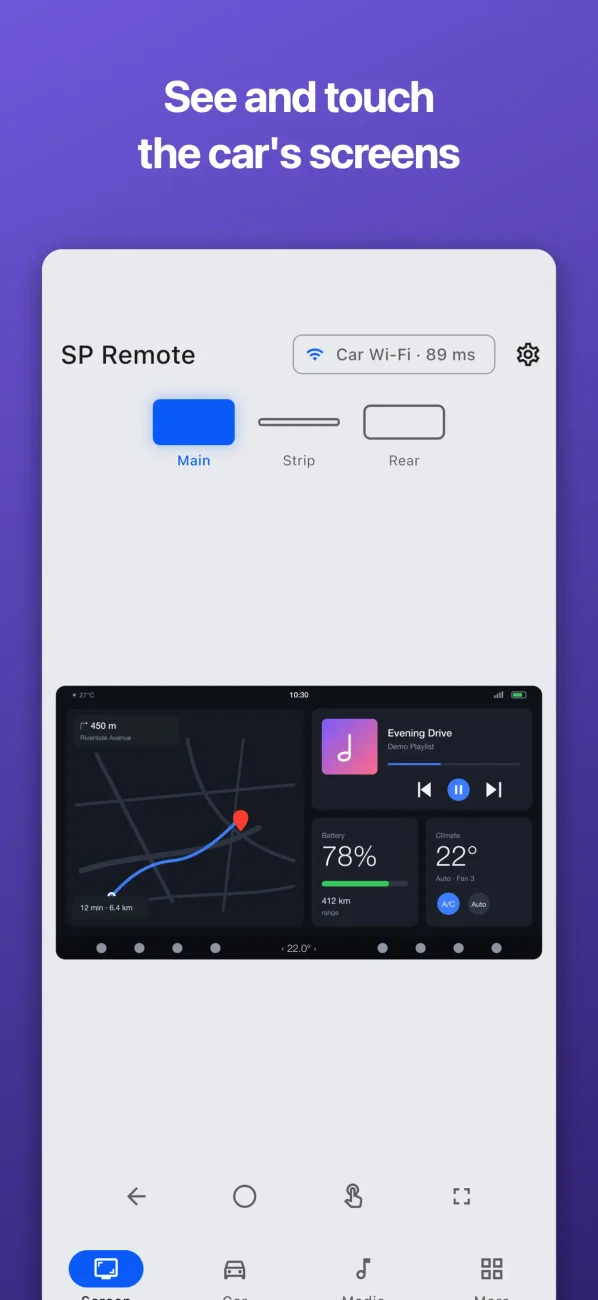
THE CAR'S SCREENS, ON YOURS
See the centre screen, the strip and the rear screen live, and tap or swipe on them as if
you were in the car. Turn the phone sideways for the full screen.
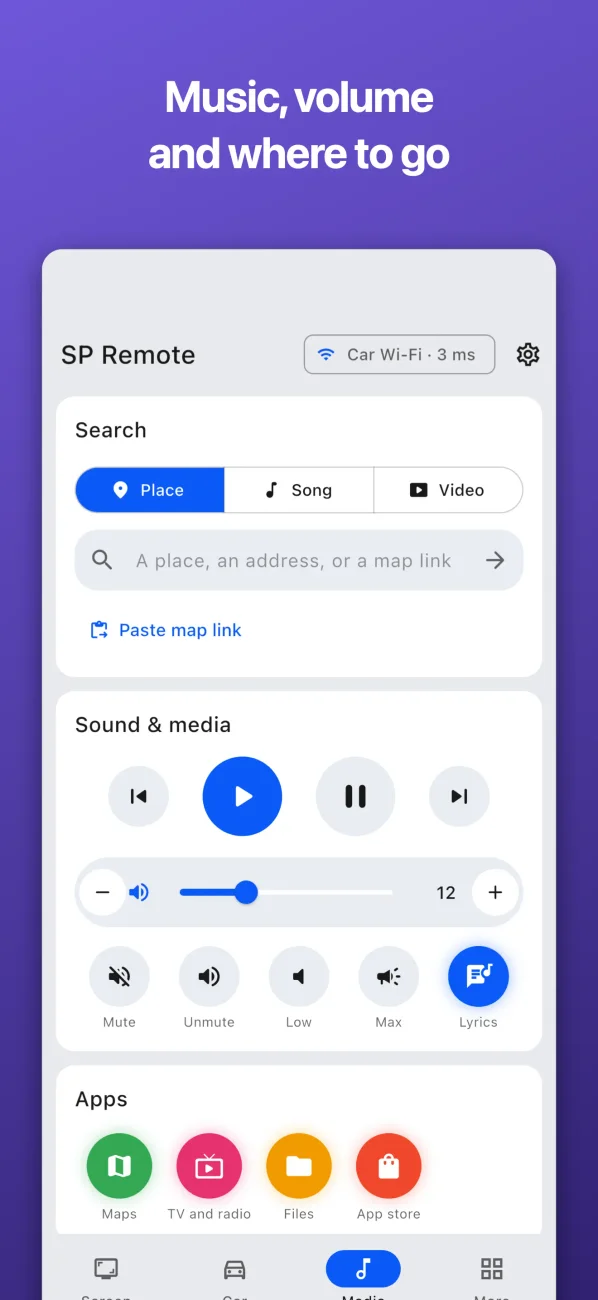
MUSIC, VOLUME AND WHERE TO GO
Play, pause and skip, drag the volume, and open the car's apps. Type a place or paste a
map link and the car starts the route.
SIRI
"Hey Siri, SP Remote front defrost." "Hey Siri, tell SP Remote" — then say what you want in
your own words. "Hey Siri, SP Remote car status" reads the climate, seats and lights back
to you. Your favourite commands can go on the Home Screen as shortcuts.
PRIVACY
There is no account and no server of ours. Your phone talks to your car and to nothing
else. No analytics, no crash reporting, no advertising, no tracking, and no third-party
SDKs.
SAFETY
SP Remote is for passengers, and for when the car is parked. The driver should never use
a phone while driving.
REQUIREMENTS
• An Avatr or Deepal vehicle with a Huawei HarmonyOS cockpit.
• SP Avatr Kit on the centre screen, with Phone remote turned on — that is what answers
this app. Setup is at the support page below.
• Which controls work depends on the car's software; the app shows only what your car
accepts and greys out the rest.
This app is an independent companion for the vehicle. It is not produced, endorsed or
supported by Avatr, Changan, Huawei, or any vehicle manufacturer. All trademarks belong to
their owners.
Support: https://dsokpheang.github.io/sp_avatr_support/support/remote/
Neue Funktionen
Version 1.0.1 · 11.11.2026
UI / UX Revamps
App-Datenschutz
Was Sokpheang Duong im App Store zum Umgang dieser App mit Daten angibt.
-
Keine Daten erfasst
Der Entwickler erfasst keine Daten von dieser App.
Die Datenschutzpraktiken können variieren, zum Beispiel je nach den von Ihnen verwendeten Funktionen oder Ihrem Alter.
Informationen
- Anbieter
- Sokpheang Duong
- Kategorie
- Dienstprogramme
- Version
- 1.0.1
- Aktualisiert
- 11.11.2026
- Veröffentlicht
- 08.11.2026
- Größe
- 19,0 MB
- Erfordert
- iOS 17.0 oder neuer
- Altersfreigabe
- 4+
- Preis
- Kostenlos
- Sprachen
- Englisch
- Copyright
- © SPD Group
Das könnte Ihnen auch gefallen
-
 Pocket Toolbox: PDF & ToolsOCR, QR-Code & Einheiten
-
 GoGreenEnergyDienstprogramme
-
 EVO CambodiaDienstprogramme
-
 Khmer EV ChargingDienstprogramme
-
 EV168Dienstprogramme
-
 ITracker-Safety companionDienstprogramme
-
 Khmer Engineering JobDienstprogramme
-
 Power car C.H.A9Dienstprogramme
-
 EV Energy ChargingDienstprogramme