SP Car Remote
Your car's controls, in hand
Được thiết kế cho iPhone, iPad
Miễn phí
- Độ tuổi4+
- Danh mụcTiện Ích
- Nhà phát triểnSokpheang Duong
- Ngôn ngữTiếng Anh
- Kích thước19,0 MB
Liên kết đến trang App Store chính thức
Download.org không lưu trữ tệp nào của SP Car Remote. Nút này mở trang ứng dụng trên App Store, nơi Sokpheang Duong phát hành ứng dụng. Trang được kiểm tra lần cuối: 23/11/2026.
Ảnh chụp màn hình


Giới thiệu
Nhà phát triển chưa cung cấp nội dung này bằng ngôn ngữ của bạn.
SP Remote puts your car's screens and controls on your phone.
Set the cabin before you get in, warm the seats for your passengers, close a window you
left open, or pick the music from the back seat. SP Remote talks to your car over its own
Wi-Fi when you are close, and over the internet when you are not.
PAIR ONCE
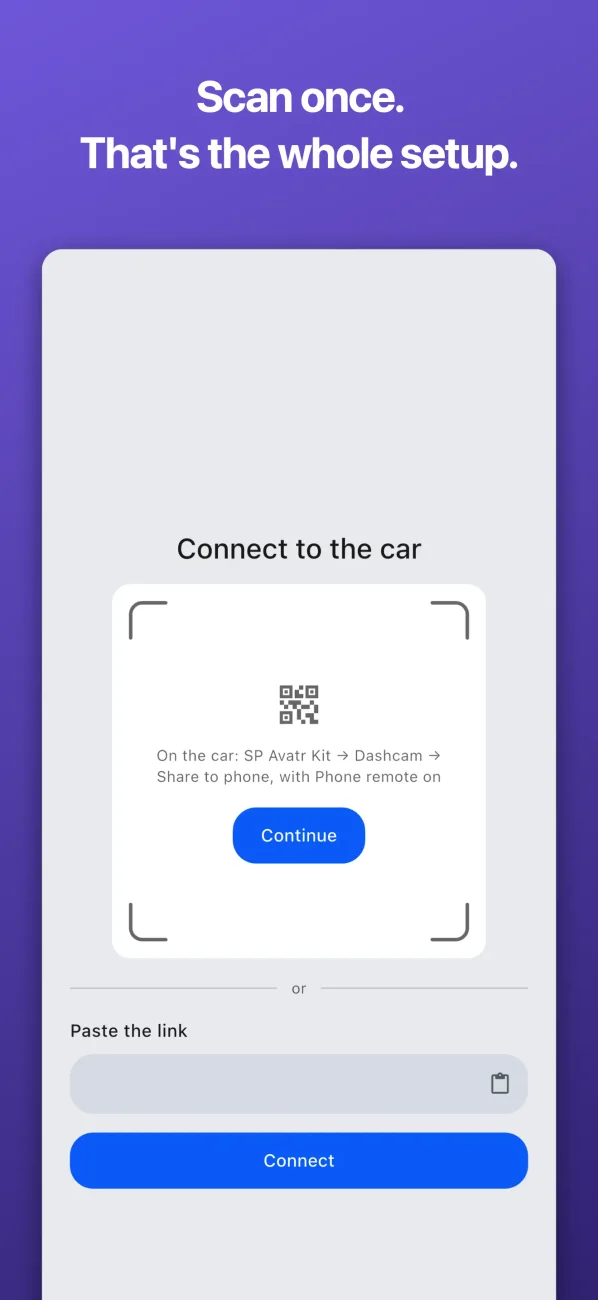
On the centre screen, open the Dashcam panel, turn on Share to phone and Phone remote, and
scan the code. That is the whole setup — no account, no sign-up, no password. The car asks
once whether to allow your phone.
CLIMATE AND CABIN, THE WAY THE CAR SHOWS THEM
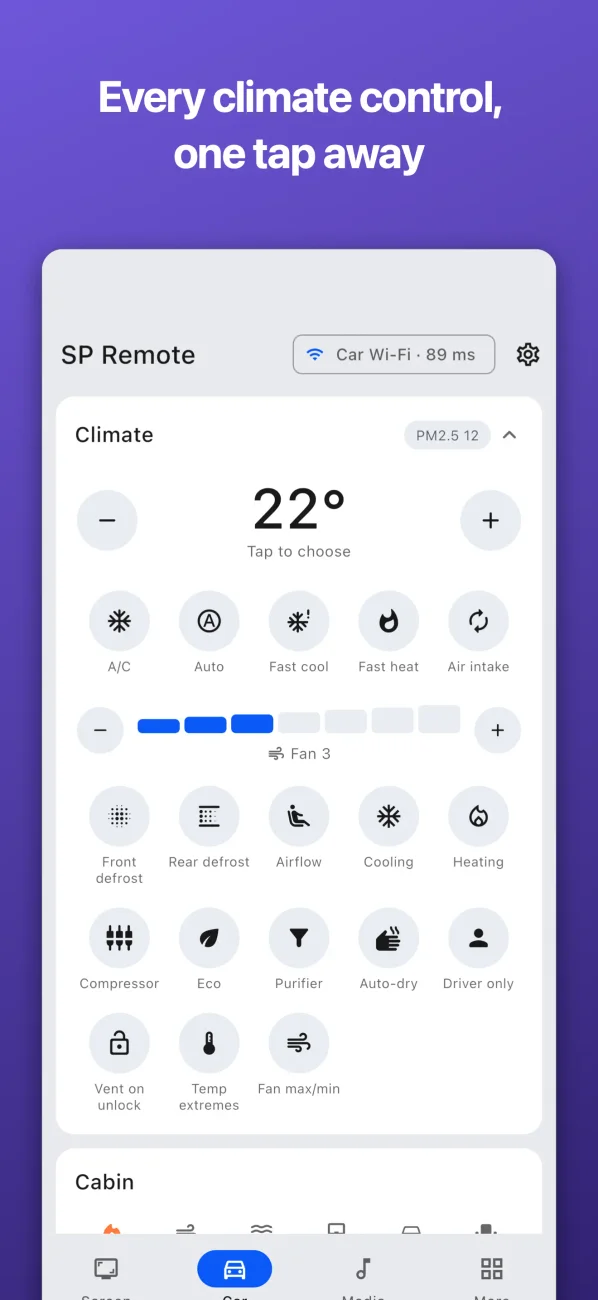
Temperature, fan, A/C, auto, fast cool and fast heat sit at the top; open the card for
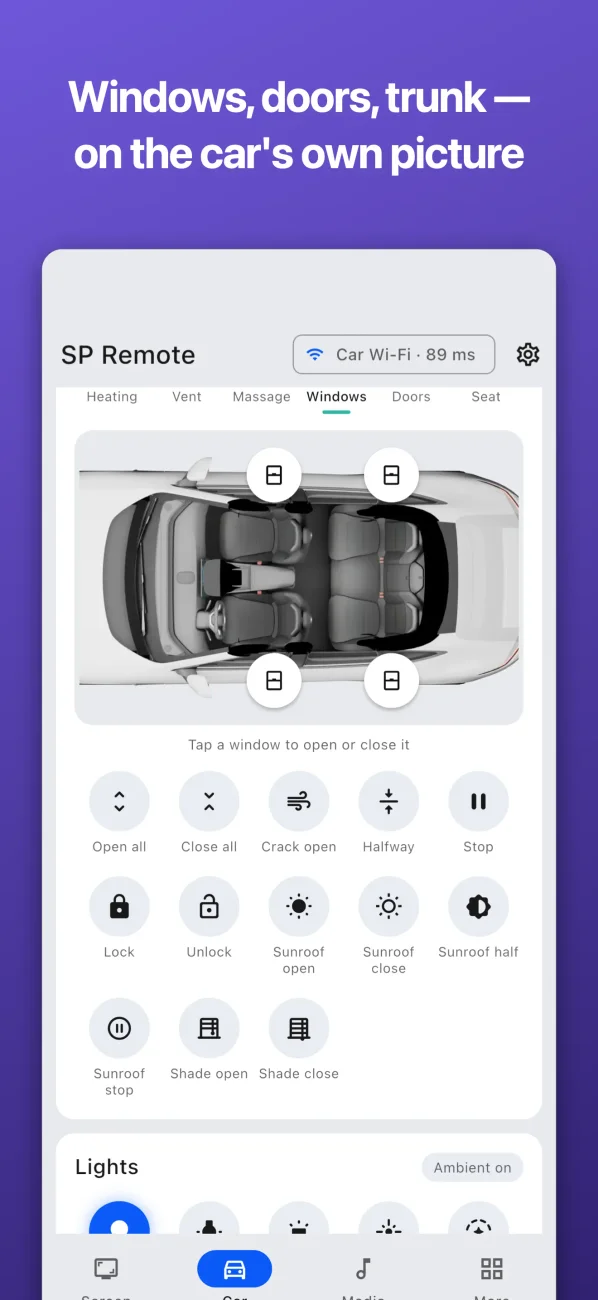
defrost, airflow, air intake, purifier and the rest. Seat heating, ventilation and massage
are set by tapping the seats on a picture of your own car, and the steering wheel heats
the same way. Windows, doors, mirrors, trunk and charging port are there too, with a
question before anything opens.
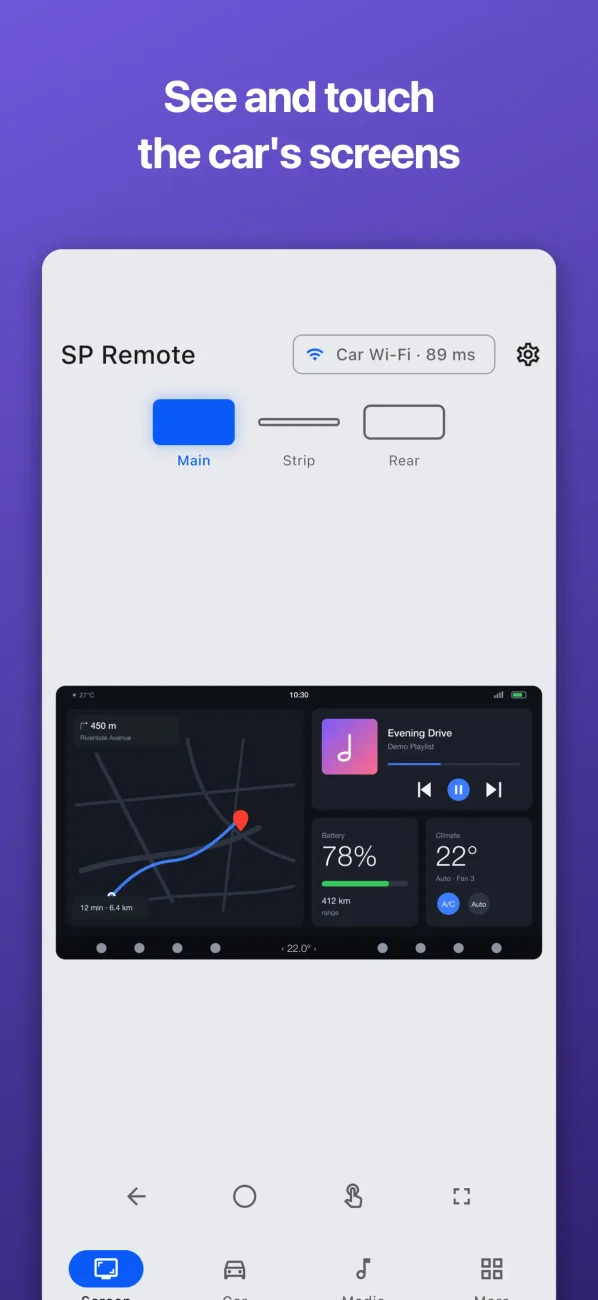
THE CAR'S SCREENS, ON YOURS
See the centre screen, the strip and the rear screen live, and tap or swipe on them as if
you were in the car. Turn the phone sideways for the full screen.
MUSIC, VOLUME AND WHERE TO GO
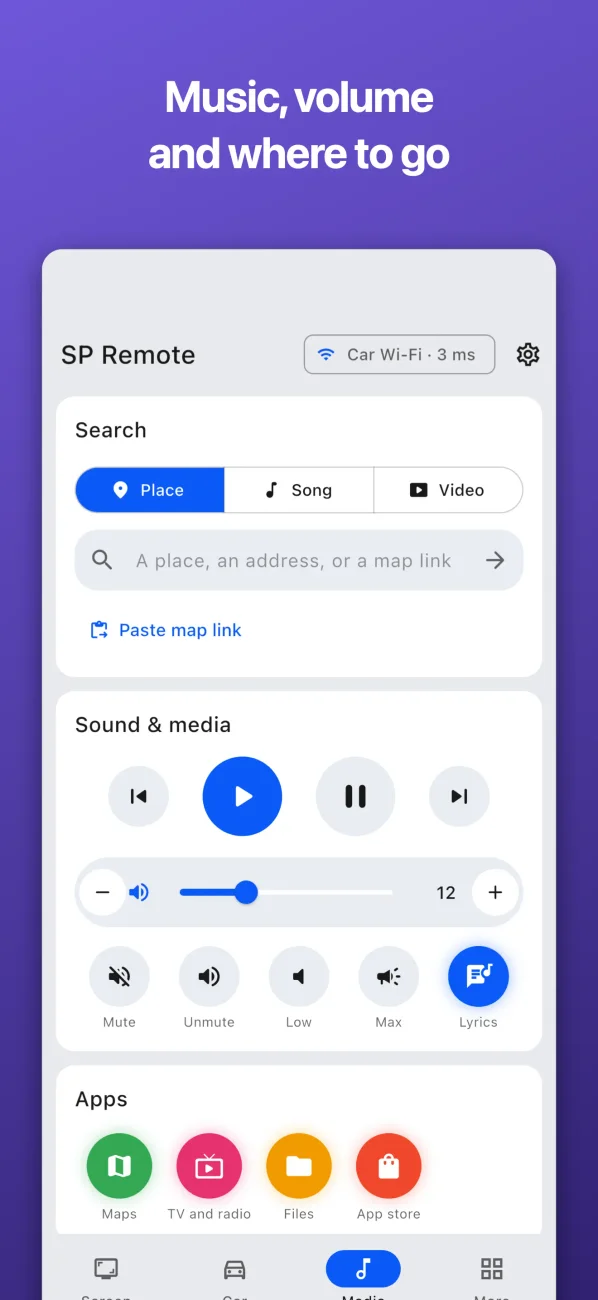
Play, pause and skip, drag the volume, and open the car's apps. Type a place or paste a
map link and the car starts the route.
SIRI
"Hey Siri, SP Remote front defrost." "Hey Siri, tell SP Remote" — then say what you want in
your own words. "Hey Siri, SP Remote car status" reads the climate, seats and lights back
to you. Your favourite commands can go on the Home Screen as shortcuts.
PRIVACY
There is no account and no server of ours. Your phone talks to your car and to nothing
else. No analytics, no crash reporting, no advertising, no tracking, and no third-party
SDKs.
SAFETY
SP Remote is for passengers, and for when the car is parked. The driver should never use
a phone while driving.
REQUIREMENTS
• An Avatr or Deepal vehicle with a Huawei HarmonyOS cockpit.
• SP Avatr Kit on the centre screen, with Phone remote turned on — that is what answers
this app. Setup is at the support page below.
• Which controls work depends on the car's software; the app shows only what your car
accepts and greys out the rest.
This app is an independent companion for the vehicle. It is not produced, endorsed or
supported by Avatr, Changan, Huawei, or any vehicle manufacturer. All trademarks belong to
their owners.
Support: https://dsokpheang.github.io/sp_avatr_support/support/remote/
Có gì mới
Phiên bản 1.0.1 · 11/11/2026
UI / UX Revamps
Quyền riêng tư của ứng dụng
Những gì Sokpheang Duong khai báo trên App Store về cách ứng dụng này xử lý dữ liệu.
-
Dữ liệu không được thu thập
Nhà phát triển không thu thập bất kỳ dữ liệu nào từ ứng dụng này.
Phương thức đảm bảo quyền riêng tư có thể khác nhau, chẳng hạn như tuỳ theo các tính năng bạn sử dụng hoặc độ tuổi của bạn.
Thông tin
- Người bán
- Sokpheang Duong
- Danh mục
- Tiện Ích
- Phiên bản
- 1.0.1
- Cập nhật
- 11/11/2026
- Phát hành
- 08/11/2026
- Kích thước
- 19,0 MB
- Yêu cầu
- iOS 17.0 trở lên
- Độ tuổi
- 4+
- Giá
- Miễn phí
- Ngôn ngữ
- Tiếng Anh
- Bản quyền
- © SPD Group