
SyncThemCalendars
Sync Google, Outlook & iCloud
Designed for iPhone, iPod touch
Free · In-app purchases
- Age rating4+
- CategoryProductivity
- DeveloperMONKEY CUBE STUDIO PTE. LTD.
- LanguagesEnglish
- Size27.7 MB
Links to the official App Store page
Download.org hosts no file of SyncThemCalendars. The button opens its official App Store page, published by MONKEY CUBE STUDIO PTE. LTD. Listing last checked on Nov 13, 2026.
Screenshots
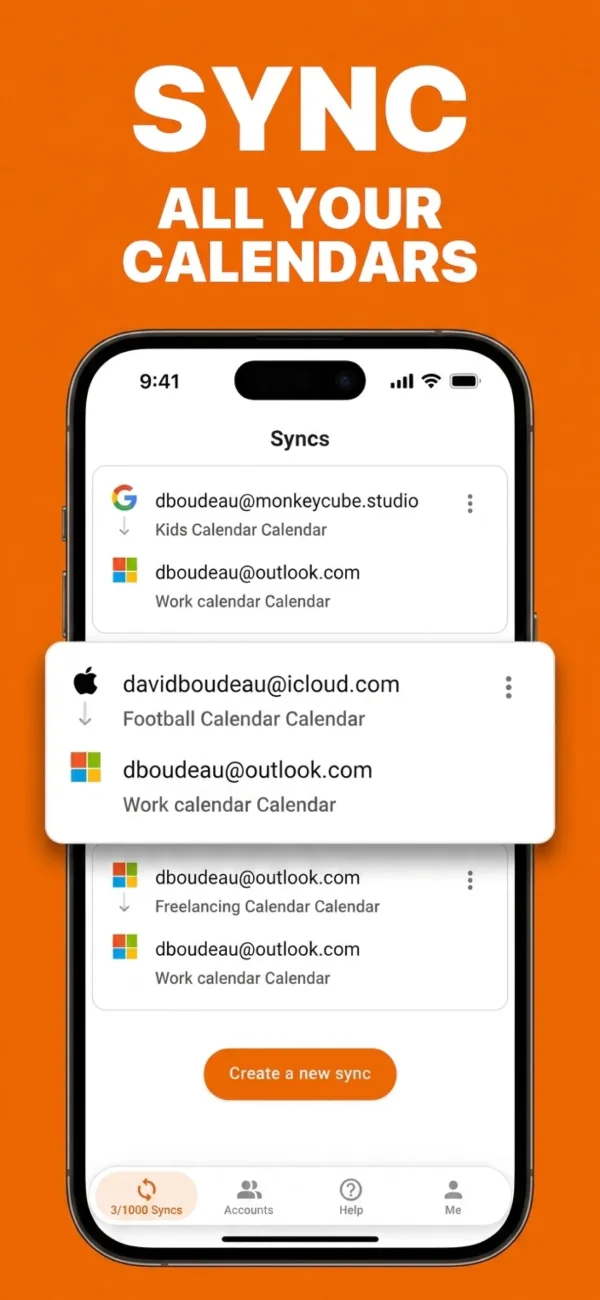
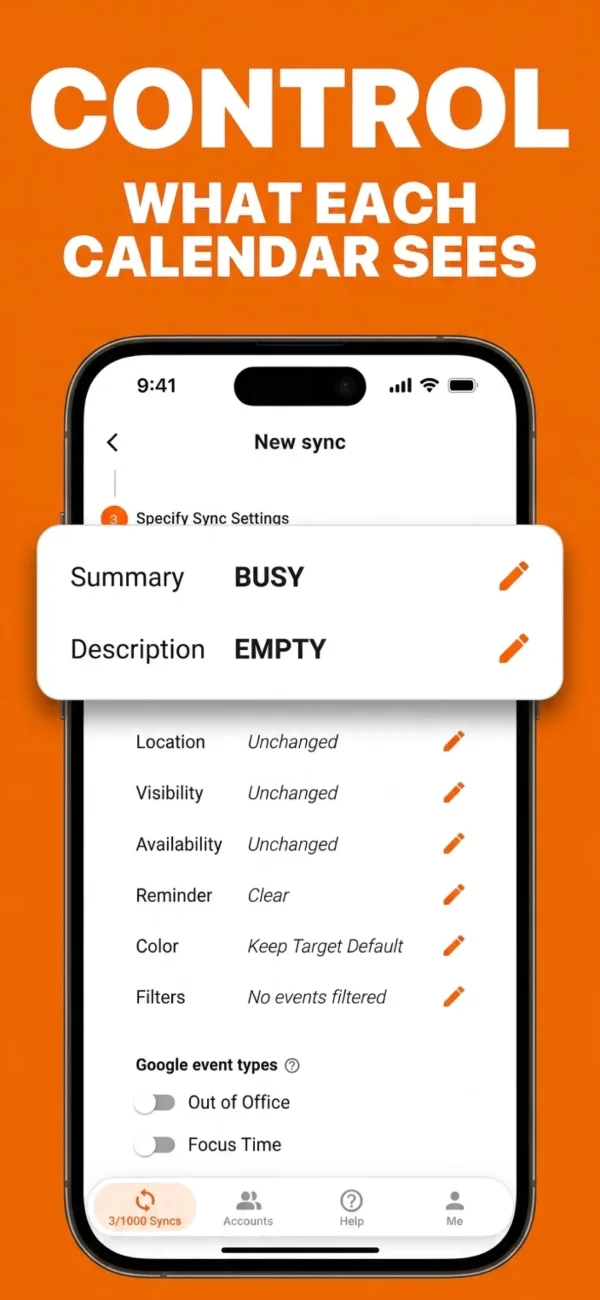
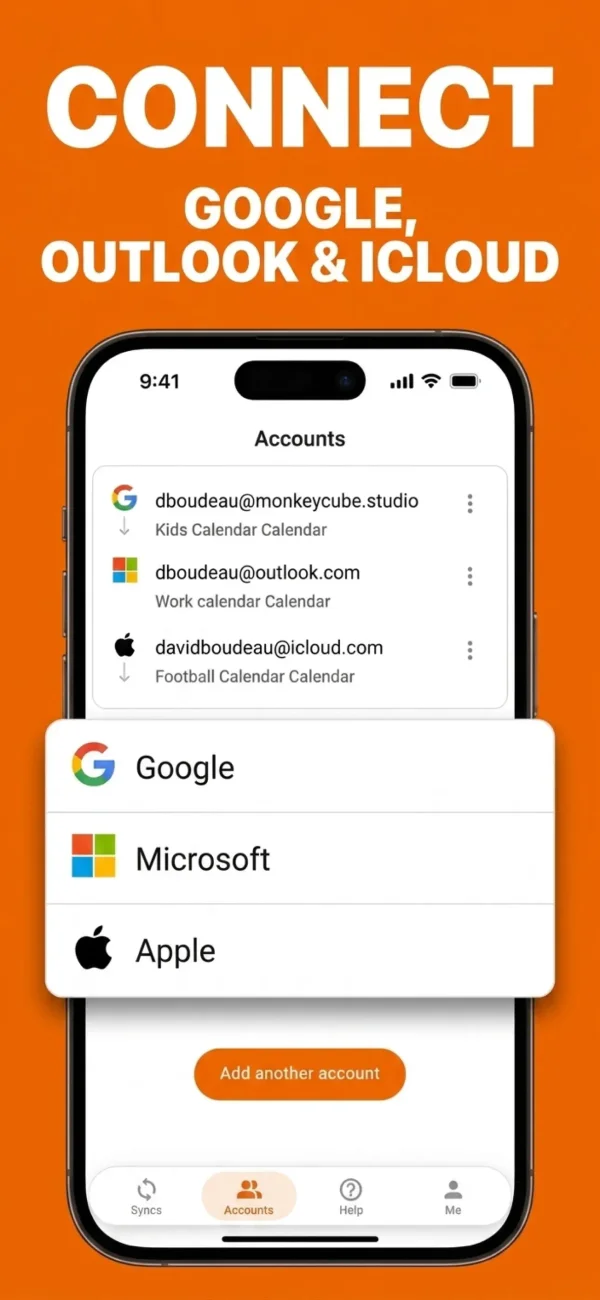
About
SyncThemCalendars automatically keeps two or more of your calendars in sync by copying events between them — filling the gap that Google Calendar, Outlook and Apple Calendar leave open.
Connect your calendars once, choose a source and a target, and we handle the rest: every upcoming event is copied and kept up to date in real time, with a set-and-forget approach.
WHAT YOU CAN DO
• Sync across providers: Google Calendar, Microsoft Outlook / Office 365, and Apple Calendar (iCloud) — any combination, in any direction.
• One-way or two-way syncs: mirror events both ways, or only copy from one calendar to another. It's entirely up to you.
• Protect your privacy: hide the details of any field in the copied event — title, description, location and more — behind a simple "Busy" block.
• Real-time updates: changes, reschedules and deletions propagate automatically.
• Manage everything from the app: create, pause, edit or delete syncs, and connect or remove calendar accounts.
WHO IT'S FOR
• Professionals juggling a work calendar and a personal calendar who want colleagues to see when they're busy — without revealing why.
• Consultants and freelancers managing multiple client calendars.
• Founders and teams running several businesses, each with its own calendar.
• Anyone tired of double bookings caused by scattered calendars.
HOW IT WORKS
1. Sign in with Apple, Google or Microsoft.
2. Connect the calendar accounts you want to sync.
3. Create a sync: pick a source calendar, a target calendar, and your privacy options.
Setup takes about 2 minutes. Syncing runs in the cloud, so it keeps working even when the app is closed.
FREE TRIAL & SUBSCRIPTIONS
Start with a 14-day free trial — no payment required. After the trial, a subscription keeps your syncs running. Auto-renewable subscription options (monthly or yearly):
• Basic — 5 calendar syncs: $4.99/month or $47.88/year
• Premium — 16 calendar syncs: $9.99/month or $95.88/year
• Professional — 36 calendar syncs: $19.99/month or $215.88/year
All plans include unlimited events, unlimited calendars and all three providers. Payment is charged to your Apple ID account at confirmation of purchase. Subscriptions renew automatically unless cancelled at least 24 hours before the end of the current period. You can manage or cancel your subscription in your App Store account settings at any time.
Privacy Policy: https://syncthemcalendars.com/privacy-policy
Terms of Service: https://syncthemcalendars.com/terms-of-service
Your calendar data is only ever used to copy events across your calendars. We never sell it or use it for anything else.
Questions? Reach us at contact@syncthemcalendars.com — a real person replies, usually within one business day.
App privacy
What MONKEY CUBE STUDIO PTE. LTD. declares on the App Store about how this app handles data.
-
Data linked to you
May be collected and linked to your identity.
- Contact info
- User content
- Usage data
-
Data not linked to you
May be collected but is not linked to your identity.
- Diagnostics
Privacy practices may vary, for example with the features you use or your age.
Information
- Seller
- MONKEY CUBE STUDIO PTE. LTD.
- Category
- Productivity
- Version
- 1.0
- Updated
- Aug 14, 2026
- Released
- Aug 14, 2026
- Size
- 27.7 MB
- Requires
- iOS 14.0 or later
- Age rating
- 4+
- Price
- Free
- In-app purchases
- Yes
- Languages
- English
- Copyright
- © 2026 MONKEY CUBE STUDIO PTE. LTD.
You might also like
-
 Marginalia Notes & PlannerProductivity
-
 Atomic CalendarStay Organized. Stay Private.
-
 Hush: Quiet Your PhoneMinimalist Launcher
-
 Equerry - Your AssistantNotes, voice memos, PDFs. Ask.
-
 FairLedger: Expenses & CustodyCo-Parent Finances & Calendar
-
 PenciloFocus Tasks, Notes & AI
-
 WFN: Widgets for NotionWidgets for Notion Databases
-
 NetNoteThe voice-first network app
-
 Nemos: Second Brain & MemosLink Saver, Screenshots, Notes
-
 DayJournal: Planner & NotesDigital Calendar & Handwriting