
Time Flow Sketch
Reshape time by drawing
Entwickelt für iPhone, iPad, Mac
Kostenlos
- Altersfreigabe4+
- KategorieFoto und Video
- EntwicklerRyu Furusawa
- SprachenEnglisch+ 1 weitere
- Größe5,9 MB
Verlinkt auf die offizielle App Store-Seite
Download.org hostet keine Datei von Time Flow Sketch. Die Schaltfläche öffnet die App-Seite bei App Store, wo Ryu Furusawa die App veröffentlicht. Eintrag zuletzt geprüft am 28.11.2026.
Screenshots
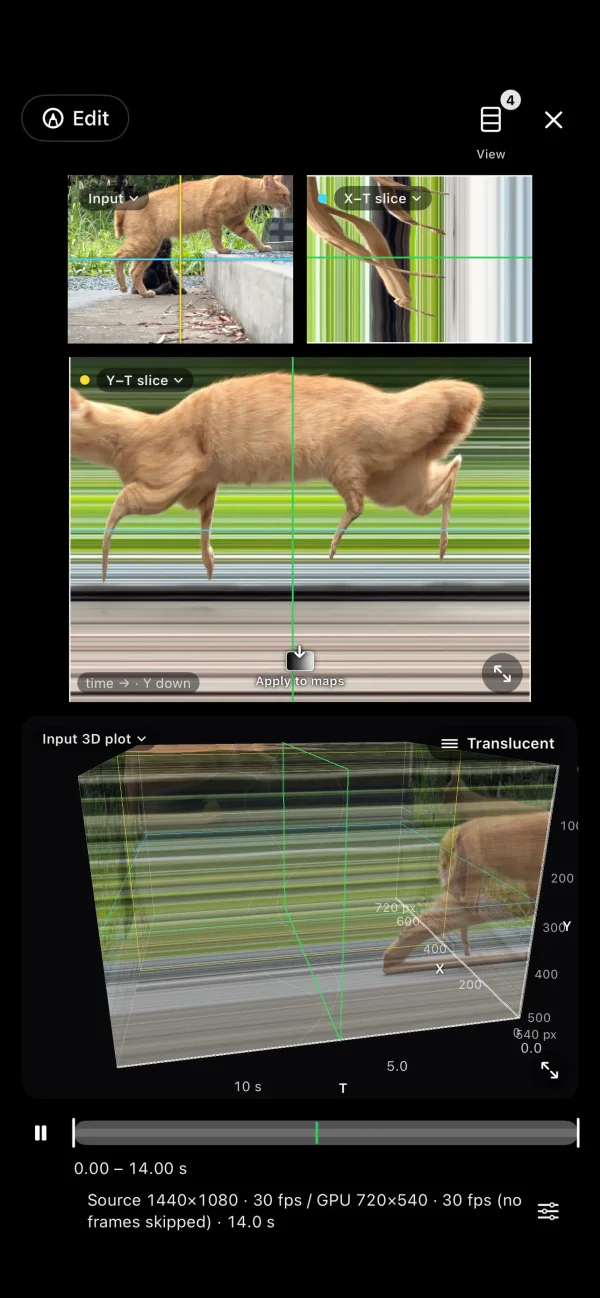
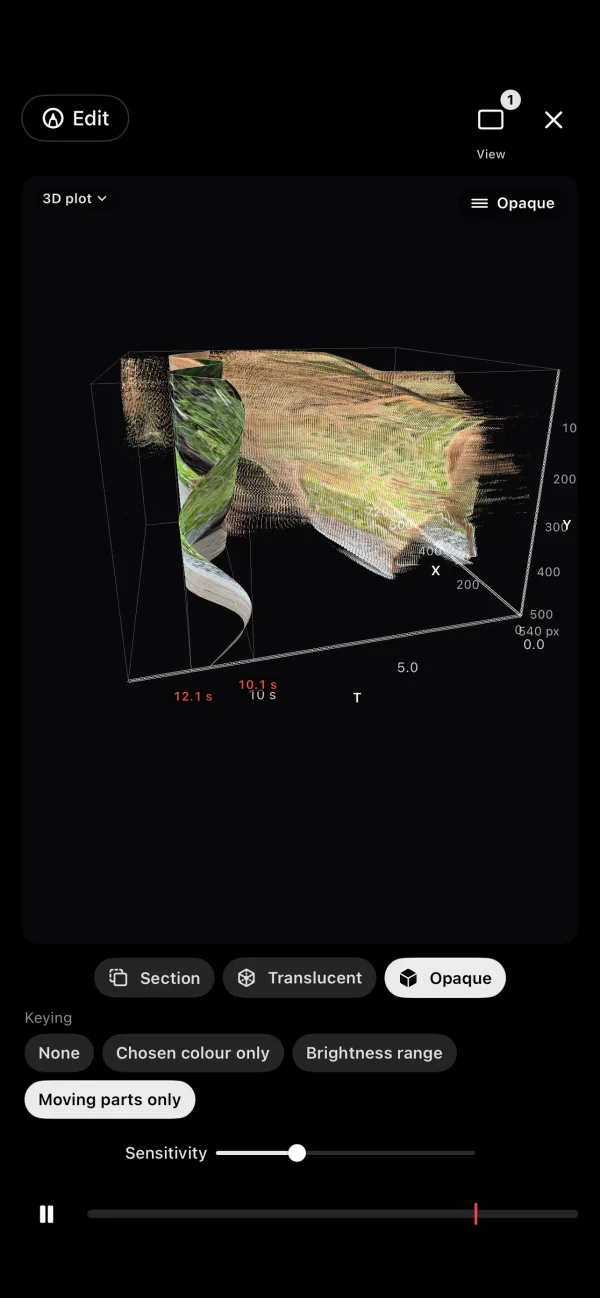
Info
Der Entwickler hat diesen Text nicht in Ihrer Sprache bereitgestellt.
A sketching app for reshaping the way time flows inside a video.
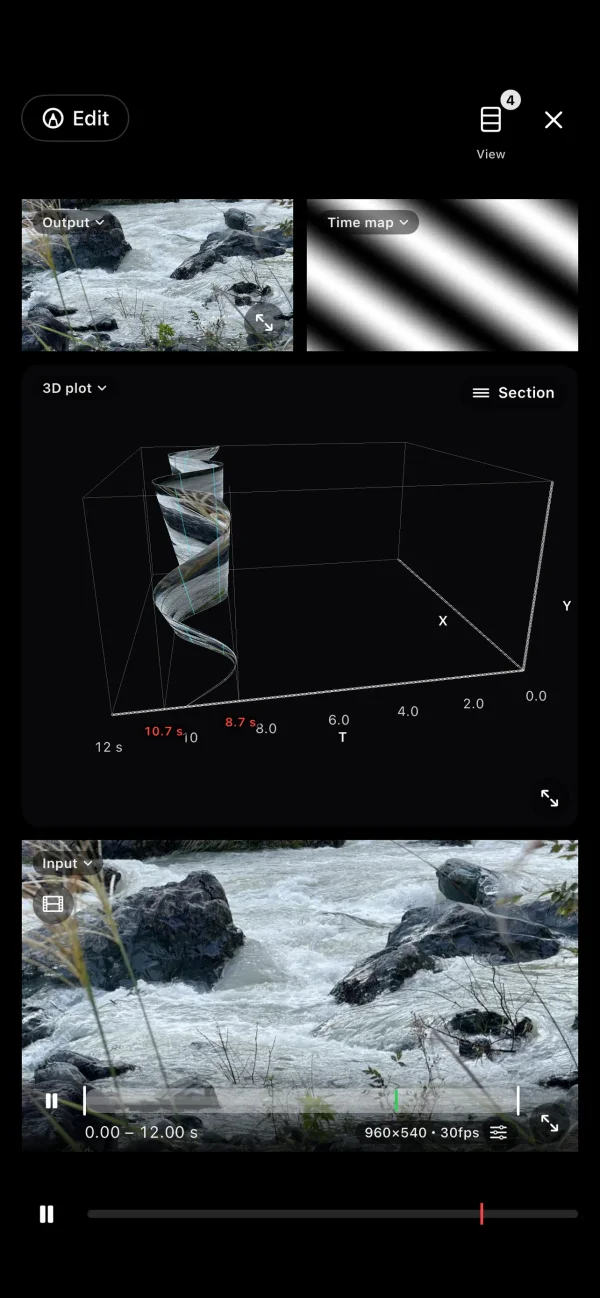
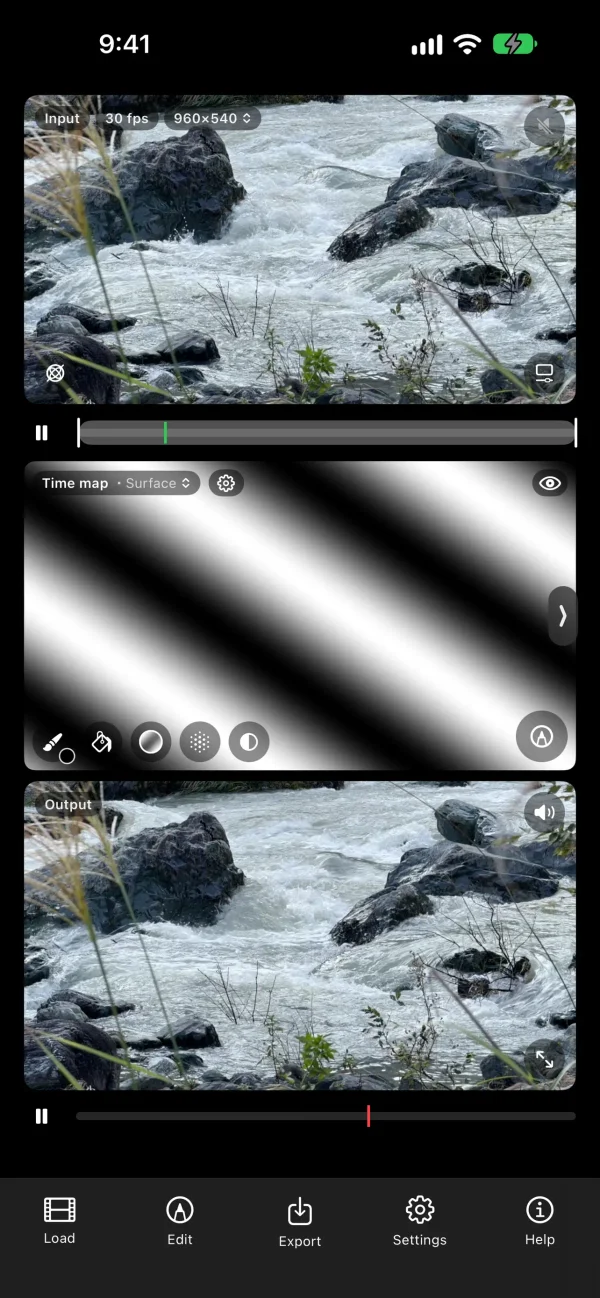
You draw the shape of that flow as a black-and-white gradient over the clip you loaded. The brightness you paint becomes a moment in the clip, or a playback speed, so different parts of the image start running on their own time.
Only where your finger traced runs ahead. Another part plays backwards. One area stays frozen while everything around it keeps moving.
You can even draw time that twists — forward and backward unfolding at once. Take the single, even flow of time in a video, pull it apart, and put it back together. Reflections shifting on water, drifting clouds, the movement of familiar things and creatures: there may be something new waiting in the everyday scenery you thought you knew.
■ Main features
[Making a map]
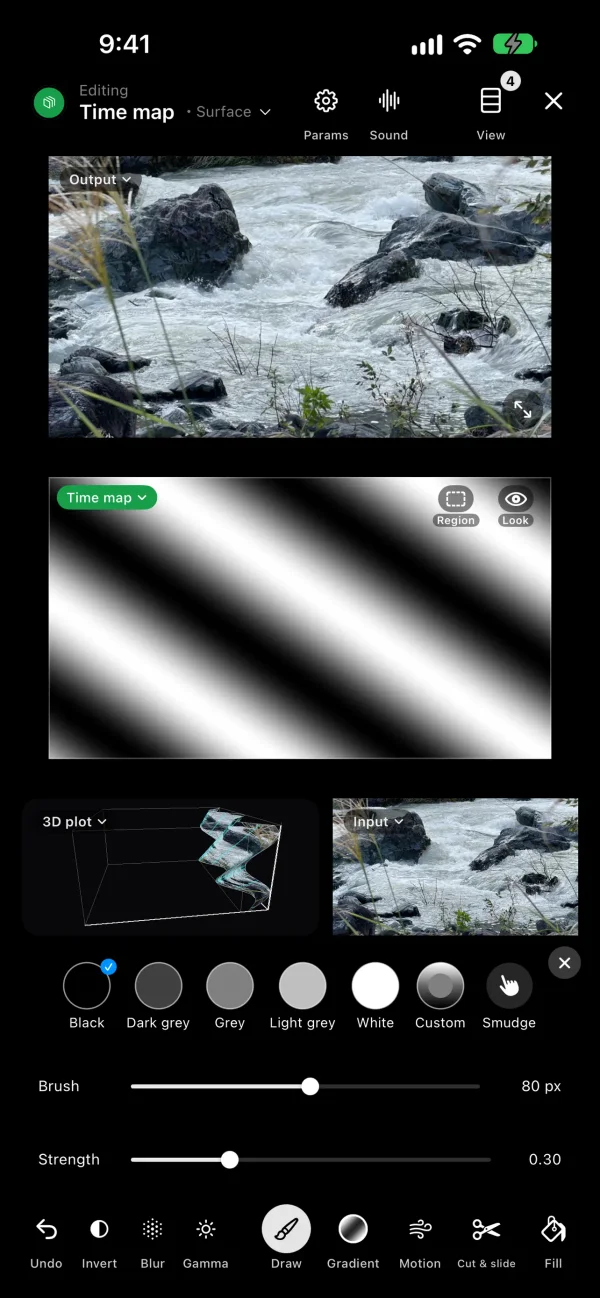
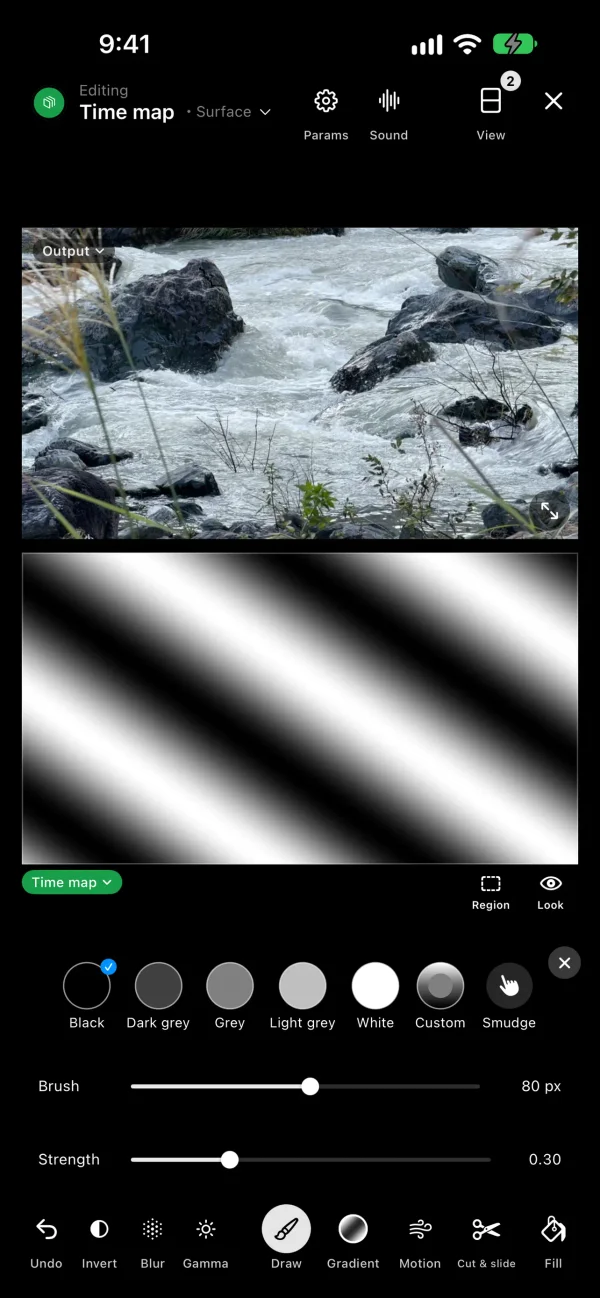
• Draw — trace with a finger to draw the flow of time. Five brush tones, a bleed brush, and a smudge tool
• Gradients and presets — start from a regular pattern
• From motion — build the shape of time automatically from the movement in the clip
• Cut & slide — split the map along a line and slide the pieces to make time slip
[How the map is applied]
• Apply mode — Vertical / Horizontal slit works band by band, Surface works pixel by pixel
• Time map — brightness sets which moment of the clip is shown; black is the start, white is the end
• Rate map — brightness sets the playback speed, from reverse to fast forward
• Space map — brightness sets where on screen the picture is taken from
[Checking what you made]
• 3D plot — see the shape of time as a solid
• Time graph — see time, rate and space as line charts
[Live camera]
• Time-shape the camera image as you film — it keeps the last few seconds, so the map you draw can show the past or freeze parts of the picture
• Tap “Stop & capture” to turn it into a clip you can edit and export
[Sound and export]
• Sound — the audio goes through the same time processing as the picture
• Export — save the result to your photo library as a video
All video processing happens on your device, and nothing you make is sent anywhere.
Neue Funktionen
Version 1.35 · 26.11.2026
- Added "Slant" to the input slices (X–T and Y–T). The slice can move over time, and "Fit to map" works with it.
- Added "Time + Space" fills (swap time/space, turn at center, turn at an edge, tilt at an edge). They create the time map and the space map together.
- Added a "Loop" fill sample that plays forward and back, turning around smoothly.
- Sound settings now show the waveform and each voice's position at the bottom. Reverb has a new "Length" setting.
- Fixed crackling sound when exporting at 60 fps and similar frame rates.
- Fixed the keying options running off the screen on iPhone.
App-Datenschutz
Was Ryu Furusawa im App Store zum Umgang dieser App mit Daten angibt.
-
Keine Daten erfasst
Der Entwickler erfasst keine Daten von dieser App.
Die Datenschutzpraktiken können variieren, zum Beispiel je nach den von Ihnen verwendeten Funktionen oder Ihrem Alter.
Informationen
- Anbieter
- Ryu Furusawa
- Kategorie
- Foto und Video
- Version
- 1.35
- Aktualisiert
- 26.11.2026
- Veröffentlicht
- 08.09.2026
- Größe
- 5,9 MB
- Erfordert
- iOS 16.0 oder neuer
- Altersfreigabe
- 4+
- Preis
- Kostenlos
- Sprachen
- Englisch, Japanisch
- Copyright
- © 2026 Ryu Furusawa
Das könnte Ihnen auch gefallen
-
 Timetracks4DFoto und Video
-
 Tempo Experimental CameraFoto und Video
-
 Mulch CamTime-Mulch-Kamera & VJ-Quelle
-
 Face PortalFoto und Video
-
 Motion Camera: Trail EffectsFoto und Video
-
 PictOrb Movable Lens CameraFoto und Video
-
 I AM VIDEOFoto und Video
-
 FractureMale mit deiner Kamera
-
 p10trancerFoto und Video
-
 Voxel Camera 1Foto und Video