
Time Flow Sketch
Reshape time by drawing
iPhone, iPad, Mac için tasarlandı
Ücretsiz
- Yaş sınırı4+
- KategoriFotoğraf ve Video
- GeliştiriciRyu Furusawa
- Dillerİngilizce+ 1 dil daha
- Boyut6,1 MB
Resmi App Store sayfasına bağlanır
Download.org, Time Flow Sketch için hiçbir dosya barındırmaz. Düğme, uygulamanın App Store üzerindeki sayfasını açar; uygulamayı orada Ryu Furusawa yayınlar. Sayfanın son kontrolü: 29.11.2026.
Ekran görüntüleri
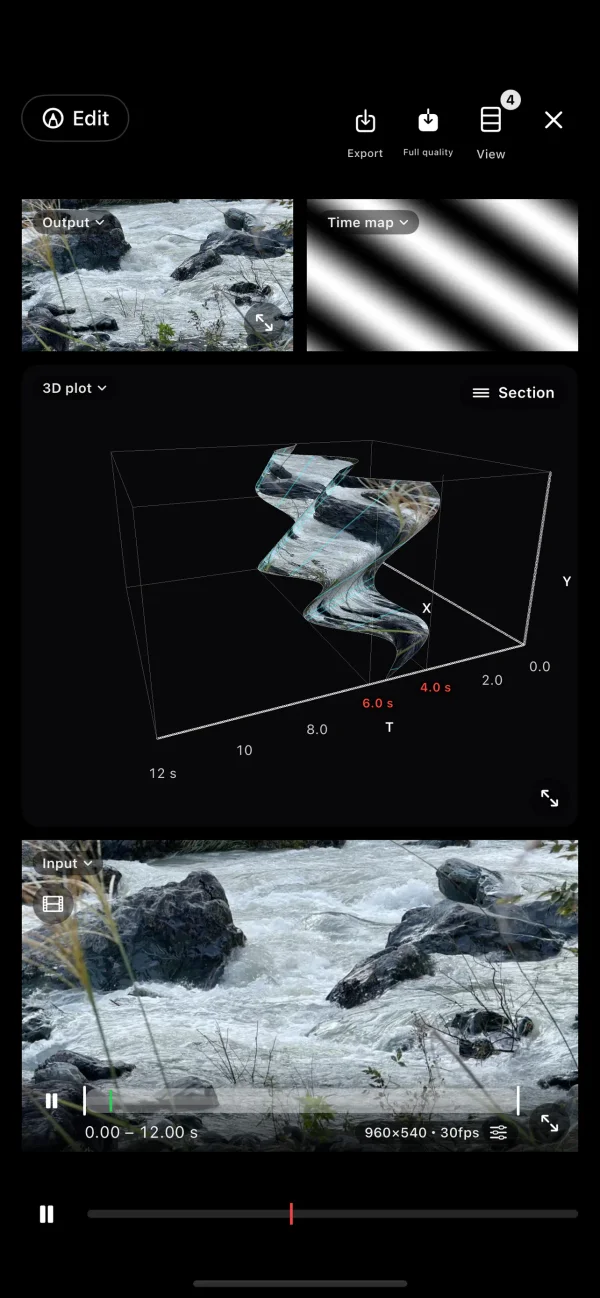
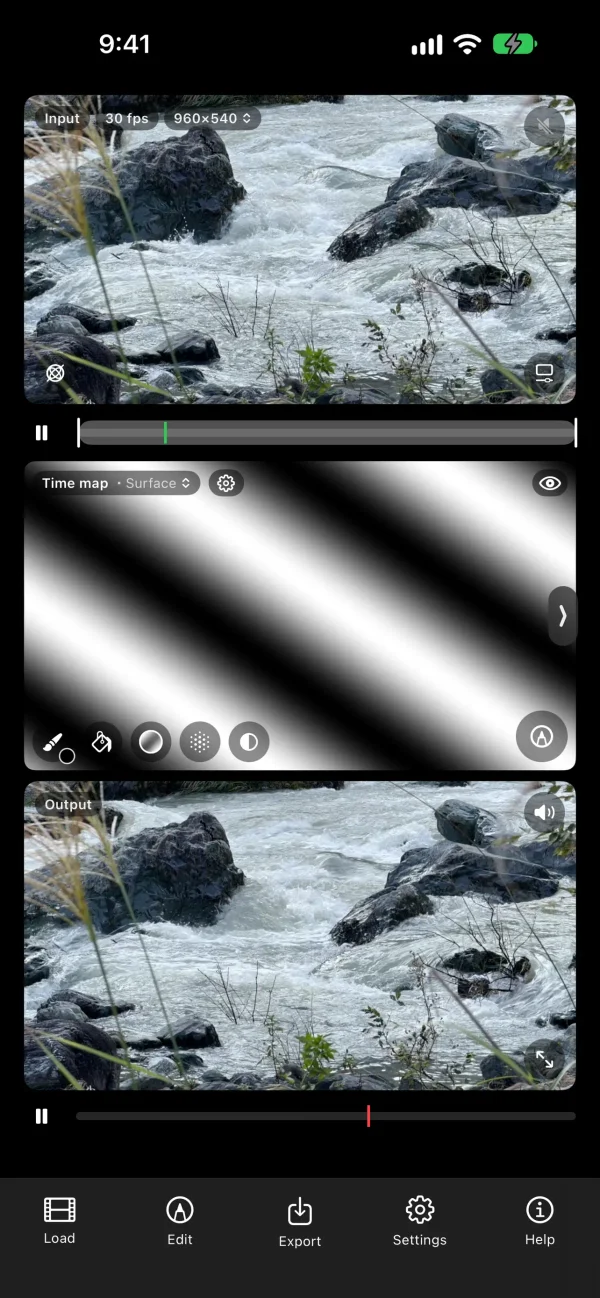
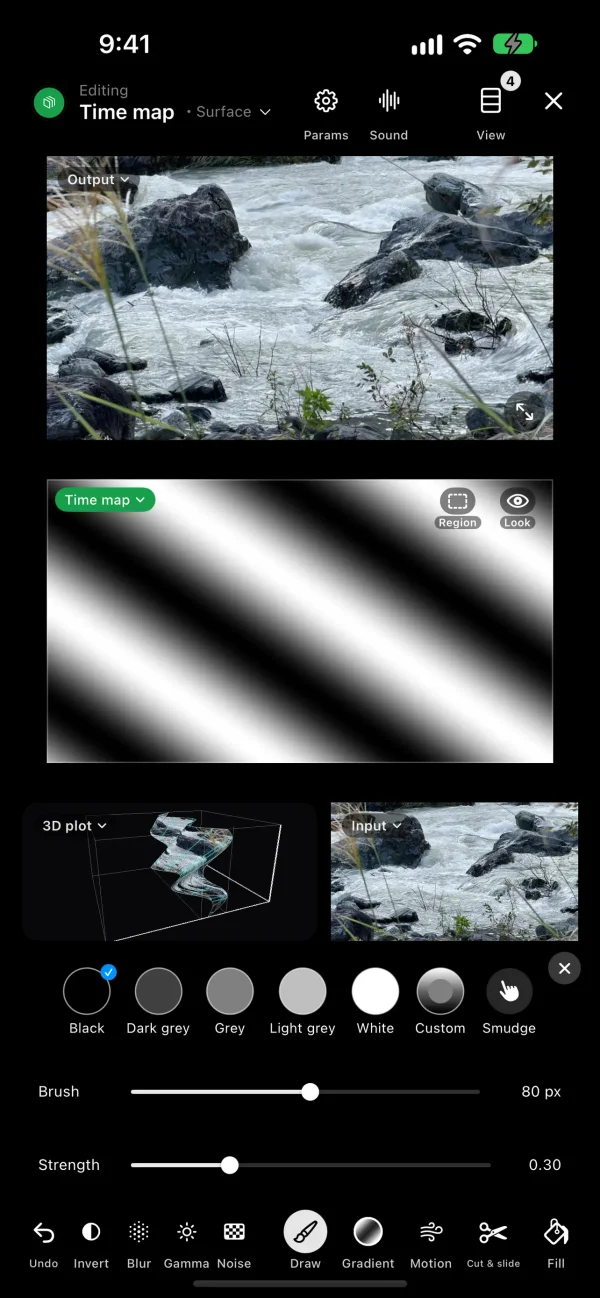
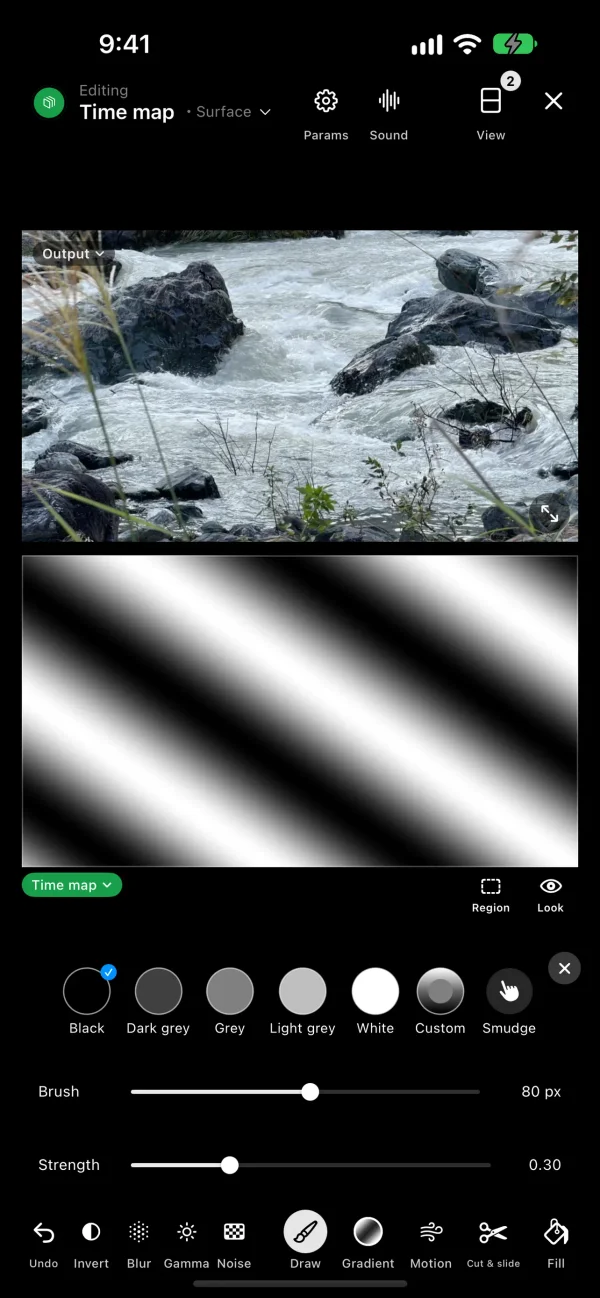
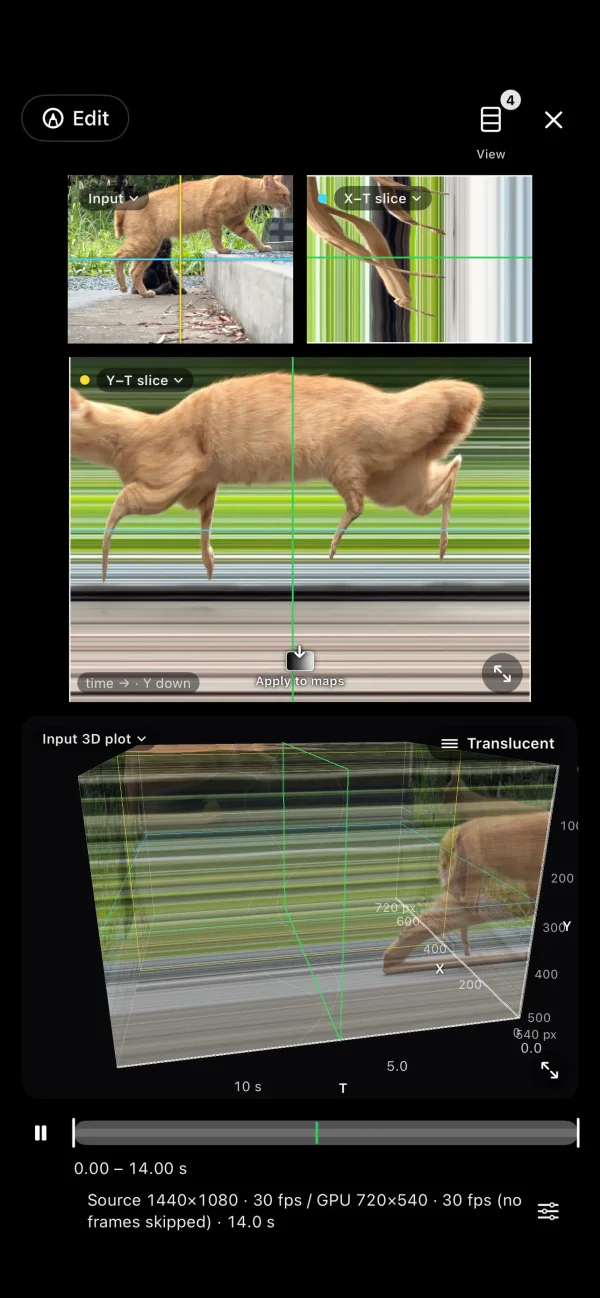
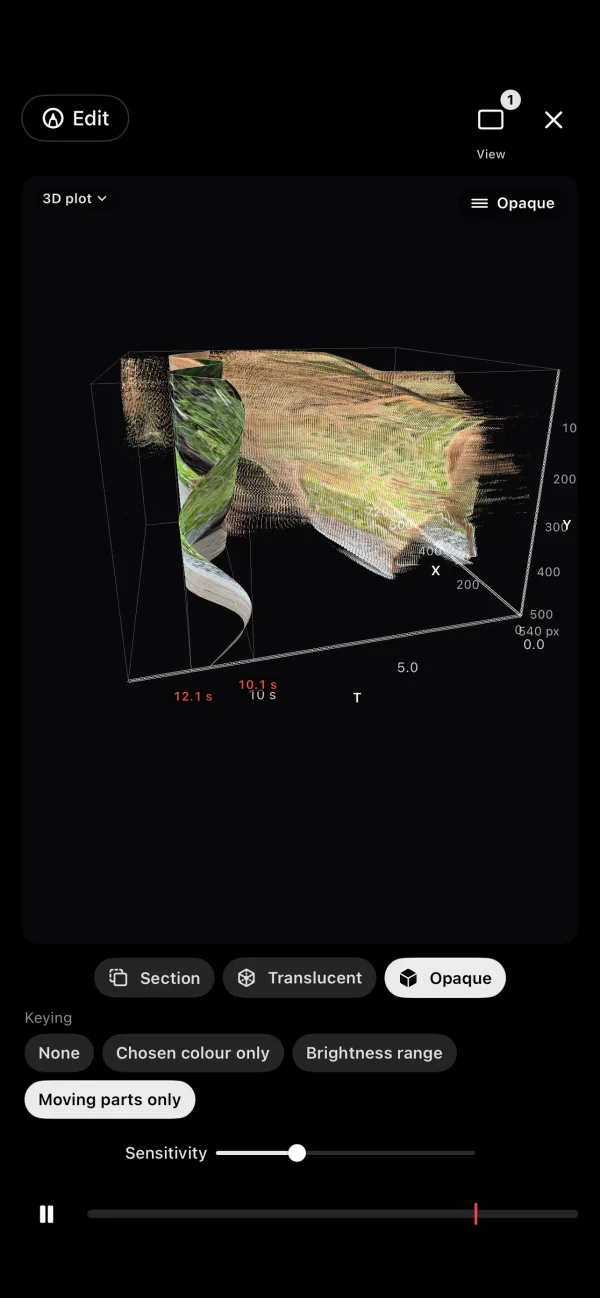
Hakkında
Geliştirici bu metni dilinizde sunmamış.
A sketching app for reshaping the way time flows inside a video.
You draw the shape of that flow as a black-and-white gradient over the clip you loaded. The brightness you paint becomes a moment in the clip, or a playback speed, so different parts of the image start running on their own time.
Only where your finger traced runs ahead. Another part plays backwards. One area stays frozen while everything around it keeps moving.
You can even draw time that twists — forward and backward unfolding at once. Take the single, even flow of time in a video, pull it apart, and put it back together. Reflections shifting on water, drifting clouds, the movement of familiar things and creatures: there may be something new waiting in the everyday scenery you thought you knew.
■ Main features
[Making a map]
• Draw — trace with a finger to draw the flow of time. Five brush tones, a bleed brush, and a smudge tool
• Gradients and presets — start from a regular pattern
• From motion — build the shape of time automatically from the movement in the clip
• Cut & slide — split the map along a line and slide the pieces to make time slip
[How the map is applied]
• Apply mode — Vertical / Horizontal slit works band by band, Surface works pixel by pixel
• Time map — brightness sets which moment of the clip is shown; black is the start, white is the end
• Rate map — brightness sets the playback speed, from reverse to fast forward
• Space map — brightness sets where on screen the picture is taken from
[Checking what you made]
• 3D plot — see the shape of time as a solid
• Time graph — see time, rate and space as line charts
[Live camera]
• Time-shape the camera image as you film — it keeps the last few seconds, so the map you draw can show the past or freeze parts of the picture
• Tap “Stop & capture” to turn it into a clip you can edit and export
[Sound and export]
• Sound — the audio goes through the same time processing as the picture
• Export — save the result to your photo library as a video
All video processing happens on your device, and nothing you make is sent anywhere.
Yenilikler
Sürüm 1.36 · 28.11.2026
- Added "Noise" to the always-available editing tools (White or Perlin, Add or Multiply). Grain width and height can be set separately, up to the whole frame. When noise is the last step, it is computed for each pixel of the exported video.
- While exporting, the output now fills the screen, and you return to the top screen when it finishes.
- The full-screen output view now has "Export" and "Full quality" buttons, so you can export either way without changing the setting.
- Operations that rewrite both maps, such as "Apply to maps" and the Time + Space fills, can now be undone in one step.
- The slice position slider now shows its value in input-video pixels.
- Labels on the 3D plot's scales no longer overlap.
- While reloading a video, the loading indicator now appears on the input view.
Uygulama gizliliği
Bu uygulamanın verileri nasıl işlediği hakkında Ryu Furusawa tarafından App Store üzerinde yapılan beyan.
-
Veri toplanmıyor
Geliştirici bu uygulamadan hiçbir veri toplamıyor.
Gizlilik uygulamaları, örneğin kullandığınız özelliklere veya yaşınıza göre değişiklik gösterebilir.
Bilgiler
- Satıcı
- Ryu Furusawa
- Kategori
- Fotoğraf ve Video
- Sürüm
- 1.36
- Güncellendi
- 28.11.2026
- Yayın tarihi
- 08.09.2026
- Boyut
- 6,1 MB
- Gereksinim
- iOS 16.0 veya sonrası
- Yaş sınırı
- 4+
- Fiyat
- Ücretsiz
- Diller
- İngilizce, Japonca
- Telif hakkı
- © 2026 Ryu Furusawa
Bunları da beğenebilirsiniz
-
 Timetracks4DFotoğraf ve Video
-
 Tempo Experimental CameraFotoğraf ve Video
-
 Mulch CamFotoğraf ve Video
-
 Face PortalFotoğraf ve Video
-
 Motion Camera: Trail EffectsFotoğraf ve Video
-
 PictOrb Movable Lens CameraFotoğraf ve Video
-
 I AM VIDEOFotoğraf ve Video
-
 Fracture Frame by FrameFotoğraf ve Video
-
 p10trancerFotoğraf ve Video
-
 Voxel Camera 1Fotoğraf ve Video