- Altersfreigabe4+
- KategorieWirtschaft
- EntwicklerUpfit Technologies, LLC
- SprachenEnglisch
- Größe83,9 MB
UpfitTrack ist bei App Store derzeit möglicherweise nicht verfügbar
Bei unserer letzten Prüfung war der Store-Eintrag nicht erreichbar. Der Link führt weiterhin zur offiziellen App Store-Seite.
Screenshots


Info
Der Entwickler hat diesen Text nicht in Ihrer Sprache bereitgestellt.
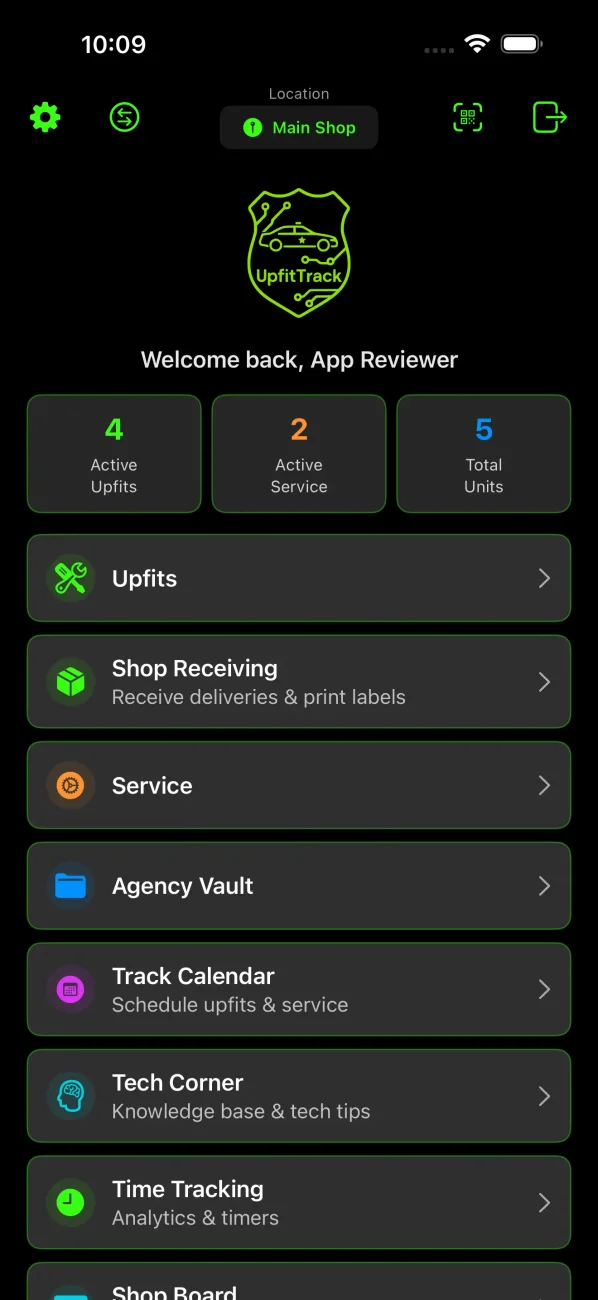
UpfitTrack is the job tracker built for police and emergency-vehicle upfitting shops — by a shop that does the work every day.
FOR THE SHOP
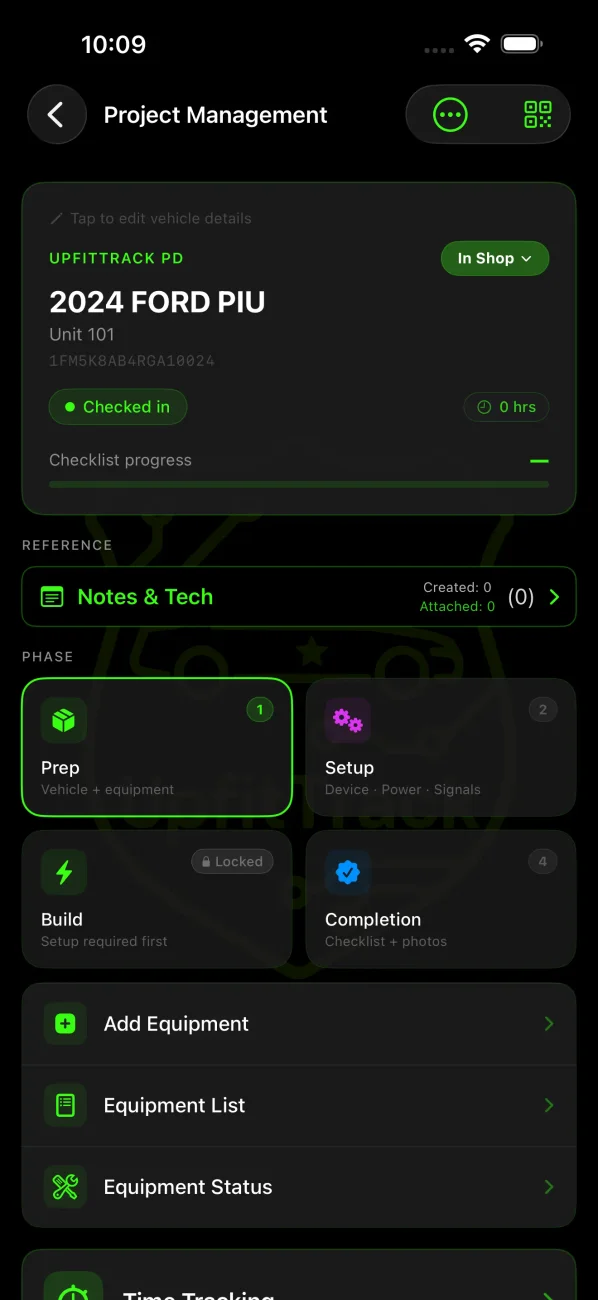
• Projects: one screen per vehicle, from check-in to completion, with phases for prep, setup, build and hand-off.
• Lot Check-In: scan a VIN and check a car in the moment it arrives, then assign it to an upfit or service ticket.
• Assign Techs: hand out jobs and tickets with a note and a day. Each tech gets My Day, and the Tech Board shows the whole shop's schedule.
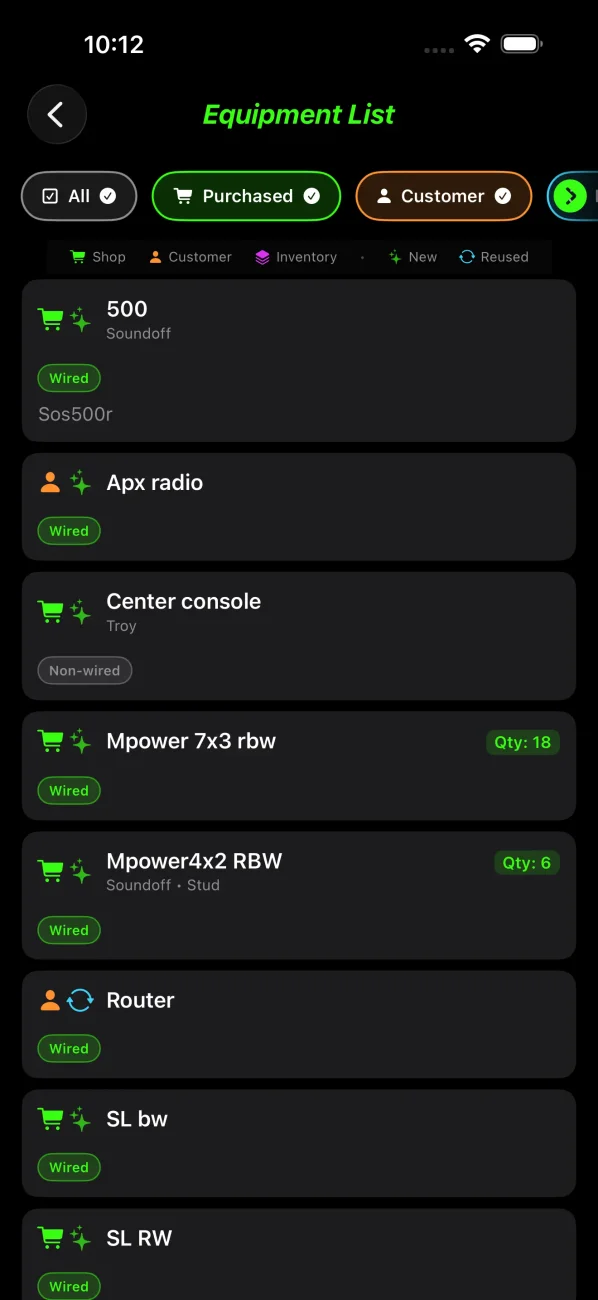
• Equipment: log every part with where it came from (shop purchased, customer supplied, or shop inventory) and whether it's new or reused. See at a glance what's shipped, received and installed.
• Shelves & Totes: receive parts to shelves and totes, print stickers, scan to pull parts, and track damaged, missing and owed parts.
• Wiring diagrams: place every device on a top, front, rear and side view of the vehicle, with call-outs that show the controller, output and wire color. Print them for the glovebox. WireTrack shows each wire route on the vehicle interior.
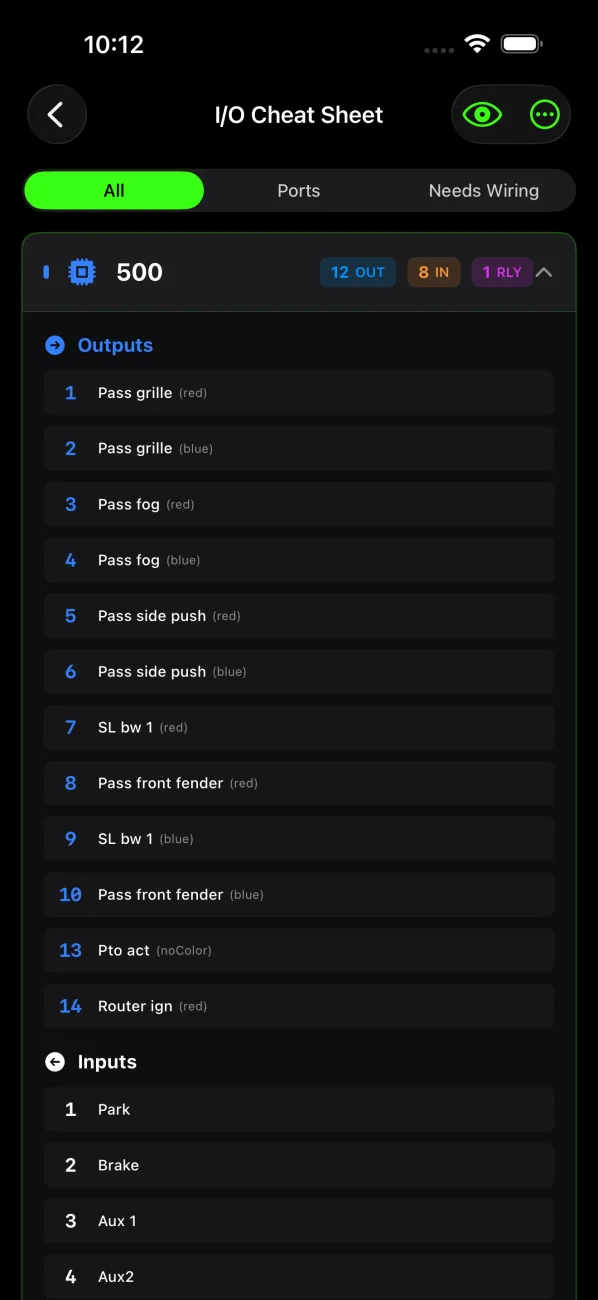
• I/O cheat sheet: every controller output, input and relay on one page.
• Install checklist: a live percent-done for each build, with who checked what.
• Photos: mark up photos with arrows, lines and text, and add captions. The original is always kept.
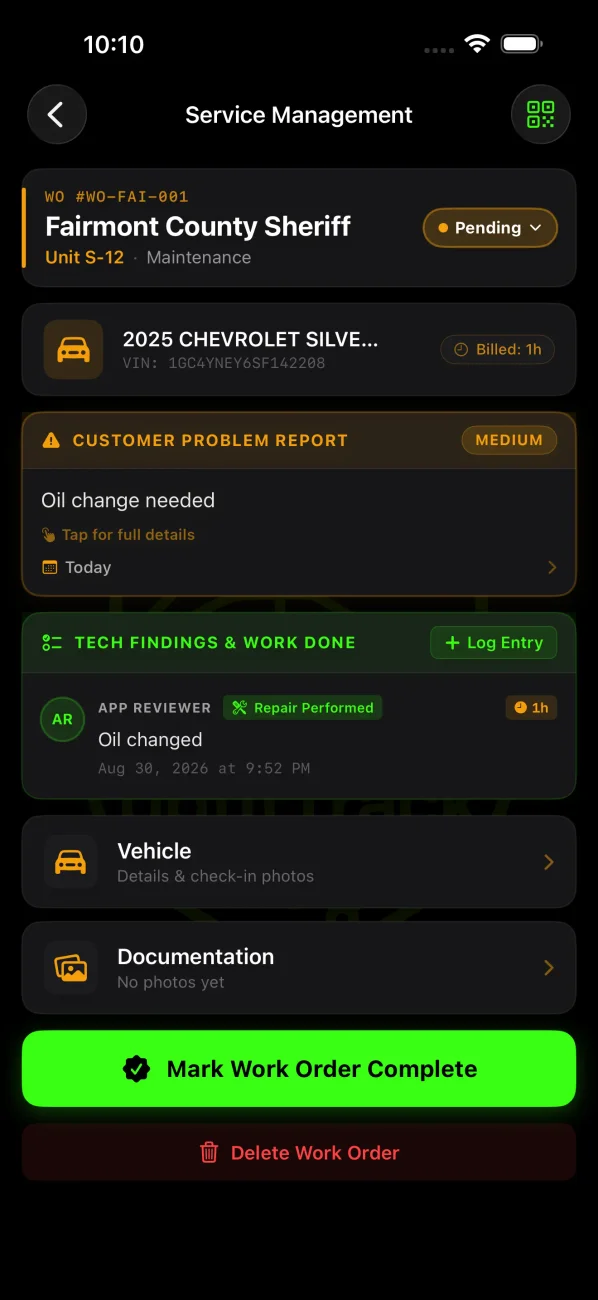
• Service work orders: a checklist of reported issues, tech notes, parts installed, photos and billed hours in one place.
• Ready to Bill: techs submit finished work, admins sign off, and nothing finished gets missed on the invoice.
• Completion Reports: a branded PDF for every finished job or service ticket, with your shop's logo.
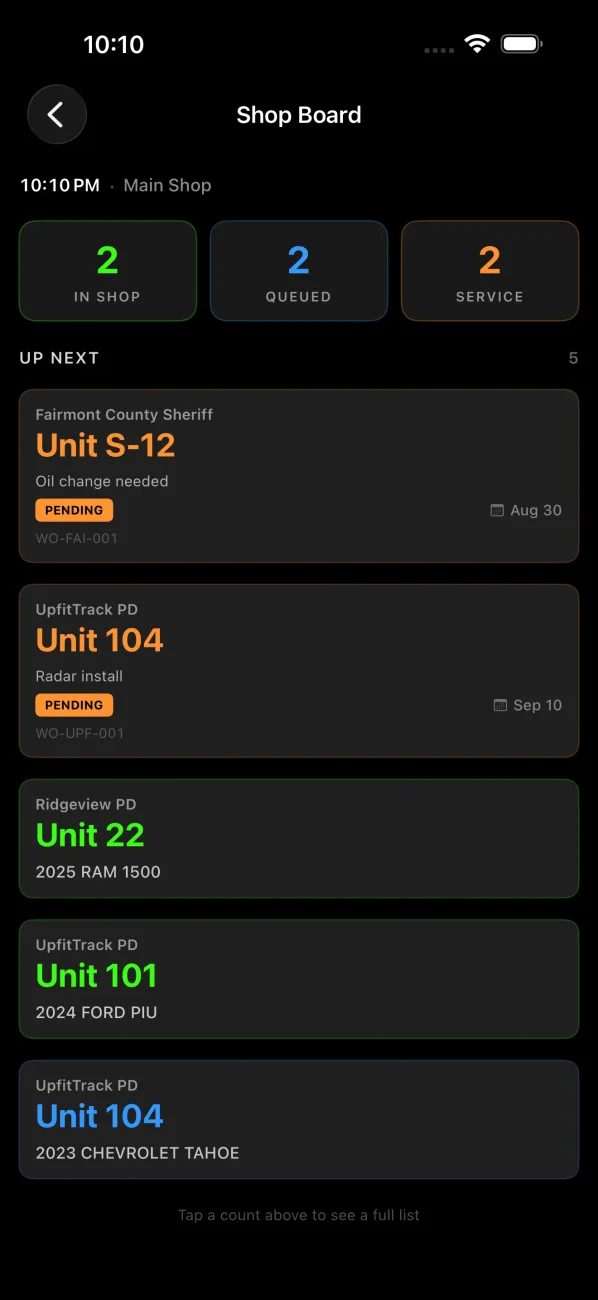
• Shop board: a live, TV-ready view of what's in the shop, what's on the lot and what's in for service.
• Time tracking, shop calendar, product catalog with QR labels, and a knowledge base for your techs.
FOR EVERY VEHICLE
• A parts list that follows the car: serial numbers (read straight off the label with the camera), mounting locations, parts history, car notes, last mileage and last service.
FOR THE AGENCY
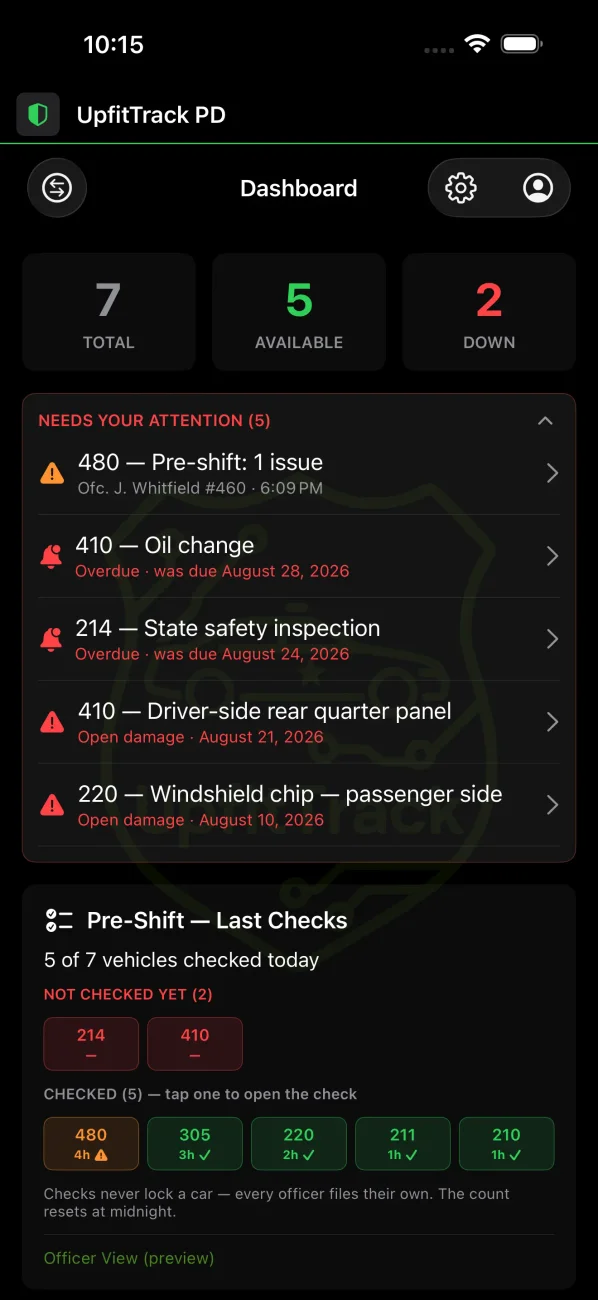
• Fleet dashboard: total, available and down at a glance, with what needs attention today.
• Pre-shift checks: officers file a quick check from their phone; the fleet manager sees coverage for the day.
• Officers can report a problem any time; it stays open until it's handled and can go straight to the upfitter.
• Status Viewers: let agency contacts follow their vehicles' progress.
• Reminders, damage reports, service history, documents and photos on every vehicle.
Works offline on the shop floor and syncs when you're back on Wi-Fi.
UpfitTrack is licensed to businesses. Accounts are set up by our team — visit upfittrack.com to get started.
Neue Funktionen
Version 1.3 · 14.11.2026
Previously, data lines were just declared with no connections.
Now: Better 3 wire/Data line support. You can lay out exactly how each box and part is connected, and everyone on the job sees the same thing.
Device Setup
• One Data Lines card per box:
– Connected to: the line this box plugs into. (ie. connecting Remote Node on the 500 LIN line)
– Source: the lines this box sends out. Set each line's type (3-wire, LIN, Lightbar data, WeCanX, CAN and more) and mark lines that come from the vehicle. (ie 500 Siren Source for node LIN, or LB Channels)
• Add splits such as 3-Wire Isolation Modules, with their branches named, so a line can fan out the way it does in the truck.
Output Assignment
• Pick which data line each part is Connected to. Every line on the job is listed.
• Parts with several units (like a pair of lights) can use Set each one separately to put each unit on its own line or branch.
Everywhere else
• WireTrack, the wiring diagram key and the I/O cheat sheet show what each part is connected to.
• Renumbering or removing a box keeps the connections pointing at the right box. Before you lower a line count, the app tells you which parts will be hidden and which splits will be removed.
• Copying a build keeps its data lines and splits.
Also in this update
• Bigger documents: Convert to Tech Note now takes documents (PDF, Word, Excel, CSV) up to 100 MB.
• Training & Help: there's a new Training/Help link in the left menu and at the bottom of the home screen.
App-Datenschutz
Was Upfit Technologies, LLC im App Store zum Umgang dieser App mit Daten angibt.
-
Mit Ihnen verknüpfte Daten
Können erfasst und mit Ihrer Identität verknüpft werden.
- Kontaktinformationen
- Benutzerinhalte
-
Nicht mit Ihnen verknüpfte Daten
Können erfasst werden, sind aber nicht mit Ihrer Identität verknüpft.
- Kennungen
Die Datenschutzpraktiken können variieren, zum Beispiel je nach den von Ihnen verwendeten Funktionen oder Ihrem Alter.
Informationen
- Anbieter
- Upfit Technologies LLC
- Kategorie
- Wirtschaft
- Version
- 1.3
- Aktualisiert
- 14.11.2026
- Veröffentlicht
- 08.09.2026
- Größe
- 83,9 MB
- Erfordert
- iOS 18.2 oder neuer
- Altersfreigabe
- 4+
- Sprachen
- Englisch
- Copyright
- © 2026 Upfit Technologies, LLC