- Clasificación por edad4+
- CategoríaEconomía y empresa
- DesarrolladorUpfit Technologies, LLC
- IdiomasInglés
- Tamaño83,9 MB
Es posible que UpfitTrack no esté disponible en App Store en este momento
No se pudo acceder a la ficha de la tienda en nuestra última comprobación. El enlace sigue llevando a la página oficial de App Store.
Capturas de pantalla


Acerca de
El desarrollador no ha proporcionado este texto en tu idioma.
UpfitTrack is the job tracker built for police and emergency-vehicle upfitting shops — by a shop that does the work every day.
FOR THE SHOP
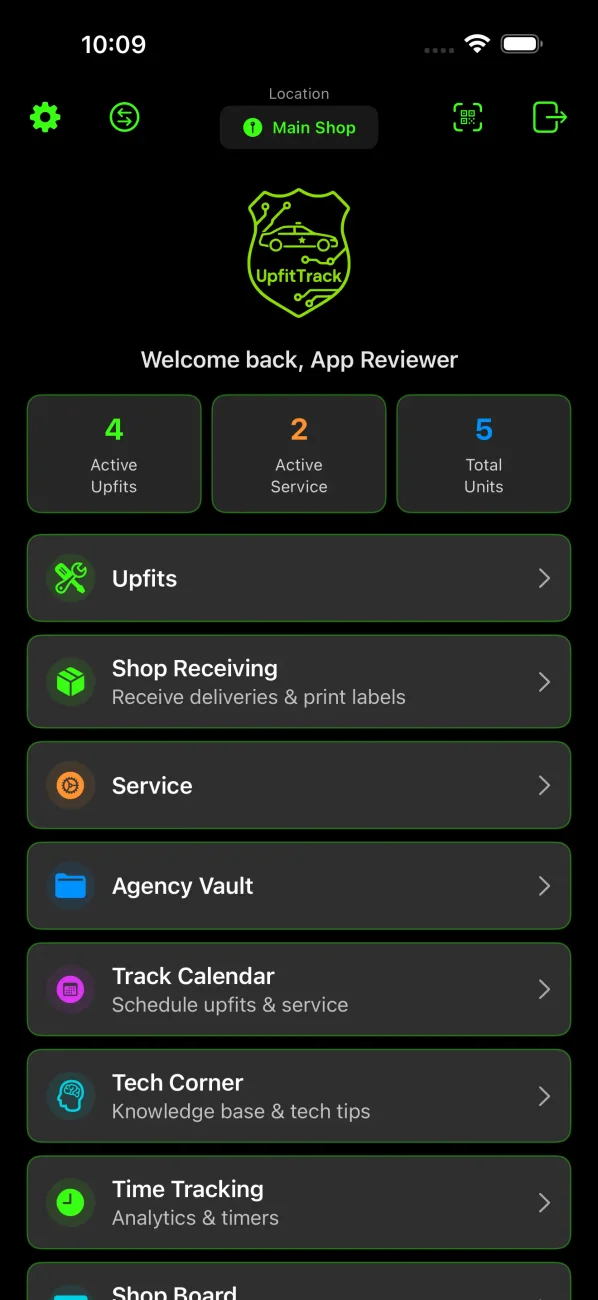
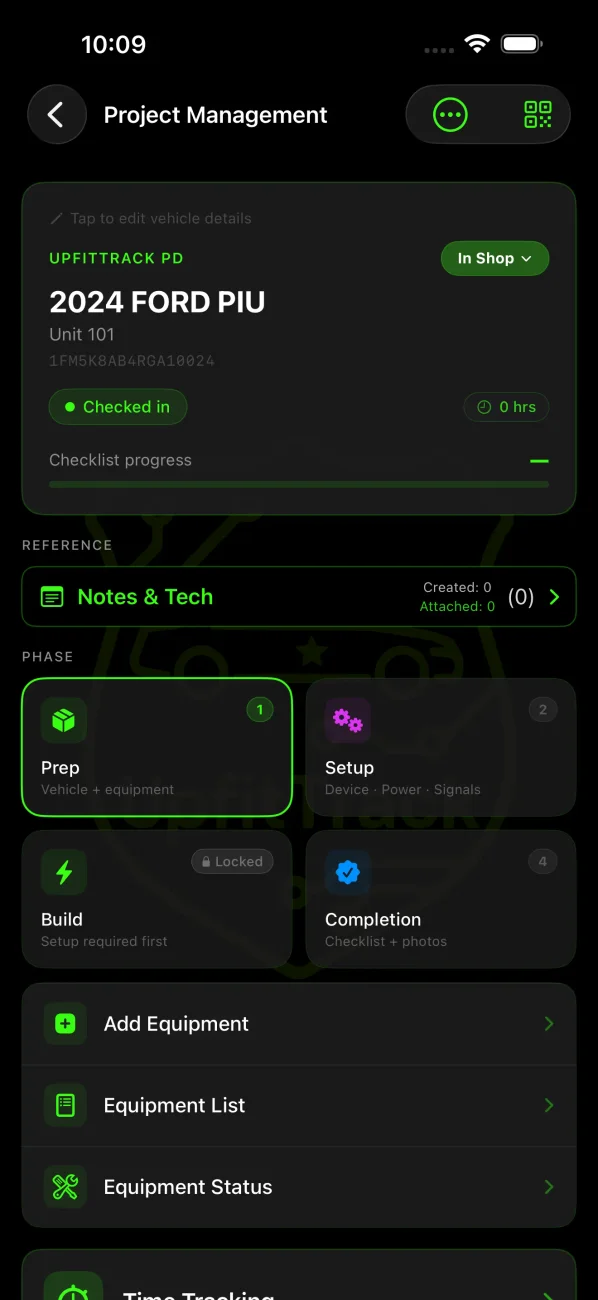
• Projects: one screen per vehicle, from check-in to completion, with phases for prep, setup, build and hand-off.
• Lot Check-In: scan a VIN and check a car in the moment it arrives, then assign it to an upfit or service ticket.
• Assign Techs: hand out jobs and tickets with a note and a day. Each tech gets My Day, and the Tech Board shows the whole shop's schedule.
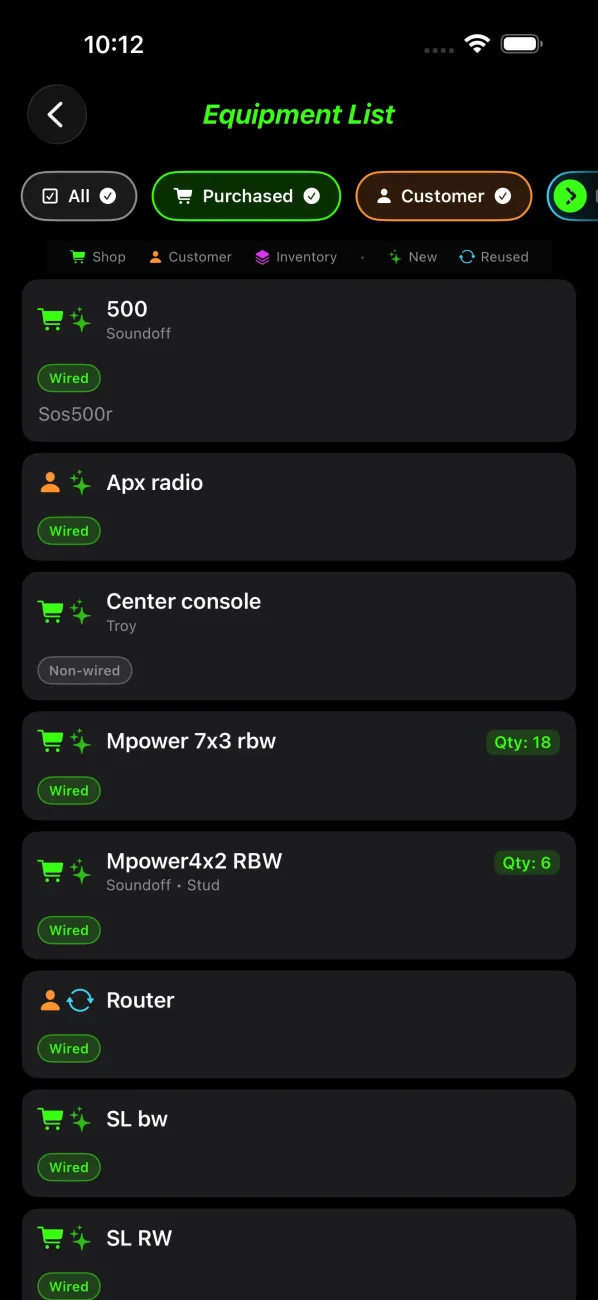
• Equipment: log every part with where it came from (shop purchased, customer supplied, or shop inventory) and whether it's new or reused. See at a glance what's shipped, received and installed.
• Shelves & Totes: receive parts to shelves and totes, print stickers, scan to pull parts, and track damaged, missing and owed parts.
• Wiring diagrams: place every device on a top, front, rear and side view of the vehicle, with call-outs that show the controller, output and wire color. Print them for the glovebox. WireTrack shows each wire route on the vehicle interior.
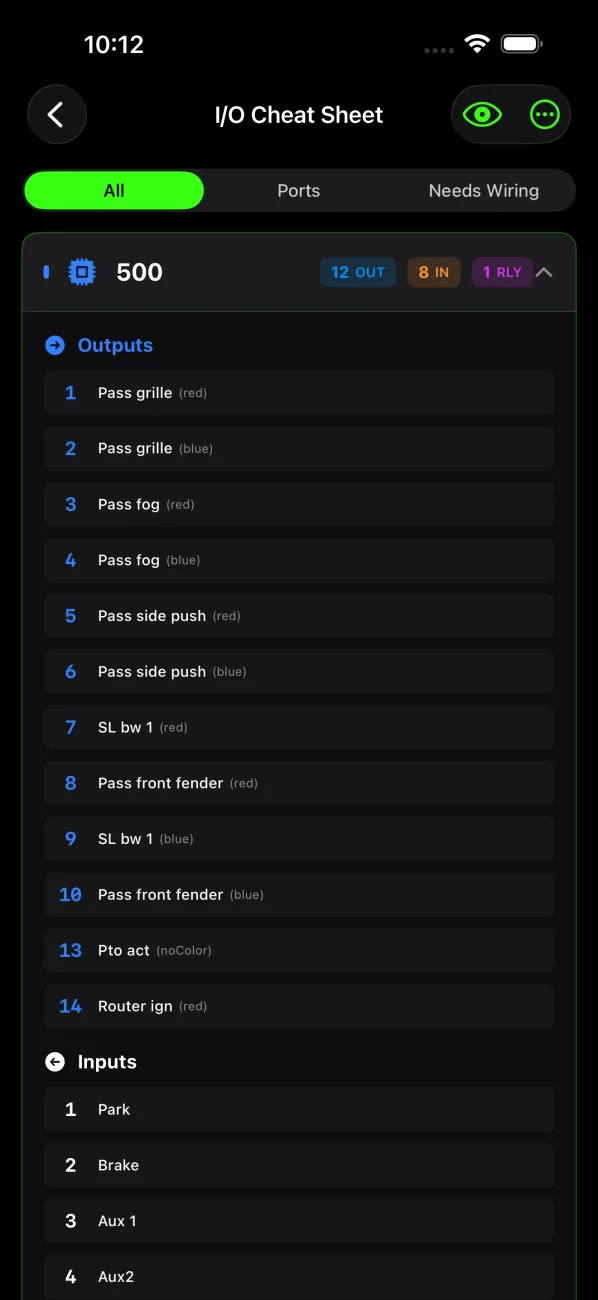
• I/O cheat sheet: every controller output, input and relay on one page.
• Install checklist: a live percent-done for each build, with who checked what.
• Photos: mark up photos with arrows, lines and text, and add captions. The original is always kept.
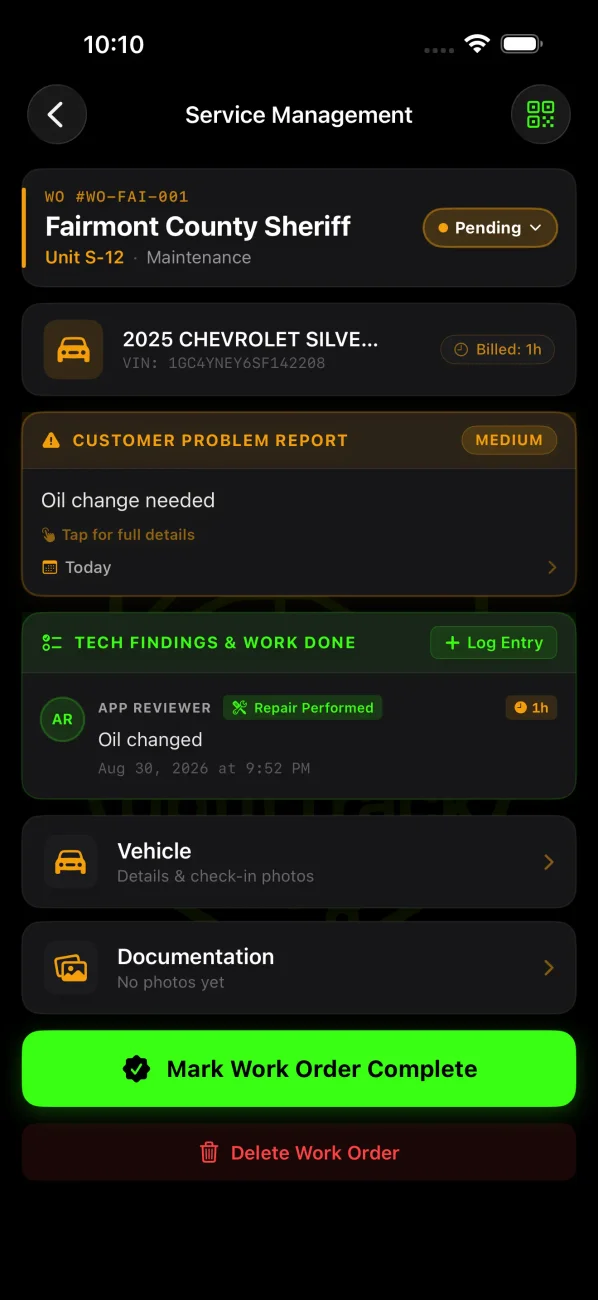
• Service work orders: a checklist of reported issues, tech notes, parts installed, photos and billed hours in one place.
• Ready to Bill: techs submit finished work, admins sign off, and nothing finished gets missed on the invoice.
• Completion Reports: a branded PDF for every finished job or service ticket, with your shop's logo.
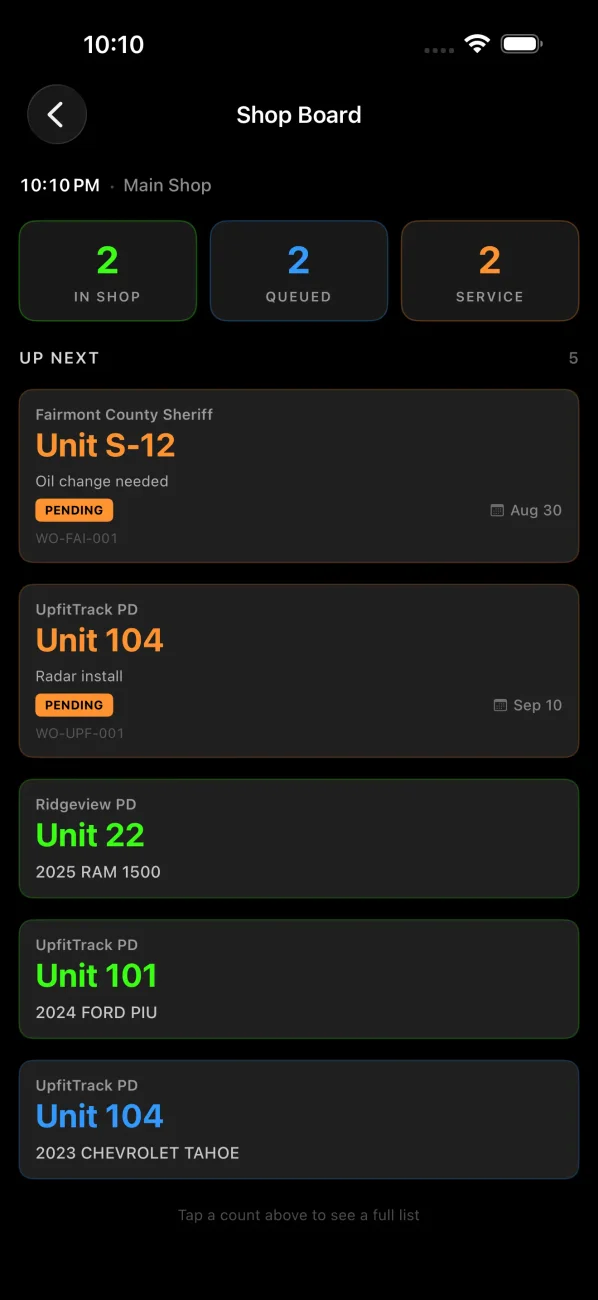
• Shop board: a live, TV-ready view of what's in the shop, what's on the lot and what's in for service.
• Time tracking, shop calendar, product catalog with QR labels, and a knowledge base for your techs.
FOR EVERY VEHICLE
• A parts list that follows the car: serial numbers (read straight off the label with the camera), mounting locations, parts history, car notes, last mileage and last service.
FOR THE AGENCY
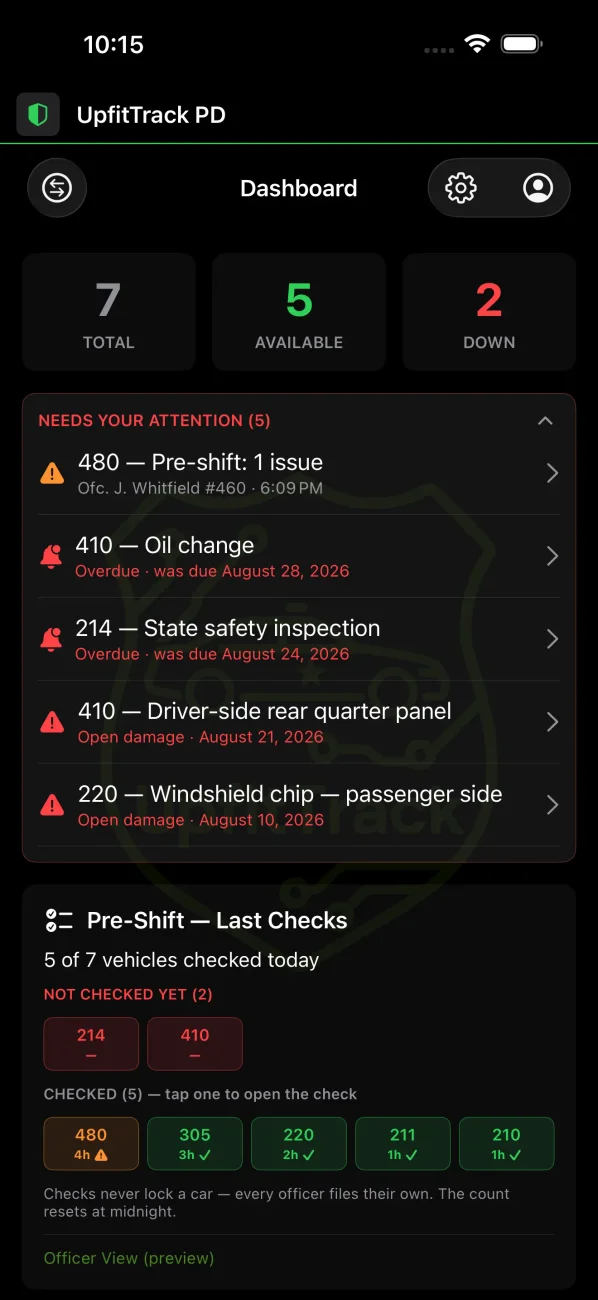
• Fleet dashboard: total, available and down at a glance, with what needs attention today.
• Pre-shift checks: officers file a quick check from their phone; the fleet manager sees coverage for the day.
• Officers can report a problem any time; it stays open until it's handled and can go straight to the upfitter.
• Status Viewers: let agency contacts follow their vehicles' progress.
• Reminders, damage reports, service history, documents and photos on every vehicle.
Works offline on the shop floor and syncs when you're back on Wi-Fi.
UpfitTrack is licensed to businesses. Accounts are set up by our team — visit upfittrack.com to get started.
Novedades
Versión 1.3 · 14/11/2026
Previously, data lines were just declared with no connections.
Now: Better 3 wire/Data line support. You can lay out exactly how each box and part is connected, and everyone on the job sees the same thing.
Device Setup
• One Data Lines card per box:
– Connected to: the line this box plugs into. (ie. connecting Remote Node on the 500 LIN line)
– Source: the lines this box sends out. Set each line's type (3-wire, LIN, Lightbar data, WeCanX, CAN and more) and mark lines that come from the vehicle. (ie 500 Siren Source for node LIN, or LB Channels)
• Add splits such as 3-Wire Isolation Modules, with their branches named, so a line can fan out the way it does in the truck.
Output Assignment
• Pick which data line each part is Connected to. Every line on the job is listed.
• Parts with several units (like a pair of lights) can use Set each one separately to put each unit on its own line or branch.
Everywhere else
• WireTrack, the wiring diagram key and the I/O cheat sheet show what each part is connected to.
• Renumbering or removing a box keeps the connections pointing at the right box. Before you lower a line count, the app tells you which parts will be hidden and which splits will be removed.
• Copying a build keeps its data lines and splits.
Also in this update
• Bigger documents: Convert to Tech Note now takes documents (PDF, Word, Excel, CSV) up to 100 MB.
• Training & Help: there's a new Training/Help link in the left menu and at the bottom of the home screen.
Privacidad de la aplicación
Lo que Upfit Technologies, LLC declara en App Store sobre cómo esta aplicación gestiona los datos.
-
Datos vinculados a ti
Pueden recopilarse y vincularse a tu identidad.
- Información de contacto
- Contenido del usuario
-
Datos no vinculados a ti
Pueden recopilarse, pero no se vinculan a tu identidad.
- Identificadores
Las prácticas de privacidad pueden variar, por ejemplo, según las funciones que uses o tu edad.
Información
- Vendedor
- Upfit Technologies LLC
- Categoría
- Economía y empresa
- Versión
- 1.3
- Actualizado
- 14/11/2026
- Publicado
- 8/9/2026
- Tamaño
- 83,9 MB
- Requiere
- iOS 18.2 o posterior
- Clasificación por edad
- 4+
- Idiomas
- Inglés
- Copyright
- © 2026 Upfit Technologies, LLC