- Batasan usia4+
- KategoriBisnis
- PengembangUpfit Technologies, LLC
- BahasaInggris
- Ukuran83,9 MB
UpfitTrack mungkin sedang tidak tersedia di App Store
Halaman di toko tidak dapat dijangkau saat terakhir kami periksa. Tautan tetap mengarah ke halaman resmi App Store.
Tangkapan layar


Tentang
Pengembang belum menyediakan teks ini dalam bahasa Anda.
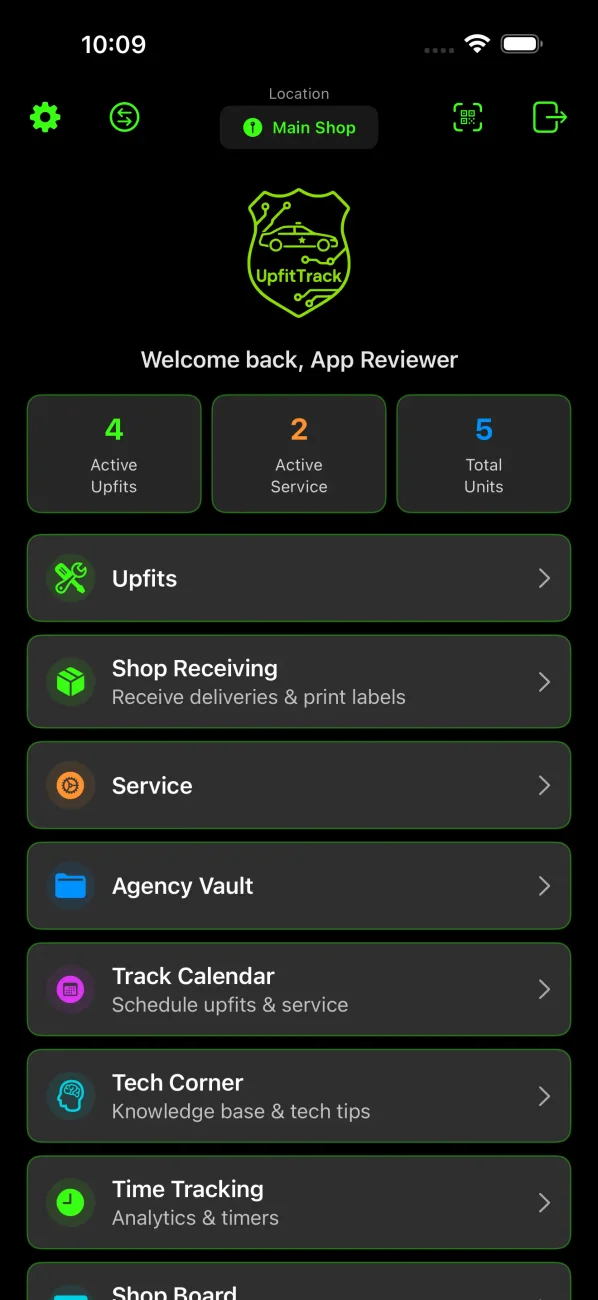
UpfitTrack is the job tracker built for police and emergency-vehicle upfitting shops — by a shop that does the work every day.
FOR THE SHOP
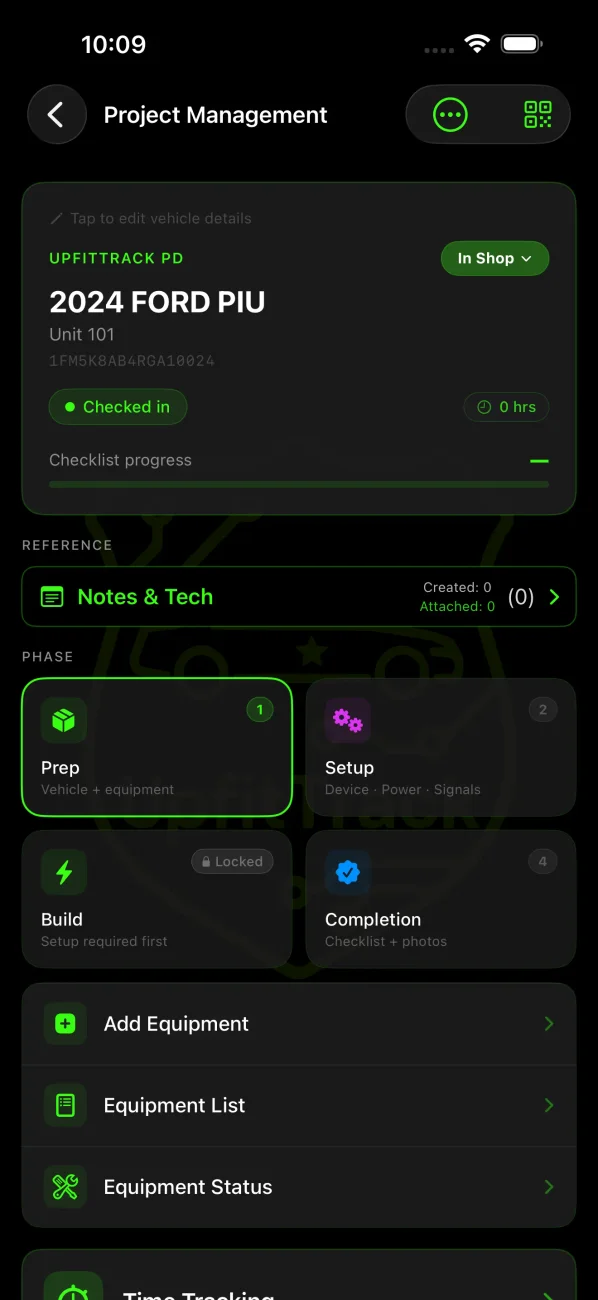
• Projects: one screen per vehicle, from check-in to completion, with phases for prep, setup, build and hand-off.
• Lot Check-In: scan a VIN and check a car in the moment it arrives, then assign it to an upfit or service ticket.
• Assign Techs: hand out jobs and tickets with a note and a day. Each tech gets My Day, and the Tech Board shows the whole shop's schedule.
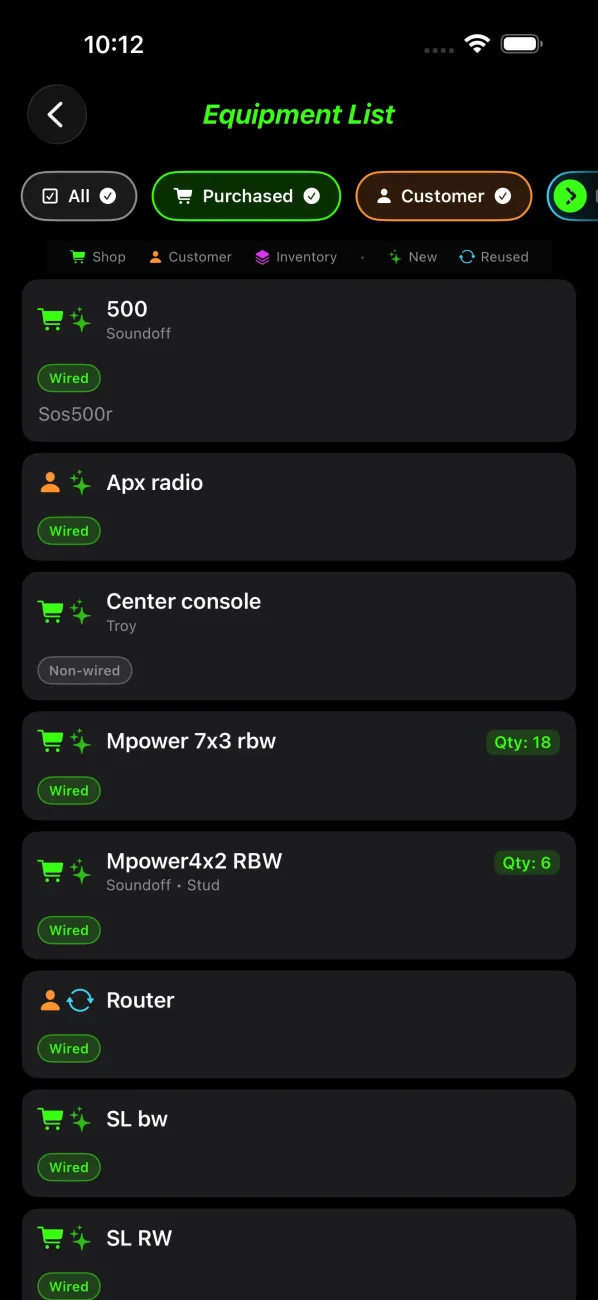
• Equipment: log every part with where it came from (shop purchased, customer supplied, or shop inventory) and whether it's new or reused. See at a glance what's shipped, received and installed.
• Shelves & Totes: receive parts to shelves and totes, print stickers, scan to pull parts, and track damaged, missing and owed parts.
• Wiring diagrams: place every device on a top, front, rear and side view of the vehicle, with call-outs that show the controller, output and wire color. Print them for the glovebox. WireTrack shows each wire route on the vehicle interior.
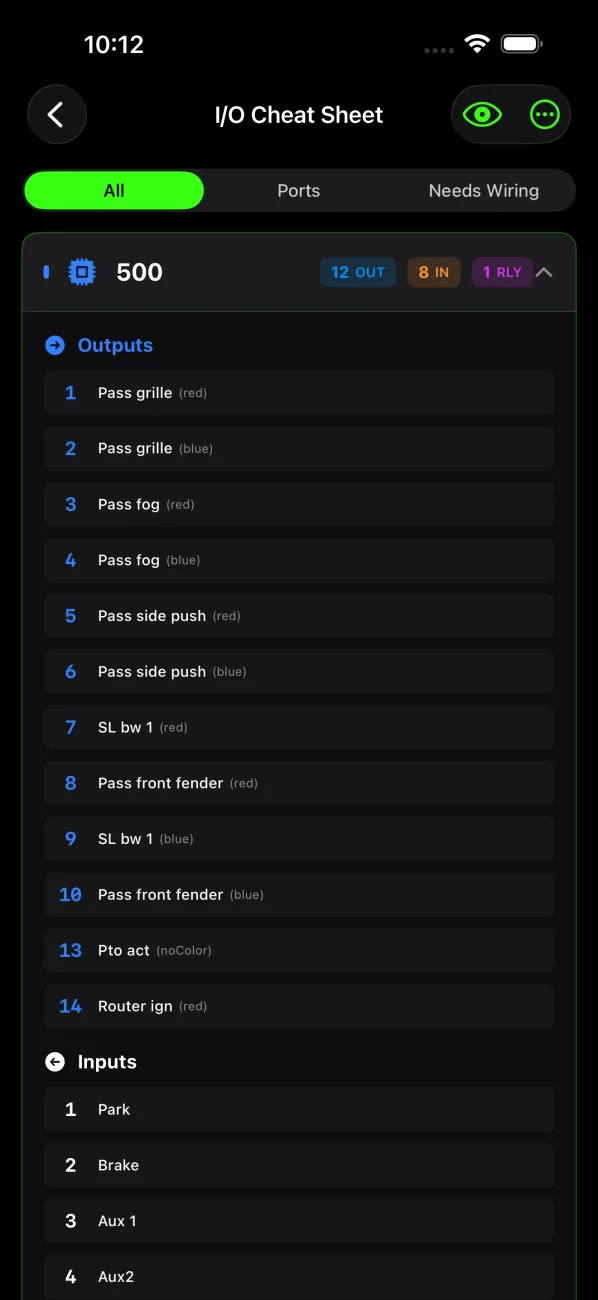
• I/O cheat sheet: every controller output, input and relay on one page.
• Install checklist: a live percent-done for each build, with who checked what.
• Photos: mark up photos with arrows, lines and text, and add captions. The original is always kept.
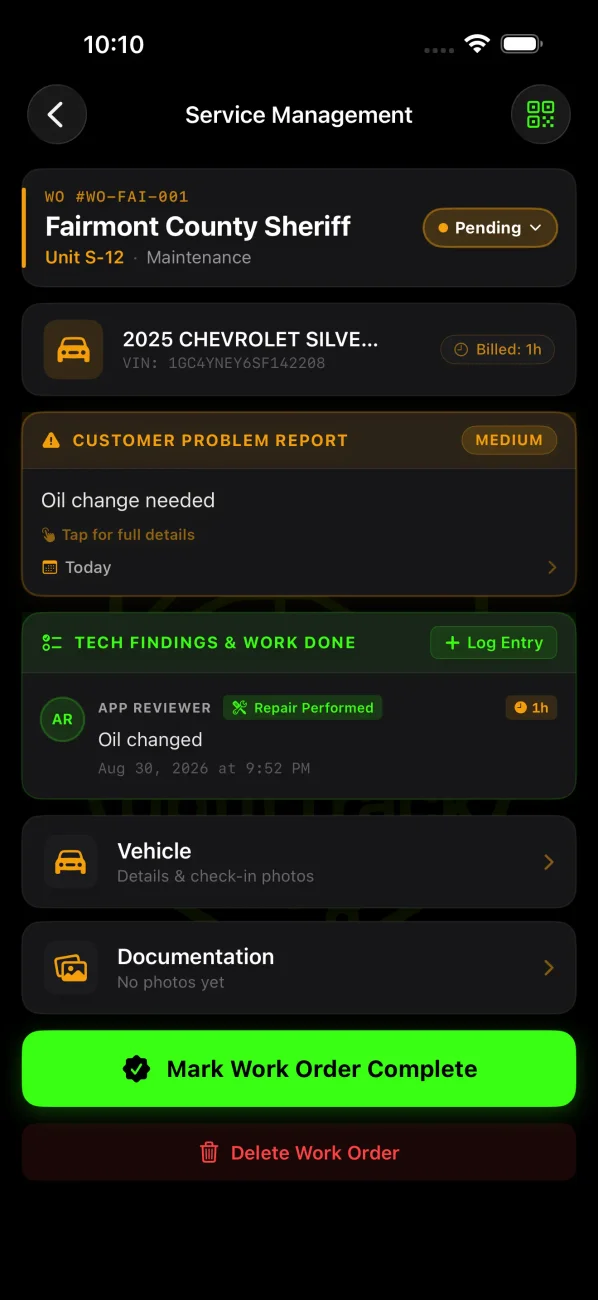
• Service work orders: a checklist of reported issues, tech notes, parts installed, photos and billed hours in one place.
• Ready to Bill: techs submit finished work, admins sign off, and nothing finished gets missed on the invoice.
• Completion Reports: a branded PDF for every finished job or service ticket, with your shop's logo.
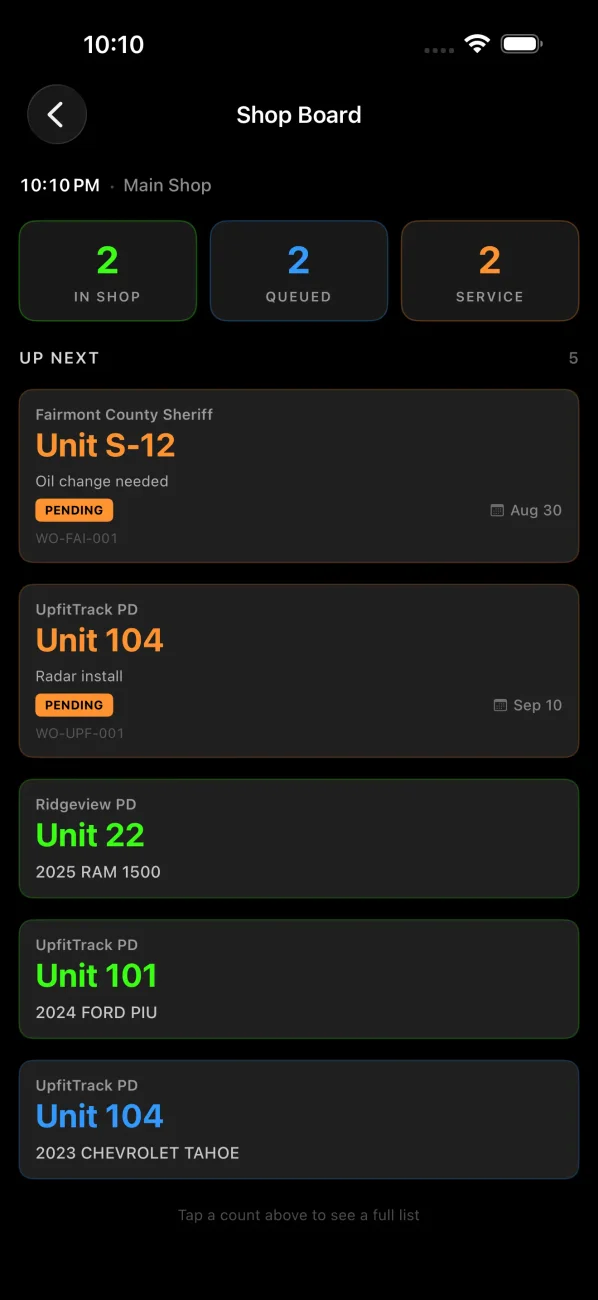
• Shop board: a live, TV-ready view of what's in the shop, what's on the lot and what's in for service.
• Time tracking, shop calendar, product catalog with QR labels, and a knowledge base for your techs.
FOR EVERY VEHICLE
• A parts list that follows the car: serial numbers (read straight off the label with the camera), mounting locations, parts history, car notes, last mileage and last service.
FOR THE AGENCY
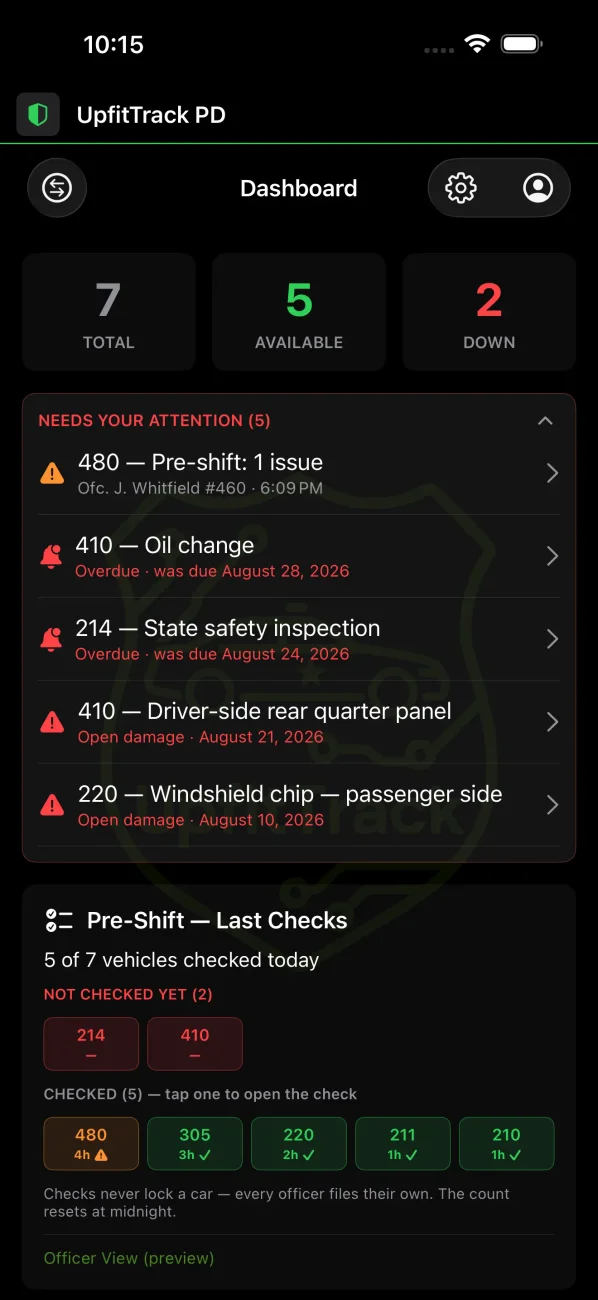
• Fleet dashboard: total, available and down at a glance, with what needs attention today.
• Pre-shift checks: officers file a quick check from their phone; the fleet manager sees coverage for the day.
• Officers can report a problem any time; it stays open until it's handled and can go straight to the upfitter.
• Status Viewers: let agency contacts follow their vehicles' progress.
• Reminders, damage reports, service history, documents and photos on every vehicle.
Works offline on the shop floor and syncs when you're back on Wi-Fi.
UpfitTrack is licensed to businesses. Accounts are set up by our team — visit upfittrack.com to get started.
Yang baru
Versi 1.3 · 14/11/2026
Previously, data lines were just declared with no connections.
Now: Better 3 wire/Data line support. You can lay out exactly how each box and part is connected, and everyone on the job sees the same thing.
Device Setup
• One Data Lines card per box:
– Connected to: the line this box plugs into. (ie. connecting Remote Node on the 500 LIN line)
– Source: the lines this box sends out. Set each line's type (3-wire, LIN, Lightbar data, WeCanX, CAN and more) and mark lines that come from the vehicle. (ie 500 Siren Source for node LIN, or LB Channels)
• Add splits such as 3-Wire Isolation Modules, with their branches named, so a line can fan out the way it does in the truck.
Output Assignment
• Pick which data line each part is Connected to. Every line on the job is listed.
• Parts with several units (like a pair of lights) can use Set each one separately to put each unit on its own line or branch.
Everywhere else
• WireTrack, the wiring diagram key and the I/O cheat sheet show what each part is connected to.
• Renumbering or removing a box keeps the connections pointing at the right box. Before you lower a line count, the app tells you which parts will be hidden and which splits will be removed.
• Copying a build keeps its data lines and splits.
Also in this update
• Bigger documents: Convert to Tech Note now takes documents (PDF, Word, Excel, CSV) up to 100 MB.
• Training & Help: there's a new Training/Help link in the left menu and at the bottom of the home screen.
Privasi aplikasi
Yang dinyatakan Upfit Technologies, LLC di App Store tentang cara aplikasi ini menangani data.
-
Data yang ditautkan dengan Anda
Dapat dikumpulkan dan ditautkan dengan identitas Anda.
- Info kontak
- Konten pengguna
-
Data yang tidak ditautkan dengan Anda
Dapat dikumpulkan, tetapi tidak ditautkan dengan identitas Anda.
- Pengenal
Praktik privasi dapat bervariasi, misalnya berdasarkan fitur yang Anda gunakan atau usia Anda.
Informasi
- Penjual
- Upfit Technologies LLC
- Kategori
- Bisnis
- Versi
- 1.3
- Diperbarui
- 14/11/2026
- Dirilis
- 8/9/2026
- Ukuran
- 83,9 MB
- Memerlukan
- iOS 18.2 atau yang lebih baru
- Batasan usia
- 4+
- Bahasa
- Inggris
- Hak cipta
- © 2026 Upfit Technologies, LLC