
WidgetGrid
Turn your data into Widgets
Entwickelt für iPhone, iPad, Mac
Kostenlos · In-App-Käufe
- Altersfreigabe4+
- KategorieProduktivität
- EntwicklerTiger Ng
- SprachenEnglisch
- Größe81,4 MB
Verlinkt auf die offizielle App Store-Seite
Download.org hostet keine Datei von WidgetGrid. Die Schaltfläche öffnet die App-Seite bei App Store, wo Tiger Ng die App veröffentlicht. Eintrag zuletzt geprüft am 12.11.2026.
Screenshots
Info
Der Entwickler hat diesen Text nicht in Ihrer Sprache bereitgestellt.
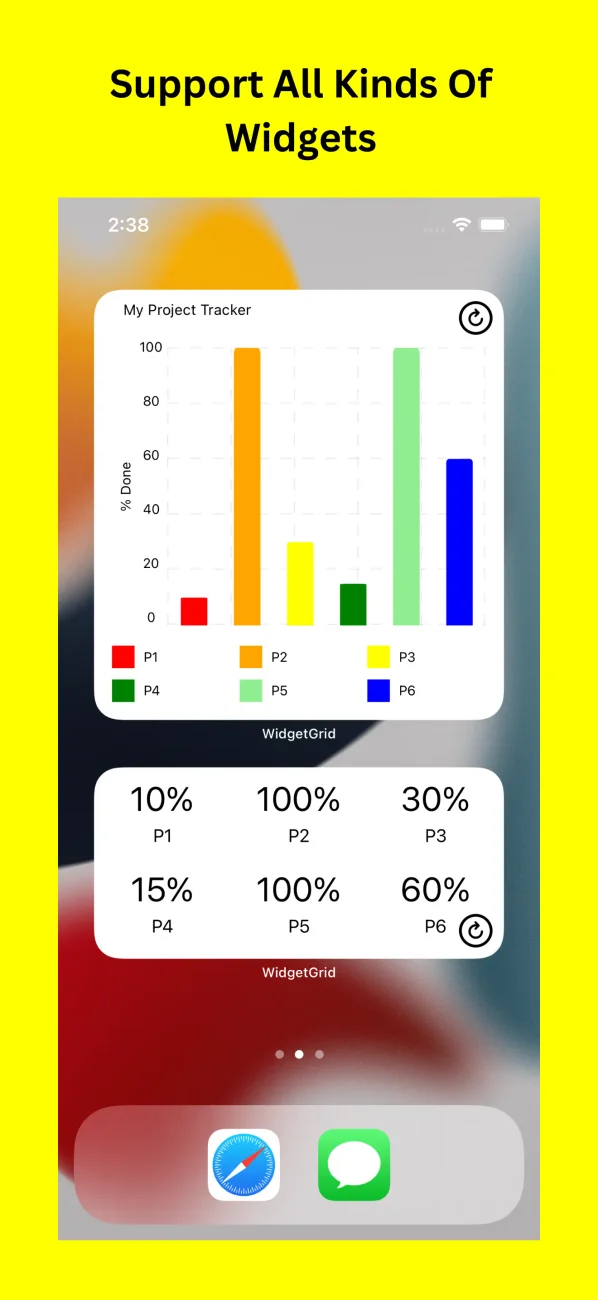
WidgetGrid is a new way to convert Google Sheets, Microsoft Excel, Notion Database & Airtable Database into data-driven widgets on the home screen. You can customize the design of all kinds of widgets. Once you edit your source data, your widgets will reload content at predefined time interval.
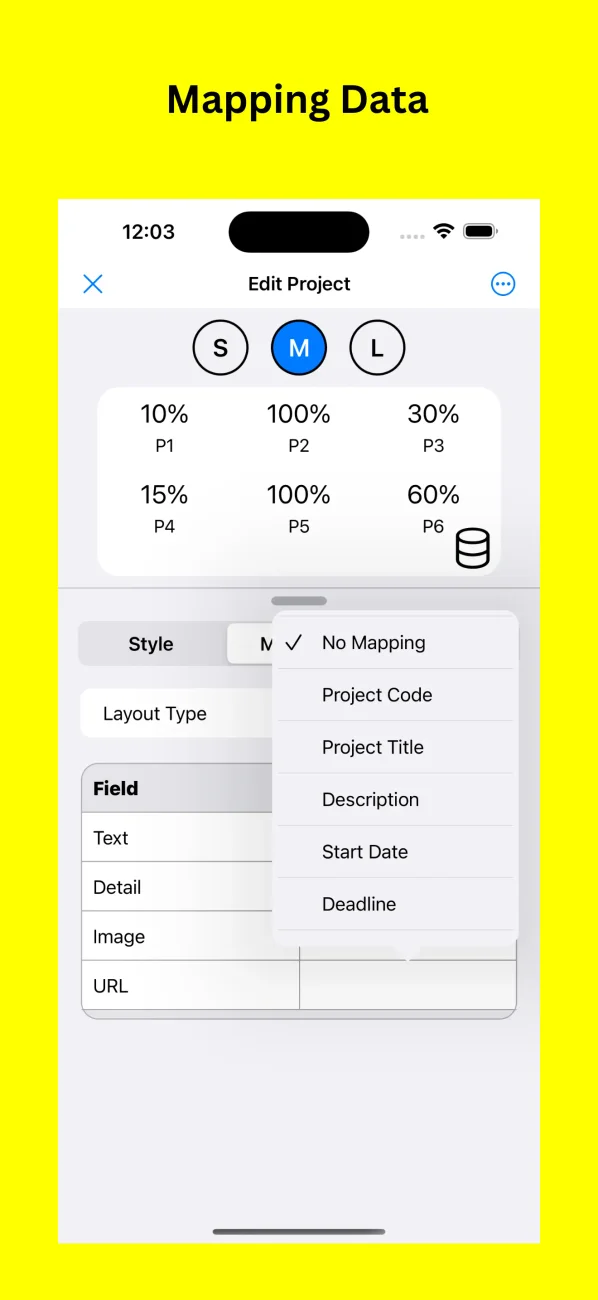
Mapping Data
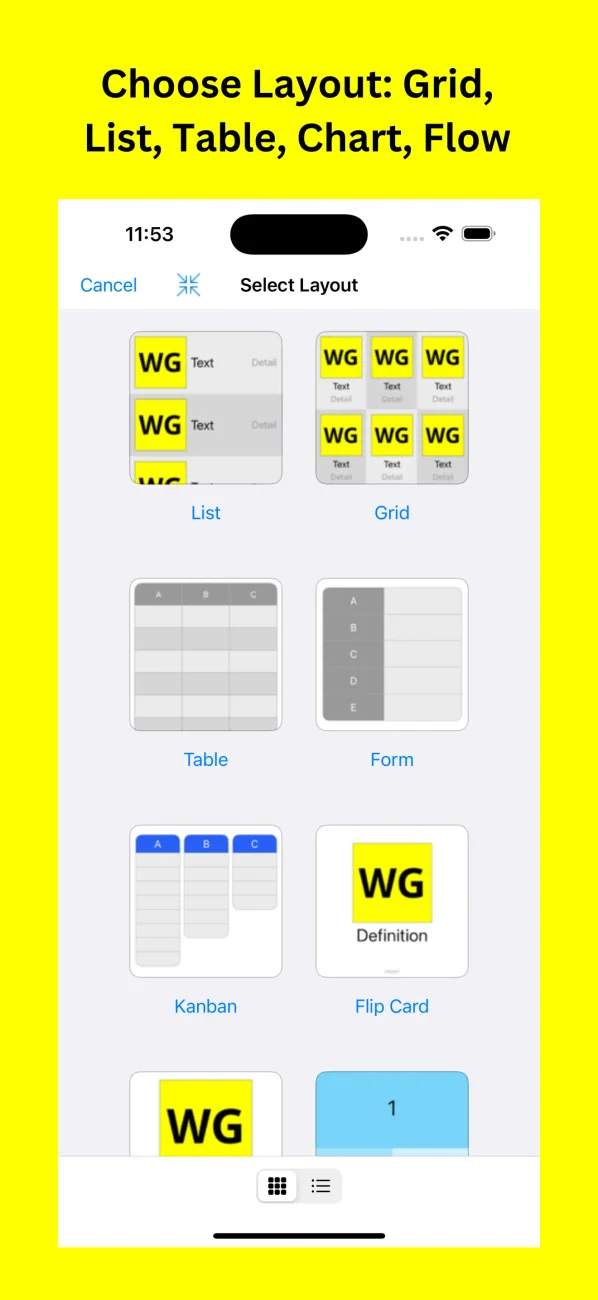
Choose layouts including Grid, List, Card, Flip Card, Chart, Flow, Table, Form, Kanban, Gauge, Calendar, Photo, QR Code and configure mapping of data from layout components to source data
Create Project From Your Own Or Templates
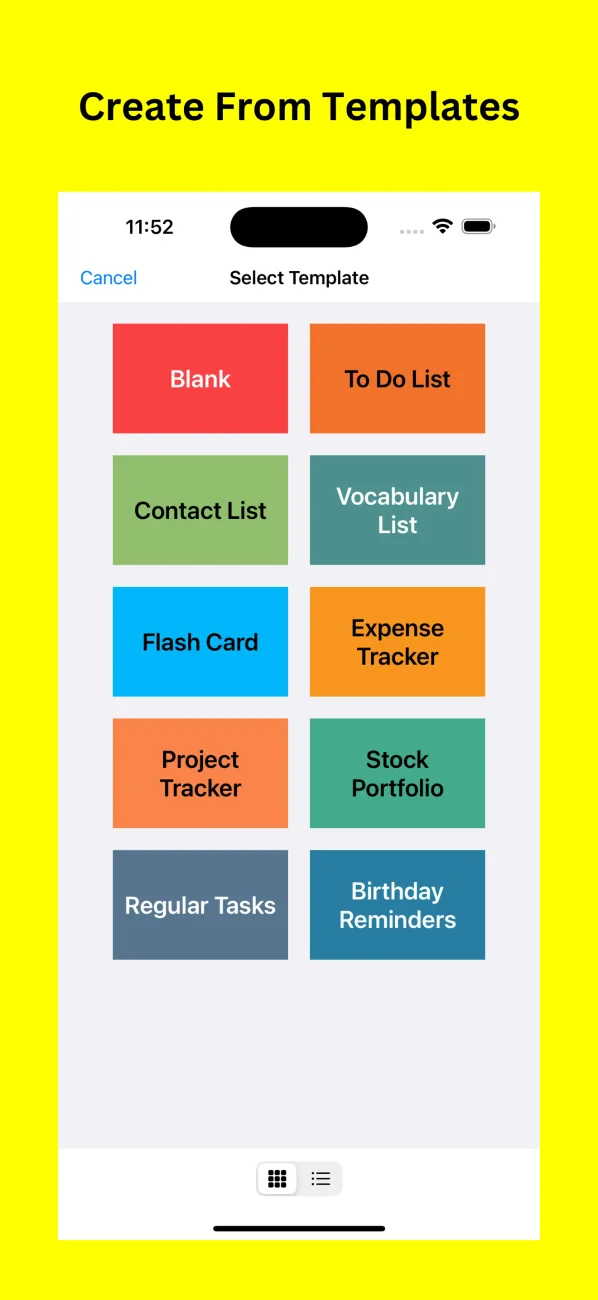
Use your own data or get some idea from templates: Project Tracker, Expense Tracker, To Do List, Flash Card, Contact List, Stock Portfolio, Vocabulary List, Regular Tasks, Birthday Reminders.
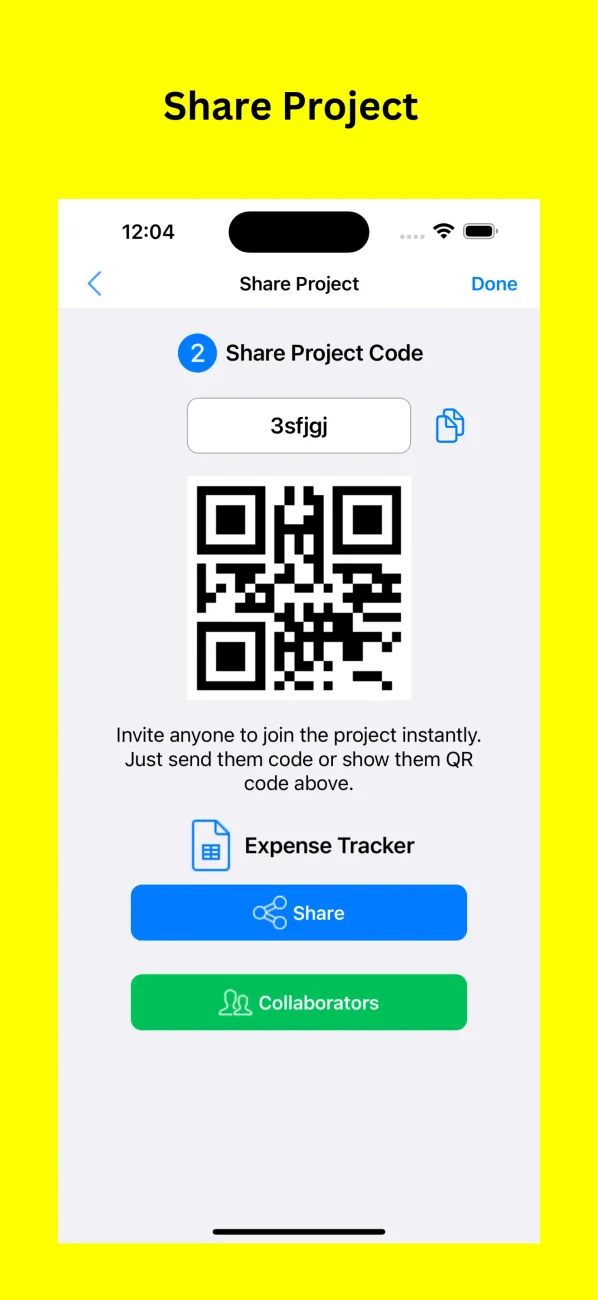
Share Project
Collaborate with others on the shared project via scanning QR Code. Share widget's configuration and backend data. View latest updates through widgets on all collaborators' devices.
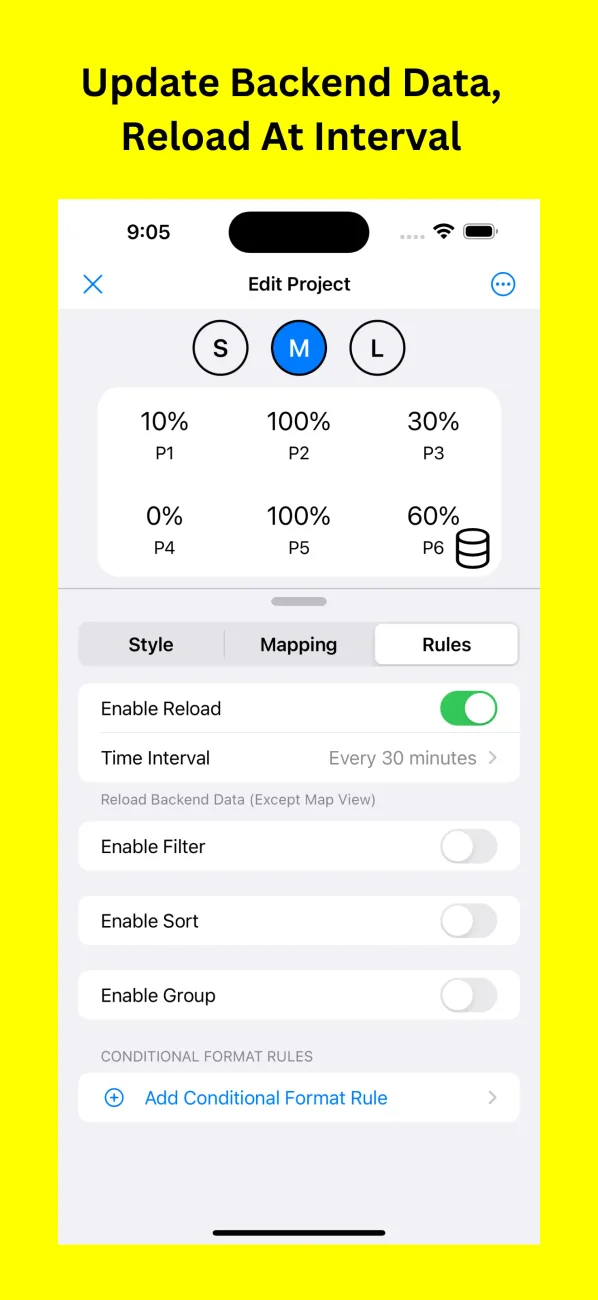
Reload Policy
Control time interval to reload widgets: every 15 minutes, 30 minutes, daily, etc. Make sure you have signed in with source provider.
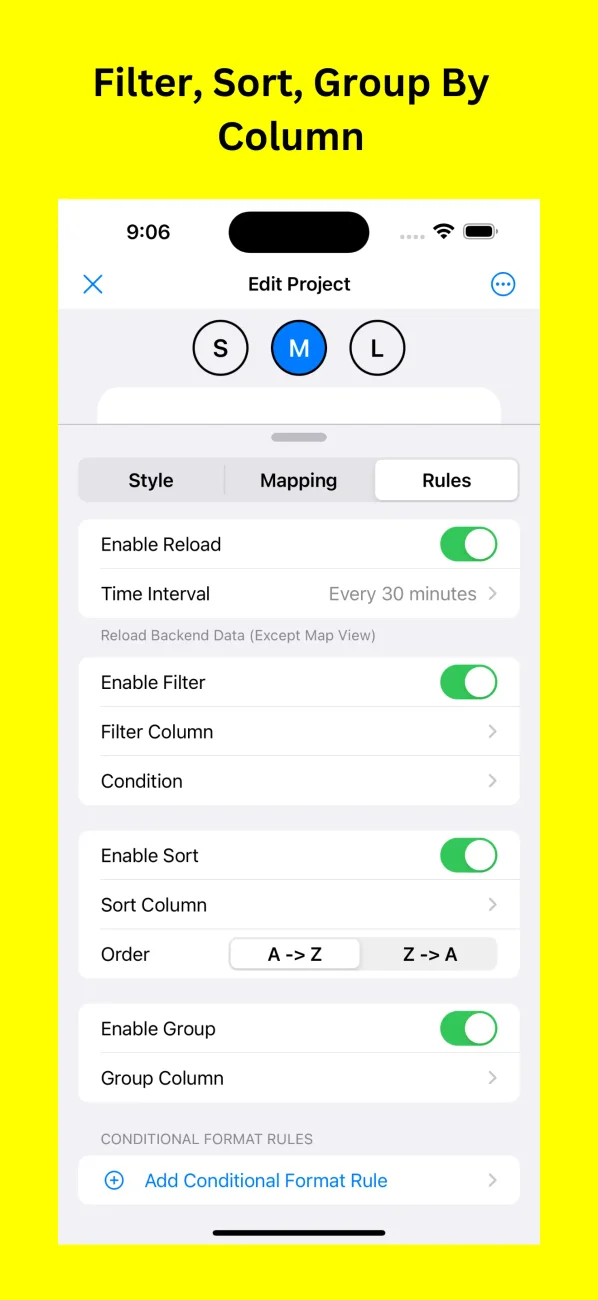
Rules
Control your display by filtering items by columns and condition (including date option, e.g. today, this week, next week), sorting items by columns in ascending or descending order, or grouping items by columns (List, Grid & Flow View). Add Conditional Format Rules to change text color if the conditions are matched.
Design
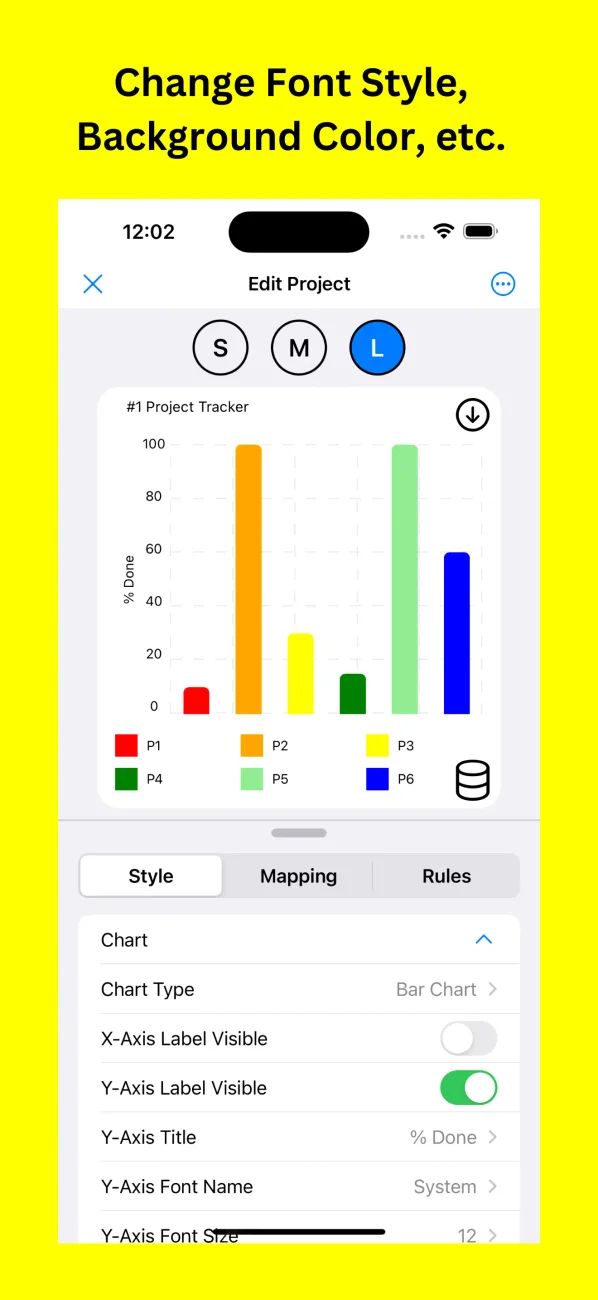
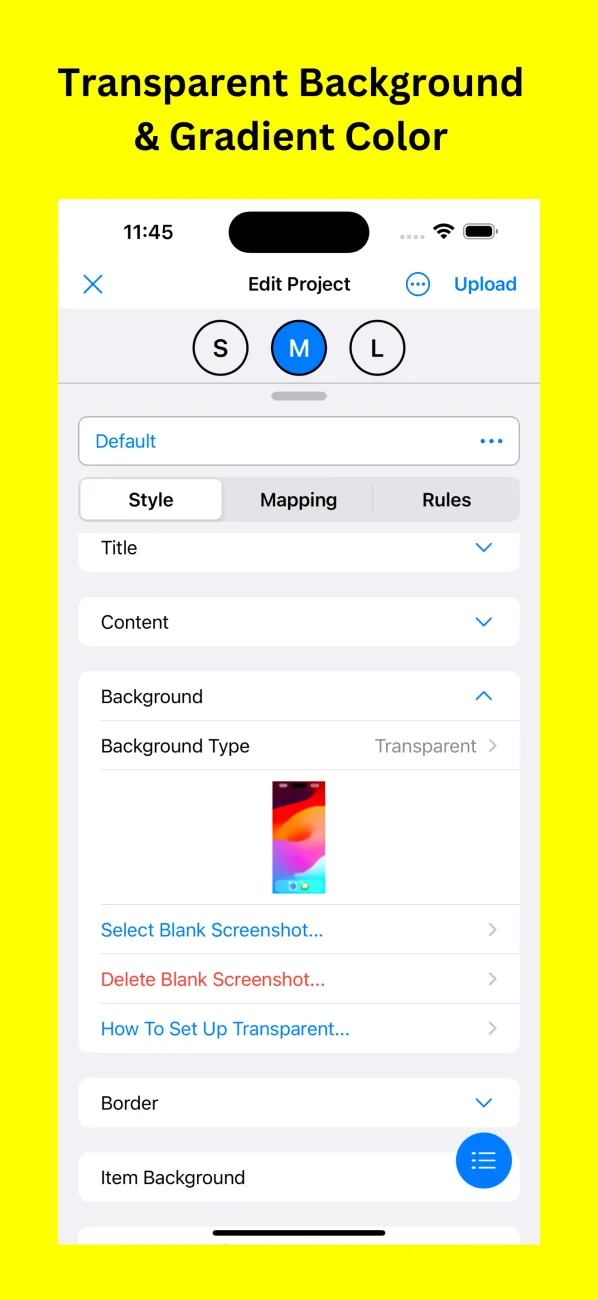
Background style includes color, image, gradient and transparent. Text style includes font style, font size, font color, alignment, and line limit. Chart View includes line chart, bar chart, pie chart and doughnut chart.
Terms of Use (EULA)
https://www.apple.com/legal/internet-services/itunes/dev/stdeula/
Neue Funktionen
Version 6.8 · 02.01.2025
1. Revamp all the templates
2. Minimum item height for better control
3. Set gauge width
4. Fix bugs for conditional rules, filtering and sorting data
5. Some enhancement
App-Datenschutz
Was Tiger Ng im App Store zum Umgang dieser App mit Daten angibt.
-
Mit Ihnen verknüpfte Daten
Können erfasst und mit Ihrer Identität verknüpft werden.
- Standort
- Kontaktinformationen
- Benutzerinhalte
- Kennungen
- Nutzungsdaten
- Sonstige Daten
-
Nicht mit Ihnen verknüpfte Daten
Können erfasst werden, sind aber nicht mit Ihrer Identität verknüpft.
- Diagnose
Die Datenschutzpraktiken können variieren, zum Beispiel je nach den von Ihnen verwendeten Funktionen oder Ihrem Alter.
Informationen
- Anbieter
- Tiger Ng
- Kategorie
- Produktivität
- Version
- 6.8
- Aktualisiert
- 02.01.2025
- Veröffentlicht
- 26.11.2021
- Größe
- 81,4 MB
- Erfordert
- iOS 17.5 oder neuer
- Altersfreigabe
- 4+
- Preis
- Kostenlos
- In-App-Käufe
- Ja
- Sprachen
- Englisch
- Copyright
- © 2024 Tiger Ng
Das könnte Ihnen auch gefallen
-
 SuperWidget - Shortcuts & APIsProduktivität
-
 WidgetWorks: Custom WidgetsProduktivität
-
 Widget Web 27HTML WWW Website im Widget
-
 Calculator Notes - SpreadsheetProduktivität
-
 Live Data Widgets: AnyWidgetProduktivität
-
 Charty for ShortcutsProduktivität
-
 Nutshell: Widgets for NotionSchneller Datenbank-Zugriff
-
 PhotoLink widgetweb & photo widget
-
 Live Minder -Reminders & To-DoProduktivität
-
 Launcher Tag+Produktivität