
WidgetGrid
Turn your data into Widgets
Dirancang untuk iPhone, iPad, Mac
Gratis · Pembelian dalam aplikasi
- Batasan usia4+
- KategoriProduktivitas
- PengembangTiger Ng
- BahasaInggris
- Ukuran81,4 MB
Tertaut ke halaman resmi App Store
Download.org tidak menyimpan file WidgetGrid apa pun. Tombol ini membuka halaman aplikasi di App Store, tempat Tiger Ng menerbitkannya. Halaman terakhir diperiksa pada 12/11/2026.
Tangkapan layar
Tentang
Pengembang belum menyediakan teks ini dalam bahasa Anda.
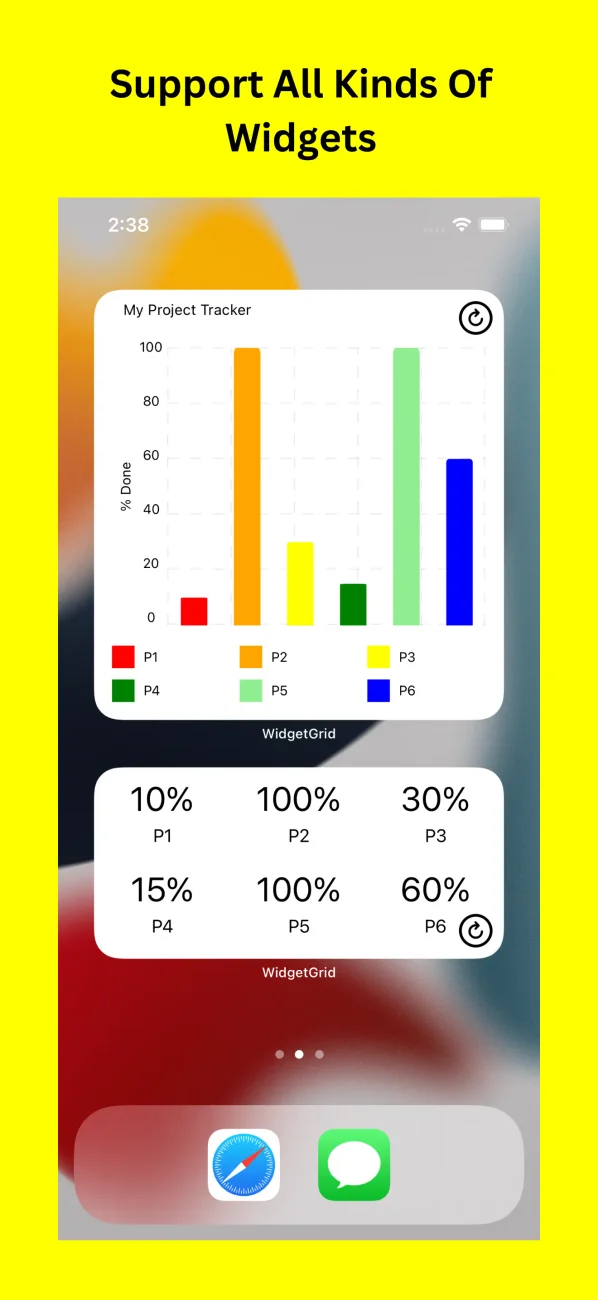
WidgetGrid is a new way to convert Google Sheets, Microsoft Excel, Notion Database & Airtable Database into data-driven widgets on the home screen. You can customize the design of all kinds of widgets. Once you edit your source data, your widgets will reload content at predefined time interval.
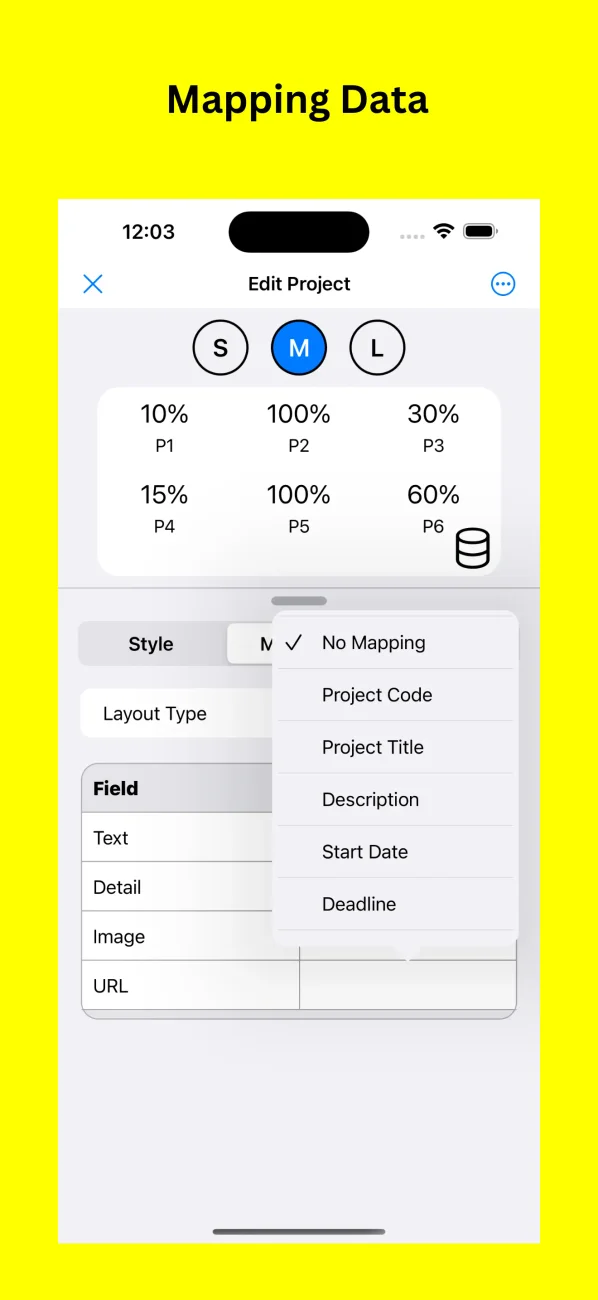
Mapping Data
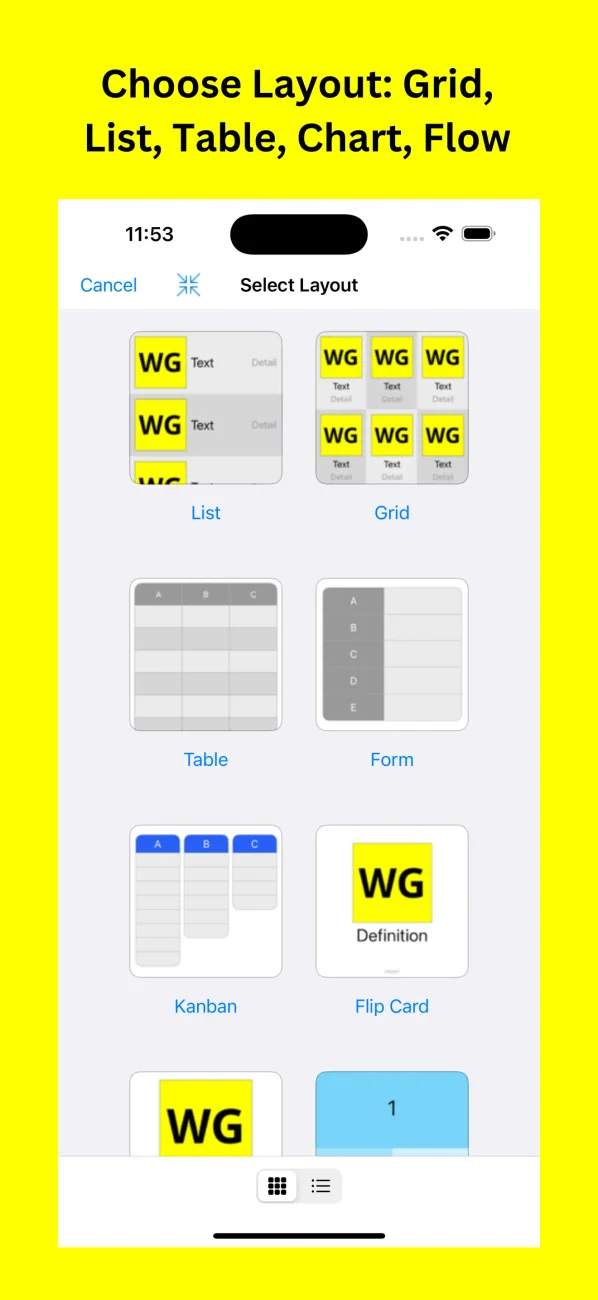
Choose layouts including Grid, List, Card, Flip Card, Chart, Flow, Table, Form, Kanban, Gauge, Calendar, Photo, QR Code and configure mapping of data from layout components to source data
Create Project From Your Own Or Templates
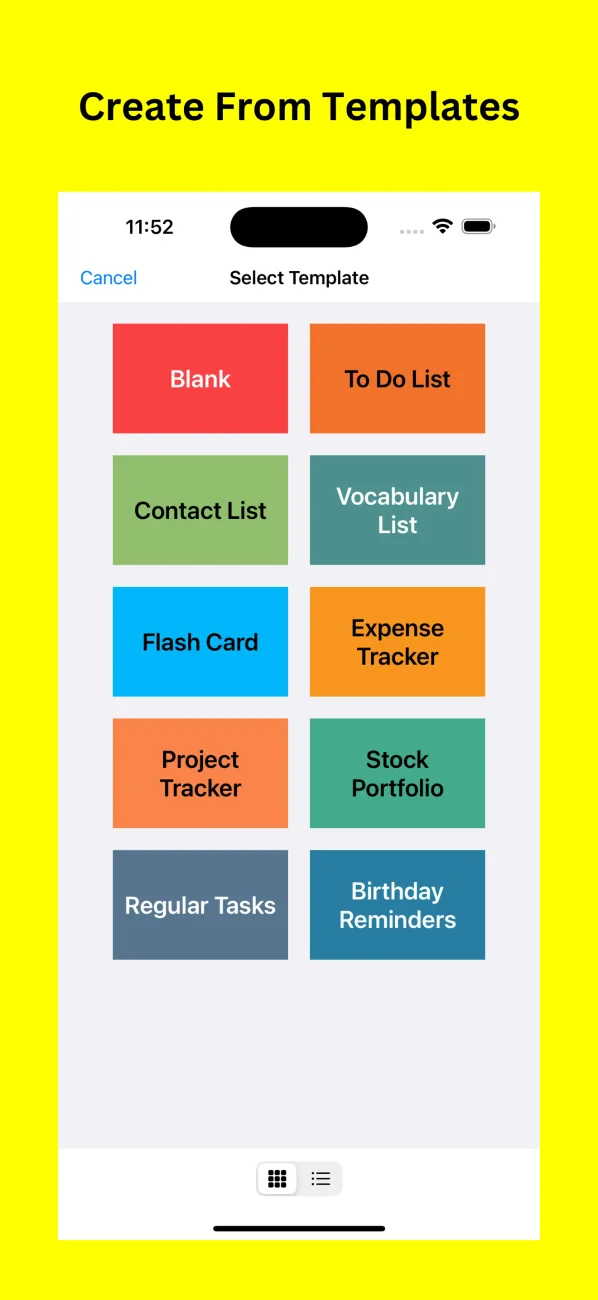
Use your own data or get some idea from templates: Project Tracker, Expense Tracker, To Do List, Flash Card, Contact List, Stock Portfolio, Vocabulary List, Regular Tasks, Birthday Reminders.
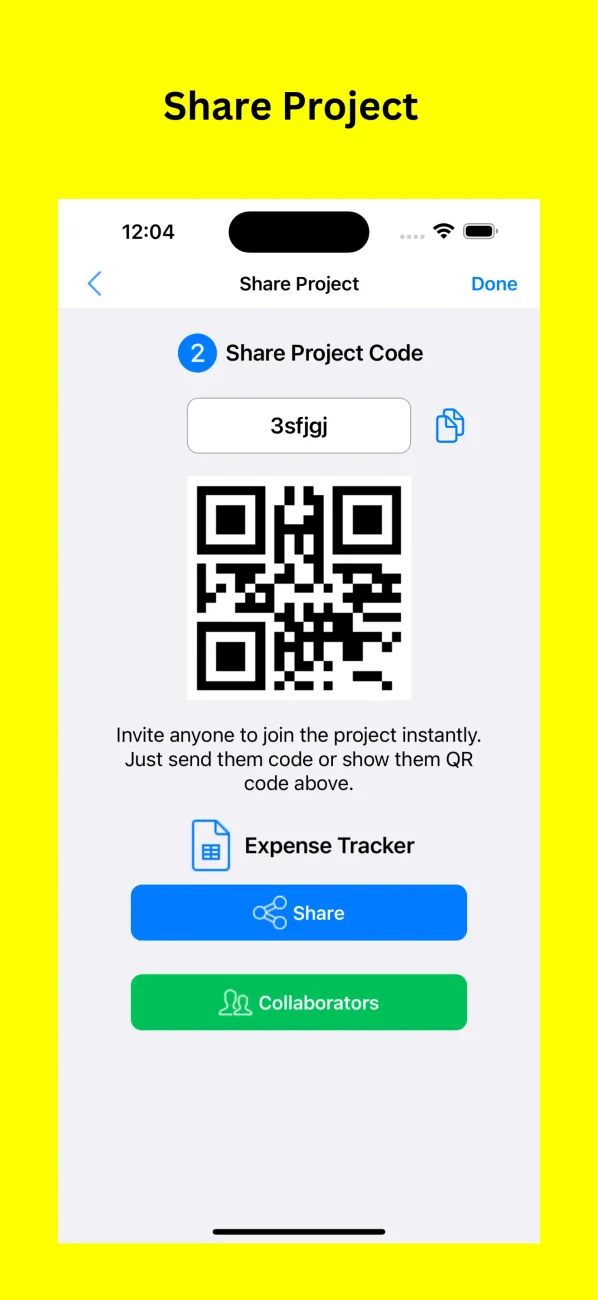
Share Project
Collaborate with others on the shared project via scanning QR Code. Share widget's configuration and backend data. View latest updates through widgets on all collaborators' devices.
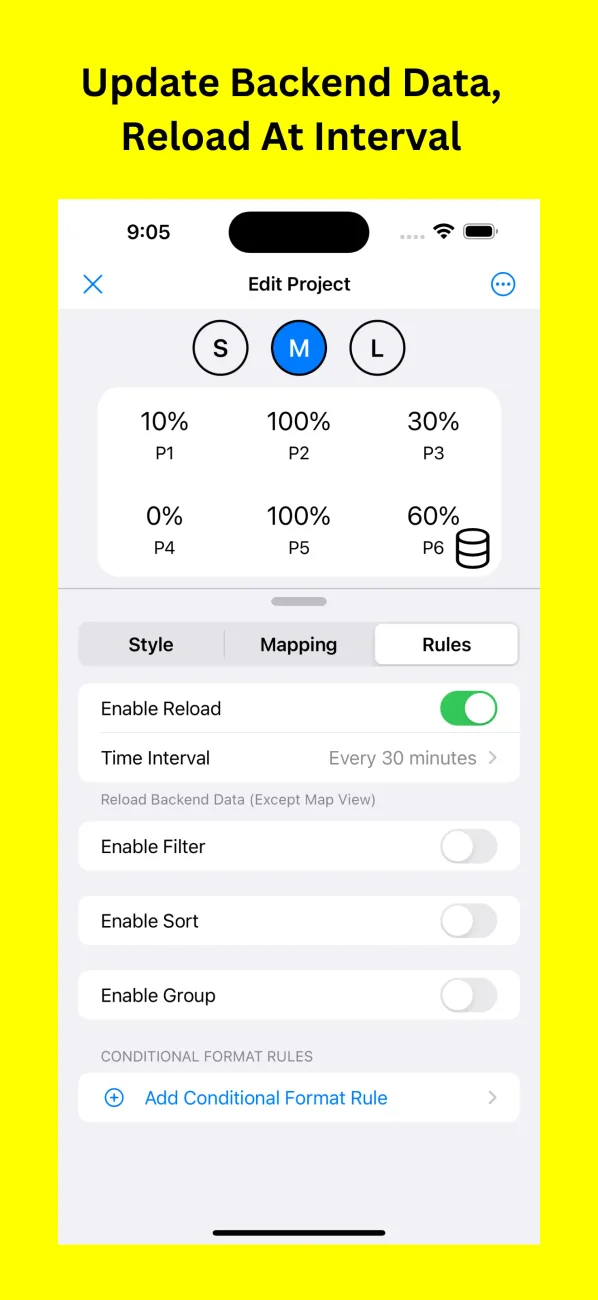
Reload Policy
Control time interval to reload widgets: every 15 minutes, 30 minutes, daily, etc. Make sure you have signed in with source provider.
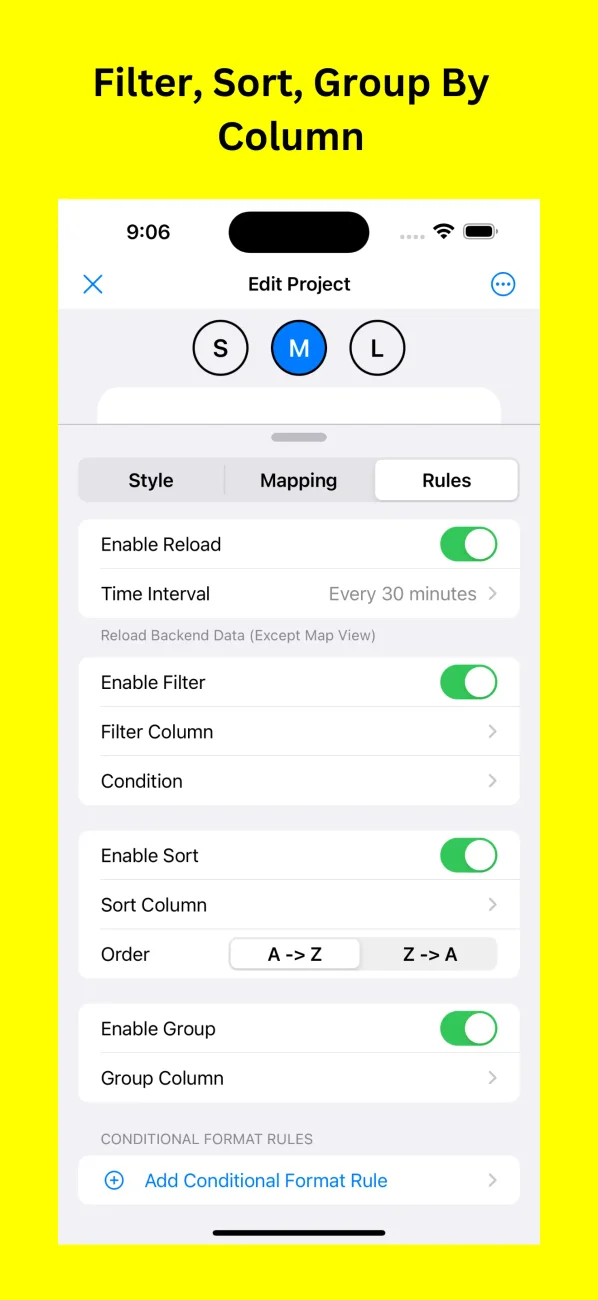
Rules
Control your display by filtering items by columns and condition (including date option, e.g. today, this week, next week), sorting items by columns in ascending or descending order, or grouping items by columns (List, Grid & Flow View). Add Conditional Format Rules to change text color if the conditions are matched.
Design
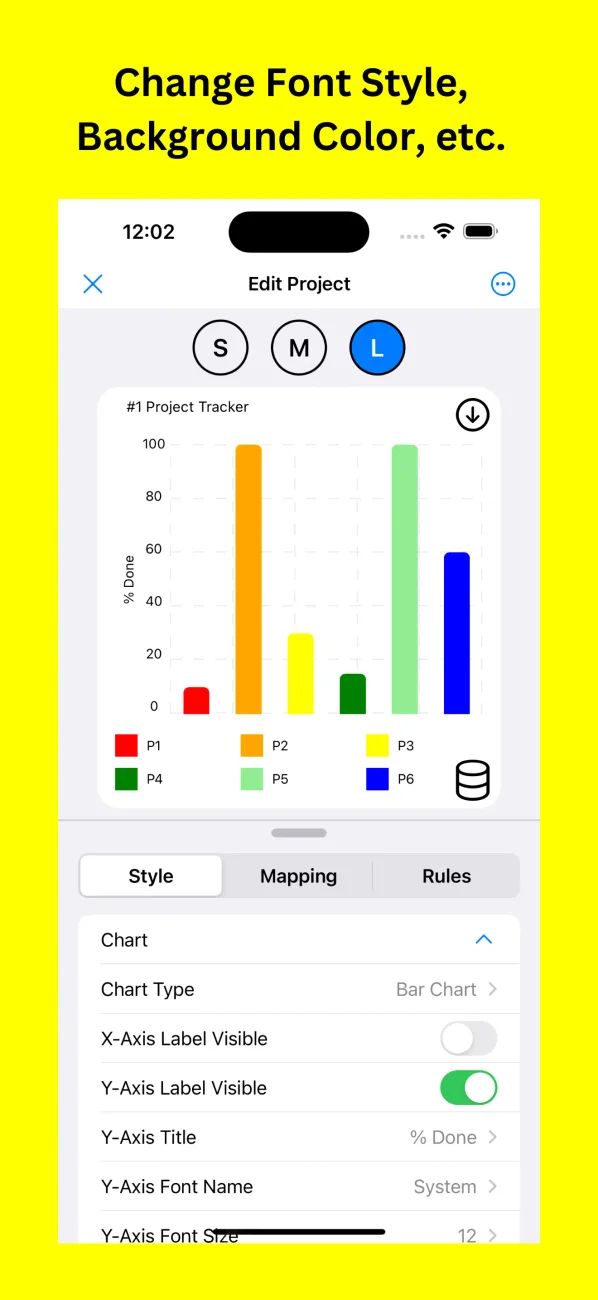
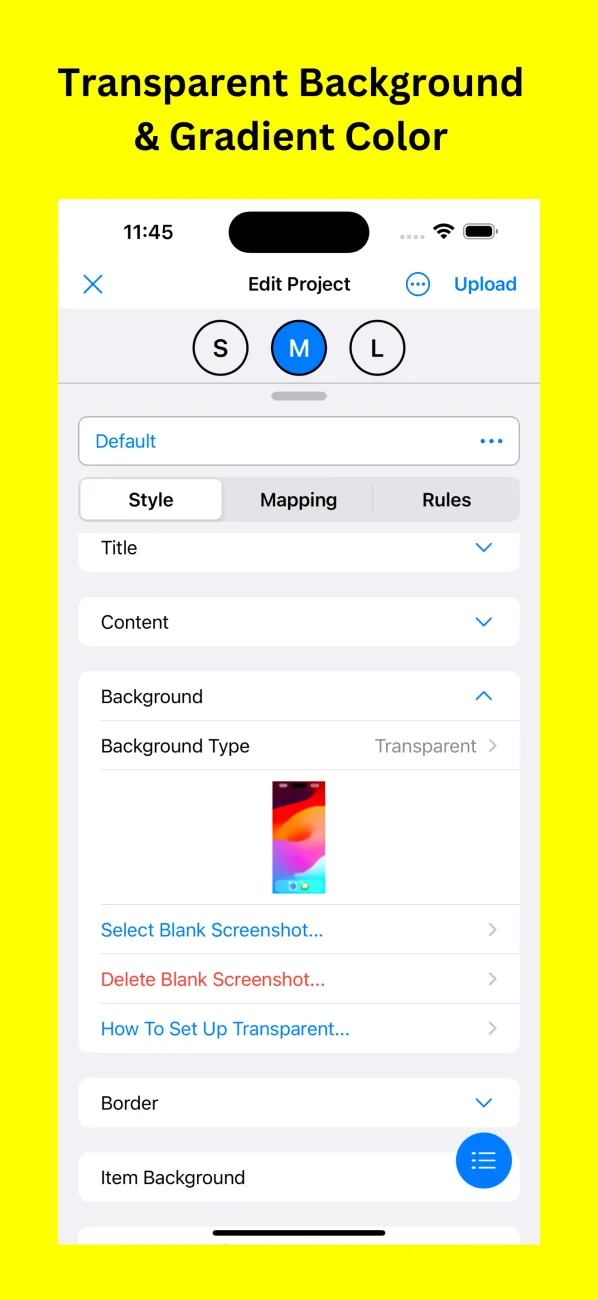
Background style includes color, image, gradient and transparent. Text style includes font style, font size, font color, alignment, and line limit. Chart View includes line chart, bar chart, pie chart and doughnut chart.
Terms of Use (EULA)
https://www.apple.com/legal/internet-services/itunes/dev/stdeula/
Yang baru
Versi 6.8 · 2/1/2025
1. Revamp all the templates
2. Minimum item height for better control
3. Set gauge width
4. Fix bugs for conditional rules, filtering and sorting data
5. Some enhancement
Privasi aplikasi
Yang dinyatakan Tiger Ng di App Store tentang cara aplikasi ini menangani data.
-
Data yang ditautkan dengan Anda
Dapat dikumpulkan dan ditautkan dengan identitas Anda.
- Lokasi
- Info kontak
- Konten pengguna
- Pengenal
- Data penggunaan
- Data lainnya
-
Data yang tidak ditautkan dengan Anda
Dapat dikumpulkan, tetapi tidak ditautkan dengan identitas Anda.
- Diagnostik
Praktik privasi dapat bervariasi, misalnya berdasarkan fitur yang Anda gunakan atau usia Anda.
Informasi
- Penjual
- Tiger Ng
- Kategori
- Produktivitas
- Versi
- 6.8
- Diperbarui
- 2/1/2025
- Dirilis
- 26/11/2021
- Ukuran
- 81,4 MB
- Memerlukan
- iOS 17.5 atau yang lebih baru
- Batasan usia
- 4+
- Harga
- Gratis
- Pembelian dalam aplikasi
- Ya
- Bahasa
- Inggris
- Hak cipta
- © 2024 Tiger Ng
Mungkin Anda juga suka
-
 SuperWidget - Shortcuts & APIsProduktivitas
-
 WidgetWorks: Custom WidgetsProduktivitas
-
 Widget Web 27Produktivitas
-
 Calculator Notes - SpreadsheetProduktivitas
-
 Live Data Widgets: AnyWidgetProduktivitas
-
 Charty for ShortcutsProduktivitas
-
 Nutshell: Widgets for NotionProduktivitas
-
 PhotoLink widgetProduktivitas
-
 Live Minder -Reminders & To-DoProduktivitas
-
 Launcher Tag+Produktivitas