
- 対象年齢4+
- カテゴリ仕事効率化
- 開発元Tiger Ng
- 言語英語
- サイズ81.4 MB
App Storeの公式ページにリンクしています
Download.orgはWidgetGridのファイルを一切ホストしていません。ボタンを押すと、Tiger Ngが公開しているApp Storeのアプリページが開きます。ページの最終確認:2026/11/12。
スクリーンショット
概要
開発元はこのテキストをお使いの言語で提供していません。
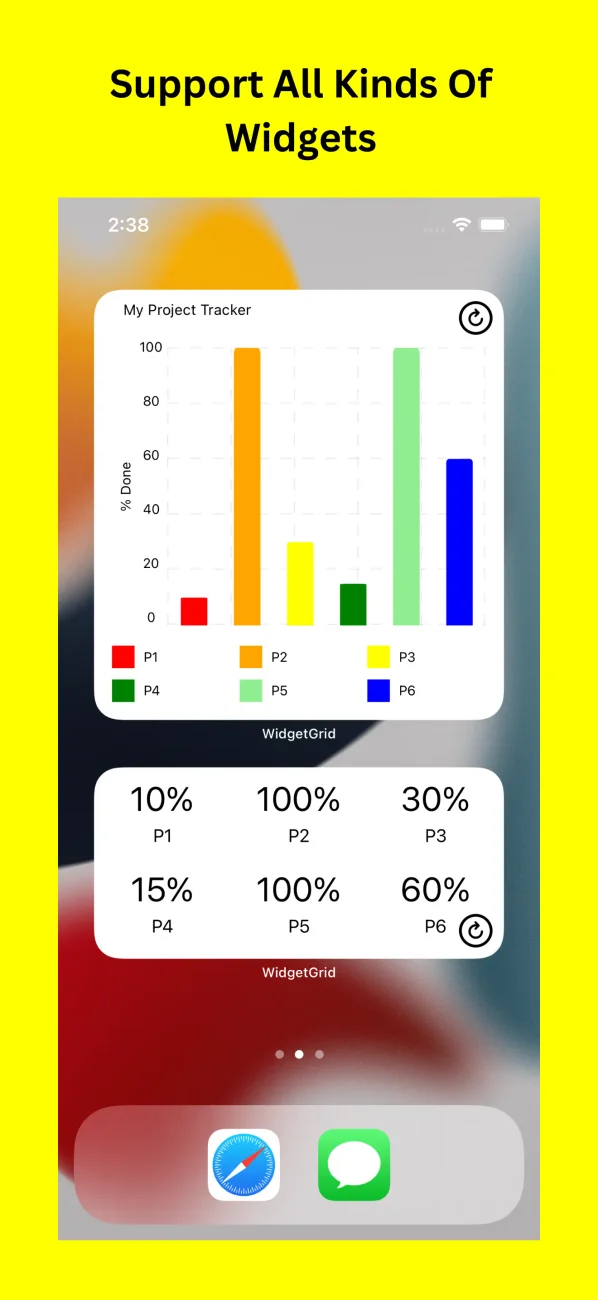
WidgetGrid is a new way to convert Google Sheets, Microsoft Excel, Notion Database & Airtable Database into data-driven widgets on the home screen. You can customize the design of all kinds of widgets. Once you edit your source data, your widgets will reload content at predefined time interval.
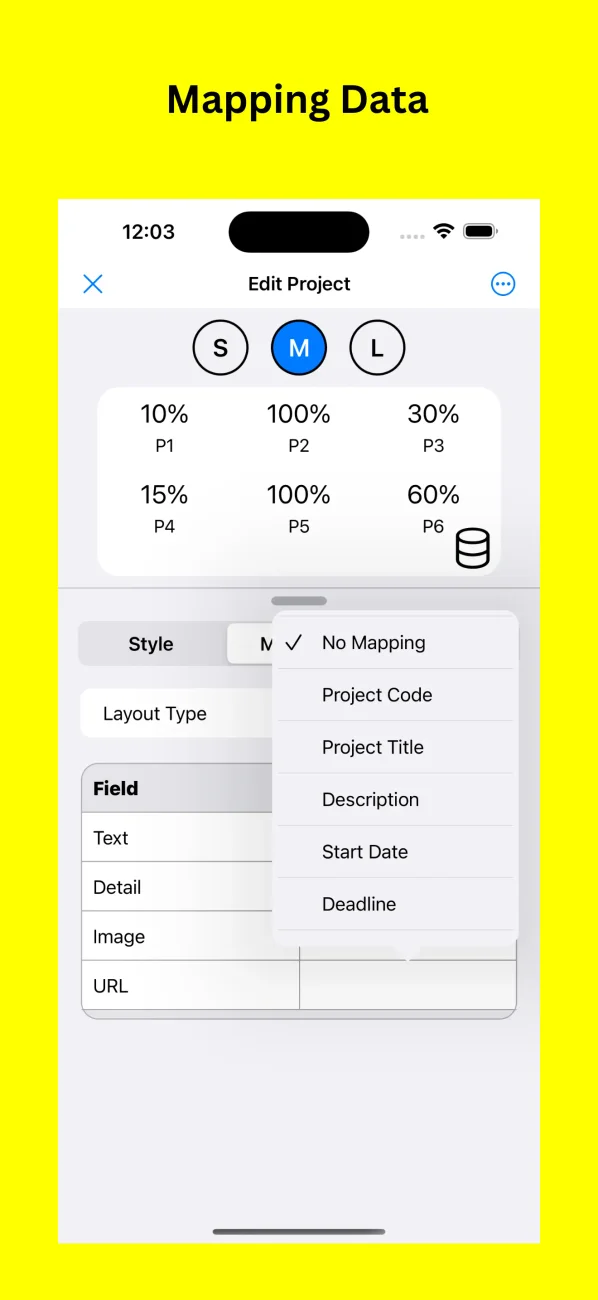
Mapping Data
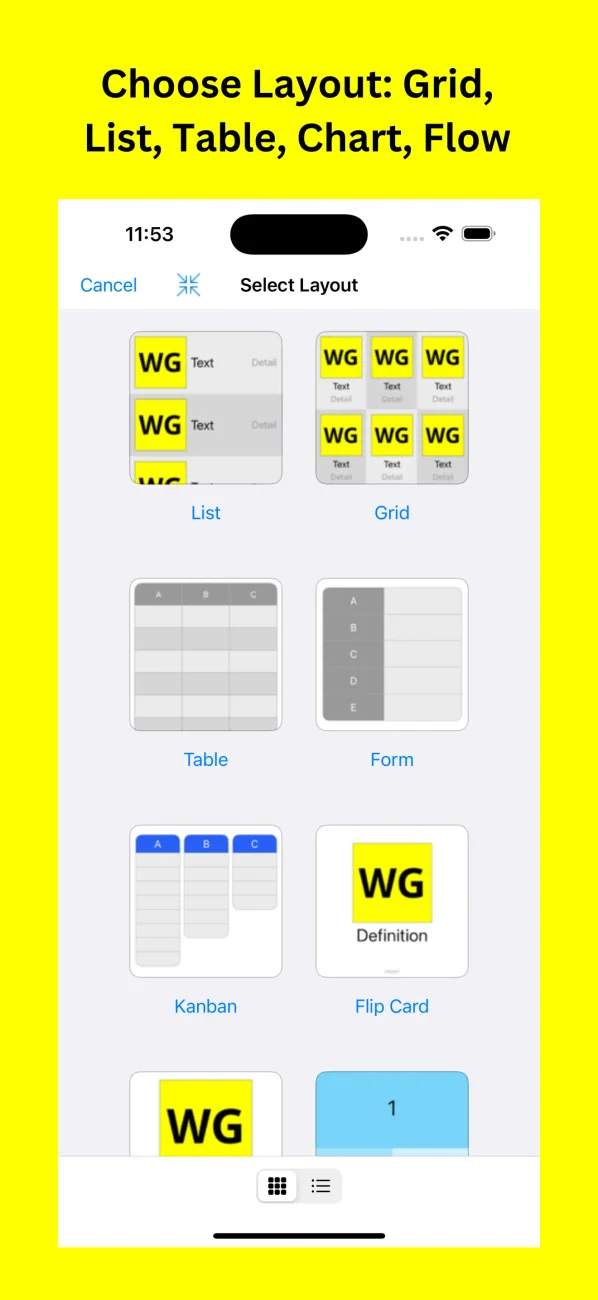
Choose layouts including Grid, List, Card, Flip Card, Chart, Flow, Table, Form, Kanban, Gauge, Calendar, Photo, QR Code and configure mapping of data from layout components to source data
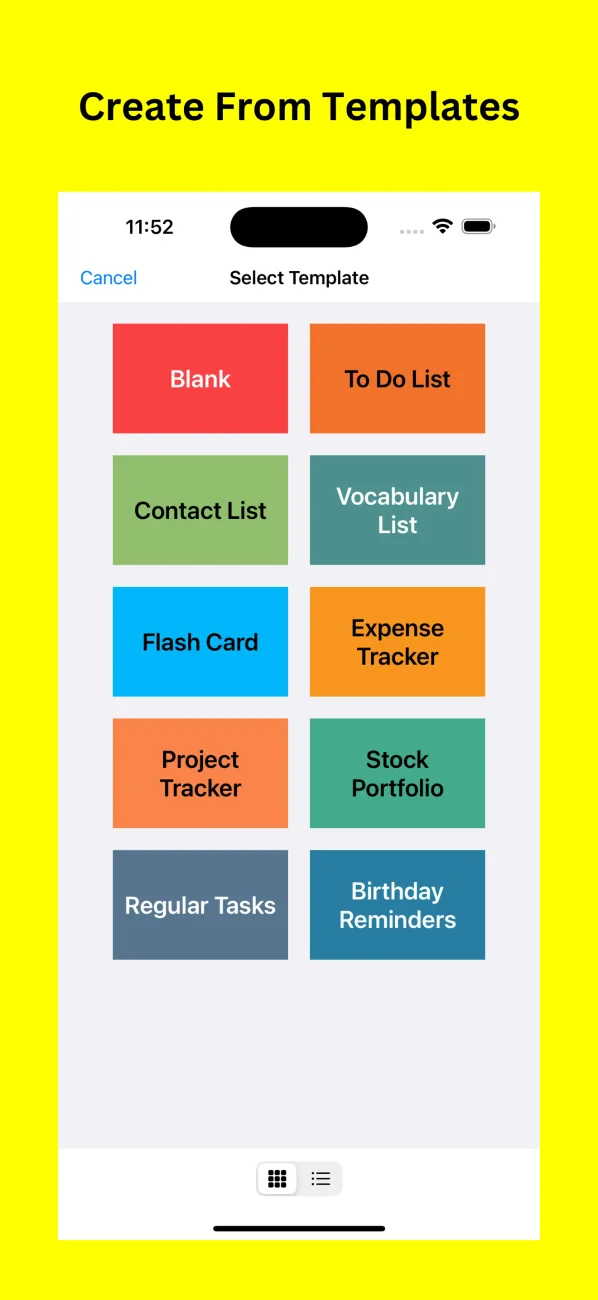
Create Project From Your Own Or Templates
Use your own data or get some idea from templates: Project Tracker, Expense Tracker, To Do List, Flash Card, Contact List, Stock Portfolio, Vocabulary List, Regular Tasks, Birthday Reminders.
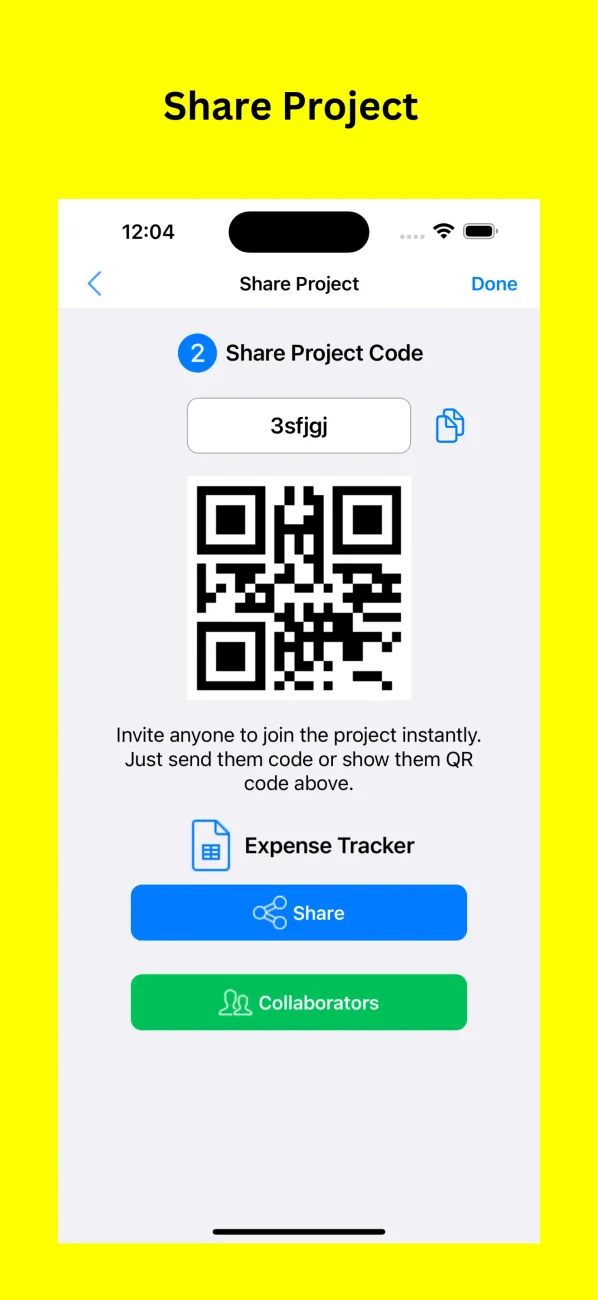
Share Project
Collaborate with others on the shared project via scanning QR Code. Share widget's configuration and backend data. View latest updates through widgets on all collaborators' devices.
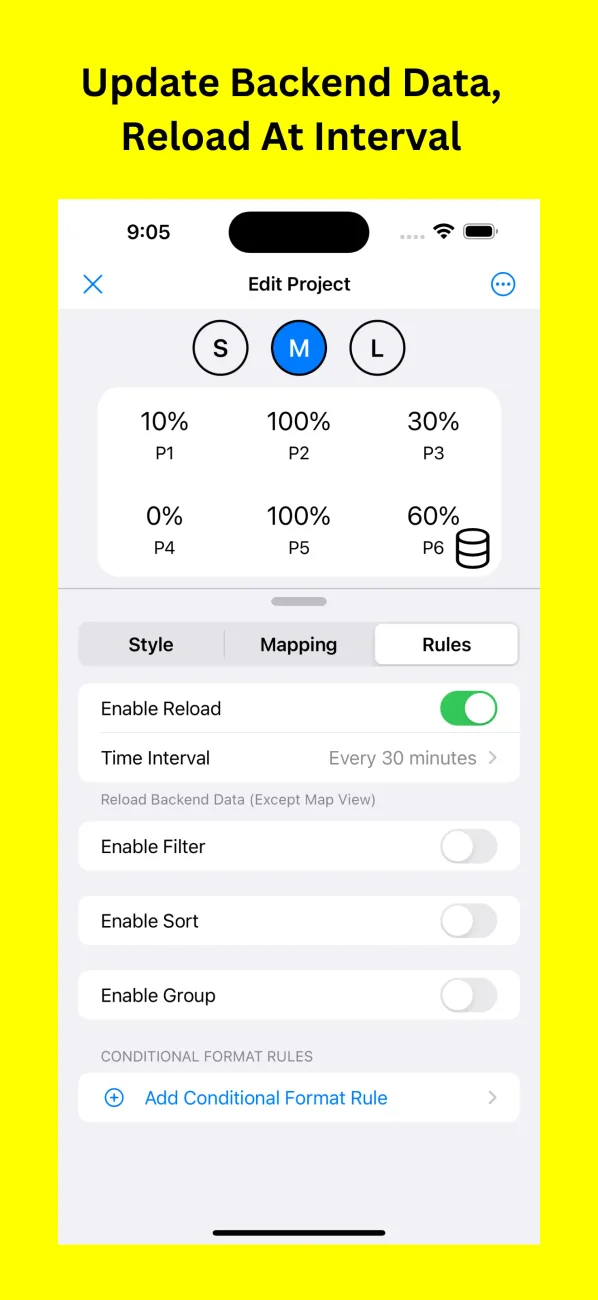
Reload Policy
Control time interval to reload widgets: every 15 minutes, 30 minutes, daily, etc. Make sure you have signed in with source provider.
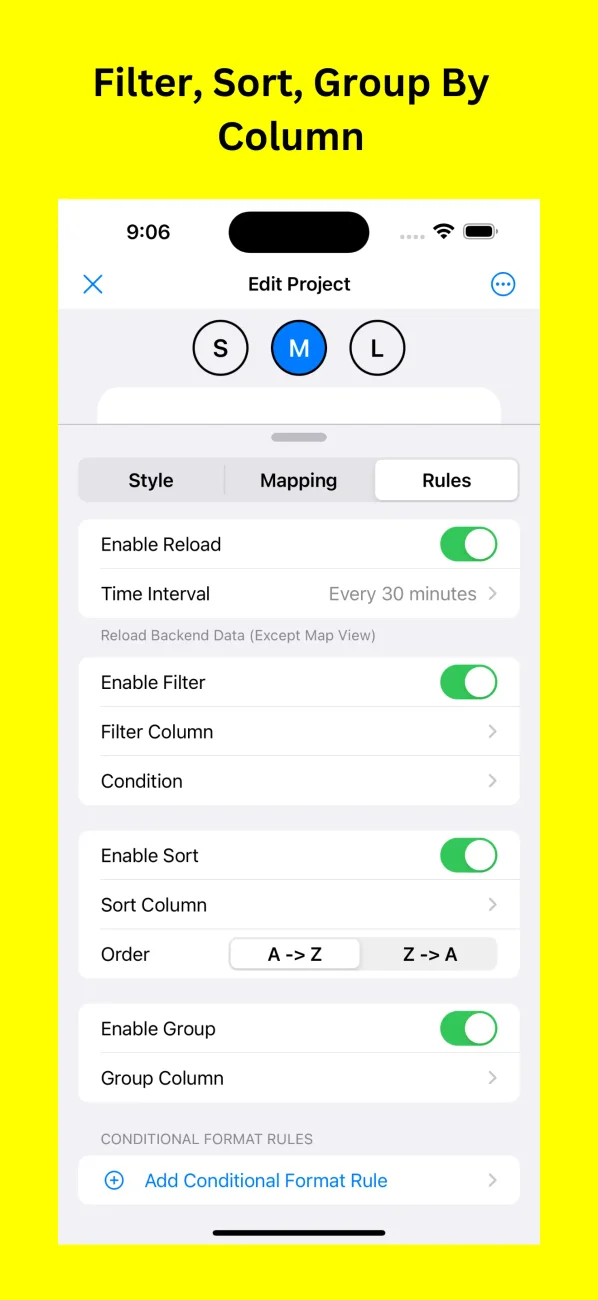
Rules
Control your display by filtering items by columns and condition (including date option, e.g. today, this week, next week), sorting items by columns in ascending or descending order, or grouping items by columns (List, Grid & Flow View). Add Conditional Format Rules to change text color if the conditions are matched.
Design
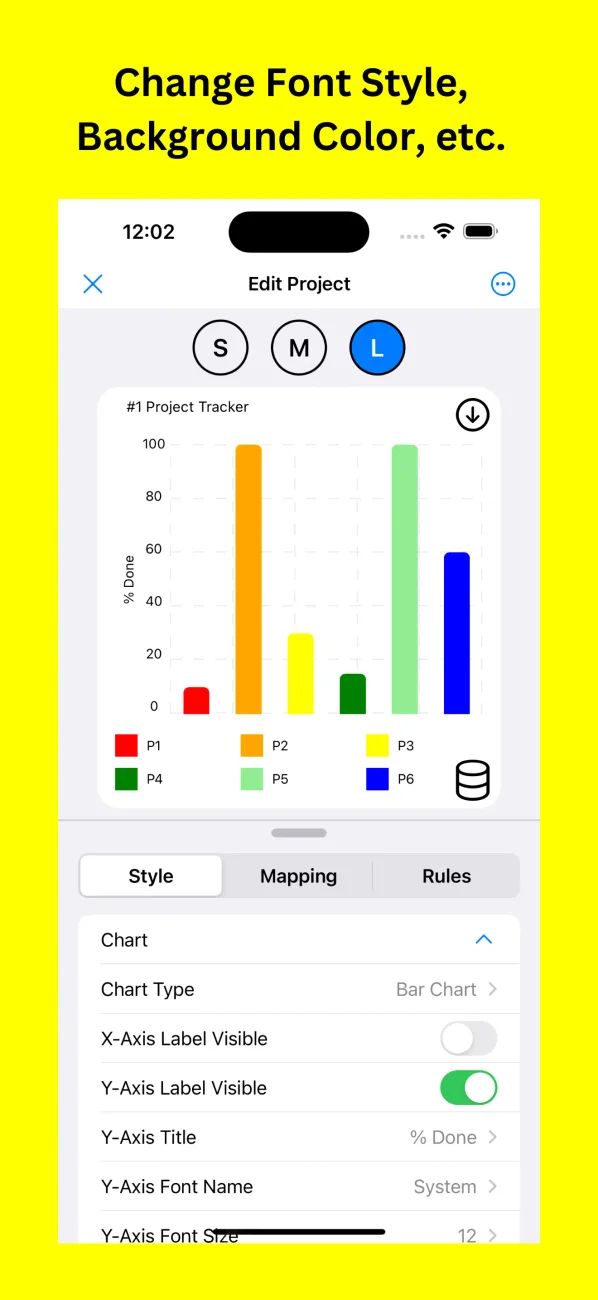
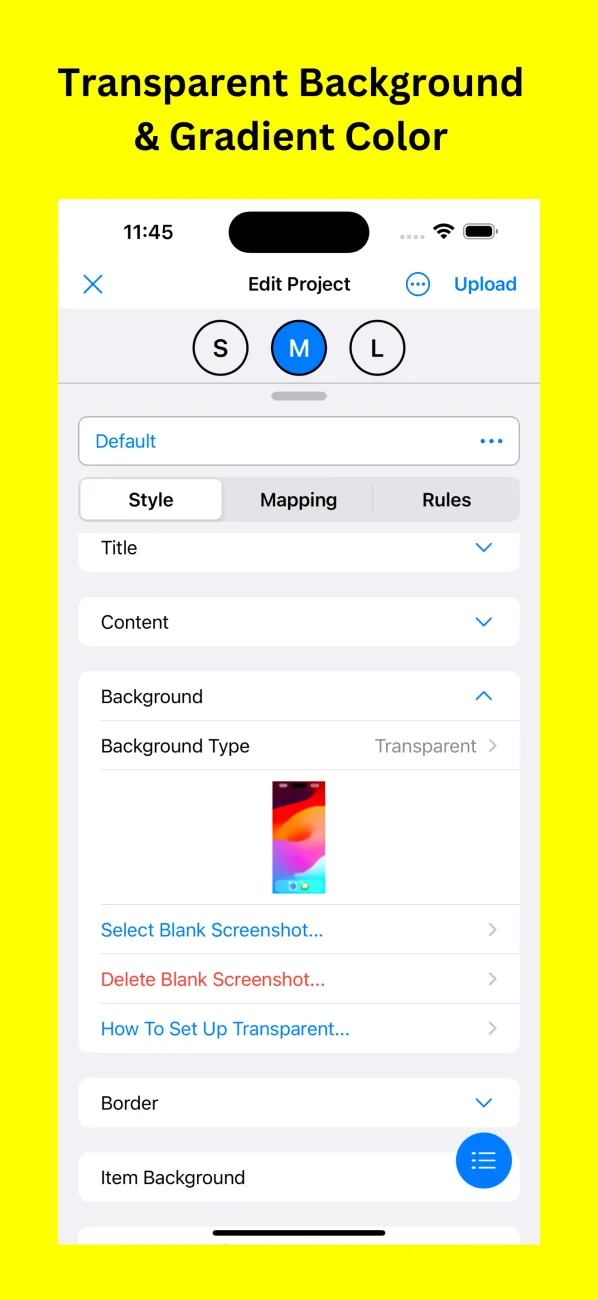
Background style includes color, image, gradient and transparent. Text style includes font style, font size, font color, alignment, and line limit. Chart View includes line chart, bar chart, pie chart and doughnut chart.
Terms of Use (EULA)
https://www.apple.com/legal/internet-services/itunes/dev/stdeula/
新機能
バージョン 6.8 · 2025/1/2
1. Revamp all the templates
2. Minimum item height for better control
3. Set gauge width
4. Fix bugs for conditional rules, filtering and sorting data
5. Some enhancement
アプリのプライバシー
このアプリのデータの取り扱いについて、Tiger NgがApp Storeで申告している内容です。
-
ユーザーに関連付けられたデータ
収集され、ユーザーの識別情報に関連付けられる場合があります。
- 位置情報
- 連絡先情報
- ユーザーコンテンツ
- ID
- 使用状況データ
- その他のデータ
-
ユーザーに関連付けられないデータ
収集される場合がありますが、ユーザーの識別情報には関連付けられません。
- 診断
プライバシーの取り扱いは、ご利用の機能やお客様の年齢などに応じて異なる場合があります。
情報
- 販売元
- Tiger Ng
- カテゴリ
- 仕事効率化
- バージョン
- 6.8
- 更新日
- 2025/1/2
- リリース
- 2021/11/26
- サイズ
- 81.4 MB
- 必要条件
- iOS 17.5以降
- 対象年齢
- 4+
- 価格
- 無料
- アプリ内課金
- あり
- 言語
- 英語
- 著作権
- © 2024 Tiger Ng
こちらもおすすめ
-
 SuperWidget - Shortcuts & APIs仕事効率化
-
 WidgetWorks: Custom Widgets仕事効率化
-
 Widget Web 27ウィジェットのHTML WWW Webサイトページ
-
 計算メモ - 表計算 買い物計算 家計簿 収支表 お小遣い帳ウィジェット / 貯金 収支 収入 支出 管理 おこづかい帳
-
 Live Data Widgets: AnyWidget仕事効率化
-
 Charty for Shortcuts仕事効率化
-
 Nutshell: Widgets for Notionタスクとデータベースに素早くアクセス
-
 PhotoLink widgetweb & photo widget
-
 Live Minder -Reminders & To-Do仕事効率化
-
 ランチャー タグ+|Launcher Tag+時間帯とタグで絞り込み表示、柔軟に使えるランチャーアプリ