
WrapsShop: Digital Wrap Editor
For your Tesla’s touchscreen
Entwickelt für iPhone, iPad
7,99 €
- Altersfreigabe4+
- KategorieGrafik und Design
- Entwickler家龙 李
- SprachenEnglisch+ 1 weitere
- Größe14,7 MB
Verlinkt auf die offizielle App Store-Seite
Download.org hostet keine Datei von WrapsShop: Digital Wrap Editor. Die Schaltfläche öffnet die App-Seite bei App Store, wo 家龙 李 die App veröffentlicht. Eintrag zuletzt geprüft am 20.11.2026.
Screenshots

Info
Der Entwickler hat diesen Text nicht in Ihrer Sprache bereitgestellt.
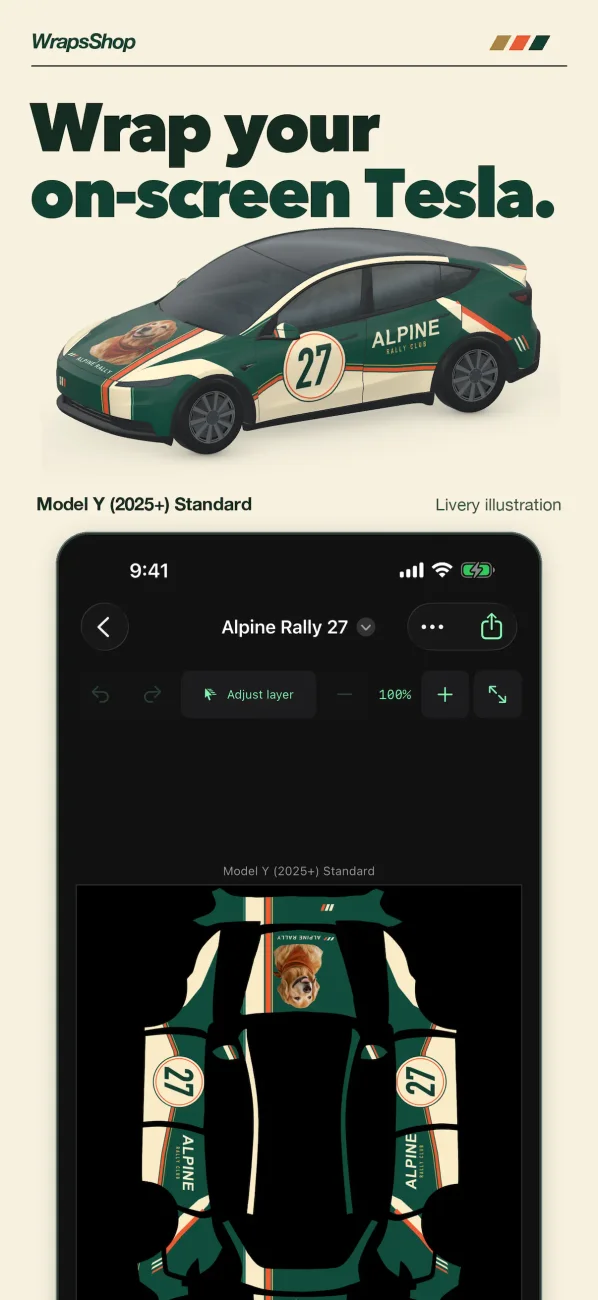
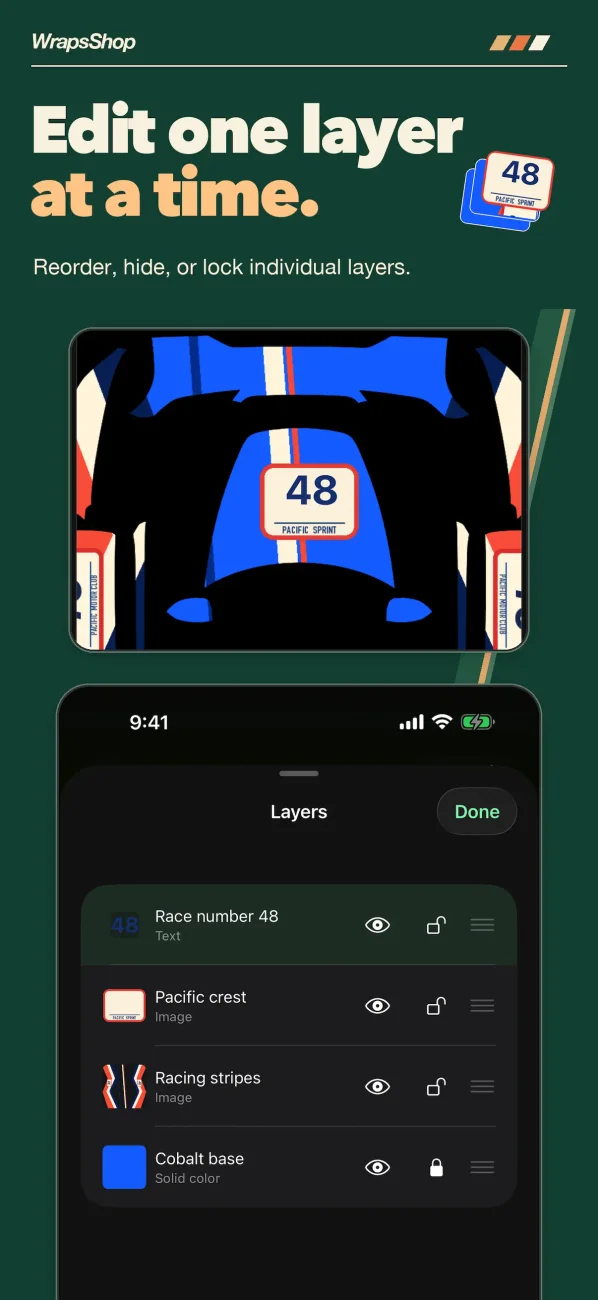
Give the car on your Tesla’s touchscreen a look of its own. Start with a template for your model and trim, then add your dog’s portrait, a favorite racing number, or a color scheme to match your car.
Design your wrap
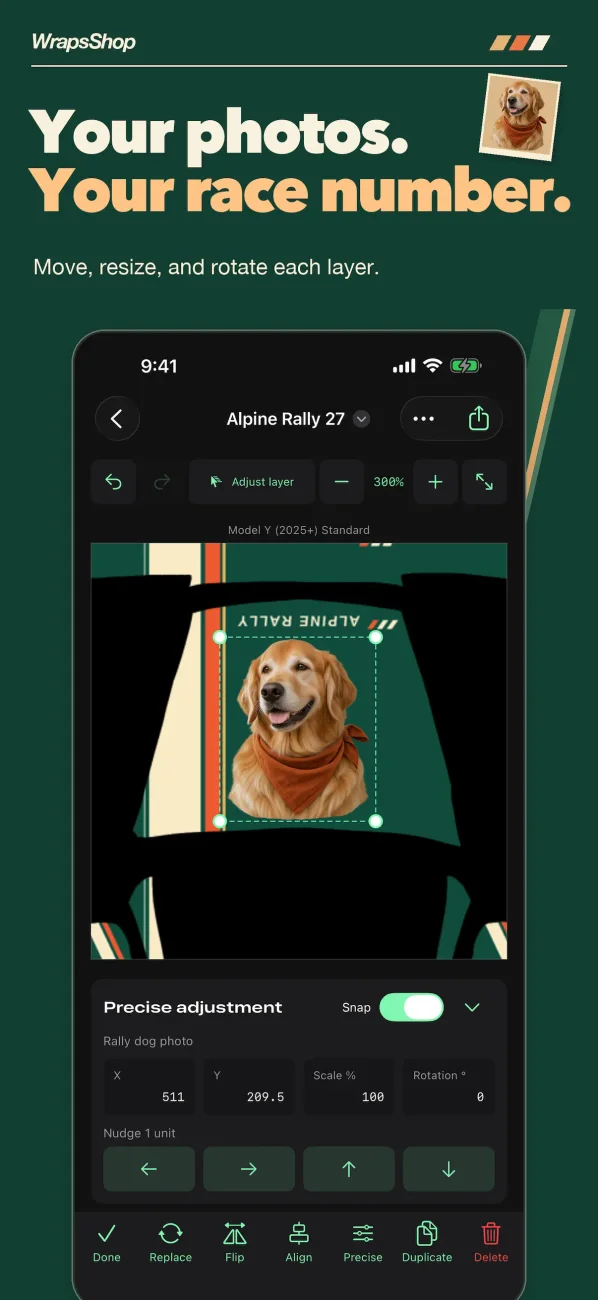
Import a photo or decal, add text, and choose a solid color or gradient. Move, resize, and rotate each layer on the template. Save your project and come back to it whenever you want to try another look.
Get it onto your touchscreen
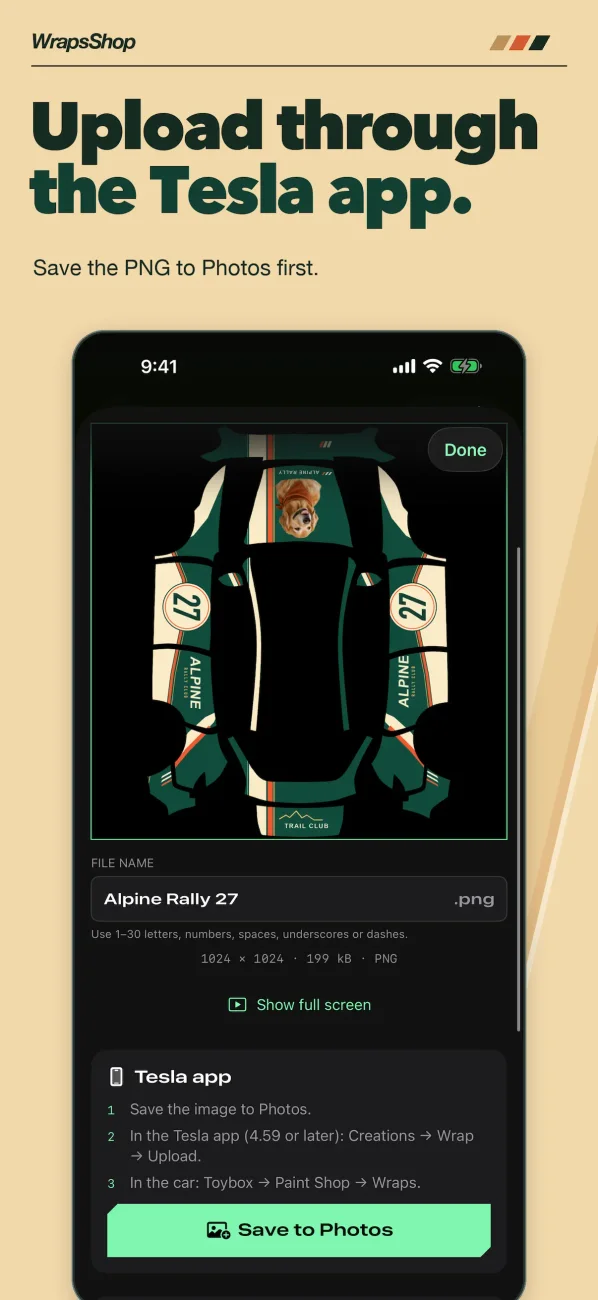
Export your design as a PNG and save it to Photos. In the Tesla app (version 4.59.0 or later), open Creations → Wrap → Upload. Then, on your car’s touchscreen, choose Toybox → Paint Shop → Wraps. You can also copy the PNG to a folder named Wraps at the top level of a USB drive.
Find your template
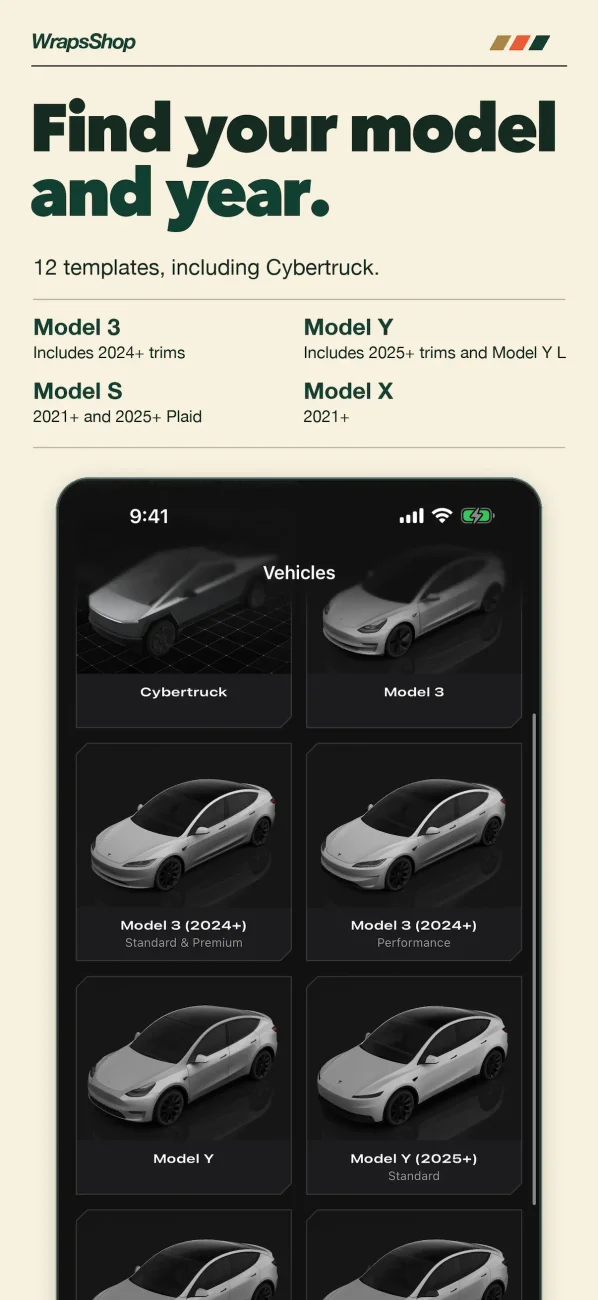
Choose from 12 model and trim templates.
• Model Y, Model Y (2025+) Standard, Premium or Performance, and Model Y L
• Model 3, Model 3 (2024+) Standard & Premium, and Model 3 (2024+) Performance
• Model S (2021+), Model S (2025+) Plaid, and Model X (2021+)
• Cybertruck
Neue Funktionen
Version 1.1.5 · 18.11.2026
- Turn the subject of a photo into a decal with a transparent background. Preview the cutout before adding it to your wrap.
- Center a decal on a body panel while keeping its size and rotation.
- Save your exported PNG directly to Photos and see when it’s been saved.
- After saving a new design, close the editor to find it in My projects, even if a previous search or filter was active.
App-Datenschutz
Was 家龙 李 im App Store zum Umgang dieser App mit Daten angibt.
-
Keine Daten erfasst
Der Entwickler erfasst keine Daten von dieser App.
Die Datenschutzpraktiken können variieren, zum Beispiel je nach den von Ihnen verwendeten Funktionen oder Ihrem Alter.
Informationen
- Anbieter
- 家龙 李
- Kategorie
- Grafik und Design
- Version
- 1.1.5
- Aktualisiert
- 18.11.2026
- Veröffentlicht
- 14.01.2026
- Größe
- 14,7 MB
- Erfordert
- iOS 18.0 oder neuer
- Altersfreigabe
- 4+
- Preis
- 7,99 €
- Sprachen
- Englisch, Vereinf. Chinesisch
- Copyright
- © 2026 JiaLongLi
Das könnte Ihnen auch gefallen
-
 Tes Wraps - AI 3D DesignVorlagen & 3D Vorschau
-
 AI Wrap DesignerGrafik und Design
-
 从夯到拉生成器Grafik und Design
-
 TintaurGrafik und Design
-
 Wrap For TeslaIndividuelle Bildschirm-Wraps
-
 Kele Puzzle - KELEQGrafik und Design
-
 Kühlschrankmagnet: BildausschnMach süße Magnete aus Fotos
-
 FontView - System Font CatalogGrafik und Design
-
 FlipDay: Photo Book MakerGrafik und Design
-
 WrapStudio AIKI-Wrap-Designer fürs Auto