
WrapsShop: Digital Wrap Editor
For your Tesla’s touchscreen
Designed for iPhone, iPad
$6.99
- Age rating4+
- CategoryGraphics & Design
- Developer家龙 李
- LanguagesEnglish+ 1 more
- Size14.7 MB
Links to the official App Store page
Download.org hosts no file of WrapsShop: Digital Wrap Editor. The button opens its official App Store page, published by 家龙 李. Listing last checked on Nov 20, 2026.
Screenshots

About
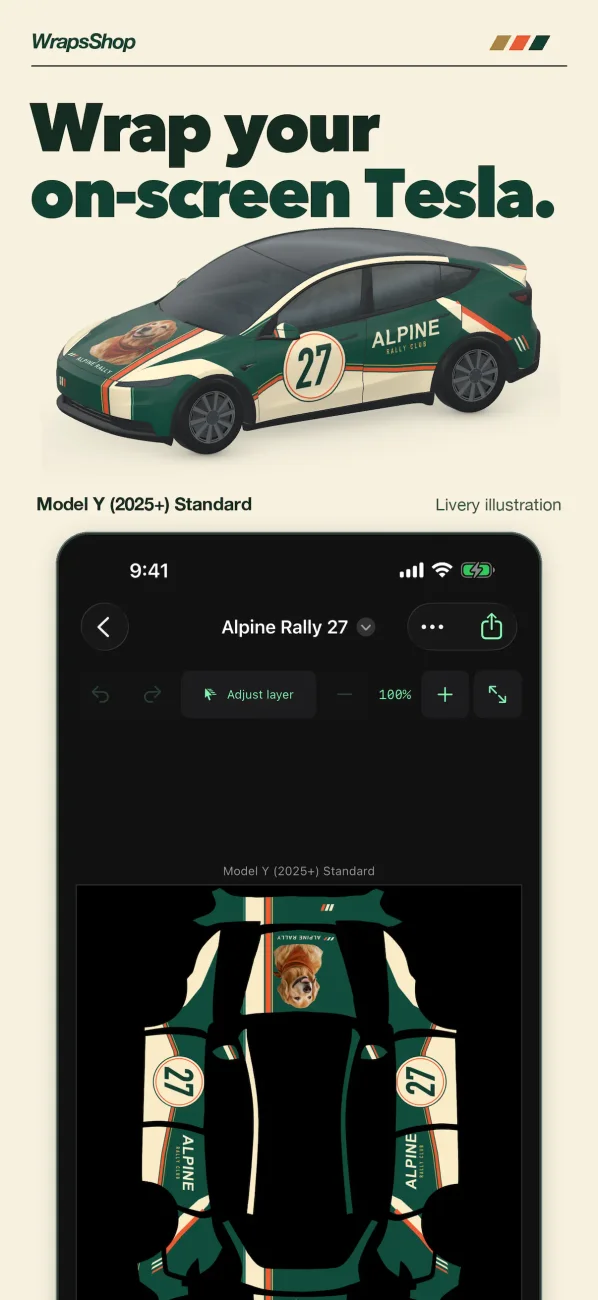
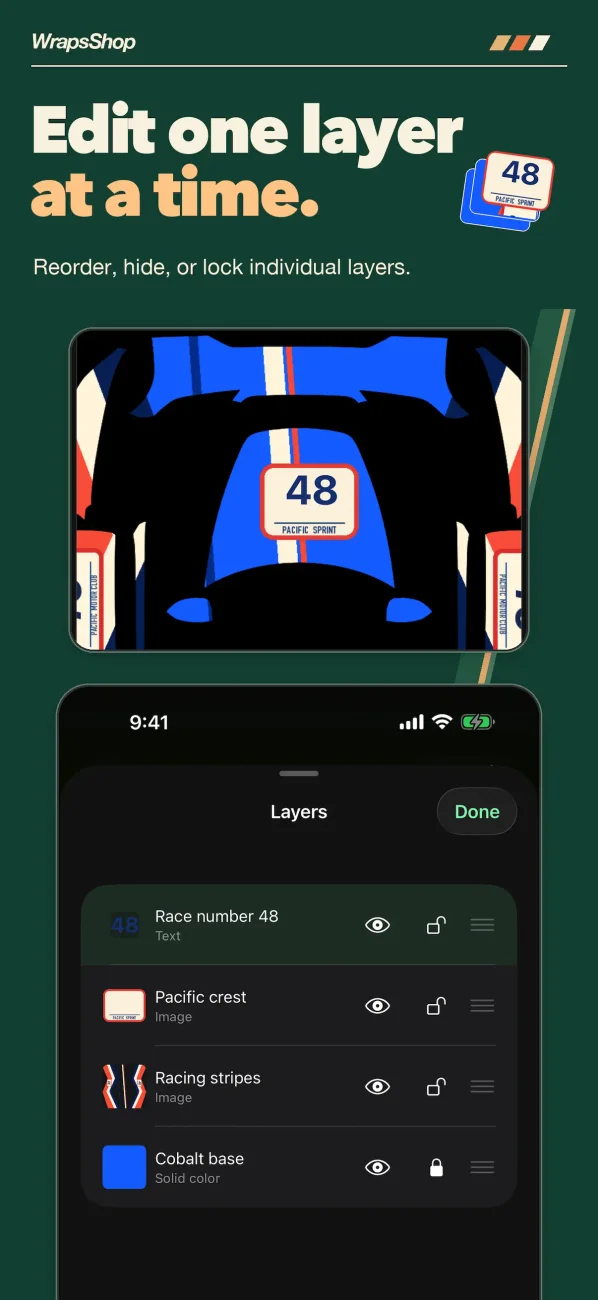
Give the car on your Tesla’s touchscreen a look of its own. Start with a template for your model and trim, then add your dog’s portrait, a favorite racing number, or a color scheme to match your car.
Design your wrap
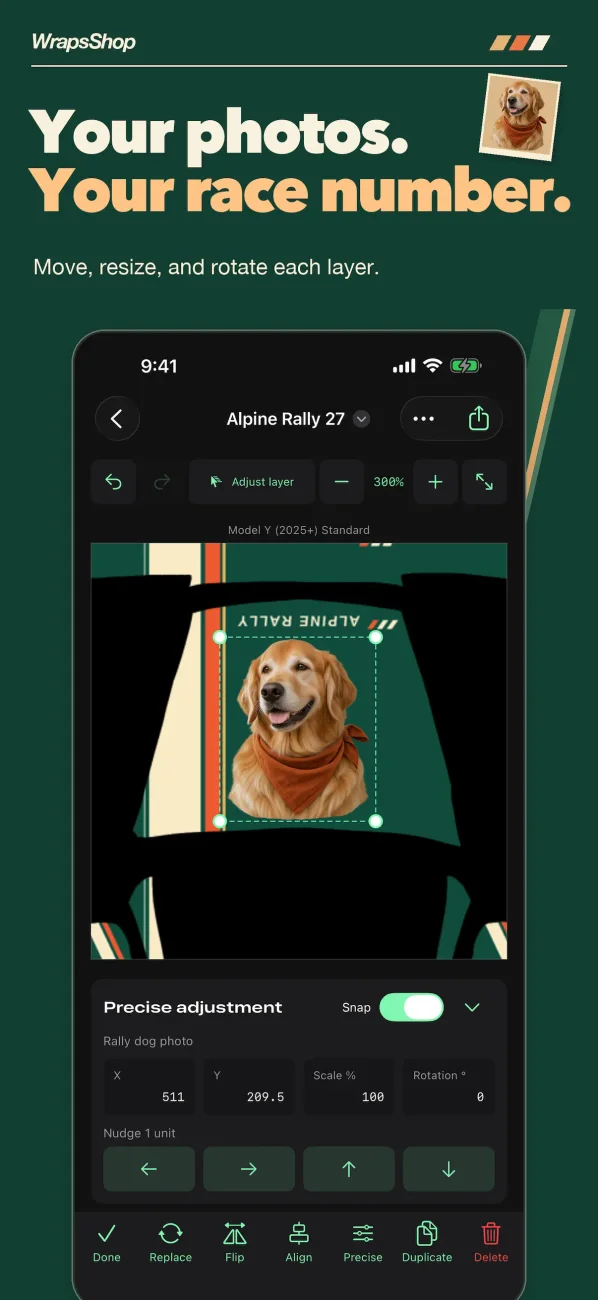
Import a photo or decal, add text, and choose a solid color or gradient. Move, resize, and rotate each layer on the template. Save your project and come back to it whenever you want to try another look.
Get it onto your touchscreen
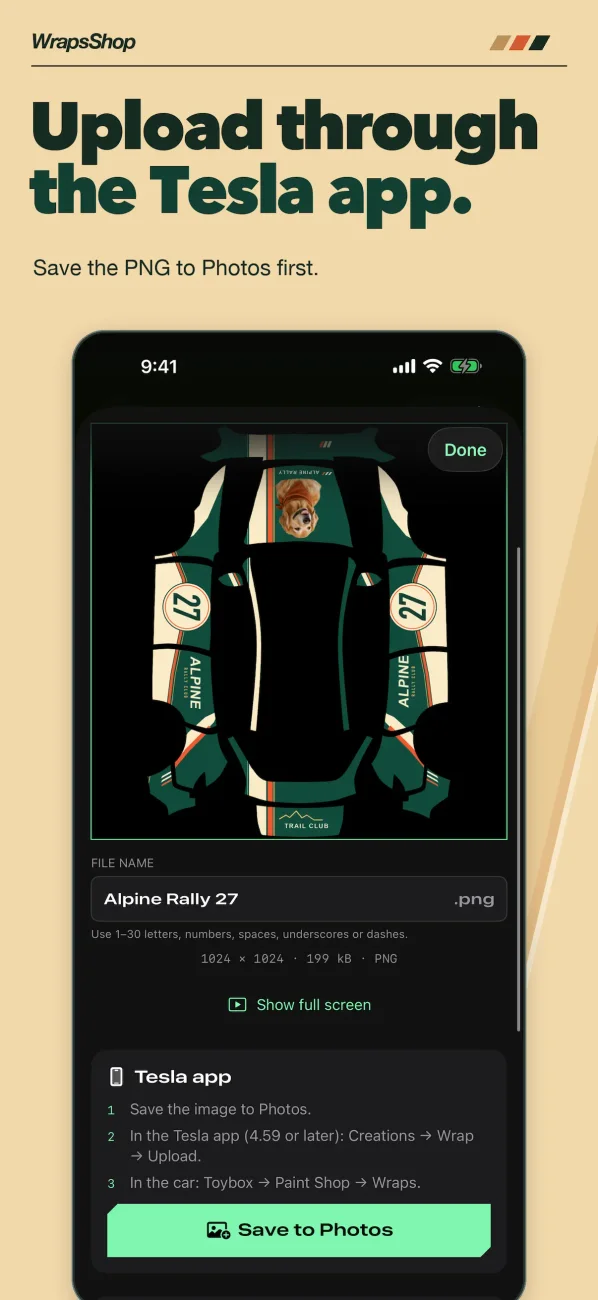
Export your design as a PNG and save it to Photos. In the Tesla app (version 4.59.0 or later), open Creations → Wrap → Upload. Then, on your car’s touchscreen, choose Toybox → Paint Shop → Wraps. You can also copy the PNG to a folder named Wraps at the top level of a USB drive.
Find your template
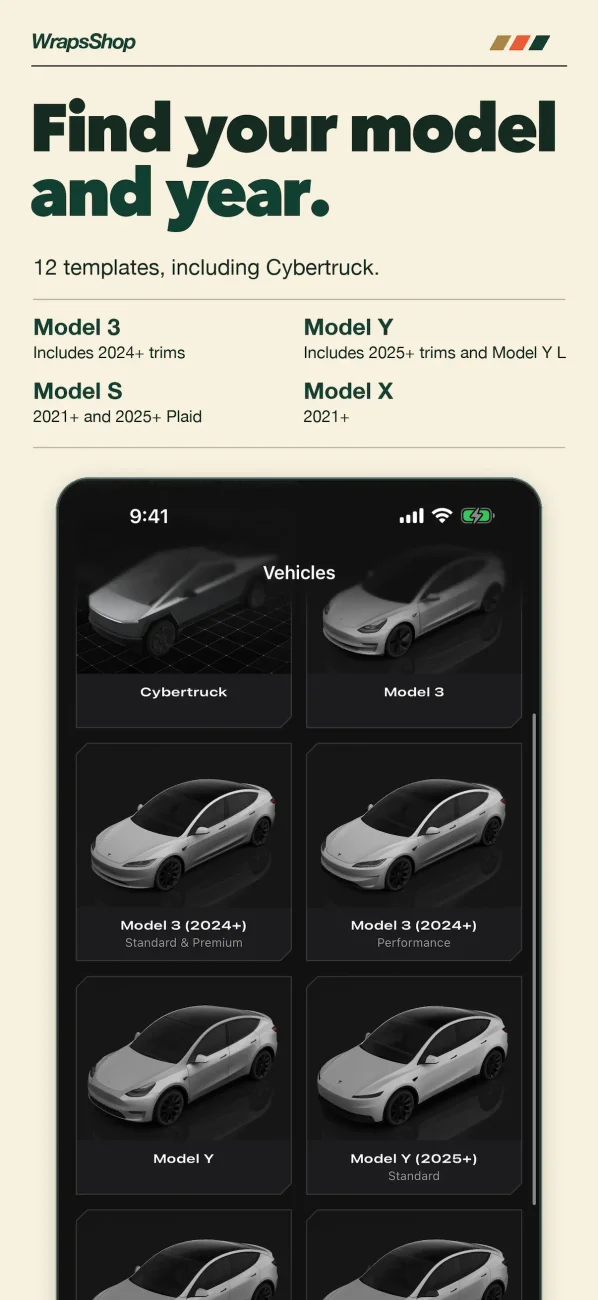
Choose from 12 model and trim templates.
• Model Y, Model Y (2025+) Standard, Premium or Performance, and Model Y L
• Model 3, Model 3 (2024+) Standard & Premium, and Model 3 (2024+) Performance
• Model S (2021+), Model S (2025+) Plaid, and Model X (2021+)
• Cybertruck
What’s new
Version 1.1.5 · Nov 18, 2026
- Turn the subject of a photo into a decal with a transparent background. Preview the cutout before adding it to your wrap.
- Center a decal on a body panel while keeping its size and rotation.
- Save your exported PNG directly to Photos and see when it’s been saved.
- After saving a new design, close the editor to find it in My projects, even if a previous search or filter was active.
App privacy
What 家龙 李 declares on the App Store about how this app handles data.
-
Data not collected
The developer does not collect any data from this app.
Privacy practices may vary, for example with the features you use or your age.
Information
- Seller
- 家龙 李
- Category
- Graphics & Design
- Version
- 1.1.5
- Updated
- Nov 18, 2026
- Released
- Jan 14, 2026
- Size
- 14.7 MB
- Requires
- iOS 18.0 or later
- Age rating
- 4+
- Price
- $6.99
- Languages
- English, Simplified Chinese
- Copyright
- © 2026 JiaLongLi
You might also like
-
 Tes Wraps - AI 3D DesignTemplates & 3D Preview
-
 AI Wrap DesignerAI Wrap & 3D Visualizer
-
 从夯到拉生成器Graphics & Design
-
 TintaurSphere painting simplified
-
 Wrap For TeslaCustom Screen Wraps
-
 Kele Puzzle - KELEQPhoto Puzzles&Animated Videos
-
 Fridge magnet: photos stickersMake cute fridge magnets
-
 FontView - System Font CatalogFind the best font for design
-
 FlipDay: Photo Book MakerAlbums, Zines & Memory Journal
-
 WrapStudio AIWrapStudio AI Design Studio