
WrapsShop: Digital Wrap Editor
For your Tesla’s touchscreen
Conçue pour iPhone, iPad
7,99 €
- Classification d’âge4+
- CatégorieGraphisme et design
- Développeur家龙 李
- LanguesAnglais+ 1 de plus
- Taille14,7 Mo
Renvoie vers la page App Store officielle
Download.org n’héberge aucun fichier de WrapsShop: Digital Wrap Editor. Le bouton ouvre la page de l’application sur App Store, où 家龙 李 la publie. Fiche vérifiée pour la dernière fois le 20/11/2026.
Captures d’écran

À propos
Le développeur n’a pas fourni ce texte dans votre langue.
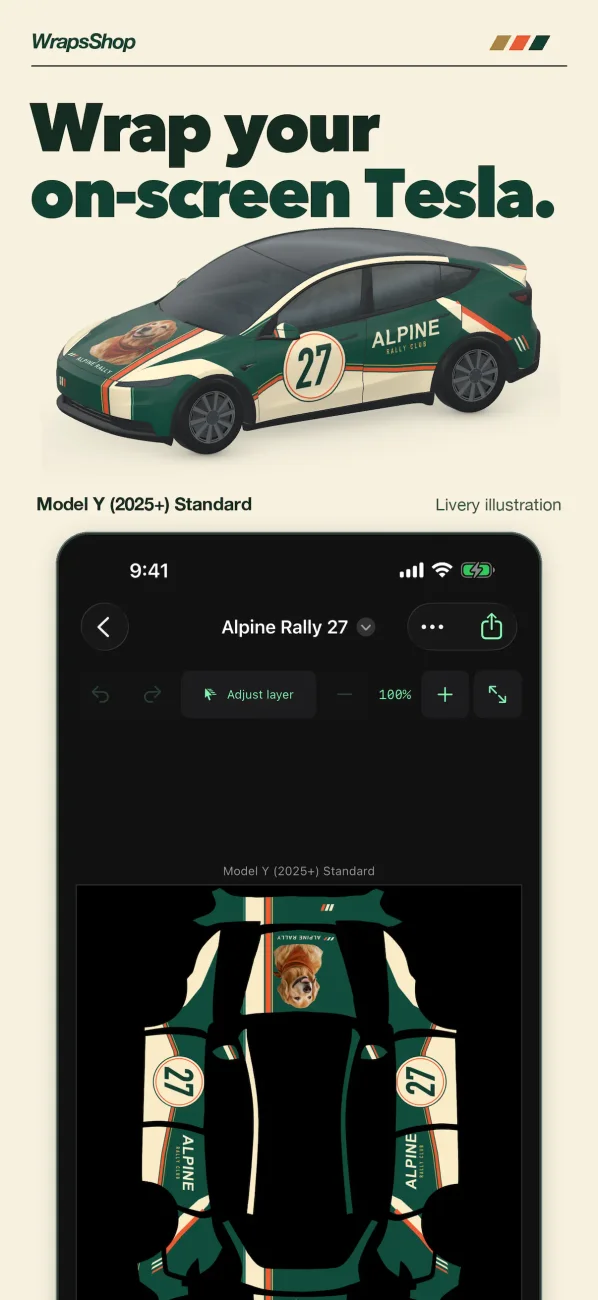
Give the car on your Tesla’s touchscreen a look of its own. Start with a template for your model and trim, then add your dog’s portrait, a favorite racing number, or a color scheme to match your car.
Design your wrap
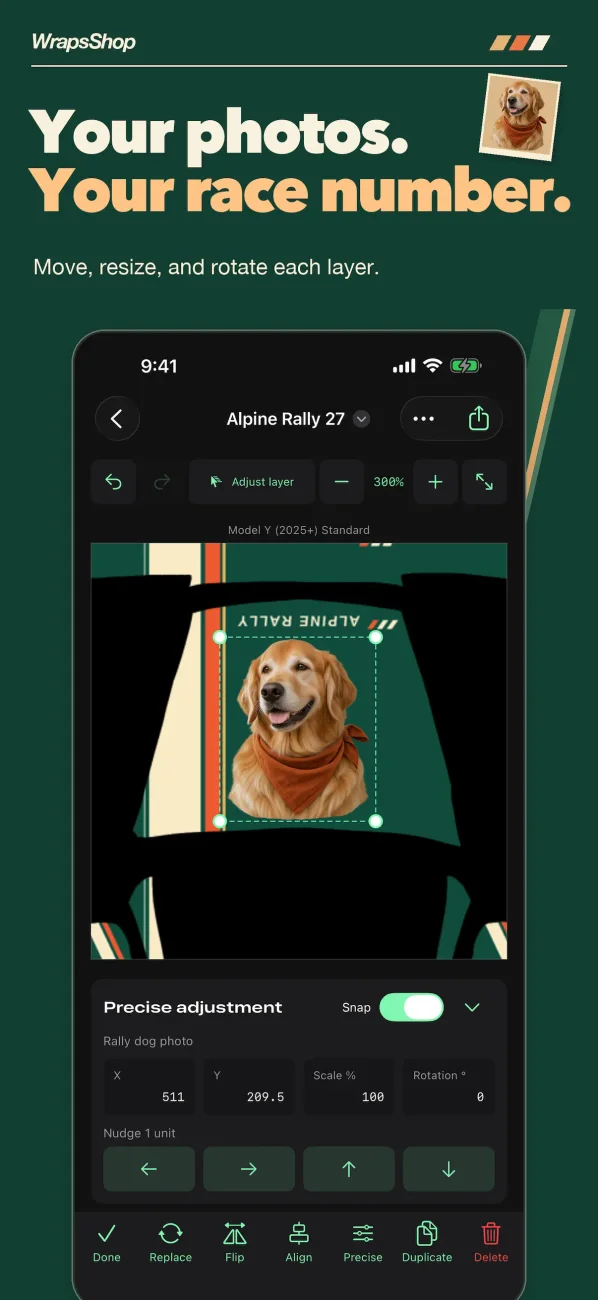
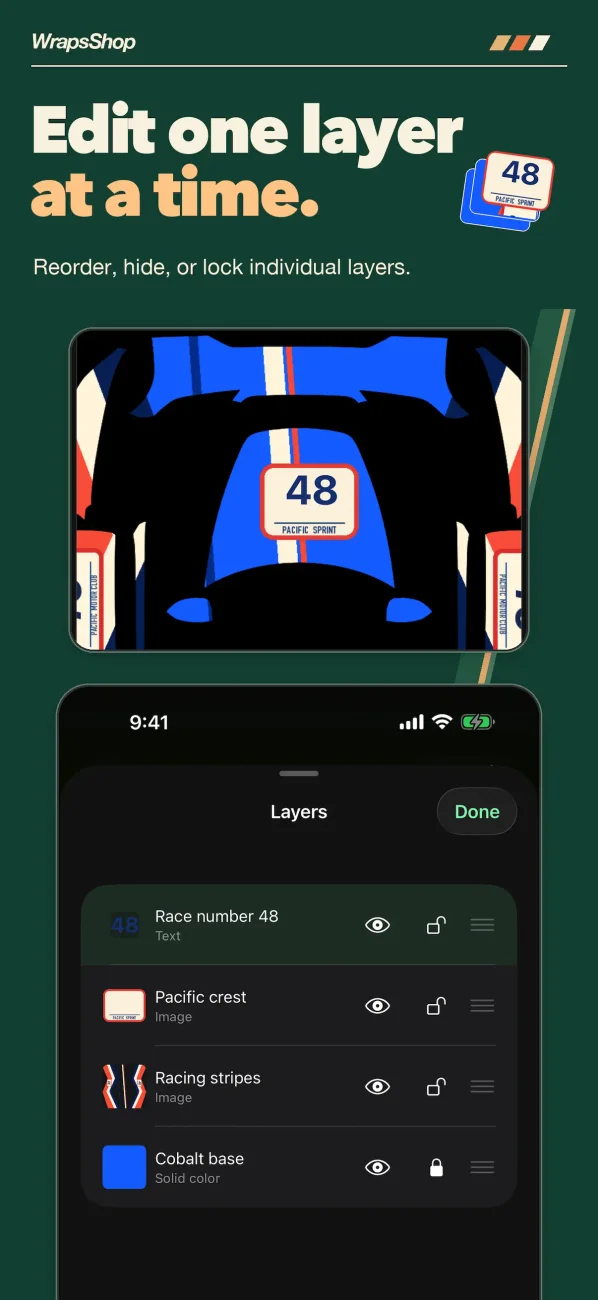
Import a photo or decal, add text, and choose a solid color or gradient. Move, resize, and rotate each layer on the template. Save your project and come back to it whenever you want to try another look.
Get it onto your touchscreen
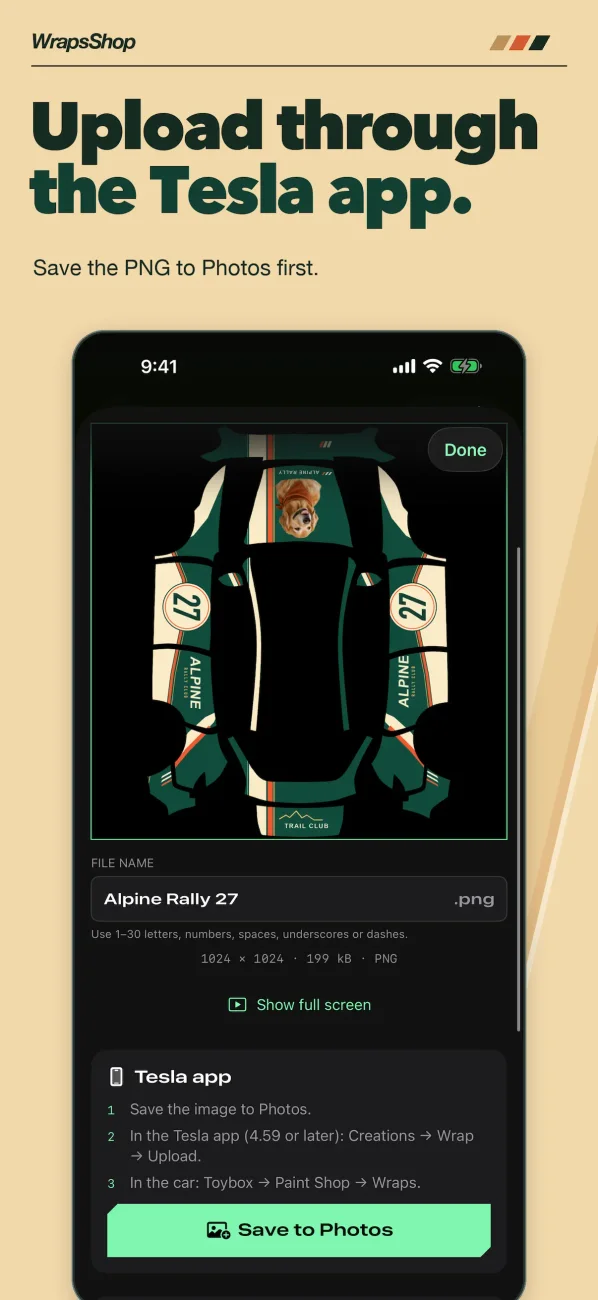
Export your design as a PNG and save it to Photos. In the Tesla app (version 4.59.0 or later), open Creations → Wrap → Upload. Then, on your car’s touchscreen, choose Toybox → Paint Shop → Wraps. You can also copy the PNG to a folder named Wraps at the top level of a USB drive.
Find your template
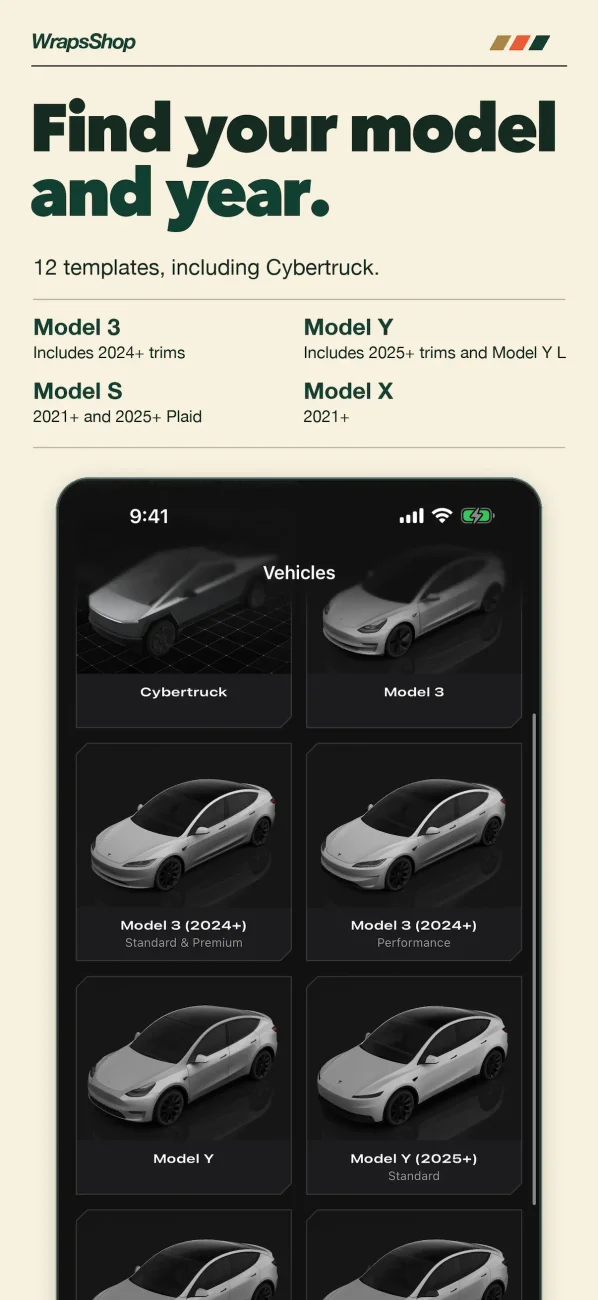
Choose from 12 model and trim templates.
• Model Y, Model Y (2025+) Standard, Premium or Performance, and Model Y L
• Model 3, Model 3 (2024+) Standard & Premium, and Model 3 (2024+) Performance
• Model S (2021+), Model S (2025+) Plaid, and Model X (2021+)
• Cybertruck
Nouveautés
Version 1.1.5 · 18/11/2026
- Turn the subject of a photo into a decal with a transparent background. Preview the cutout before adding it to your wrap.
- Center a decal on a body panel while keeping its size and rotation.
- Save your exported PNG directly to Photos and see when it’s been saved.
- After saving a new design, close the editor to find it in My projects, even if a previous search or filter was active.
Confidentialité de l’application
Ce que 家龙 李 déclare sur l’App Store au sujet du traitement des données par cette application.
-
Données non collectées
Le développeur ne collecte aucune donnée à partir de cette application.
Les pratiques en matière de confidentialité peuvent varier, notamment en fonction des fonctionnalités que vous utilisez ou de votre âge.
Informations
- Vendeur
- 家龙 李
- Catégorie
- Graphisme et design
- Version
- 1.1.5
- Mis à jour
- 18/11/2026
- Publié
- 14/01/2026
- Taille
- 14,7 Mo
- Nécessite
- iOS 18.0 ou version ultérieure
- Classification d’âge
- 4+
- Prix
- 7,99 €
- Langues
- Anglais, Chinois simplifié
- Copyright
- © 2026 JiaLongLi
Vous aimerez peut-être aussi
-
 Tes Wraps - AI 3D DesignGraphisme et design
-
 AI Wrap DesignerGraphisme et design
-
 从夯到拉生成器Graphisme et design
-
 TintaurGraphisme et design
-
 Wrap For TeslaWraps Écran Personnalisés
-
 Kele Puzzle - KELEQGraphisme et design
-
 Créer aimant frigo : découpeFais de mignons aimants avec
-
 FontView - System Font CatalogGraphisme et design
-
 FlipDay: Photo Book MakerGraphisme et design
-
 WrapStudio AICréez votre covering avec l'IA