Speed Adviser
Transport for NSW- PEGI 3Clasificación por edad
- Mapas y navegaciónCategoría
- 16/11/2026Actualizado
- GratisPrecio
Enlaza a la ficha oficial de au.gov.nsw.transport.speedadviser en Google Play. Última comprobación el 28/11/2026.
Capturas de pantalla


Acerca de esta aplicación
Traducción automática de Google. Idioma original: Inglés (Reino Unido).
Evite infracciones, conducir con seguridad y salvar vidas.
DESCRIPCIÓN
Speed Adviser es una ayuda para conductores diseñada para reducir el exceso de velocidad y salvar vidas en Nueva Gales del Sur (NSW). Utilizando la función GPS de tu teléfono, la aplicación Speed Adviser monitorea tu ubicación y velocidad, y te alerta mediante avisos visuales y sonoros si superas el límite de velocidad. Speed Adviser solo funciona en las carreteras de NSW.
NUNCA MÁS DUDES SOBRE EL LÍMITE DE VELOCIDAD
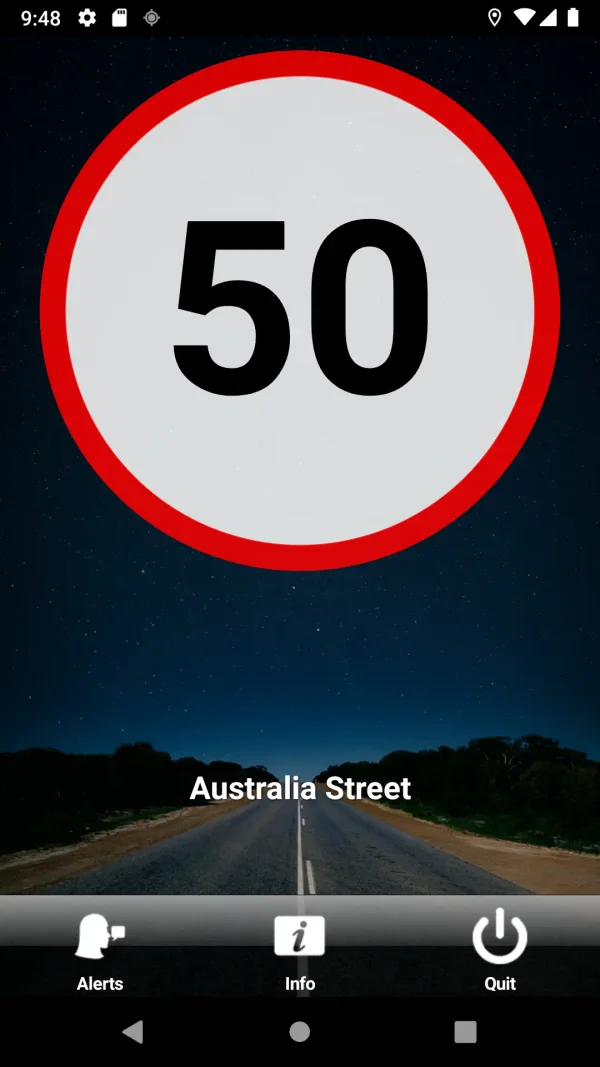
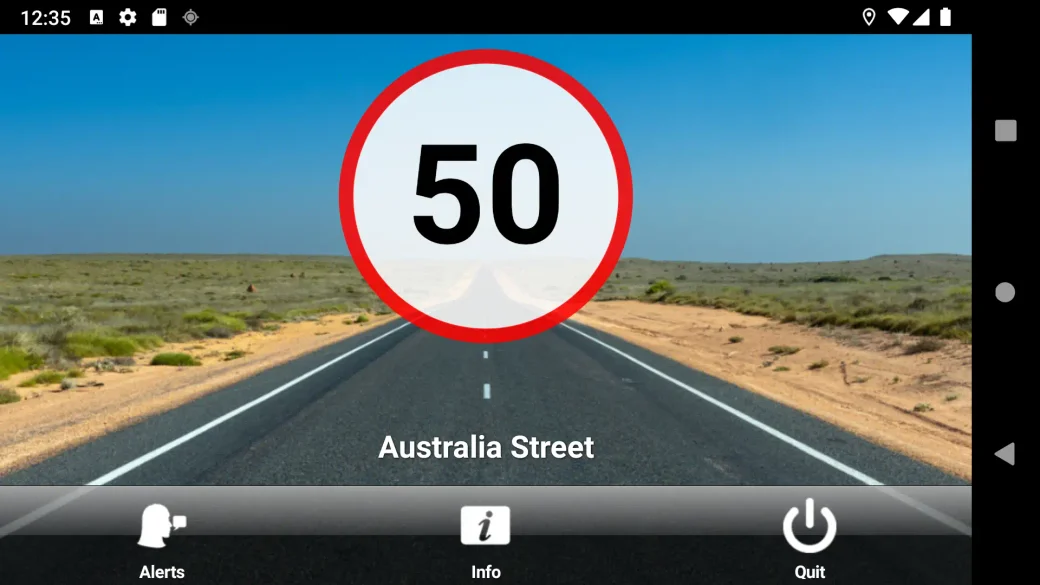
Speed Adviser muestra el límite de velocidad de la carretera por la que circulas. Speed Adviser conoce el límite de velocidad de todas las carreteras de NSW, incluidas las zonas escolares y sus horarios. La aplicación utiliza los datos más recientes sobre las zonas de velocidad.
DESCARGA E INSTALACIÓN
Puedes instalar Speed Adviser usando la aplicación Play Store en tu teléfono (llamada "Market" en teléfonos más antiguos) o accediendo al sitio web de Google Play en tu computadora. Generalmente, Speed Adviser no se descargará en tu teléfono hasta que esté conectado a una red Wi-Fi. Ten en cuenta que probablemente te costará más descargar la aplicación a través de una red móvil que a través de Wi-Fi.
RECIBE NOTIFICACIONES SOBRE CAMBIOS EN EL LÍMITE DE VELOCIDAD
Puedes elegir cómo te notifica Speed Adviser sobre un cambio en el límite de velocidad. Puedes optar por que el nuevo límite se anuncie con voz masculina o femenina, escuchar un efecto de sonido sencillo o desactivar todas las alertas de audio y confiar en la alerta visual (símbolo de límite de velocidad con fondo amarillo intermitente).
¡DEMASIADO RÁPIDO!
Speed Adviser emitirá una alerta sonora y visual si excedes el límite de velocidad para recordarte que debes mantenerte dentro del límite indicado. Si continúas excediendo el límite, Speed Adviser repetirá las alertas sonoras y visuales.
ZONAS ESCOLARES
Siempre sabrás cuándo está activa una zona escolar. Speed Adviser conoce la ubicación y el horario de cada zona escolar en Nueva Gales del Sur, incluyendo los días lectivos oficiales y los horarios no escolares habituales. Speed Adviser te avisará si la zona escolar está activa y mostrará el límite de velocidad de 40 km/h.
CONDUCCIÓN NOCTURNA
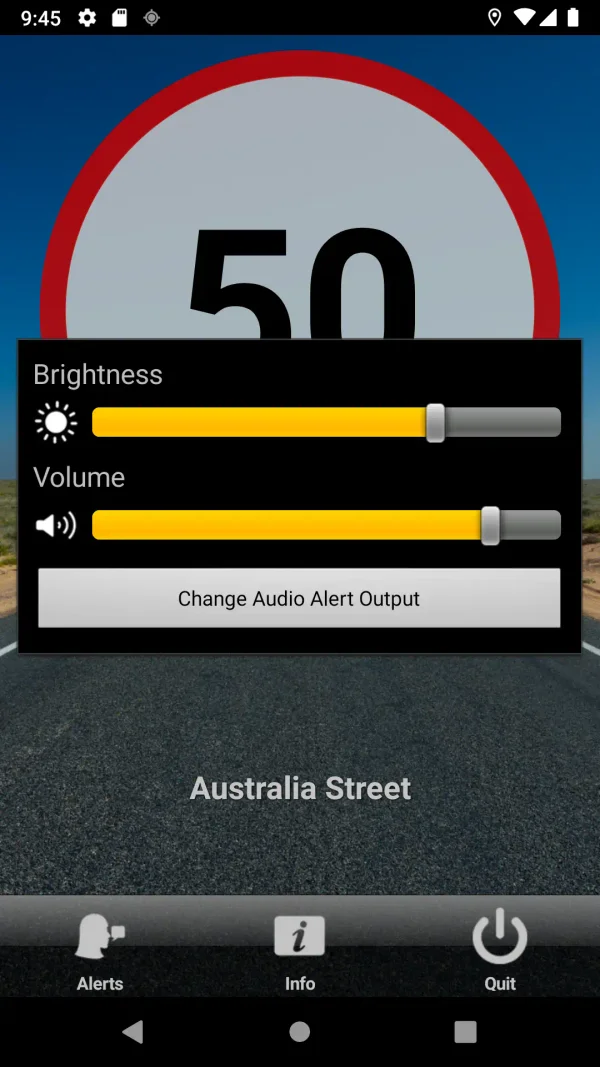
Speed Adviser utiliza una base de datos interna con las horas de salida y puesta del sol para cambiar automáticamente entre el modo diurno y el nocturno. El modo nocturno emite menos luz, reduciendo así la fatiga visual al conducir. Speed Adviser también guarda automáticamente tu configuración de brillo preferida.
EJECUTA OTRAS APLICACIONES SIMULTÁNEAMENTE
Las alertas sonoras de Speed Adviser se siguen reproduciendo incluso cuando la aplicación se ejecuta en segundo plano. Esto significa que puedes tener otras aplicaciones abiertas y seguir escuchando los avisos y advertencias de Speed Adviser.
CONDUCTORES CON PERMISO DE CONDUCIR (APRENDIZ) Y CON PERMISO PROVISIONAL (P1 y P2)
Los conductores principiantes y con permiso provisional (P1 y P2) no pueden usar esta aplicación.
ADVERTENCIAS
Debes cumplir con el Reglamento de Tráfico de Nueva Gales del Sur y no usar la aplicación ni tu teléfono inteligente de ninguna manera que contravenga dicho reglamento.
Utiliza siempre un soporte para teléfono comercial cuando uses una ayuda a la conducción como Speed Adviser, de acuerdo con el Reglamento de Tráfico de Nueva Gales del Sur, y asegúrate de que tu teléfono no obstruya tu visión de la carretera.
Dado que el GPS de tu teléfono consume mucha energía, y para reducir el consumo de batería, te recomendamos usar la toma de corriente de tu coche mientras utilizas Speed Adviser. Además, cierra siempre la aplicación al terminar de conducir.
PRIVACIDAD
Speed Adviser no recopila datos ni informa de los casos de exceso de velocidad a Transport for NSW ni a ninguna otra organización o agencia.
ENVÍANOS TUS COMENTARIOS
Escríbenos a SpeedlinkSupport@transport.nsw.gov.au.
¿NECESITAS MÁS INFORMACIÓN?
Visita la página web de nuestro Centro de Seguridad Vial: https://roadsafety.transport.nsw.gov.au/speeding/speedadviser/index.html
Mostrar el texto original
DESCRIPTION
Speed Adviser is a driver's aid designed to reduce speeding and save lives in NSW. Using the GPS capability of your phone, the Speed Adviser app monitors your location and speed, and alerts you via visual and audible warnings if you exceed the speed limit. Speed Adviser is for NSW roads only.
NEVER BE UNSURE OF THE SPEED LIMIT AGAIN
Speed Adviser displays the speed limit for the road you are travelling on. Speed Adviser knows the speed limit on all roads in NSW, including all school zones and their operating hours. The app uses the latest speed zone data.
DOWNLOADING AND INSTALLATION
You can install Speed Adviser using the Play Store app on your phone (called “Market” on older phones), or by accessing the Google Play website on your computer. Generally, Speed Adviser will not download to your phone until it has been connected to a WiFi network. Be aware that it will probably cost you more to download the app over a mobile phone network than by WiFi.
BE NOTIFIED OF SPEED LIMIT CHANGES
You can nominate how Speed Adviser tells you of a change in the speed limit. You can elect to have the new speed limit spoken in a male or female voice, to hear a simple sound effect, or to disable all audio alerts entirely and rely on the visual alert (speed limit symbol with a flashing yellow background).
TOO FAST!
Speed Adviser will play an audible alert and a visual alert if you are speeding, to remind you to keep safely within the sign posted speed limit. If you continue to exceed the speed limit, Speed Adviser will repeat the audible and visual alerts.
SCHOOL ZONES
Always know when a school zone is active. Speed Adviser knows where and when every school zone in NSW operates, including gazetted school days and non-standard school times. Speed Adviser lets you know if the school zone is active and will display the speed limit of 40 km/h.
NIGHT DRIVING
Speed Adviser uses an internal database of sunrise and sunset times to automatically switch between day and night modes. The night mode emits less light, and so reduces eye strain while driving. Speed Adviser also automatically saves your preferred brightness setting.
RUN OTHER APPS AT THE SAME TIME
Audible alerts from Speed Adviser still play when the app is running in the background. This means you can have other apps operating and still hear announcements and warnings from Speed Adviser.
L PLATE AND P PLATE DRIVERS
Learner and Provisional (‘P1 and P2’) drivers are not permitted to use this app.
WARNINGS
You must comply with the NSW Road Rules and not use the app or your smartphone in any manner contrary to the Road Rules.
Always have your phone in a commercial phone mount when using a driver’s aid such as Speed Adviser, in accordance with the NSW Road Rules, and ensure your phone does not obscure your view of the roadway.
Because it takes a lot of power to run the GPS hardware in your phone, and to reduce battery drain on your phone, you should use your car’s power socket while operating Speed Adviser. Also, you should always shut down the app when you are finished driving.
PRIVACY
Speed Adviser does not collect data or report speeding events to Transport for NSW or any other organisation or agency.
SEND US YOUR FEEDBACK
Email us at SpeedlinkSupport@transport.nsw.gov.au.
NEED MORE INFORMATION?
Visit our Centre for Road Safety website at: https://roadsafety.transport.nsw.gov.au/speeding/speedadviser/index.html
Seguridad de los datos
Lo que Transport for NSW declara en Google Play sobre los datos que esta aplicación recopila y comparte.
- No se comparten datos con tercerosMás información sobre cómo los desarrolladores declaran lo que comparten
- Esta aplicación puede recoger estos tipos de datosOtro contenido generado por el usuario
- Los datos están cifrados durante el tránsito
- Los datos no se pueden eliminar
Novedades
Versión 1.33.0 · 16/11/2026
Changes in v1.33.0 (b97):
• Updated to the latest speed zones
• Updated to the latest railway level crossings
• Updated to the latest mobile speed camera zones
• Updated to the latest non-standard school zones and times
Contacto del desarrollador
- Sitio webroadsafety.transport.nsw.gov.au
- Correo electrónicoSpeedlinkSupport@transport.nsw.gov.au
- Política de privacidadtransport.nsw.gov.au
- Dirección231 Elizabeth St Sydney NSW 2000 Australia
Información
- Ofrecida por
- Transport for NSW
- Categoría
- Mapas y navegación
- Versión
- 1.33.0
- Actualizado
- 16/11/2026
- Publicado
- 14/4/2014
- Requiere
- Android 4.1 o posterior
- Clasificación por edad
- PEGI 3
- Precio
- Gratis
- Nombre del paquete
- au.gov.nsw.transport.speedadviser