Speed Adviser
Transport for NSW- Classificação LivreClassificação etária
- Mapas e navegaçãoCategoria
- 16/11/2026Atualizado
- GrátisPreço
Leva à página oficial de au.gov.nsw.transport.speedadviser na Google Play. Última verificação em 28/11/2026.
Capturas de tela


Sobre este app
Tradução automática do Google. Idioma original: Inglês (Reino Unido).
Evite multas por velocidade excessiva, dirigir com segurança e salvar vidas.
DESCRIÇÃO
O Speed Adviser é um aplicativo de assistência ao motorista projetado para reduzir o excesso de velocidade e salvar vidas em Nova Gales do Sul. Usando o GPS do seu celular, o aplicativo Speed Adviser monitora sua localização e velocidade, e alerta você por meio de avisos visuais e sonoros caso ultrapasse o limite de velocidade. O Speed Adviser é exclusivo para estradas de Nova Gales do Sul.
NUNCA MAIS FIQUE EM DÚVIDA SOBRE O LIMITE DE VELOCIDADE
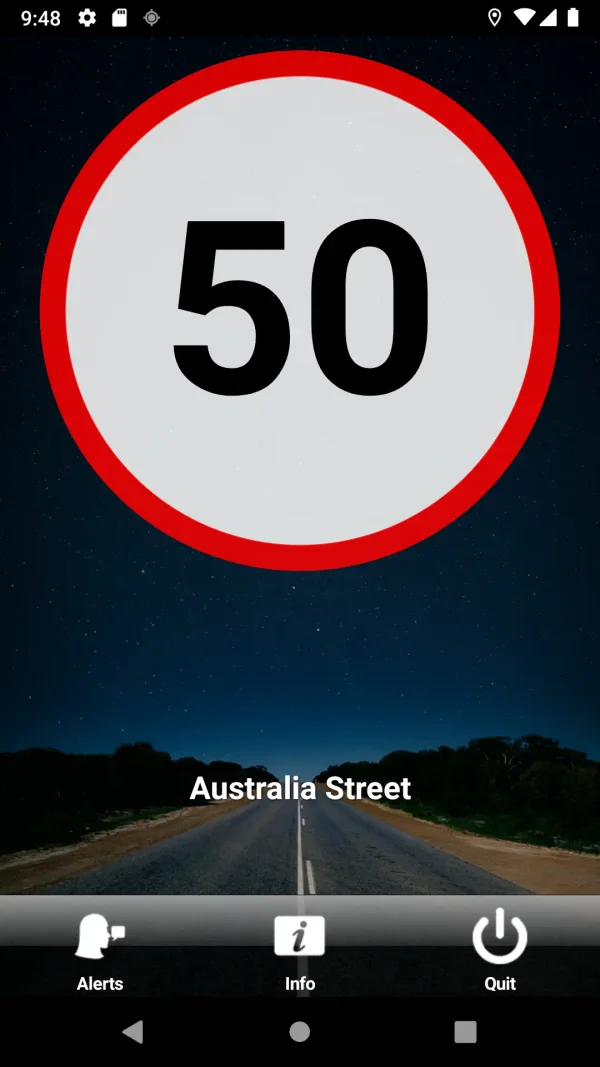
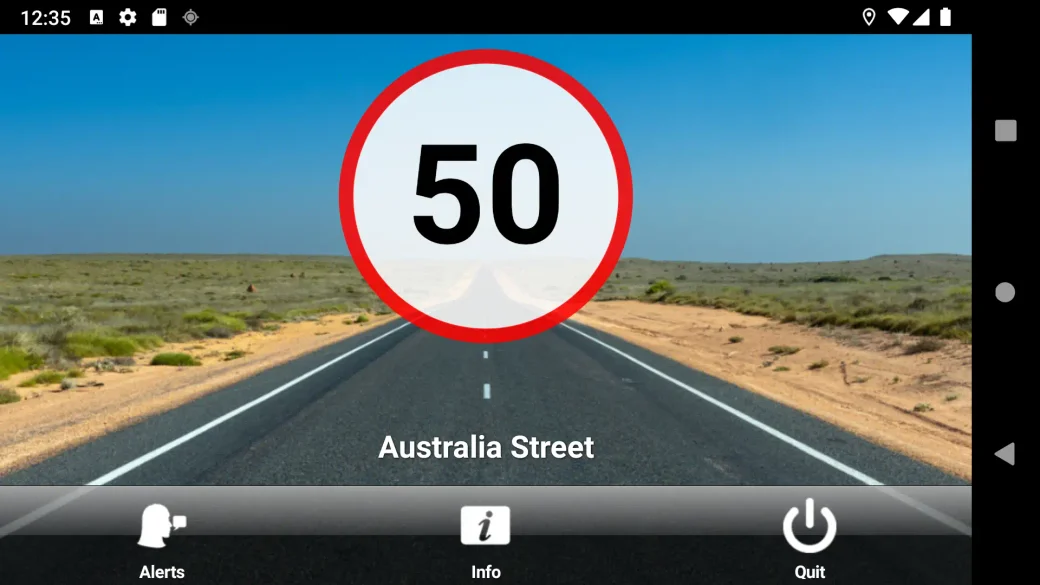
O Speed Adviser exibe o limite de velocidade da estrada em que você está dirigindo. O Speed Adviser conhece o limite de velocidade em todas as estradas de Nova Gales do Sul, incluindo todas as zonas escolares e seus respectivos horários de funcionamento. O aplicativo utiliza os dados mais recentes das zonas de velocidade.
DOWNLOAD E INSTALAÇÃO
Você pode instalar o Speed Adviser usando o aplicativo Play Store no seu celular (chamado de “Market” em celulares mais antigos) ou acessando o site do Google Play no seu computador. Geralmente, o Speed Adviser não será baixado para o seu celular até que ele esteja conectado a uma rede Wi-Fi. Esteja ciente de que provavelmente custará mais baixar o aplicativo por meio de uma rede de celular do que por Wi-Fi.
SEJA NOTIFICADO SOBRE ALTERAÇÕES NO LIMITE DE VELOCIDADE
Você pode escolher como o Speed Adviser irá informá-lo sobre uma mudança no limite de velocidade. Você pode optar por ouvir o novo limite de velocidade em voz masculina ou feminina, ouvir um efeito sonoro simples ou desativar todos os alertas de áudio e confiar no alerta visual (símbolo de limite de velocidade com fundo amarelo piscando).
MUITO RÁPIDO!
O Speed Adviser emitirá um alerta sonoro e um alerta visual se você estiver em excesso de velocidade, para lembrá-lo de manter-se dentro do limite de velocidade indicado na sinalização. Se você continuar a exceder o limite de velocidade, o Speed Adviser repetirá os alertas sonoros e visuais.
ZONAS ESCOLARES
Saiba sempre quando uma zona escolar estiver ativa. O Speed Adviser sabe onde e quando cada zona escolar em NSW opera, incluindo dias letivos oficiais e horários escolares não convencionais. O Speed Adviser informa se a zona escolar está ativa e exibirá o limite de velocidade de 40 km/h.
CONDUÇÃO NOTURNA
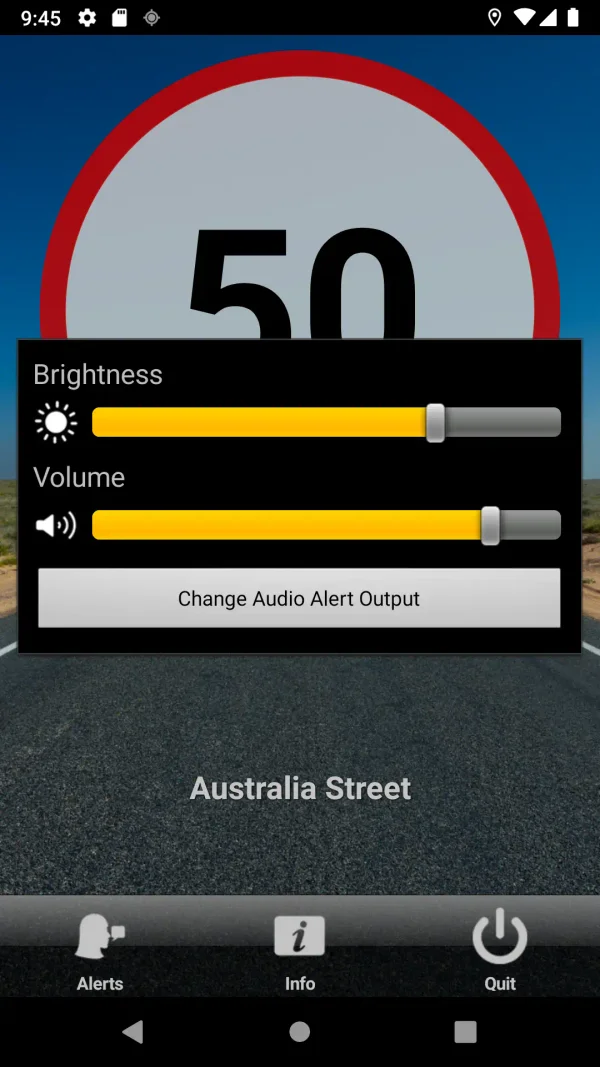
O Speed Adviser utiliza um banco de dados interno com os horários do nascer e pôr do sol para alternar automaticamente entre os modos diurno e noturno. O modo noturno emite menos luz, reduzindo assim o cansaço visual ao dirigir. O Speed Adviser também salva automaticamente sua configuração de brilho preferida.
EXECUTAR OUTROS APLICATIVOS SIMULTANEAMENTE
Os alertas sonoros do Speed Adviser continuam sendo reproduzidos mesmo quando o aplicativo está em execução em segundo plano. Isso significa que você pode usar outros aplicativos e ainda ouvir os anúncios e avisos do Speed Adviser.
MOTORISTAS COM PLACA L E P
Motoristas com carteira de habilitação provisória (P1 e P2) não estão autorizados a usar este aplicativo.
AVISOS
Você deve cumprir as regras de trânsito de NSW e não usar o aplicativo ou seu smartphone de nenhuma maneira contrária às regras de trânsito.
Sempre utilize um suporte para celular comercial ao usar um auxílio ao motorista como o Speed Adviser, de acordo com as regras de trânsito de NSW, e certifique-se de que seu telefone não obstrua sua visão da estrada.
Como o hardware de GPS do seu celular consome muita energia, e para reduzir o consumo da bateria, você deve usar a tomada do seu carro enquanto estiver usando o Speed Adviser. Além disso, você deve sempre fechar o aplicativo quando terminar de dirigir.
PRIVACIDADE
O Speed Adviser não coleta dados nem reporta ocorrências de excesso de velocidade ao Transport for NSW ou a qualquer outra organização ou agência.
ENVIE-NOS SEU FEEDBACK
Envie um e-mail para SpeedlinkSupport@transport.nsw.gov.au.
PRECISA DE MAIS INFORMAÇÕES?
Visite o site do nosso Centro de Segurança Rodoviária em: https://roadsafety.transport.nsw.gov.au/speeding/speedadviser/index.html
Mostrar o texto original
DESCRIPTION
Speed Adviser is a driver's aid designed to reduce speeding and save lives in NSW. Using the GPS capability of your phone, the Speed Adviser app monitors your location and speed, and alerts you via visual and audible warnings if you exceed the speed limit. Speed Adviser is for NSW roads only.
NEVER BE UNSURE OF THE SPEED LIMIT AGAIN
Speed Adviser displays the speed limit for the road you are travelling on. Speed Adviser knows the speed limit on all roads in NSW, including all school zones and their operating hours. The app uses the latest speed zone data.
DOWNLOADING AND INSTALLATION
You can install Speed Adviser using the Play Store app on your phone (called “Market” on older phones), or by accessing the Google Play website on your computer. Generally, Speed Adviser will not download to your phone until it has been connected to a WiFi network. Be aware that it will probably cost you more to download the app over a mobile phone network than by WiFi.
BE NOTIFIED OF SPEED LIMIT CHANGES
You can nominate how Speed Adviser tells you of a change in the speed limit. You can elect to have the new speed limit spoken in a male or female voice, to hear a simple sound effect, or to disable all audio alerts entirely and rely on the visual alert (speed limit symbol with a flashing yellow background).
TOO FAST!
Speed Adviser will play an audible alert and a visual alert if you are speeding, to remind you to keep safely within the sign posted speed limit. If you continue to exceed the speed limit, Speed Adviser will repeat the audible and visual alerts.
SCHOOL ZONES
Always know when a school zone is active. Speed Adviser knows where and when every school zone in NSW operates, including gazetted school days and non-standard school times. Speed Adviser lets you know if the school zone is active and will display the speed limit of 40 km/h.
NIGHT DRIVING
Speed Adviser uses an internal database of sunrise and sunset times to automatically switch between day and night modes. The night mode emits less light, and so reduces eye strain while driving. Speed Adviser also automatically saves your preferred brightness setting.
RUN OTHER APPS AT THE SAME TIME
Audible alerts from Speed Adviser still play when the app is running in the background. This means you can have other apps operating and still hear announcements and warnings from Speed Adviser.
L PLATE AND P PLATE DRIVERS
Learner and Provisional (‘P1 and P2’) drivers are not permitted to use this app.
WARNINGS
You must comply with the NSW Road Rules and not use the app or your smartphone in any manner contrary to the Road Rules.
Always have your phone in a commercial phone mount when using a driver’s aid such as Speed Adviser, in accordance with the NSW Road Rules, and ensure your phone does not obscure your view of the roadway.
Because it takes a lot of power to run the GPS hardware in your phone, and to reduce battery drain on your phone, you should use your car’s power socket while operating Speed Adviser. Also, you should always shut down the app when you are finished driving.
PRIVACY
Speed Adviser does not collect data or report speeding events to Transport for NSW or any other organisation or agency.
SEND US YOUR FEEDBACK
Email us at SpeedlinkSupport@transport.nsw.gov.au.
NEED MORE INFORMATION?
Visit our Centre for Road Safety website at: https://roadsafety.transport.nsw.gov.au/speeding/speedadviser/index.html
Segurança dos dados
O que Transport for NSW declara na Google Play sobre os dados que este app coleta e compartilha.
- Os dados não são compartilhados com terceirosSaiba mais sobre como os desenvolvedores declaram o compartilhamento
- Este app pode coletar estes tipos de dadosVídeos
- Os dados são criptografados em trânsito
- Não é possível excluir os dados
Novidades
Versão 1.33.0 · 16/11/2026
Changes in v1.33.0 (b97):
• Updated to the latest speed zones
• Updated to the latest railway level crossings
• Updated to the latest mobile speed camera zones
• Updated to the latest non-standard school zones and times
Contato do desenvolvedor
- Siteroadsafety.transport.nsw.gov.au
- E-mailSpeedlinkSupport@transport.nsw.gov.au
- Política de privacidadetransport.nsw.gov.au
- Endereço231 Elizabeth St Sydney NSW 2000 Australia
Informações
- Oferecido por
- Transport for NSW
- Categoria
- Mapas e navegação
- Versão
- 1.33.0
- Atualizado
- 16/11/2026
- Lançamento
- 14/04/2014
- Requer
- Android 4.1 ou posterior
- Classificação etária
- Classificação Livre
- Preço
- Grátis
- Nome do pacote
- au.gov.nsw.transport.speedadviser