Speed Adviser
Transport for NSW- 3 歳以上対象年齢
- 地図&ナビカテゴリ
- 2026/11/16更新日
- 無料価格
au.gov.nsw.transport.speedadviserのGoogle Play公式ページにリンクしています。最終確認:2026/11/28。
スクリーンショット


このアプリについて
Googleによる英語 (イギリス)からの自動翻訳です。
安全運転と命を救う、チケットを高速化することは避けてください。
概要
Speed Adviserは、ニューサウスウェールズ州(NSW)におけるスピード違反を減らし、命を守るために設計されたドライバー支援アプリです。スマートフォンのGPS機能を利用して、Speed Adviserアプリはあなたの現在地と速度を監視し、制限速度を超過すると視覚的および聴覚的な警告で知らせます。Speed AdviserはNSW州の道路でのみ利用可能です。
もう制限速度に迷うことはありません
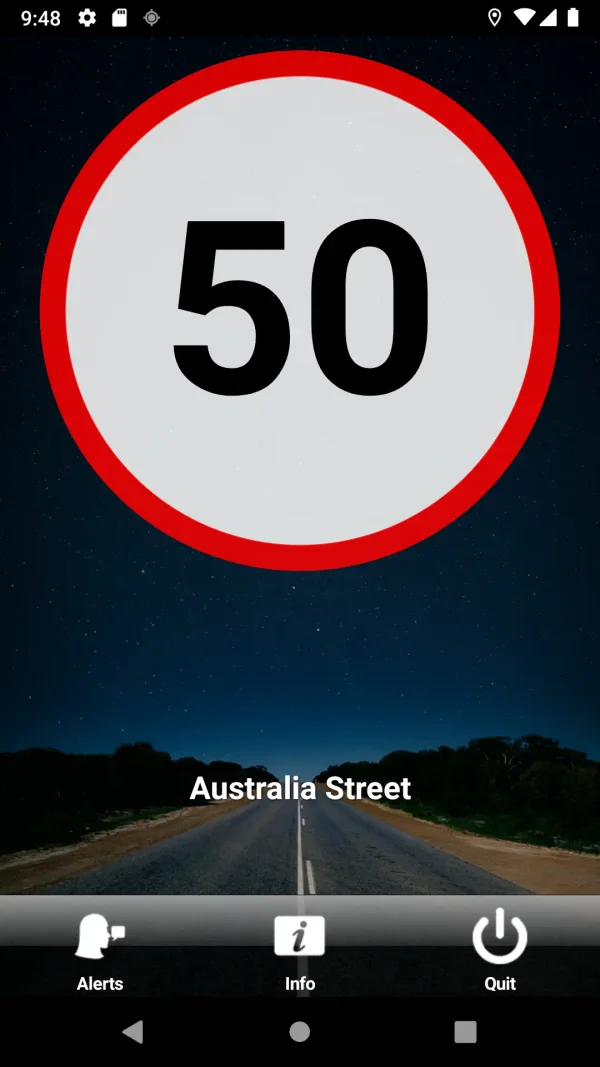
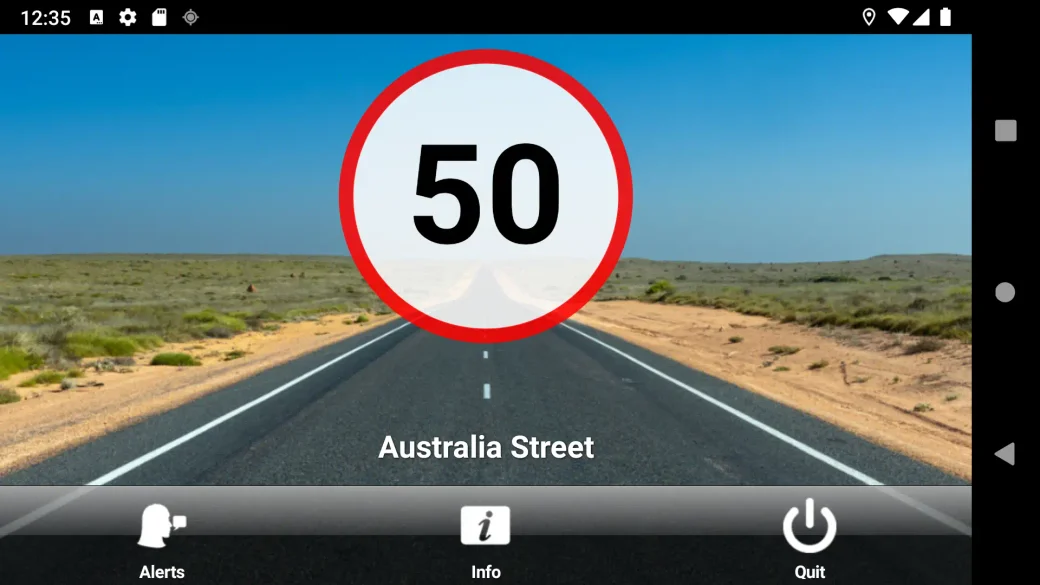
Speed Adviserは、走行中の道路の制限速度を表示します。Speed Adviserは、NSW州内のすべての道路の制限速度(スクールゾーンとその運用時間を含む)を把握しています。アプリは最新の速度制限データを使用しています。
ダウンロードとインストール
Speed Adviserは、スマートフォンのPlayストアアプリ(旧機種では「マーケット」)またはパソコンのGoogle Playウェブサイトからインストールできます。通常、Speed AdviserはWi-Fiネットワークに接続しないとダウンロードされません。携帯電話ネットワーク経由でアプリをダウンロードする場合、Wi-Fi経由よりも料金が高くなる可能性があることにご注意ください。
速度制限変更の通知を受け取る
Speed Adviserは、速度制限の変更を通知する方法を設定できます。男性または女性の声で新しい速度制限を読み上げる、シンプルな効果音を鳴らす、あるいは音声アラートを完全に無効にして視覚アラート(黄色い背景が点滅する速度制限シンボル)のみに頼る、といった設定が可能です。
速度超過!
速度超過を検知すると、Speed Adviserは音声アラートと視覚アラートを発し、標識に示された速度制限を安全に守るよう促します。速度制限を超過し続けると、Speed Adviserは音声アラートと視覚アラートを繰り返します。
スクールゾーン
スクールゾーンの有効状況を常に把握できます。Speed Adviserは、ニューサウスウェールズ州のすべてのスクールゾーンの場所と有効時間を把握しており、官報に掲載されている登校日や通常とは異なる登校時間帯も考慮に入れています。Speed Adviserは、スクールゾーンが有効になっているかどうかを通知し、速度制限40km/hを表示します。
夜間運転
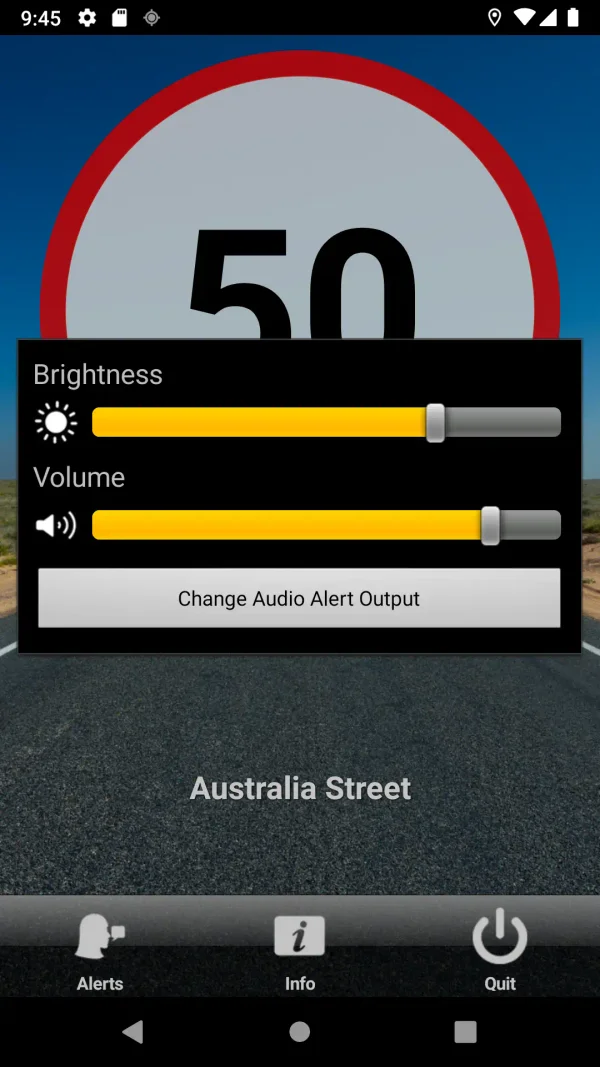
Speed Adviserは、日の出と日の入りの時刻を内蔵したデータベースを使用して、昼夜モードを自動的に切り替えます。夜間モードでは光量を抑えるため、運転中の目の疲れを軽減します。また、Speed Adviserは、お好みの明るさ設定を自動的に保存します。
他のアプリの同時実行
Speed Adviserはバックグラウンドで動作している場合でも、音声アラートが再生されます。つまり、他のアプリを起動したままでも、Speed Adviserからのアナウンスや警告を聞くことができます。
LプレートおよびPプレートドライバー
Lプレートおよび仮免許(P1およびP2)ドライバーは、このアプリを使用することはできません。
警告
NSW州の道路交通法を遵守し、道路交通法に反する方法でアプリまたはスマートフォンを使用しないでください。
NSW州の道路交通法に従い、Speed Adviserなどの運転支援アプリを使用する際は、必ず市販のスマートフォンホルダーにスマートフォンを取り付け、スマートフォンが道路の視界を遮らないようにしてください。
スマートフォンのGPSハードウェアを動作させるには多くの電力が必要となるため、スマートフォンのバッテリー消費を抑えるには、Speed Adviserを使用する際は車の電源ソケットをご利用ください。また、運転終了後は必ずアプリを終了してください。
プライバシー
Speed Adviserは、スピード違反に関するデータを収集したり、Transport for NSWやその他の組織・機関に報告したりすることはありません。
ご意見・ご感想をお寄せください
SpeedlinkSupport@transport.nsw.gov.auまでメールでお問い合わせください。
さらに詳しい情報が必要ですか?
道路安全センターのウェブサイトをご覧ください:https://roadsafety.transport.nsw.gov.au/speeding/speedadviser/index.html
原文を表示
DESCRIPTION
Speed Adviser is a driver's aid designed to reduce speeding and save lives in NSW. Using the GPS capability of your phone, the Speed Adviser app monitors your location and speed, and alerts you via visual and audible warnings if you exceed the speed limit. Speed Adviser is for NSW roads only.
NEVER BE UNSURE OF THE SPEED LIMIT AGAIN
Speed Adviser displays the speed limit for the road you are travelling on. Speed Adviser knows the speed limit on all roads in NSW, including all school zones and their operating hours. The app uses the latest speed zone data.
DOWNLOADING AND INSTALLATION
You can install Speed Adviser using the Play Store app on your phone (called “Market” on older phones), or by accessing the Google Play website on your computer. Generally, Speed Adviser will not download to your phone until it has been connected to a WiFi network. Be aware that it will probably cost you more to download the app over a mobile phone network than by WiFi.
BE NOTIFIED OF SPEED LIMIT CHANGES
You can nominate how Speed Adviser tells you of a change in the speed limit. You can elect to have the new speed limit spoken in a male or female voice, to hear a simple sound effect, or to disable all audio alerts entirely and rely on the visual alert (speed limit symbol with a flashing yellow background).
TOO FAST!
Speed Adviser will play an audible alert and a visual alert if you are speeding, to remind you to keep safely within the sign posted speed limit. If you continue to exceed the speed limit, Speed Adviser will repeat the audible and visual alerts.
SCHOOL ZONES
Always know when a school zone is active. Speed Adviser knows where and when every school zone in NSW operates, including gazetted school days and non-standard school times. Speed Adviser lets you know if the school zone is active and will display the speed limit of 40 km/h.
NIGHT DRIVING
Speed Adviser uses an internal database of sunrise and sunset times to automatically switch between day and night modes. The night mode emits less light, and so reduces eye strain while driving. Speed Adviser also automatically saves your preferred brightness setting.
RUN OTHER APPS AT THE SAME TIME
Audible alerts from Speed Adviser still play when the app is running in the background. This means you can have other apps operating and still hear announcements and warnings from Speed Adviser.
L PLATE AND P PLATE DRIVERS
Learner and Provisional (‘P1 and P2’) drivers are not permitted to use this app.
WARNINGS
You must comply with the NSW Road Rules and not use the app or your smartphone in any manner contrary to the Road Rules.
Always have your phone in a commercial phone mount when using a driver’s aid such as Speed Adviser, in accordance with the NSW Road Rules, and ensure your phone does not obscure your view of the roadway.
Because it takes a lot of power to run the GPS hardware in your phone, and to reduce battery drain on your phone, you should use your car’s power socket while operating Speed Adviser. Also, you should always shut down the app when you are finished driving.
PRIVACY
Speed Adviser does not collect data or report speeding events to Transport for NSW or any other organisation or agency.
SEND US YOUR FEEDBACK
Email us at SpeedlinkSupport@transport.nsw.gov.au.
NEED MORE INFORMATION?
Visit our Centre for Road Safety website at: https://roadsafety.transport.nsw.gov.au/speeding/speedadviser/index.html
データ セーフティ
このアプリが収集・共有するデータについて、Transport for NSWがGoogle Playで申告している内容です。
- 第三者と共有されるデータはありません詳しくは、デベロッパーが共有を申告する方法についての説明をご覧ください
- このアプリは以下の種類のデータを収集することがありますおおよその現在地
- データは送信中に暗号化されます
- データを削除できません
新機能
バージョン 1.33.0 · 2026/11/16
Changes in v1.33.0 (b97):
• Updated to the latest speed zones
• Updated to the latest railway level crossings
• Updated to the latest mobile speed camera zones
• Updated to the latest non-standard school zones and times
開発元の連絡先
- ウェブサイトroadsafety.transport.nsw.gov.au
- メールSpeedlinkSupport@transport.nsw.gov.au
- プライバシーポリシーtransport.nsw.gov.au
- 住所231 Elizabeth St Sydney NSW 2000 Australia
情報
- 提供元
- Transport for NSW
- カテゴリ
- 地図&ナビ
- バージョン
- 1.33.0
- 更新日
- 2026/11/16
- リリース
- 2014/4/14
- 必要条件
- Android 4.1以降
- 対象年齢
- 3 歳以上
- 価格
- 無料
- パッケージ名
- au.gov.nsw.transport.speedadviser