
- Clasificación por edad4+
- CategoríaEstilo de vida
- DesarrolladorJANOME Corporation
- IdiomasInglés+ 1 más
- Tamaño70,3 MB
Enlaza a la página oficial de App Store
Download.org no aloja ningún archivo de AcuEdit. El botón abre la página de la aplicación en App Store, donde la publica JANOME Corporation. Ficha comprobada por última vez el 18/11/2026.
Capturas de pantalla
Acerca de
El desarrollador no ha proporcionado este texto en tu idioma.
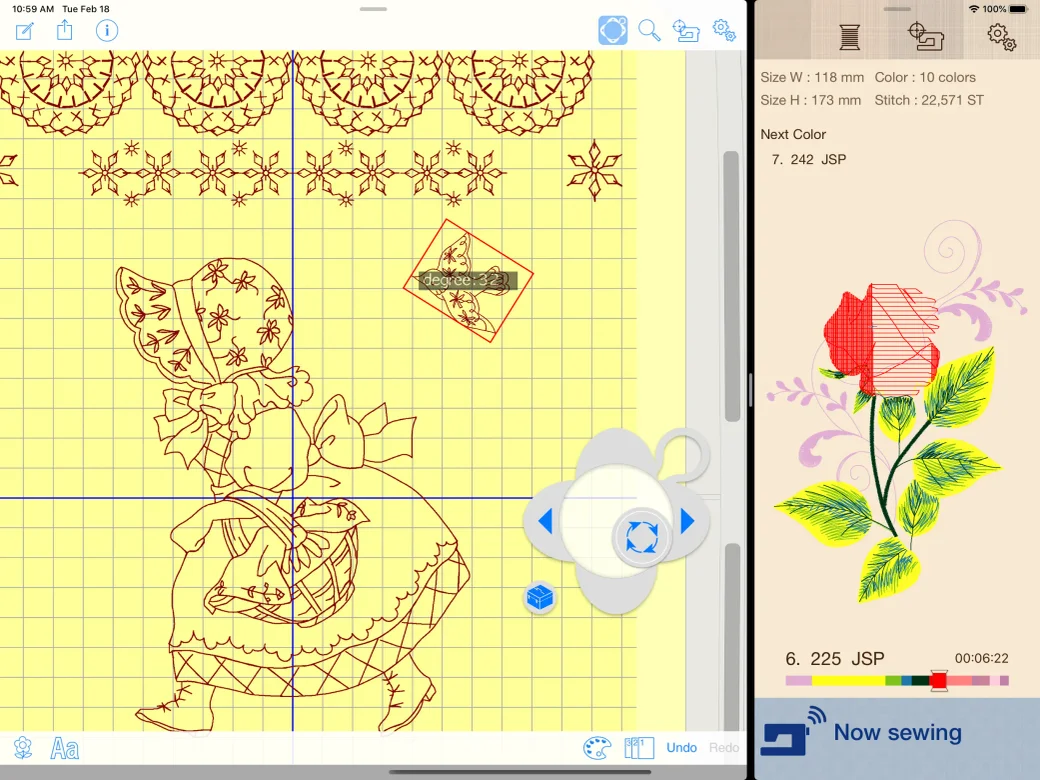
The AcuEdit app allows you to edit Janome embroidery designs on your iPad using Wireless LAN.
You can edit designs anywhere, anytime! Embroidery designs can even be edited when your machine is sewing.
Send the design data to your sewing machine and you are ready to go!
AcuEdit is compatible with the following sewing machine models:
Please refer to the following link :
https://www7.janome.co.jp/global/softupdate/acuedit/
Linking with sewing machine using Wireless LAN
* You can send embroidery data from your iPad to your sewing machine. The machine can start sewing your new designs upon receiving the data.
* AcuEdit can also receive embroidery designs from the Ready to Sew and Editing modes of your sewing machine.
AcuEdit Feature List
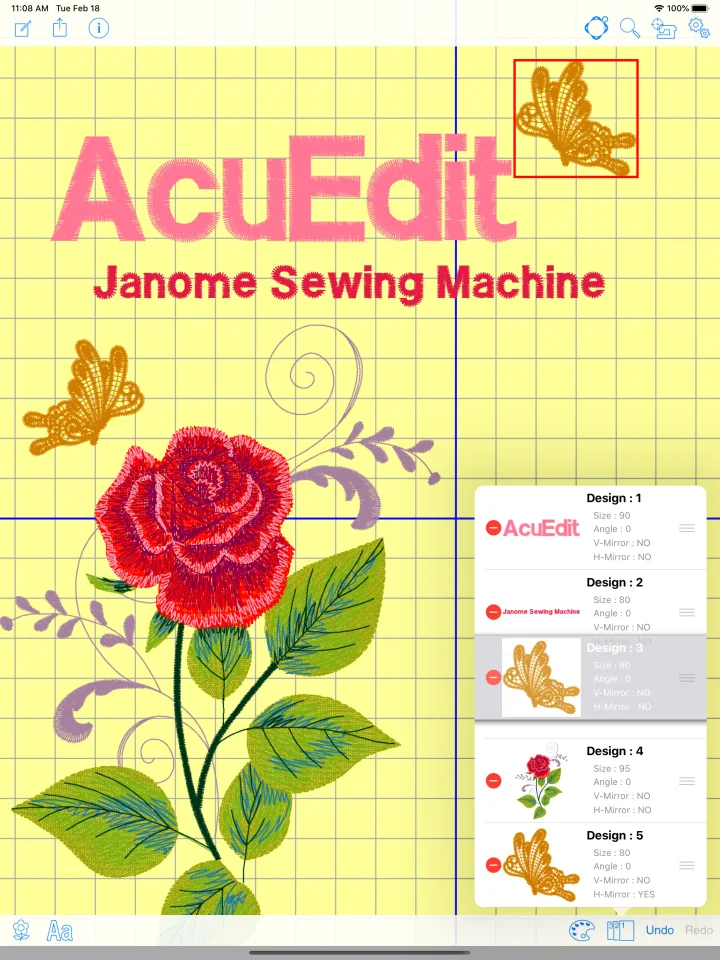
* Move
* Rotate
* Enlarge/Reduce
* Mirror image
* Vertical flip
* Centering
* Cornering
* Copy and paste
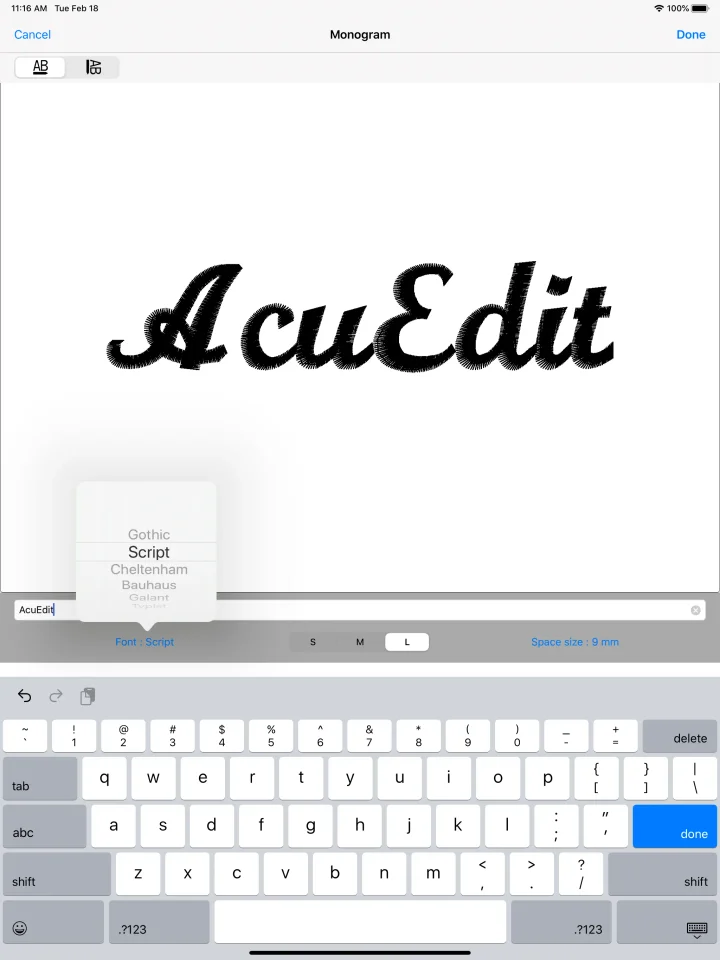
* Arching (monogramming)
* Space adjustment (monogramming)
* Delete
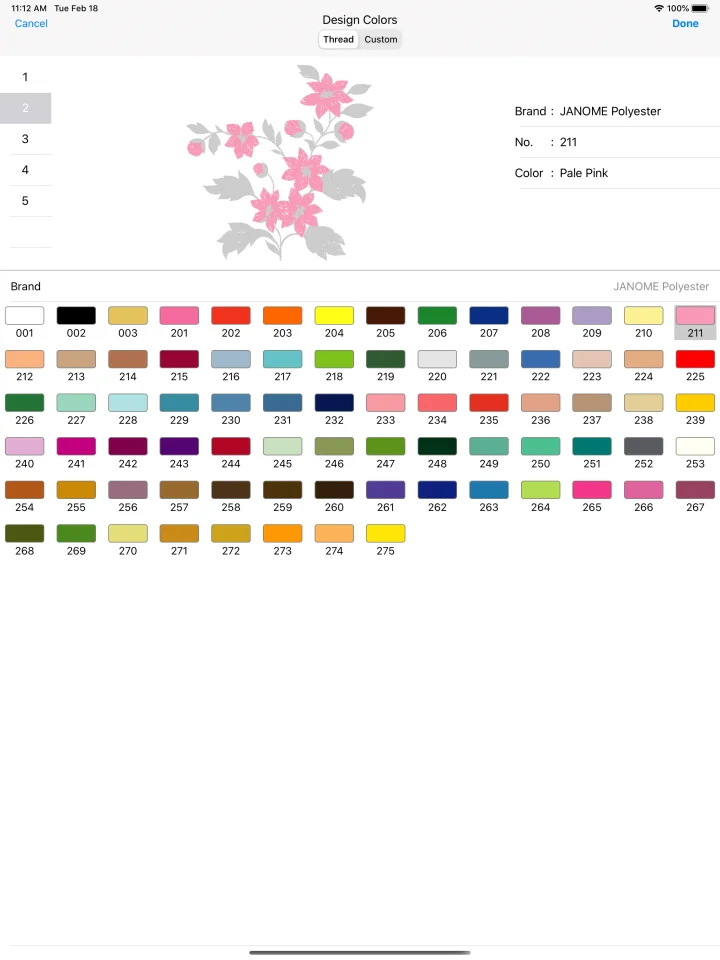
* Ability to change thread colors
* Ability to change sewing order
* Ability to Undo and Redo any change you make
* Edit embroidery designs by using the controller on the screen.
* Basic editing can also be made by moving two fingers across the screen.
* iPad photos can be displayed as the background of the editing screen.
Import embroidery designs
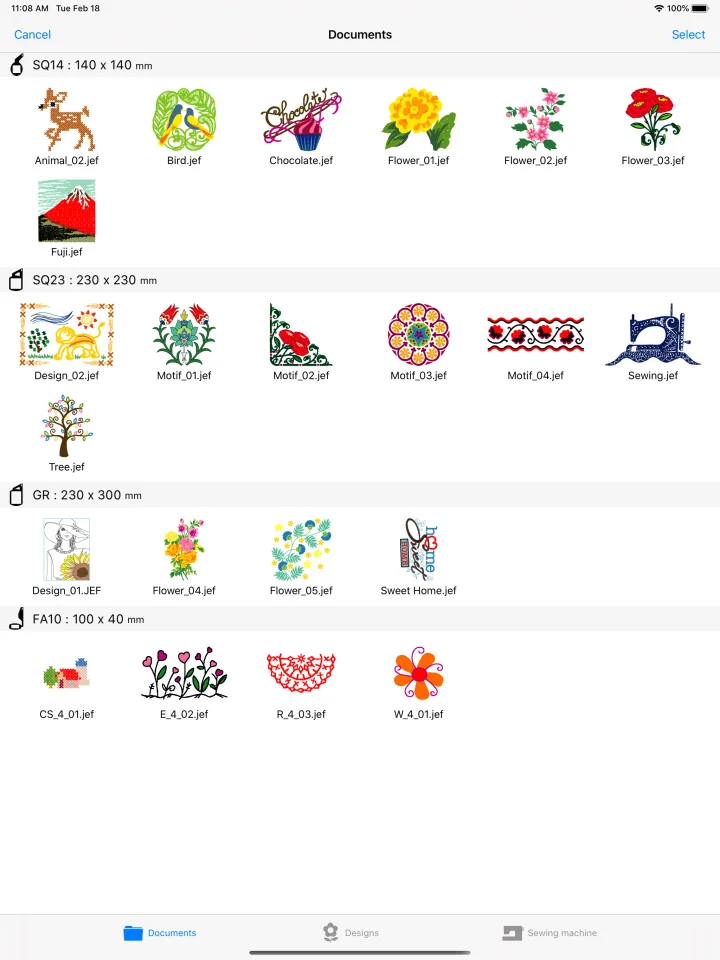
* Select designs from your embroidery collection on your iPad.
* You can use all built-in designs from compatible sewing machines.
(to use the built-in designs from Memory Craft 15000, first connect to your sewing machine and then you can download the latest embroidery designs from the sewing machine.)
(to use the built-in designs from SKYLINE S9/ atelier 9, it's necessary to download the embroidery designs from your sewing machine.)
* You can add monogramming designs by inputting them using the keypad.
* iTunes enables import of embroidery designs from the internet or your PC to your iPad.
* Embroidery designs can now be imported from email attachment files , online storage services and other apps.
Save embroidery designs
* Save embroidery designs on your iPad.
* View and delete thumbnails of embroidery designs.
Compatible embroidery formats
* jef
* jef+
* jpx
Novedades
Versión 3.30 · 26/8/2025
* Enhanced embroidery expression for a more realistic and sophisticated presentation.
* Bug fixes.
Privacidad de la aplicación
Lo que JANOME Corporation declara en App Store sobre cómo esta aplicación gestiona los datos.
-
No se recopilan datos
El desarrollador no recopila ningún dato de esta aplicación.
Las prácticas de privacidad pueden variar, por ejemplo, según las funciones que uses o tu edad.
Información
- Vendedor
- JANOME Corporation
- Categoría
- Estilo de vida
- Versión
- 3.30
- Actualizado
- 26/8/2025
- Publicado
- 9/8/2013
- Tamaño
- 70,3 MB
- Requiere
- iOS 16.0 o posterior
- Clasificación por edad
- 4+
- Precio
- Gratis
- Idiomas
- Inglés, Japonés
- Copyright
- © 2025 JANOME Corporation
Quizá también te guste
-
 Embroidery-LinkEstilo de vida
-
 dot CustomizerEstilo de vida
-
 Embroidery LetteringEstilo de vida
-
 ThreadBookEstilo de vida
-
 FlorianiTEstilo de vida
-
 My QuiltsEstilo de vida
-
 CREATIVATEEstilo de vida
-
 TideStitch: Quilt DesignerEstilo de vida
-
 Brother My Stitch MonitorSupervisar máquinas de bordar
-
 SewCanShe Sewing BeeEstilo de vida