AppBlocker: Block Apps & Focus
AI for Lower Screentime
Diseñada para iPhone, iPad
- Clasificación por edad4+
- CategoríaProductividad
- DesarrolladorCrescent Harbor LLC
- IdiomasInglés
- Tamaño27,8 MB
Es posible que AppBlocker: Block Apps & Focus no esté disponible en App Store en este momento
No se pudo acceder a la ficha de la tienda en nuestra última comprobación. El enlace sigue llevando a la página oficial de App Store.
Capturas de pantalla

Acerca de
El desarrollador no ha proporcionado este texto en tu idioma.
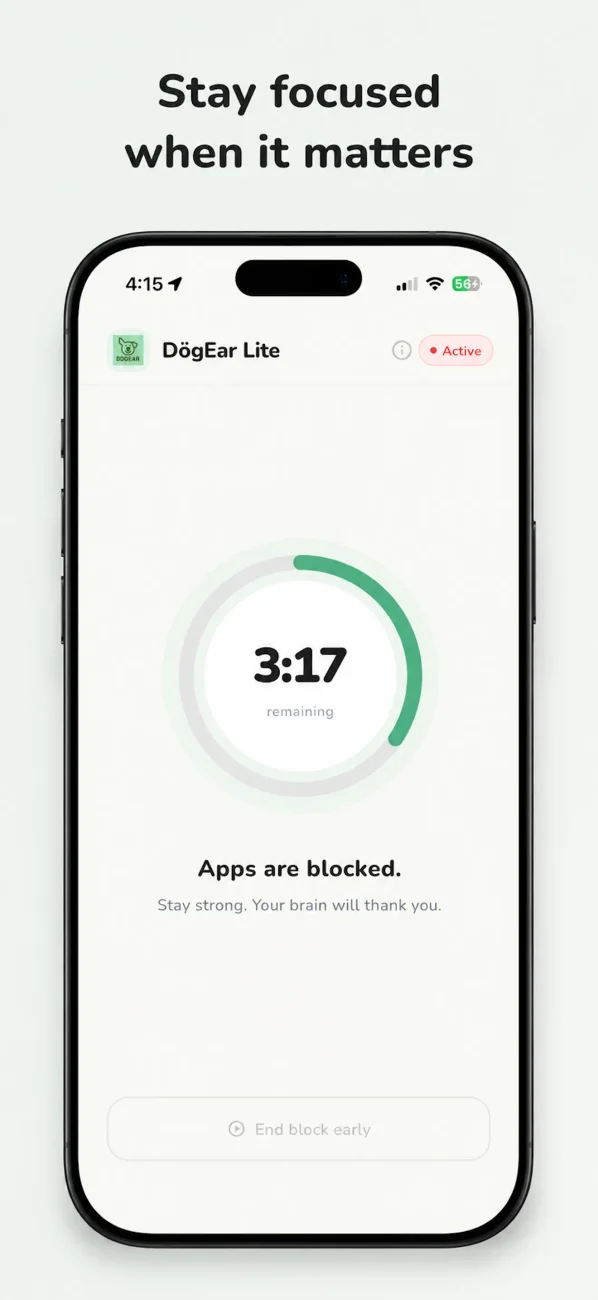
AppBlocker is a free app blocker for iPhone. Pick the apps that distract you, set a timer, and they stay locked until time runs out. Use it to focus, study, sleep better, reduce screen time, or break the habit of doomscrolling.
No account. No sign-up. Your app choices stay on your device.
WHAT APPBLOCKER DOES
- Blocks distracting apps like Instagram, TikTok, YouTube and X for a set time
- Lets you choose the duration every time, from 5 minutes to an hour
- Keeps blocked apps locked for the full session
- Shows your screen time today, this week and over two weeks, with an hourly chart and category breakdown
- Tracks your focus streak so you can build a daily habit
- Includes Auto-Break and Doomscroll Protection to help you stop endless scrolling
- Works on iPhone using Apple's Screen Time and Family Controls
HOW TO BLOCK APPS ON IPHONE
1. Open AppBlocker and tap Choose Apps to Block.
2. Pick the apps you want locked.
3. Choose how long, then start the block.
4. Your apps stay blocked until the timer ends.
WHO IT'S FOR
- Students who want to study without phone distractions
- Anyone who wants to cut down on social media and screen time
- People who want to sleep earlier and stop scrolling in bed
- Remote workers and professionals protecting deep focus time
- Parents and adults who want a simple focus timer for their own phone
FREQUENTLY ASKED QUESTIONS
Is AppBlocker free?
Yes. AppBlocker is free to use. Optional rewarded ads let you end a block early if you really need to.
Do I need an account?
No. There is no sign-up and no account.
Is my data private?
Your app choices and Screen Time data stay on your device. AppBlocker does not send the apps you block or use to any server.
How does AppBlocker block apps?
It uses Apple's Screen Time and Family Controls, so blocking is handled by iOS itself.
Why did Doomscroll Protection kick in late?
iOS controls when apps receive Screen Time events. Low battery, Low Power Mode, or very late hours can delay them. Keep your battery charged and Low Power Mode off for the most reliable protection.
AppBlocker is a simple, focused app blocker and screen time tracker for iPhone. One job, done well: block the apps that pull you in, and get your time back.
Novedades
Versión 1.0.9 · 21/10/2026
Fixes and performance improvements.
Privacidad de la aplicación
Lo que Crescent Harbor LLC declara en App Store sobre cómo esta aplicación gestiona los datos.
-
Datos usados para rastrearte
Pueden usarse para rastrearte en aplicaciones y sitios web propiedad de otras empresas.
- Ubicación
- Identificadores
- Datos de uso
-
Datos vinculados a ti
Pueden recopilarse y vincularse a tu identidad.
- Ubicación
-
Datos no vinculados a ti
Pueden recopilarse, pero no se vinculan a tu identidad.
- Identificadores
- Datos de uso
- Diagnóstico
Las prácticas de privacidad pueden variar, por ejemplo, según las funciones que uses o tu edad.
Información
- Vendedor
- Crescent Harbor LLC
- Categoría
- Productividad
- Versión
- 1.0.9
- Actualizado
- 21/10/2026
- Publicado
- 12/6/2026
- Tamaño
- 27,8 MB
- Requiere
- iOS 17.6 o posterior
- Clasificación por edad
- 4+
- Idiomas
- Inglés
- Copyright
- © 2025 AppBlocker
Quizá también te guste
-
 App Blocker: Block Apps & SiteProductividad
-
 ScreenMinus: Screen TimeProductividad
-
 Toll — Focus & App BlockerProductividad
-
 Curfew: Bloqueo Apps y WebsBloquea apps y webs a tiempo
-
 LockdAI: Screen Time ControlProductividad
-
 Stop Doomscrolling - AlbaProductividad
-
 App Guardian: App BlockerProductividad
-
 Synctodo: Task List & SubtasksProductividad
-
 Control de pantalla y tiempoBloquea apps y mejora tu foco
-
 Prove It: App BlockerProductividad