Audio Selector Remote
Audio Selector remote control
Diseñada para iPhone, iPad
Gratis
- Clasificación por edad4+
- CategoríaUtilidades
- DesarrolladorDUKHYUN HWANG
- IdiomasInglés
- Tamaño4,8 MB
Enlaza a la página oficial de App Store
Download.org no aloja ningún archivo de Audio Selector Remote. El botón abre la página de la aplicación en App Store, donde la publica DUKHYUN HWANG. Ficha comprobada por última vez el 12/11/2026.
Capturas de pantalla

Acerca de
El desarrollador no ha proporcionado este texto en tu idioma.
Audio Selector Remote is the official companion app for "Audio Selector" on macOS. Turn your iPhone or iPad into a powerful, wireless remote control for your Mac's audio environment.
* Note: This app requires "Audio Selector" installed and running on your Mac to function.
◆ KEY FEATURES
* Total Audio Control (Devices): Wirelessly switch between speakers, headphones, or DACs. You can change audio formats (e.g., 24-bit / 96kHz) and adjust individual device volumes directly from your iOS device.
* Input Devices (Devices): Switch your Mac's microphone or line-in from the same list. Turn it on with 'Show input devices in menu' in the Settings tab.
* Software Volume Control: When Audio Selector for Mac controls a DAC's volume in software (macOS 14.2 or later), you can adjust it from your iPhone or iPad like any other device.
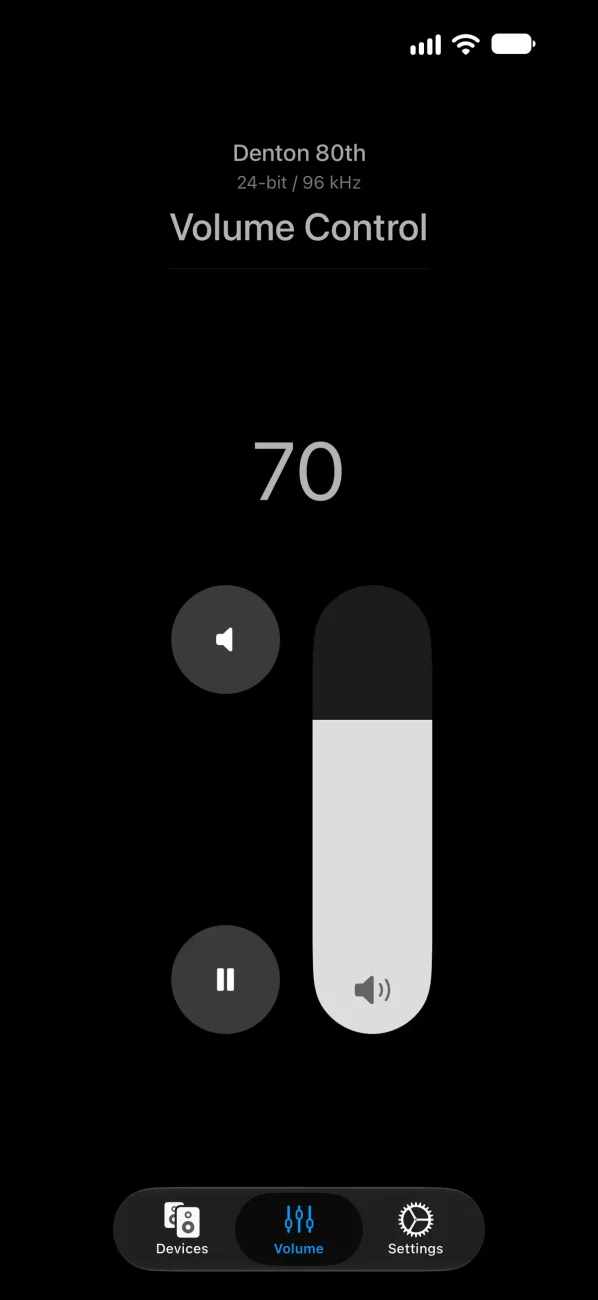
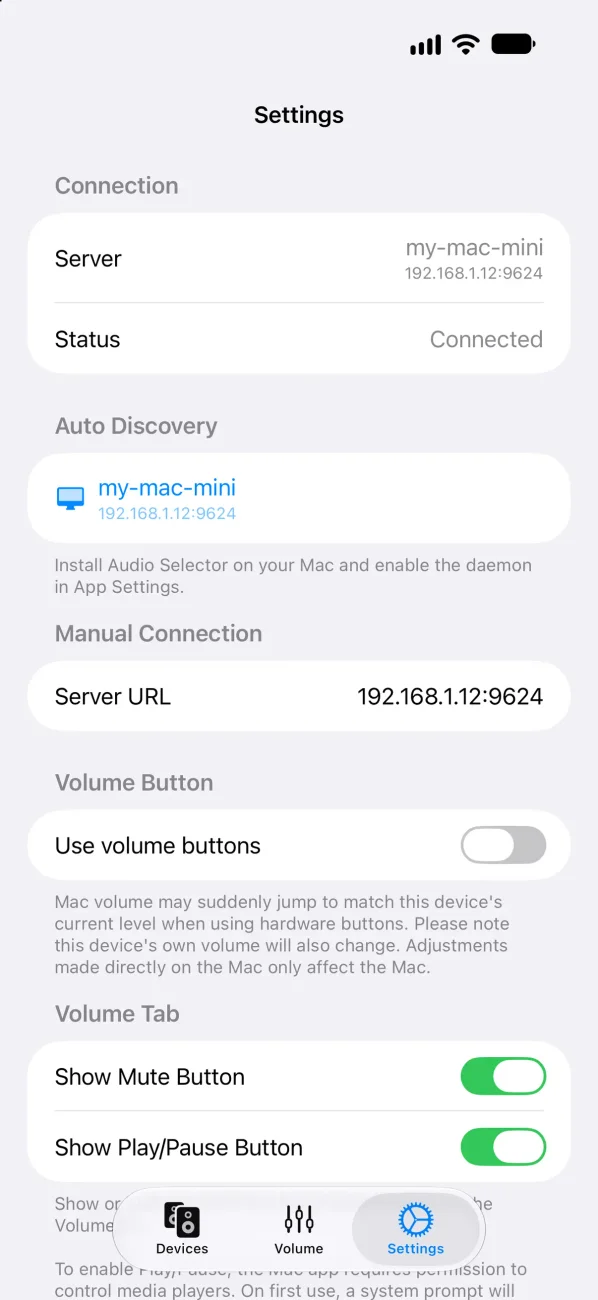
* Dedicated Volume Remote (Volume): Turn your device into a sleek, dedicated volume controller. You can even use your iPhone/iPad's physical volume buttons to adjust your Mac's audio level without looking at the screen! You can choose to show or hide the 'Mute' and 'Play/Pause' buttons in Settings → Volume Tab.
* L/R Balance Control (Pro): Fine-tune your stereo sound remotely. Adjust the left and right audio balance for individual Mac output devices right from your screen. (Shown only for devices that support balance control).
* Multichannel Output Pair (Pro): Choose which stereo pair - 1–2, 3–4, 5–6 and so on - a multichannel interface on your Mac uses for output. (Shown only for devices that expose multiple output pairs).
* Seamless & Secure Connection (Settings): Connect instantly using Auto-Discovery on your local network, or use manual IP/Port configuration for advanced setups. Supports 'Require Pairing' for a secure connection.
* Roon Zone Control (Devices): See your Mac's output devices that Roon is currently playing to - marked with a Roon badge - and adjust or mute Roon's zone volume in real time, even while Roon holds the device exclusively. Works with Roon's Device Volume and DSP Volume modes. (Requires Roon Volume Integration enabled in the Mac app.)
* Pro Sync: If you are a Premium user of Audio Selector on your Mac, Audio Selector Remote will automatically detect it and provide an ad-free experience.
◆ REQUIREMENTS
* Audio Selector Remote requires the 'Audio Selector' app on your Mac.
* Your Mac and iOS device must be connected to the same local Wi-Fi network.
Novedades
Versión 2.8.0 · 4/11/2026
* Side by side on wide screens: on iPad or an unfolded iPhone, the device list and the volume control now share one tab. You can turn this off in Settings › Layout.
* Fixes an issue where the ad banner could cover the tab bar, settings and playback controls on iPad and iPhone Duo.
* Fixes an issue where the device list used only part of the screen width on iPad.
Privacidad de la aplicación
Lo que DUKHYUN HWANG declara en App Store sobre cómo esta aplicación gestiona los datos.
-
Datos usados para rastrearte
Pueden usarse para rastrearte en aplicaciones y sitios web propiedad de otras empresas.
- Identificadores
- Datos de uso
-
Datos no vinculados a ti
Pueden recopilarse, pero no se vinculan a tu identidad.
- Identificadores
- Datos de uso
- Diagnóstico
Las prácticas de privacidad pueden variar, por ejemplo, según las funciones que uses o tu edad.
Información
- Vendedor
- DUKHYUN HWANG
- Categoría
- Utilidades
- Versión
- 2.8.0
- Actualizado
- 4/11/2026
- Publicado
- 8/4/2026
- Tamaño
- 4,8 MB
- Requiere
- iOS 16.6 o posterior
- Clasificación por edad
- 4+
- Precio
- Gratis
- Idiomas
- Inglés
- Copyright
- © 2026 Timeblimp Studio