Audio Selector Remote
Audio Selector remote control
Designed for iPhone, iPad
Free
- Age rating4+
- CategoryUtilities
- DeveloperDUKHYUN HWANG
- LanguagesEnglish
- Size4.8 MB
Links to the official App Store page
Download.org hosts no file of Audio Selector Remote. The button opens its official App Store page, published by DUKHYUN HWANG. Listing last checked on Nov 12, 2026.
Screenshots

About
Audio Selector Remote is the official companion app for "Audio Selector" on macOS. Turn your iPhone or iPad into a powerful, wireless remote control for your Mac's audio environment.
* Note: This app requires "Audio Selector" installed and running on your Mac to function.
◆ KEY FEATURES
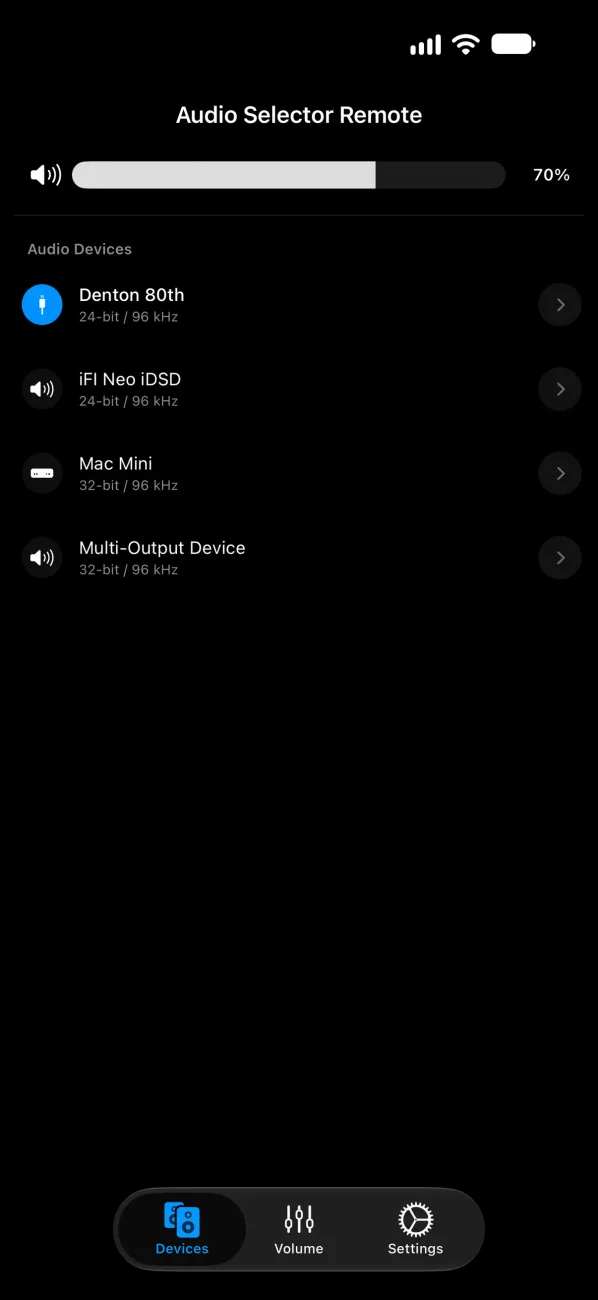
* Total Audio Control (Devices): Wirelessly switch between speakers, headphones, or DACs. You can change audio formats (e.g., 24-bit / 96kHz) and adjust individual device volumes directly from your iOS device.
* Input Devices (Devices): Switch your Mac's microphone or line-in from the same list. Turn it on with 'Show input devices in menu' in the Settings tab.
* Software Volume Control: When Audio Selector for Mac controls a DAC's volume in software (macOS 14.2 or later), you can adjust it from your iPhone or iPad like any other device.
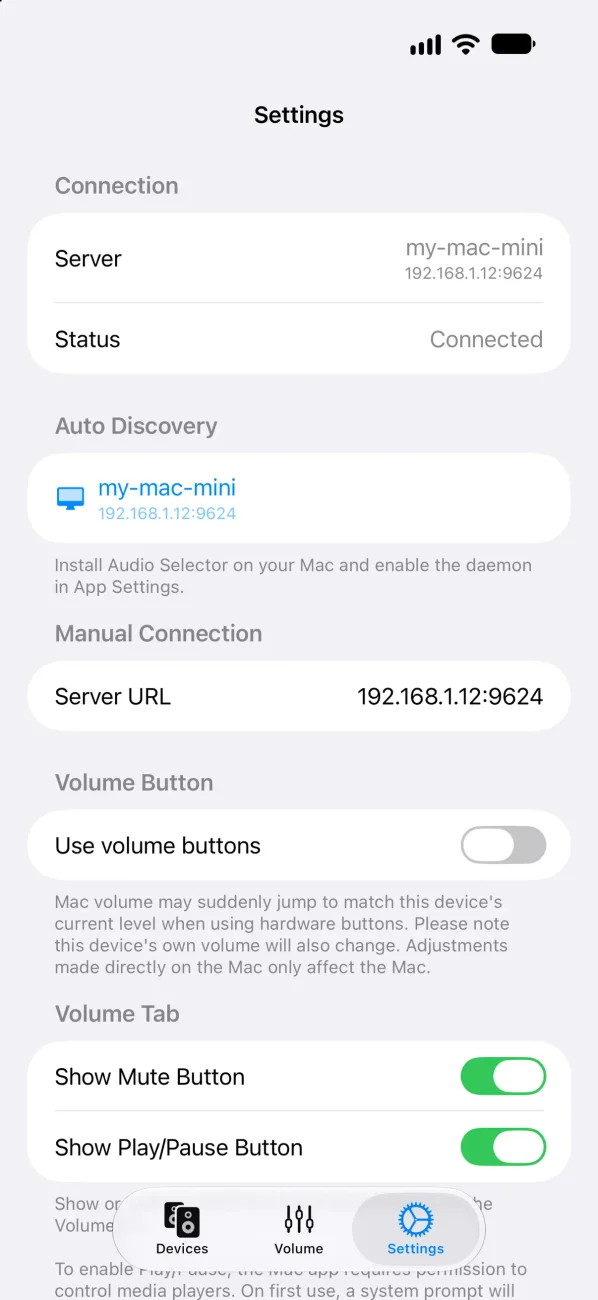
* Dedicated Volume Remote (Volume): Turn your device into a sleek, dedicated volume controller. You can even use your iPhone/iPad's physical volume buttons to adjust your Mac's audio level without looking at the screen! You can choose to show or hide the 'Mute' and 'Play/Pause' buttons in Settings → Volume Tab.
* L/R Balance Control (Pro): Fine-tune your stereo sound remotely. Adjust the left and right audio balance for individual Mac output devices right from your screen. (Shown only for devices that support balance control).
* Multichannel Output Pair (Pro): Choose which stereo pair - 1–2, 3–4, 5–6 and so on - a multichannel interface on your Mac uses for output. (Shown only for devices that expose multiple output pairs).
* Seamless & Secure Connection (Settings): Connect instantly using Auto-Discovery on your local network, or use manual IP/Port configuration for advanced setups. Supports 'Require Pairing' for a secure connection.
* Roon Zone Control (Devices): See your Mac's output devices that Roon is currently playing to - marked with a Roon badge - and adjust or mute Roon's zone volume in real time, even while Roon holds the device exclusively. Works with Roon's Device Volume and DSP Volume modes. (Requires Roon Volume Integration enabled in the Mac app.)
* Pro Sync: If you are a Premium user of Audio Selector on your Mac, Audio Selector Remote will automatically detect it and provide an ad-free experience.
◆ REQUIREMENTS
* Audio Selector Remote requires the 'Audio Selector' app on your Mac.
* Your Mac and iOS device must be connected to the same local Wi-Fi network.
What’s new
Version 2.8.0 · Nov 4, 2026
* Side by side on wide screens: on iPad or an unfolded iPhone, the device list and the volume control now share one tab. You can turn this off in Settings › Layout.
* Fixes an issue where the ad banner could cover the tab bar, settings and playback controls on iPad and iPhone Duo.
* Fixes an issue where the device list used only part of the screen width on iPad.
App privacy
What DUKHYUN HWANG declares on the App Store about how this app handles data.
-
Data used to track you
May be used to track you across apps and websites owned by other companies.
- Identifiers
- Usage data
-
Data not linked to you
May be collected but is not linked to your identity.
- Identifiers
- Usage data
- Diagnostics
Privacy practices may vary, for example with the features you use or your age.
Information
- Seller
- DUKHYUN HWANG
- Category
- Utilities
- Version
- 2.8.0
- Updated
- Nov 4, 2026
- Released
- Apr 8, 2026
- Size
- 4.8 MB
- Requires
- iOS 16.6 or later
- Age rating
- 4+
- Price
- Free
- Languages
- English
- Copyright
- © 2026 Timeblimp Studio
You might also like
-
 Tutti RemoteVolume, brightness & playback
-
 LittleReminderUtilities
-
 GlassFilesUnzip ZIP, RAR, 7Z & Extract
-
 smart audio controllerUtilities
-
 BetterAudio RemoteUtilities
-
 my16cVoyager 16C Microcode Emulator
-
 Primacy MobileUtilities
-
 Water Eject Speaker Cleaner .Eject water & boost volume
-
 ClearTone: Sound AmplifierUtilities
-
 RPN-25 CEHighly popular 1975 calculator