- 対象年齢4+
- カテゴリユーティリティ
- 開発元DUKHYUN HWANG
- 言語英語
- サイズ4.8 MB
App Storeの公式ページにリンクしています
Download.orgはAudio Selector Remoteのファイルを一切ホストしていません。ボタンを押すと、DUKHYUN HWANGが公開しているApp Storeのアプリページが開きます。ページの最終確認:2026/11/12。
スクリーンショット

概要
開発元はこのテキストをお使いの言語で提供していません。
Audio Selector Remote is the official companion app for "Audio Selector" on macOS. Turn your iPhone or iPad into a powerful, wireless remote control for your Mac's audio environment.
* Note: This app requires "Audio Selector" installed and running on your Mac to function.
◆ KEY FEATURES
* Total Audio Control (Devices): Wirelessly switch between speakers, headphones, or DACs. You can change audio formats (e.g., 24-bit / 96kHz) and adjust individual device volumes directly from your iOS device.
* Input Devices (Devices): Switch your Mac's microphone or line-in from the same list. Turn it on with 'Show input devices in menu' in the Settings tab.
* Software Volume Control: When Audio Selector for Mac controls a DAC's volume in software (macOS 14.2 or later), you can adjust it from your iPhone or iPad like any other device.
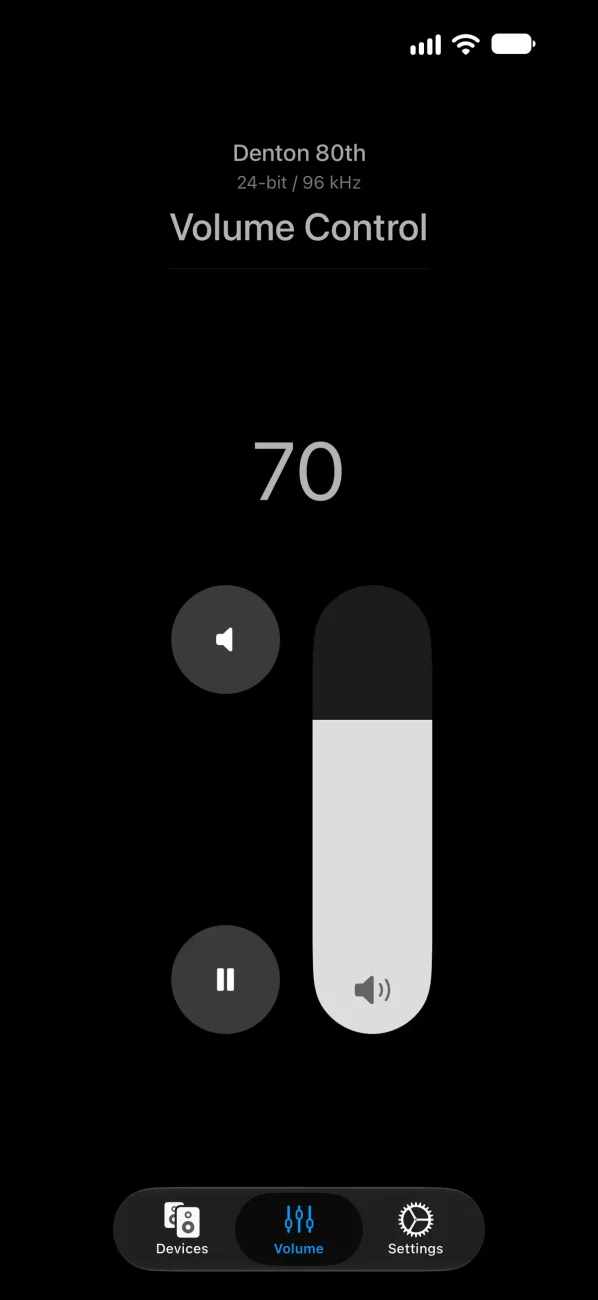
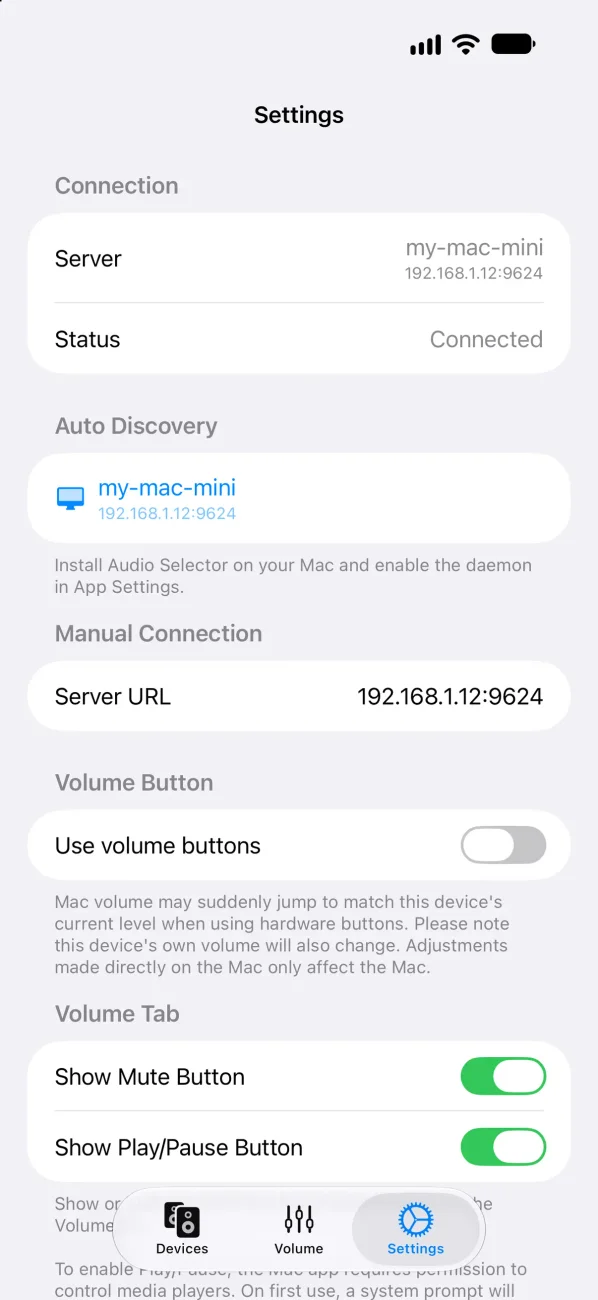
* Dedicated Volume Remote (Volume): Turn your device into a sleek, dedicated volume controller. You can even use your iPhone/iPad's physical volume buttons to adjust your Mac's audio level without looking at the screen! You can choose to show or hide the 'Mute' and 'Play/Pause' buttons in Settings → Volume Tab.
* L/R Balance Control (Pro): Fine-tune your stereo sound remotely. Adjust the left and right audio balance for individual Mac output devices right from your screen. (Shown only for devices that support balance control).
* Multichannel Output Pair (Pro): Choose which stereo pair - 1–2, 3–4, 5–6 and so on - a multichannel interface on your Mac uses for output. (Shown only for devices that expose multiple output pairs).
* Seamless & Secure Connection (Settings): Connect instantly using Auto-Discovery on your local network, or use manual IP/Port configuration for advanced setups. Supports 'Require Pairing' for a secure connection.
* Roon Zone Control (Devices): See your Mac's output devices that Roon is currently playing to - marked with a Roon badge - and adjust or mute Roon's zone volume in real time, even while Roon holds the device exclusively. Works with Roon's Device Volume and DSP Volume modes. (Requires Roon Volume Integration enabled in the Mac app.)
* Pro Sync: If you are a Premium user of Audio Selector on your Mac, Audio Selector Remote will automatically detect it and provide an ad-free experience.
◆ REQUIREMENTS
* Audio Selector Remote requires the 'Audio Selector' app on your Mac.
* Your Mac and iOS device must be connected to the same local Wi-Fi network.
新機能
バージョン 2.8.0 · 2026/11/4
* Side by side on wide screens: on iPad or an unfolded iPhone, the device list and the volume control now share one tab. You can turn this off in Settings › Layout.
* Fixes an issue where the ad banner could cover the tab bar, settings and playback controls on iPad and iPhone Duo.
* Fixes an issue where the device list used only part of the screen width on iPad.
アプリのプライバシー
このアプリのデータの取り扱いについて、DUKHYUN HWANGがApp Storeで申告している内容です。
-
ユーザーのトラッキングに使用されるデータ
他社のアプリやウェブサイトを横断してユーザーをトラッキングする目的で使用される場合があります。
- ID
- 使用状況データ
-
ユーザーに関連付けられないデータ
収集される場合がありますが、ユーザーの識別情報には関連付けられません。
- ID
- 使用状況データ
- 診断
プライバシーの取り扱いは、ご利用の機能やお客様の年齢などに応じて異なる場合があります。
情報
- 販売元
- DUKHYUN HWANG
- カテゴリ
- ユーティリティ
- バージョン
- 2.8.0
- 更新日
- 2026/11/4
- リリース
- 2026/4/8
- サイズ
- 4.8 MB
- 必要条件
- iOS 16.6以降
- 対象年齢
- 4+
- 価格
- 無料
- 言語
- 英語
- 著作権
- © 2026 Timeblimp Studio