- Clasificación por edad4+
- CategoríaUtilidades
- DesarrolladorYoshito Suzuki
- IdiomasJaponés
- Tamaño337,0 KB
Enlaza a la página oficial de App Store
Download.org no aloja ningún archivo de BarCopy. El botón abre la página de la aplicación en App Store, donde la publica Yoshito Suzuki. Ficha comprobada por última vez el 14/11/2026.
Capturas de pantalla
Acerca de
El desarrollador no ha proporcionado este texto en tu idioma.
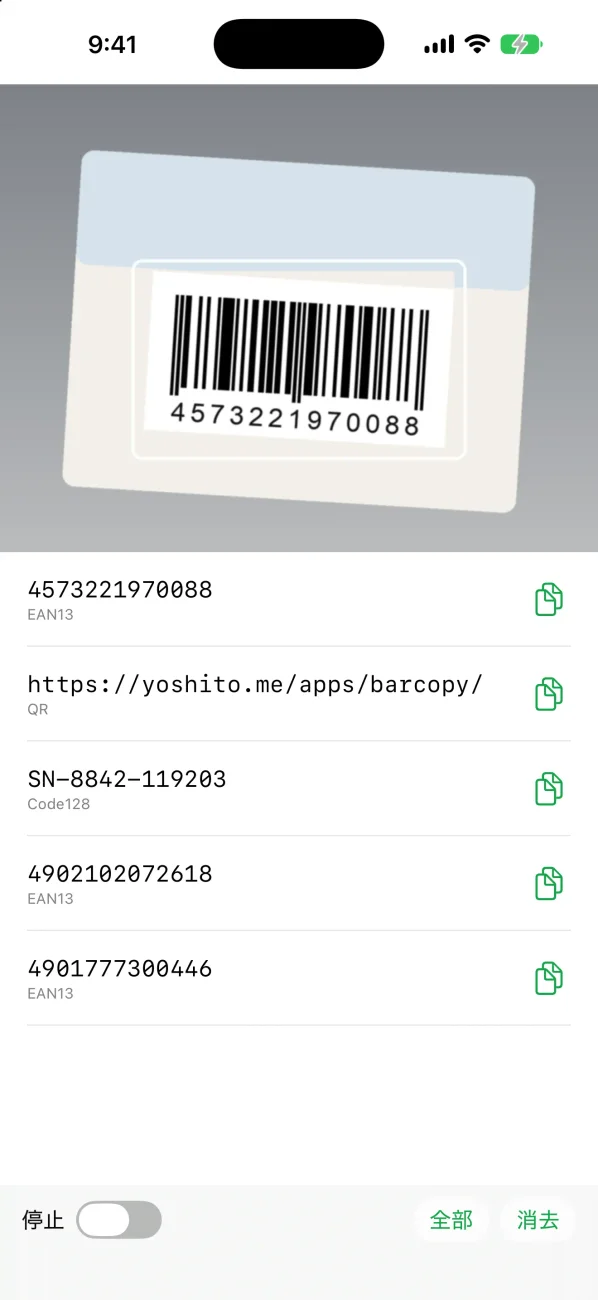
BarCopy does one thing: it reads barcodes and QR codes, and lets you copy what they say.
A product's EAN code, a tracking number on a slip, a URL inside a QR code. When all you want is to paste it somewhere else, squinting at small digits and typing them in — then checking them again — is time you never get back.
■ Just point it
There is no shutter button. Hold a code up to the camera and it is read automatically and added to the list below. No focusing, no lining it up inside a frame.
■ Scan as many as you like
No need to reopen the app between codes. Point at the next one and the values stack up in the order you read them — useful when you are working through a shelf or a box of parts.
■ Tap to copy
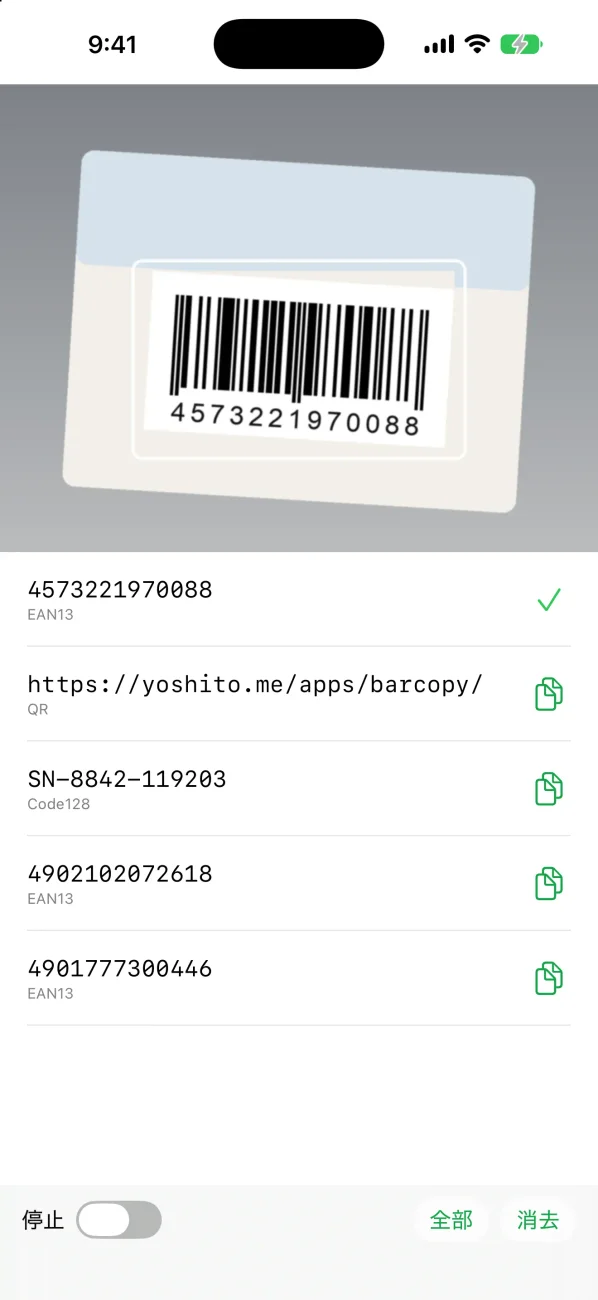
Tap a row to put it on the clipboard. Long-press instead, and you can select and copy just part of the value.
■ Copy them all at once
"全部" (Copy all) puts every scanned value on the clipboard, one per line, ready to paste into a spreadsheet or a note.
■ Pause when you need to
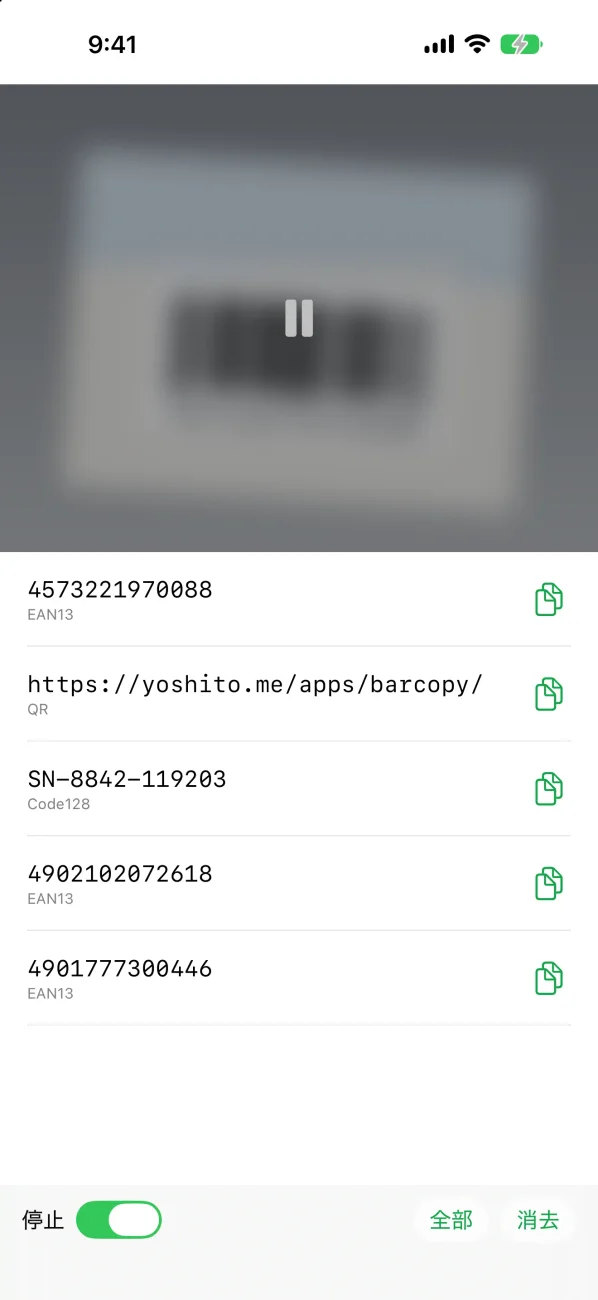
Flip the "停止" (Pause) toggle while you look back through the list. The camera preview blurs, so you can see at a glance that nothing is being scanned, and nothing unexpected sneaks into the list.
■ Your history stays
Scanned values survive closing the app, so you can come back and copy them later. Swipe a row to the left to delete it, or clear everything at once.
■ Barcodes and QR codes
Supports EAN/JAN, UPC, Code 128, Code 39, ITF, PDF417, Aztec, Data Matrix, QR and more. The symbology is shown under each value.
■ Everything stays on your device
Scanned values are stored on your iPhone and never sent anywhere. No account, no network, no ads, no tracking. It works offline.
Good for:
- Copying product barcode numbers into an inventory sheet
- Noting down serial numbers from equipment or shipping labels
- Copying the URL inside a QR code without opening it
- Reading a batch of codes and pasting them all into a spreadsheet
Note: the app's interface is in Japanese.
Privacidad de la aplicación
Lo que Yoshito Suzuki declara en App Store sobre cómo esta aplicación gestiona los datos.
-
No se recopilan datos
El desarrollador no recopila ningún dato de esta aplicación.
Las prácticas de privacidad pueden variar, por ejemplo, según las funciones que uses o tu edad.
Información
- Vendedor
- Yoshito Suzuki
- Categoría
- Utilidades
- Versión
- 1.0
- Actualizado
- 19/8/2026
- Publicado
- 19/8/2026
- Tamaño
- 337,0 KB
- Requiere
- iOS 26.0 o posterior
- Clasificación por edad
- 4+
- Precio
- Gratis
- Idiomas
- Japonés
- Copyright
- © 2026 Yoshito Suzuki.
Quizá también te guste
-
 シンプルQR:広告なしQRコードリーダーUtilidades
-
 Universal Barcode ScannerUtilidades
-
 Barcode Master Pro QR BarcodeScan, Generate & Print Labels
-
 QR Barcode Scanner & CreatorUtilidades
-
 Blip: Barcode QR KeyboardUtilidades
-
 VIP Lector de Códigos: CegueraPara discapacitados visuales
-
 SC-CloudUtilidades
-
 VoiceTimeSignalUtilidades
-
 KabMoniUtilidades
-
 AI MindClipUtilidades