- Độ tuổi4+
- Danh mụcTiện Ích
- Nhà phát triểnYoshito Suzuki
- Ngôn ngữTiếng Nhật
- Kích thước337,0 KB
Liên kết đến trang App Store chính thức
Download.org không lưu trữ tệp nào của BarCopy. Nút này mở trang ứng dụng trên App Store, nơi Yoshito Suzuki phát hành ứng dụng. Trang được kiểm tra lần cuối: 14/11/2026.
Ảnh chụp màn hình
Giới thiệu
Nhà phát triển chưa cung cấp nội dung này bằng ngôn ngữ của bạn.
BarCopy does one thing: it reads barcodes and QR codes, and lets you copy what they say.
A product's EAN code, a tracking number on a slip, a URL inside a QR code. When all you want is to paste it somewhere else, squinting at small digits and typing them in — then checking them again — is time you never get back.
■ Just point it
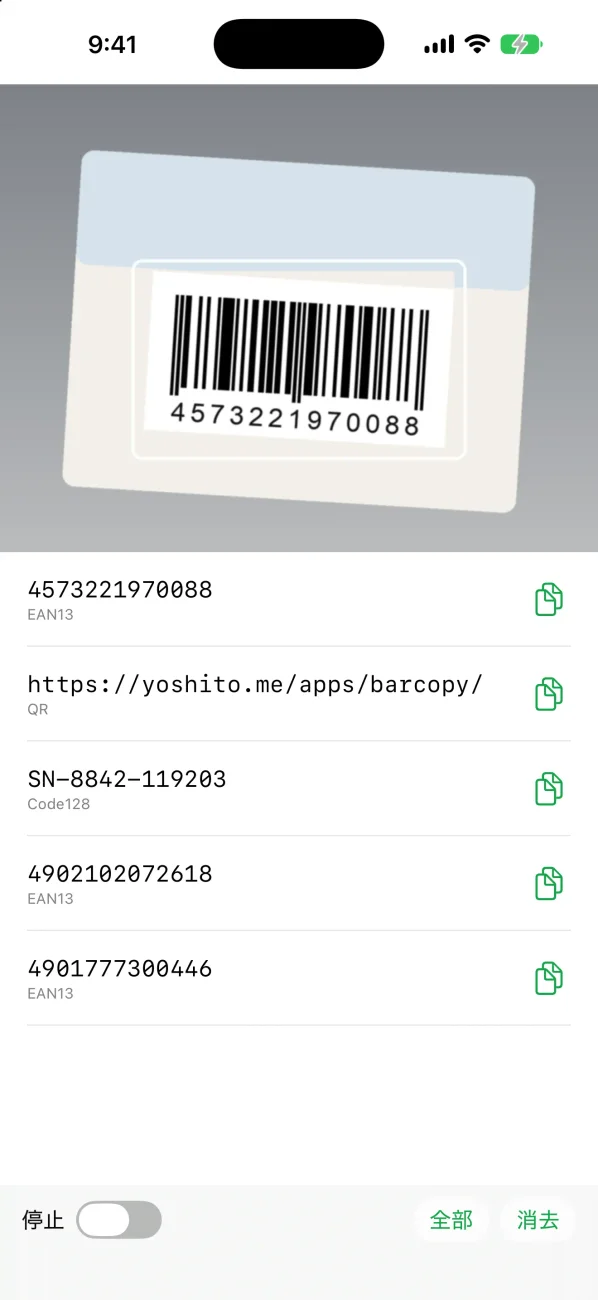
There is no shutter button. Hold a code up to the camera and it is read automatically and added to the list below. No focusing, no lining it up inside a frame.
■ Scan as many as you like
No need to reopen the app between codes. Point at the next one and the values stack up in the order you read them — useful when you are working through a shelf or a box of parts.
■ Tap to copy
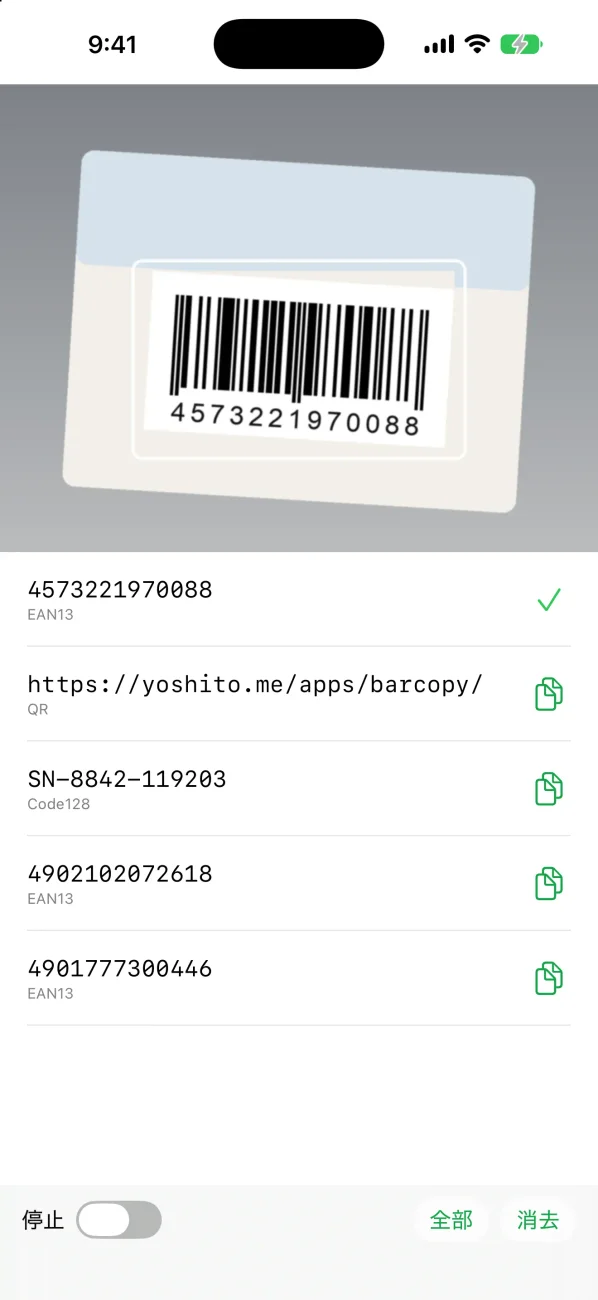
Tap a row to put it on the clipboard. Long-press instead, and you can select and copy just part of the value.
■ Copy them all at once
"全部" (Copy all) puts every scanned value on the clipboard, one per line, ready to paste into a spreadsheet or a note.
■ Pause when you need to
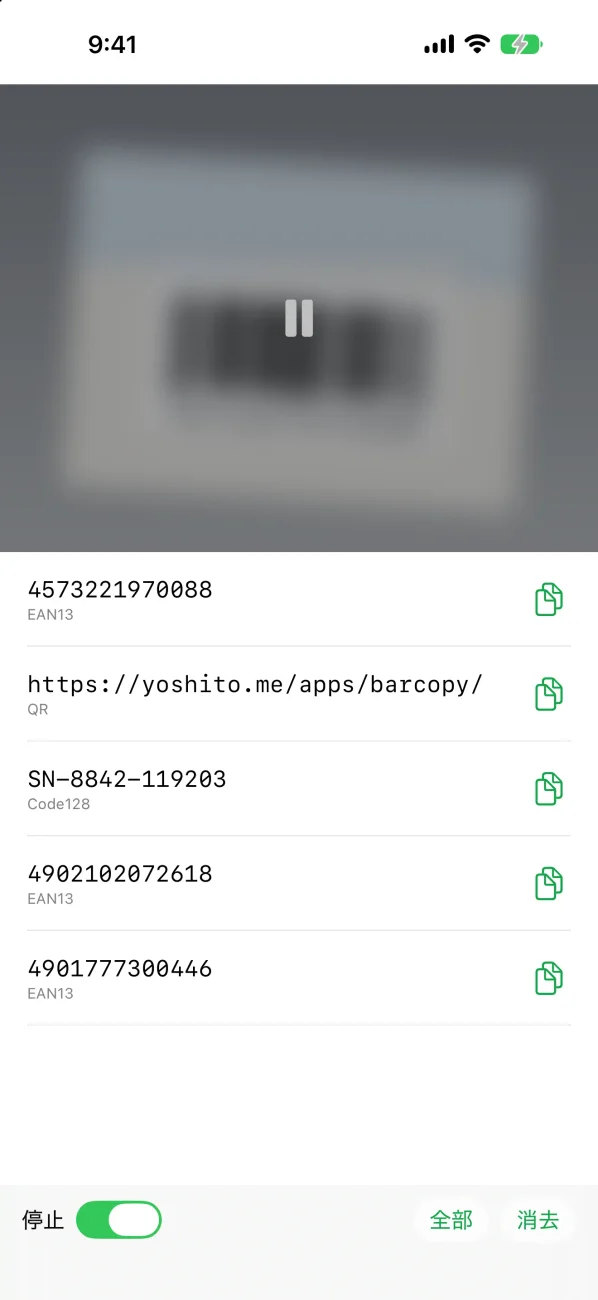
Flip the "停止" (Pause) toggle while you look back through the list. The camera preview blurs, so you can see at a glance that nothing is being scanned, and nothing unexpected sneaks into the list.
■ Your history stays
Scanned values survive closing the app, so you can come back and copy them later. Swipe a row to the left to delete it, or clear everything at once.
■ Barcodes and QR codes
Supports EAN/JAN, UPC, Code 128, Code 39, ITF, PDF417, Aztec, Data Matrix, QR and more. The symbology is shown under each value.
■ Everything stays on your device
Scanned values are stored on your iPhone and never sent anywhere. No account, no network, no ads, no tracking. It works offline.
Good for:
- Copying product barcode numbers into an inventory sheet
- Noting down serial numbers from equipment or shipping labels
- Copying the URL inside a QR code without opening it
- Reading a batch of codes and pasting them all into a spreadsheet
Note: the app's interface is in Japanese.
Quyền riêng tư của ứng dụng
Những gì Yoshito Suzuki khai báo trên App Store về cách ứng dụng này xử lý dữ liệu.
-
Dữ liệu không được thu thập
Nhà phát triển không thu thập bất kỳ dữ liệu nào từ ứng dụng này.
Phương thức đảm bảo quyền riêng tư có thể khác nhau, chẳng hạn như tuỳ theo các tính năng bạn sử dụng hoặc độ tuổi của bạn.
Thông tin
- Người bán
- Yoshito Suzuki
- Danh mục
- Tiện Ích
- Phiên bản
- 1.0
- Cập nhật
- 19/08/2026
- Phát hành
- 19/08/2026
- Kích thước
- 337,0 KB
- Yêu cầu
- iOS 26.0 trở lên
- Độ tuổi
- 4+
- Giá
- Miễn phí
- Ngôn ngữ
- Tiếng Nhật
- Bản quyền
- © 2026 Yoshito Suzuki.
Có thể bạn cũng thích
-
 シンプルQR:広告なしQRコードリーダーTiện Ích
-
 Universal Barcode ScannerTiện Ích
-
 Barcode Master Pro QR Mã VạchQuét, tạo mã & in nhãn tồn kho
-
 QR Barcode Scanner & CreatorTiện Ích
-
 Blip: Barcode QR KeyboardTiện Ích
-
 VIP Code Reader: blind scannerTiện Ích
-
 SC-CloudTiện Ích
-
 VoiceTimeSignalTiện Ích
-
 KabMoniTiện Ích
-
 AI MindClipTiện Ích