- Batasan usia4+
- KategoriKegunaan
- PengembangYoshito Suzuki
- BahasaJepang
- Ukuran337,0 KB
Tertaut ke halaman resmi App Store
Download.org tidak menyimpan file BarCopy apa pun. Tombol ini membuka halaman aplikasi di App Store, tempat Yoshito Suzuki menerbitkannya. Halaman terakhir diperiksa pada 14/11/2026.
Tangkapan layar
Tentang
Pengembang belum menyediakan teks ini dalam bahasa Anda.
BarCopy does one thing: it reads barcodes and QR codes, and lets you copy what they say.
A product's EAN code, a tracking number on a slip, a URL inside a QR code. When all you want is to paste it somewhere else, squinting at small digits and typing them in — then checking them again — is time you never get back.
■ Just point it
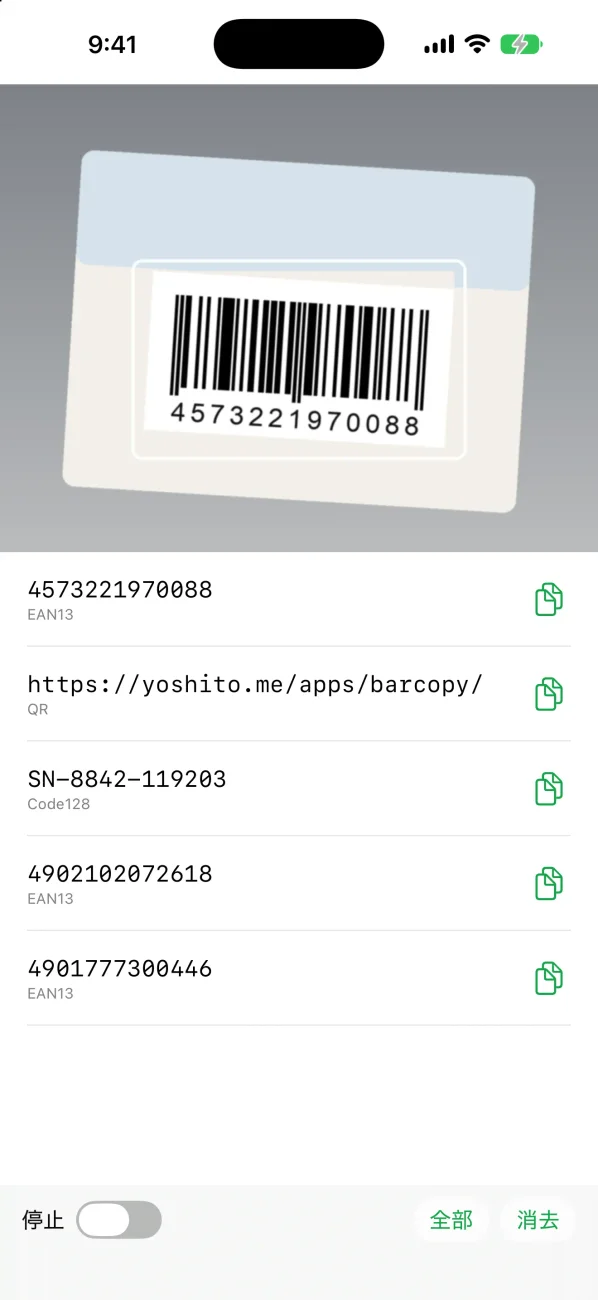
There is no shutter button. Hold a code up to the camera and it is read automatically and added to the list below. No focusing, no lining it up inside a frame.
■ Scan as many as you like
No need to reopen the app between codes. Point at the next one and the values stack up in the order you read them — useful when you are working through a shelf or a box of parts.
■ Tap to copy
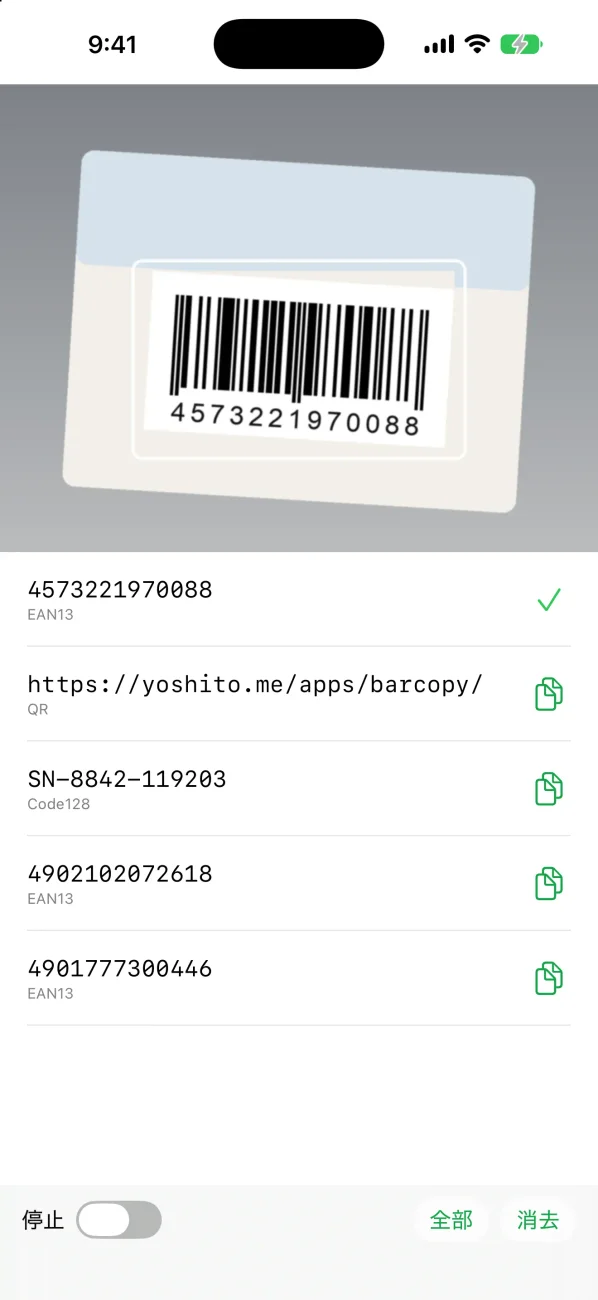
Tap a row to put it on the clipboard. Long-press instead, and you can select and copy just part of the value.
■ Copy them all at once
"全部" (Copy all) puts every scanned value on the clipboard, one per line, ready to paste into a spreadsheet or a note.
■ Pause when you need to
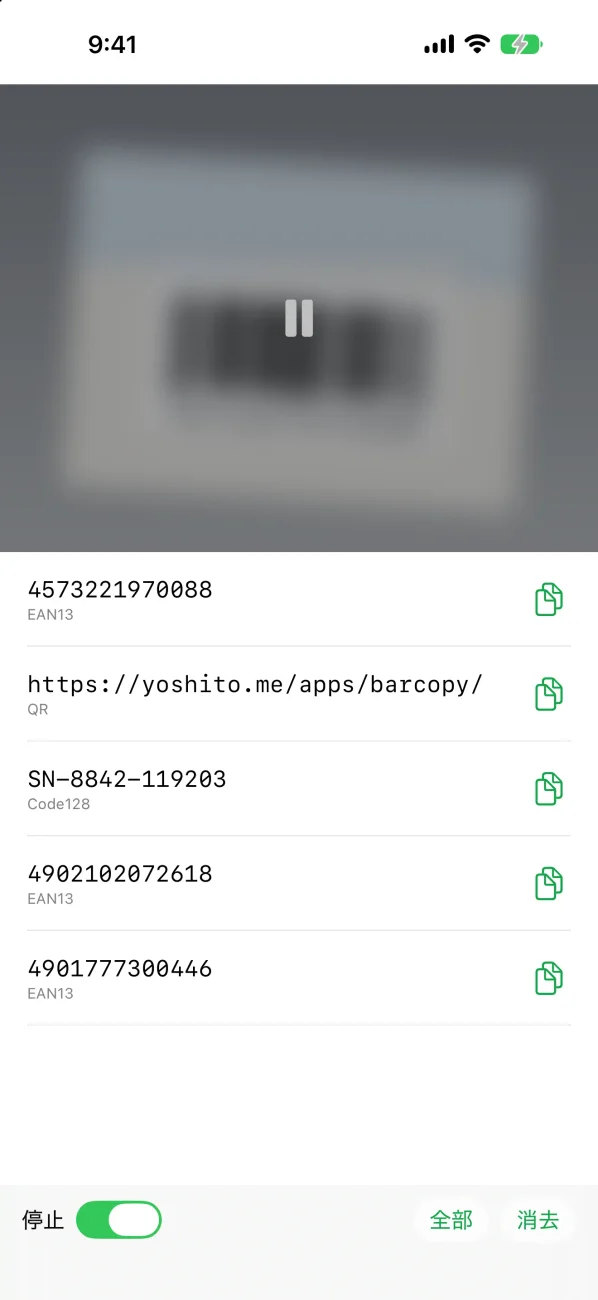
Flip the "停止" (Pause) toggle while you look back through the list. The camera preview blurs, so you can see at a glance that nothing is being scanned, and nothing unexpected sneaks into the list.
■ Your history stays
Scanned values survive closing the app, so you can come back and copy them later. Swipe a row to the left to delete it, or clear everything at once.
■ Barcodes and QR codes
Supports EAN/JAN, UPC, Code 128, Code 39, ITF, PDF417, Aztec, Data Matrix, QR and more. The symbology is shown under each value.
■ Everything stays on your device
Scanned values are stored on your iPhone and never sent anywhere. No account, no network, no ads, no tracking. It works offline.
Good for:
- Copying product barcode numbers into an inventory sheet
- Noting down serial numbers from equipment or shipping labels
- Copying the URL inside a QR code without opening it
- Reading a batch of codes and pasting them all into a spreadsheet
Note: the app's interface is in Japanese.
Privasi aplikasi
Yang dinyatakan Yoshito Suzuki di App Store tentang cara aplikasi ini menangani data.
-
Data tidak dikumpulkan
Pengembang tidak mengumpulkan data apa pun dari aplikasi ini.
Praktik privasi dapat bervariasi, misalnya berdasarkan fitur yang Anda gunakan atau usia Anda.
Informasi
- Penjual
- Yoshito Suzuki
- Kategori
- Kegunaan
- Versi
- 1.0
- Diperbarui
- 19/8/2026
- Dirilis
- 19/8/2026
- Ukuran
- 337,0 KB
- Memerlukan
- iOS 26.0 atau yang lebih baru
- Batasan usia
- 4+
- Harga
- Gratis
- Bahasa
- Jepang
- Hak cipta
- © 2026 Yoshito Suzuki.
Mungkin Anda juga suka
-
 シンプルQR:広告なしQRコードリーダーKegunaan
-
 Universal Barcode ScannerKegunaan
-
 Barcode Master Pro QR BarcodeScan, Generate & Print Labels
-
 QR Barcode Scanner & CreatorKegunaan
-
 Blip: Barcode QR KeyboardKegunaan
-
 VIP Pembaca Kode: tuna netraBagi pengguna tuna netra
-
 SC-CloudKegunaan
-
 VoiceTimeSignalKegunaan
-
 KabMoniKegunaan
-
 AI MindClipKegunaan