
Clipfile
Capture and remember anything
Diseñada para iPhone, iPad, Mac
Gratis · Compras en la aplicación
- Clasificación por edad4+
- CategoríaProductividad
- DesarrolladorMike Shear
- IdiomasInglés
- Tamaño4,1 MB
Enlaza a la página oficial de App Store
Download.org no aloja ningún archivo de Clipfile. El botón abre la página de la aplicación en App Store, donde la publica Mike Shear. Ficha comprobada por última vez el 18/11/2026.
Capturas de pantalla



Acerca de
El desarrollador no ha proporcionado este texto en tu idioma.
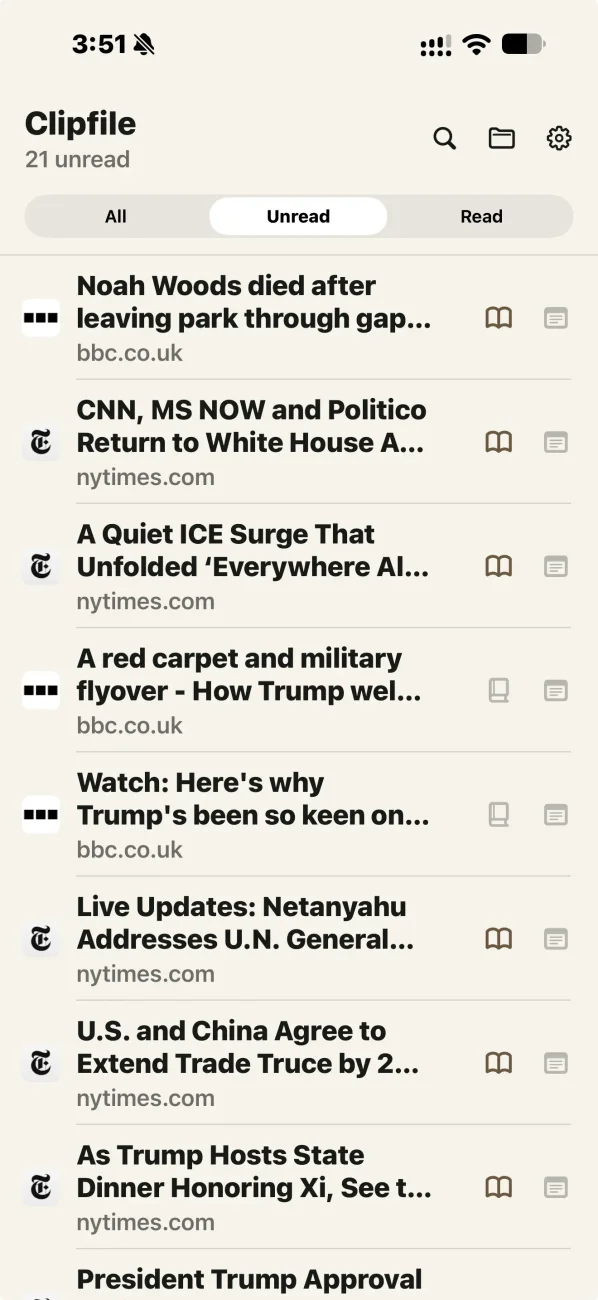
Clipfile saves what you're reading — the whole article, not just the link.
Open the Clipfile extension from Safari's page menu and the article is saved, text and all. It is read out of the page you already have open, in your own logged-in session, so anything you can read in Safari comes through complete — including the articles behind a subscription you pay for. Links alone go stale; a saved article doesn't.
Saving from another app works too: share a link to Clipfile from anywhere. If you also use Clipfile for Mac, it fills in the article's text for links saved that way, where the page allows it.
A READER THAT WORKS OFFLINE
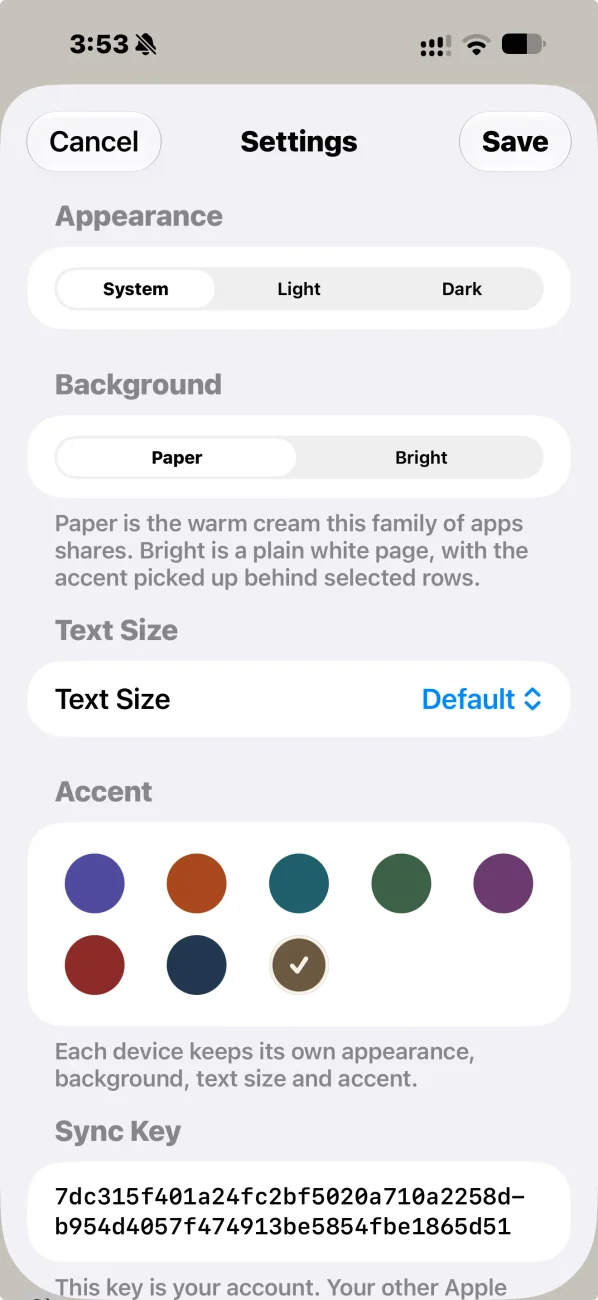
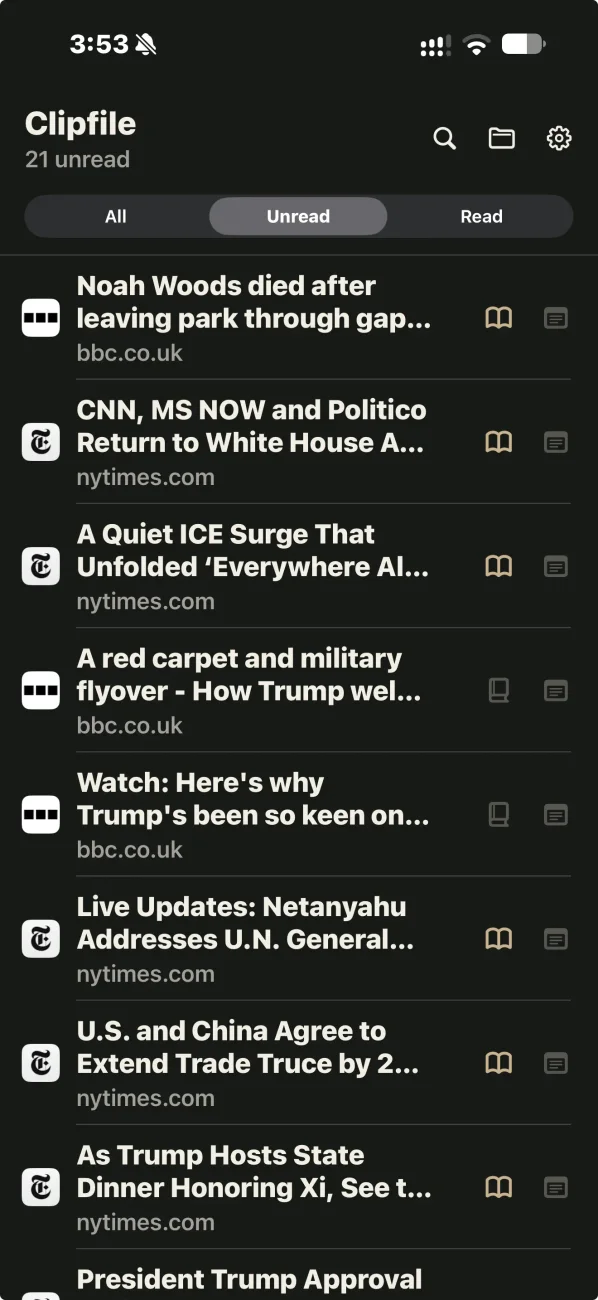
Read in Clipfile's reader: clean text in a typeface chosen for reading, at the size your eyes prefer, on a warm paper or bright white page, in light or dark. The saved copy is there on a plane or the subway, and it is still there after the original page has moved, changed or gone.
YOUR LIST, KEPT IN ORDER
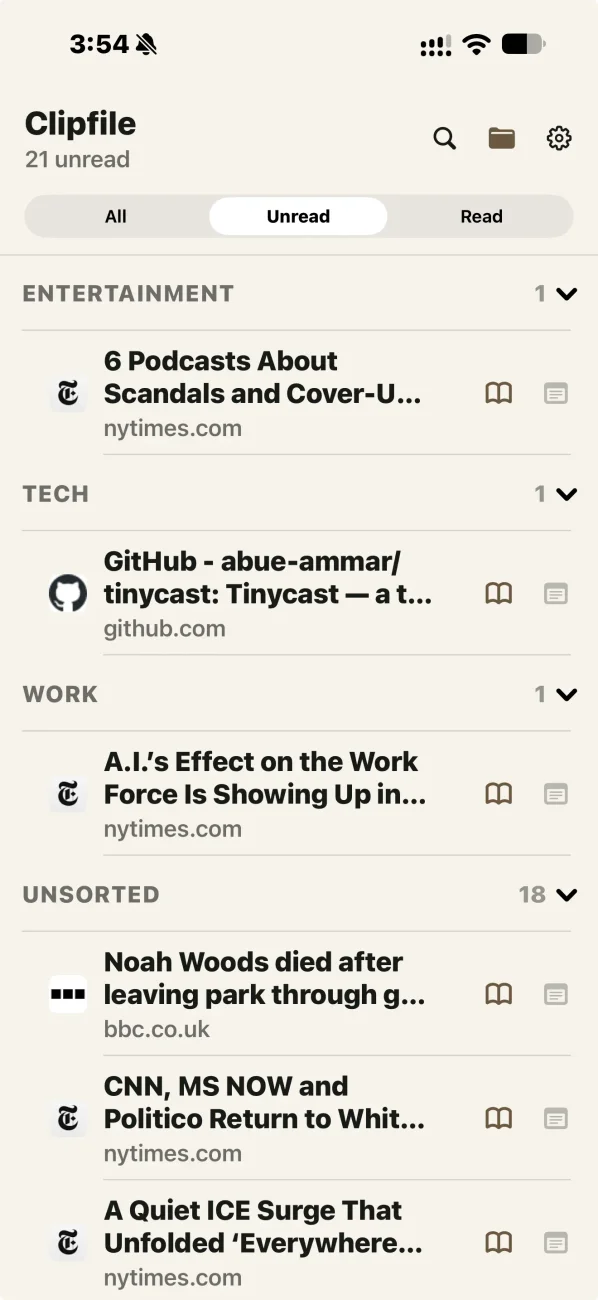
Unread and Read, a search that covers titles, sites and your own notes, and folders that sort themselves: Clipfile files each article under a topic as it arrives, and you can group your list by folder or leave it as one list. A widget keeps your most recent unread articles on your Home Screen, and if something has sat unread for two weeks, Clipfile gives you a gentle nudge.
NOTES ON WHAT YOU SAVE
Add a note to any article — why you saved it, the line that mattered, what to do with it. Notes are searchable, so the article you can't find by its headline turns up by what you wrote about it.
ON YOUR MAC TOO
Clipfile for Mac saves from Safari with one keystroke and brings your list up over whatever you're doing. It's the same list, on every device.
NO ACCOUNT
There is no sign-up. Your iPhone, iPad and Mac find each other through iCloud Keychain, and Link a Device pairs anything iCloud Keychain can't reach with a one-time code. Your list syncs through Clipfile's own server, filed under a random key rather than under your name, and the text of saved articles is stored there encrypted. To sort articles into folders, their titles and web addresses are sent to Google's Gemini. There are no analytics, no advertising and no third-party SDKs.
YOUR DATA, YOURS TO TAKE
Export your whole list as JSON or CSV at any time, from Settings.
Clipfile is free on iPhone and iPad.
Novedades
Versión 2.8 · 26/10/2026
Ready for iPhone Duo, with your color down the status bar. On the Mac, the arrow keys move through your saved items.
Privacidad de la aplicación
Lo que Mike Shear declara en App Store sobre cómo esta aplicación gestiona los datos.
-
Datos vinculados a ti
Pueden recopilarse y vincularse a tu identidad.
- Contenido del usuario
- Historial de navegación
- Identificadores
Las prácticas de privacidad pueden variar, por ejemplo, según las funciones que uses o tu edad.
Información
- Vendedor
- Mike Shear
- Categoría
- Productividad
- Versión
- 2.8
- Actualizado
- 26/10/2026
- Publicado
- 1/7/2026
- Tamaño
- 4,1 MB
- Requiere
- iOS 16.0 o posterior
- Clasificación por edad
- 4+
- Precio
- Gratis
- Compras en la aplicación
- Sí
- Idiomas
- Inglés
- Copyright
- © 2026 Michael D. Shear
Quizá también te guste
-
 1Bookmark: All Links in OneProductividad
-
 Bookmarker: Save Links & ReelsProductividad
-
 Coffee: Markdown NotesProductividad
-
 Raven - Notas MarkdownEditor de texto sin conexión
-
 Sayso: AI Voice AssistantProductividad
-
 Brainspill: Tareas por vozPróxima tarea en Lock Screen
-
 Smolpad - markdown notesProductividad
-
 Multi: Habit Tracker & To DoProductividad
-
 Poet's ComposerProductividad
-
 Trott: Turn Saves into NotesProductividad