
Clipfile
Capture and remember anything
Dirancang untuk iPhone, iPad, Mac
Gratis · Pembelian dalam aplikasi
- Batasan usia4+
- KategoriProduktivitas
- PengembangMike Shear
- BahasaInggris
- Ukuran4,1 MB
Tertaut ke halaman resmi App Store
Download.org tidak menyimpan file Clipfile apa pun. Tombol ini membuka halaman aplikasi di App Store, tempat Mike Shear menerbitkannya. Halaman terakhir diperiksa pada 18/11/2026.
Tangkapan layar


Tentang
Pengembang belum menyediakan teks ini dalam bahasa Anda.
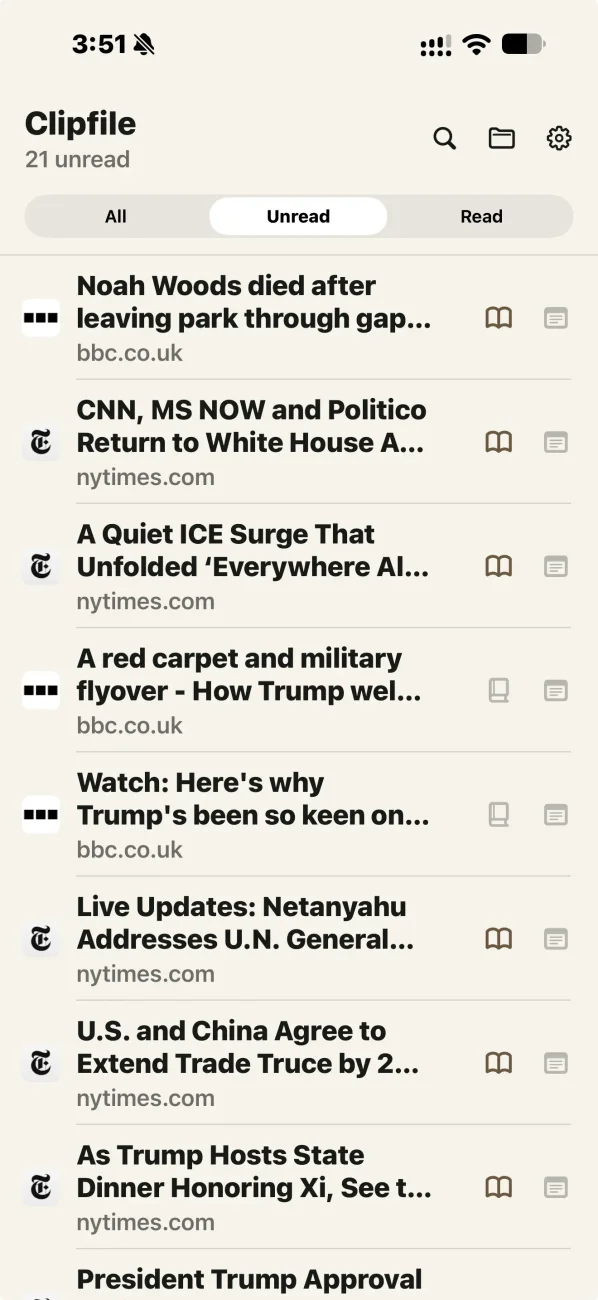
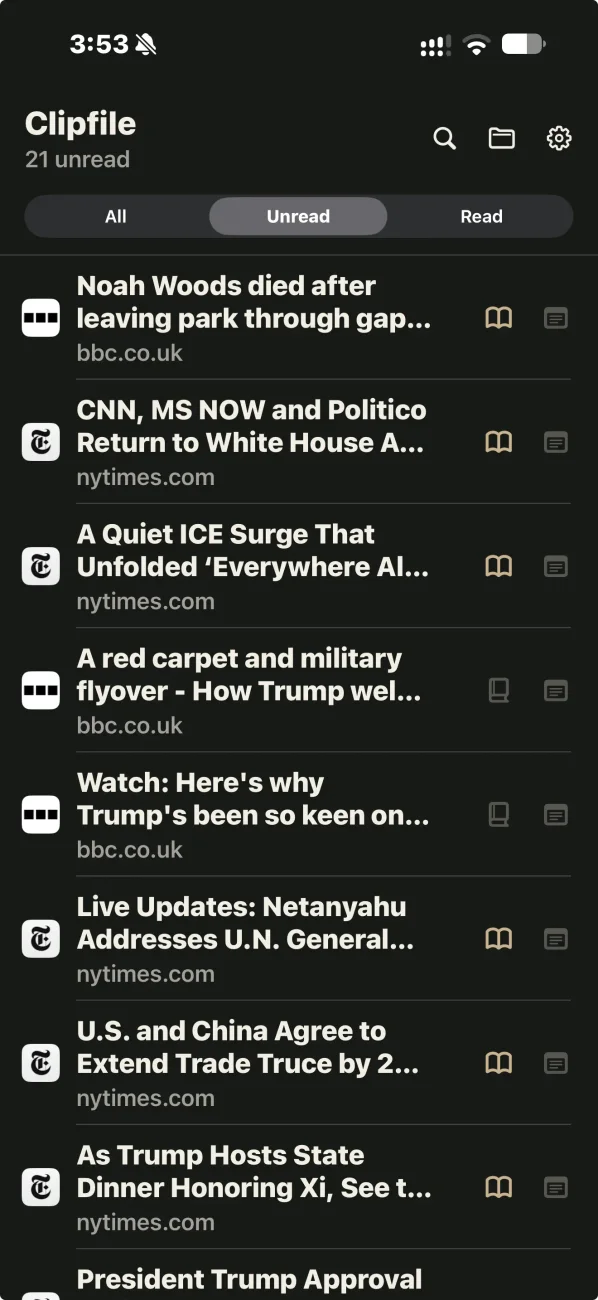
Clipfile saves what you're reading — the whole article, not just the link.
Open the Clipfile extension from Safari's page menu and the article is saved, text and all. It is read out of the page you already have open, in your own logged-in session, so anything you can read in Safari comes through complete — including the articles behind a subscription you pay for. Links alone go stale; a saved article doesn't.
Saving from another app works too: share a link to Clipfile from anywhere. If you also use Clipfile for Mac, it fills in the article's text for links saved that way, where the page allows it.
A READER THAT WORKS OFFLINE
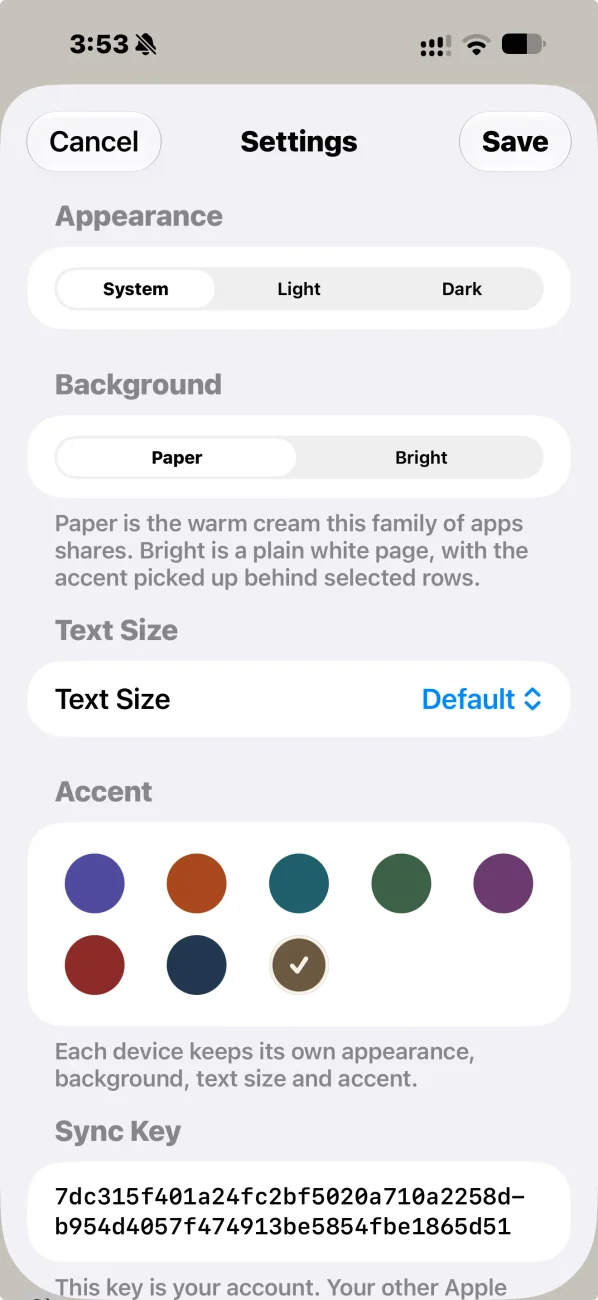
Read in Clipfile's reader: clean text in a typeface chosen for reading, at the size your eyes prefer, on a warm paper or bright white page, in light or dark. The saved copy is there on a plane or the subway, and it is still there after the original page has moved, changed or gone.
YOUR LIST, KEPT IN ORDER
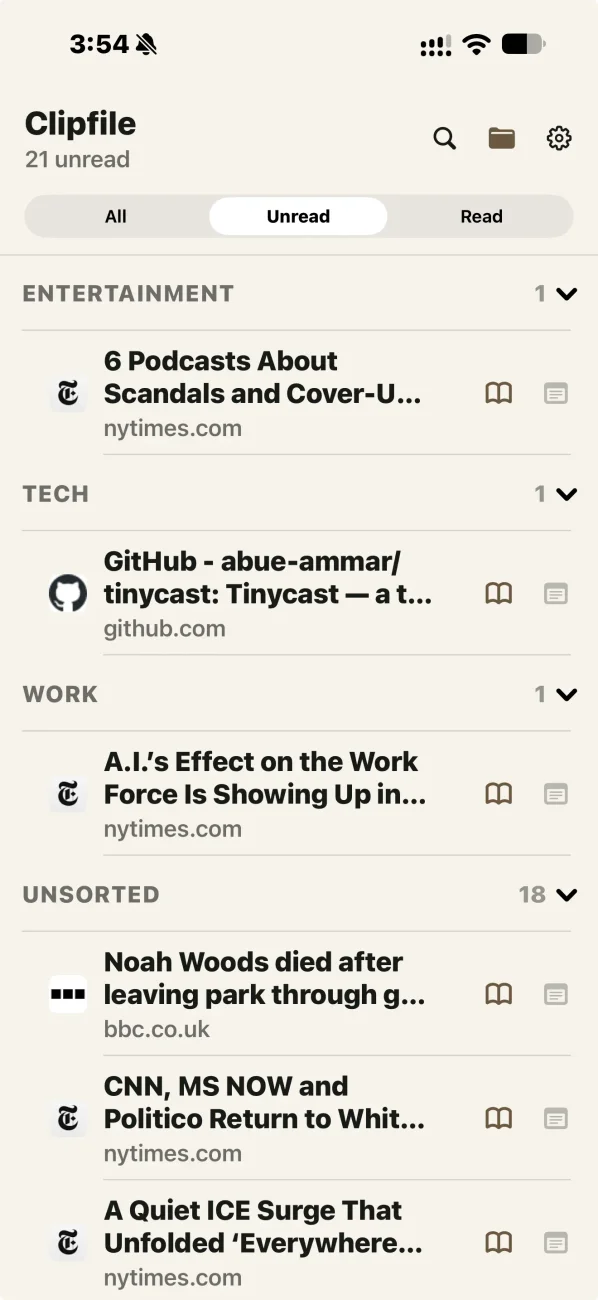
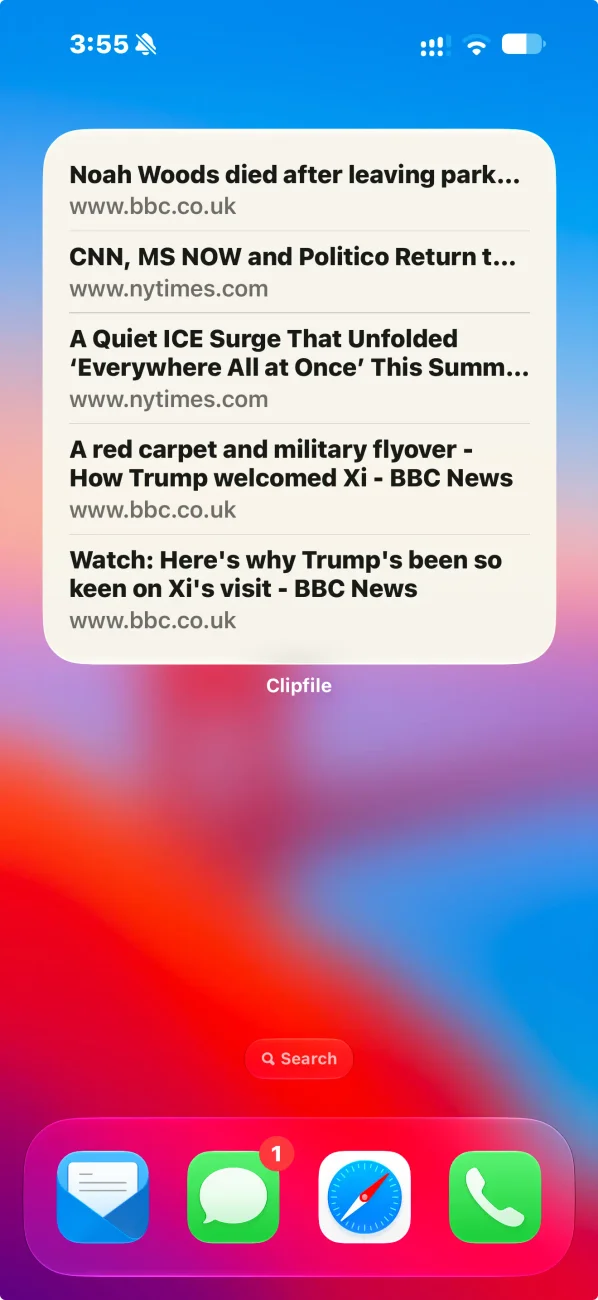
Unread and Read, a search that covers titles, sites and your own notes, and folders that sort themselves: Clipfile files each article under a topic as it arrives, and you can group your list by folder or leave it as one list. A widget keeps your most recent unread articles on your Home Screen, and if something has sat unread for two weeks, Clipfile gives you a gentle nudge.
NOTES ON WHAT YOU SAVE
Add a note to any article — why you saved it, the line that mattered, what to do with it. Notes are searchable, so the article you can't find by its headline turns up by what you wrote about it.
ON YOUR MAC TOO
Clipfile for Mac saves from Safari with one keystroke and brings your list up over whatever you're doing. It's the same list, on every device.
NO ACCOUNT
There is no sign-up. Your iPhone, iPad and Mac find each other through iCloud Keychain, and Link a Device pairs anything iCloud Keychain can't reach with a one-time code. Your list syncs through Clipfile's own server, filed under a random key rather than under your name, and the text of saved articles is stored there encrypted. To sort articles into folders, their titles and web addresses are sent to Google's Gemini. There are no analytics, no advertising and no third-party SDKs.
YOUR DATA, YOURS TO TAKE
Export your whole list as JSON or CSV at any time, from Settings.
Clipfile is free on iPhone and iPad.
Yang baru
Versi 2.8 · 26/10/2026
Ready for iPhone Duo, with your color down the status bar. On the Mac, the arrow keys move through your saved items.
Privasi aplikasi
Yang dinyatakan Mike Shear di App Store tentang cara aplikasi ini menangani data.
-
Data yang ditautkan dengan Anda
Dapat dikumpulkan dan ditautkan dengan identitas Anda.
- Konten pengguna
- Riwayat penelusuran
- Pengenal
Praktik privasi dapat bervariasi, misalnya berdasarkan fitur yang Anda gunakan atau usia Anda.
Informasi
- Penjual
- Mike Shear
- Kategori
- Produktivitas
- Versi
- 2.8
- Diperbarui
- 26/10/2026
- Dirilis
- 1/7/2026
- Ukuran
- 4,1 MB
- Memerlukan
- iOS 16.0 atau yang lebih baru
- Batasan usia
- 4+
- Harga
- Gratis
- Pembelian dalam aplikasi
- Ya
- Bahasa
- Inggris
- Hak cipta
- © 2026 Michael D. Shear
Mungkin Anda juga suka
-
 1Bookmark: All Links in OneProduktivitas
-
 Bookmarker: Save Links & ReelsProduktivitas
-
 Coffee: Markdown NotesProduktivitas
-
 Raven: Editor MarkdownCatatan lokal di berkas teks
-
 Sayso: AI Voice AssistantProduktivitas
-
 Brainspill: Tugas lewat suaraTugas berikut di Lock Screen
-
 Smolpad - markdown notesProduktivitas
-
 Multi: Habit Tracker & To DoProduktivitas
-
 Poet's ComposerProduktivitas
-
 Trott: Turn Saves into NotesProduktivitas