
Clipfile
Capture and remember anything
iPhone, iPad, Mac için tasarlandı
Ücretsiz · Uygulama içi satın alma
- Yaş sınırı4+
- KategoriÜretkenlik
- GeliştiriciMike Shear
- Dillerİngilizce
- Boyut4,1 MB
Resmi App Store sayfasına bağlanır
Download.org, Clipfile için hiçbir dosya barındırmaz. Düğme, uygulamanın App Store üzerindeki sayfasını açar; uygulamayı orada Mike Shear yayınlar. Sayfanın son kontrolü: 18.11.2026.
Ekran görüntüleri


Hakkında
Geliştirici bu metni dilinizde sunmamış.
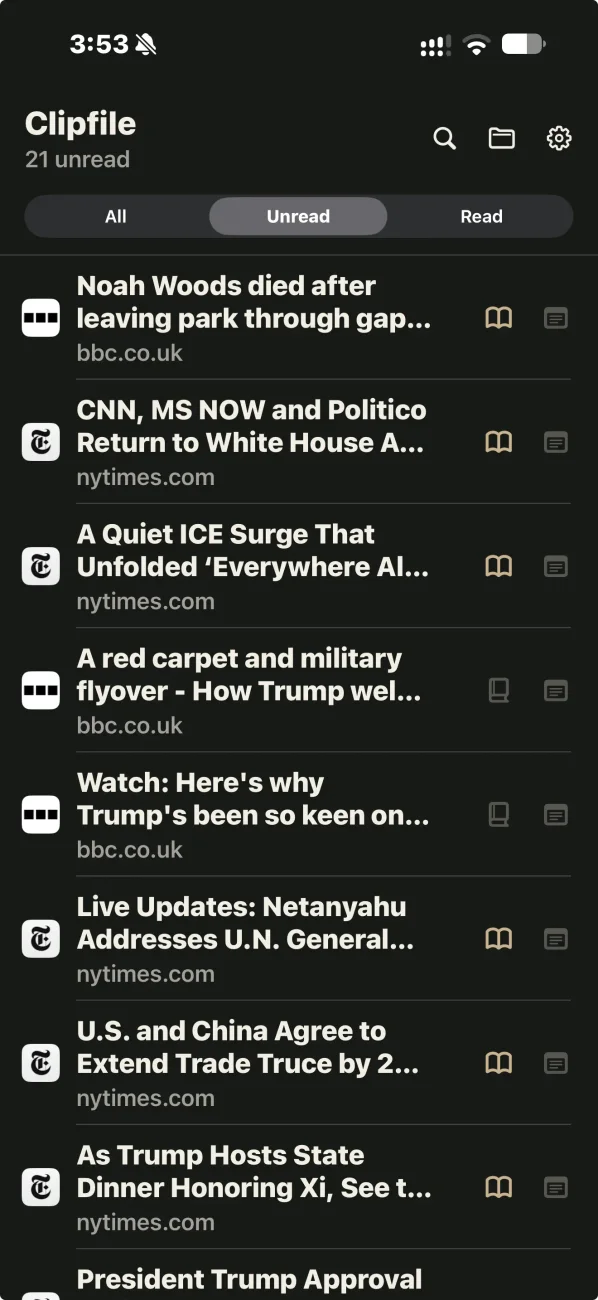
Clipfile saves what you're reading — the whole article, not just the link.
Open the Clipfile extension from Safari's page menu and the article is saved, text and all. It is read out of the page you already have open, in your own logged-in session, so anything you can read in Safari comes through complete — including the articles behind a subscription you pay for. Links alone go stale; a saved article doesn't.
Saving from another app works too: share a link to Clipfile from anywhere. If you also use Clipfile for Mac, it fills in the article's text for links saved that way, where the page allows it.
A READER THAT WORKS OFFLINE
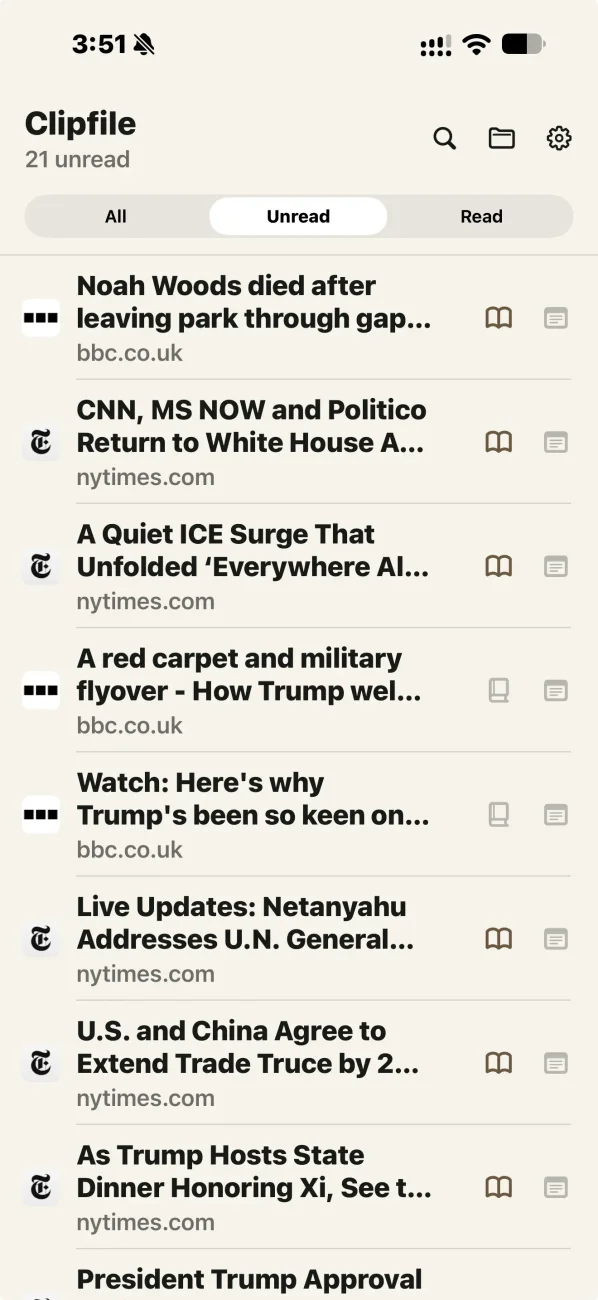
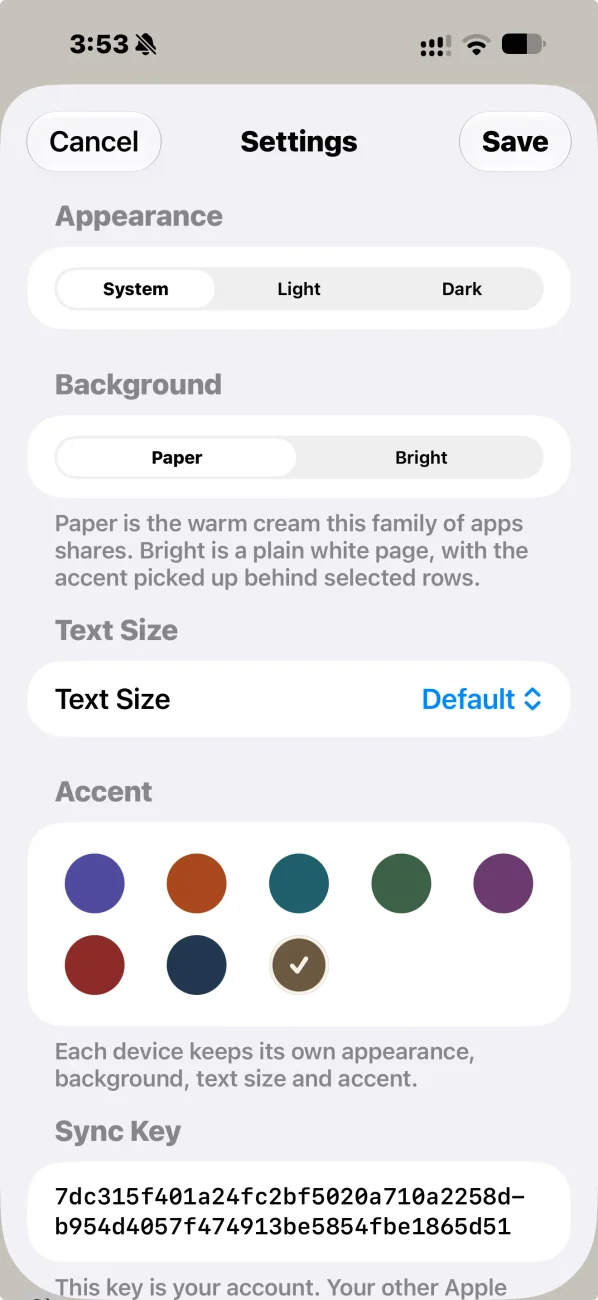
Read in Clipfile's reader: clean text in a typeface chosen for reading, at the size your eyes prefer, on a warm paper or bright white page, in light or dark. The saved copy is there on a plane or the subway, and it is still there after the original page has moved, changed or gone.
YOUR LIST, KEPT IN ORDER
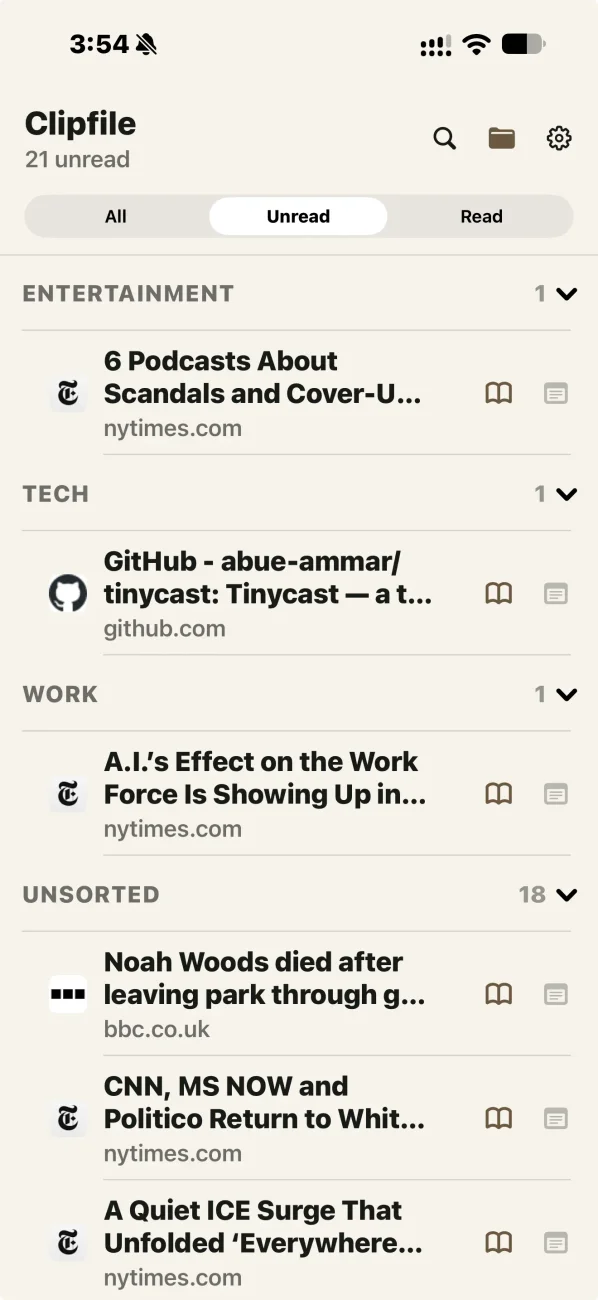
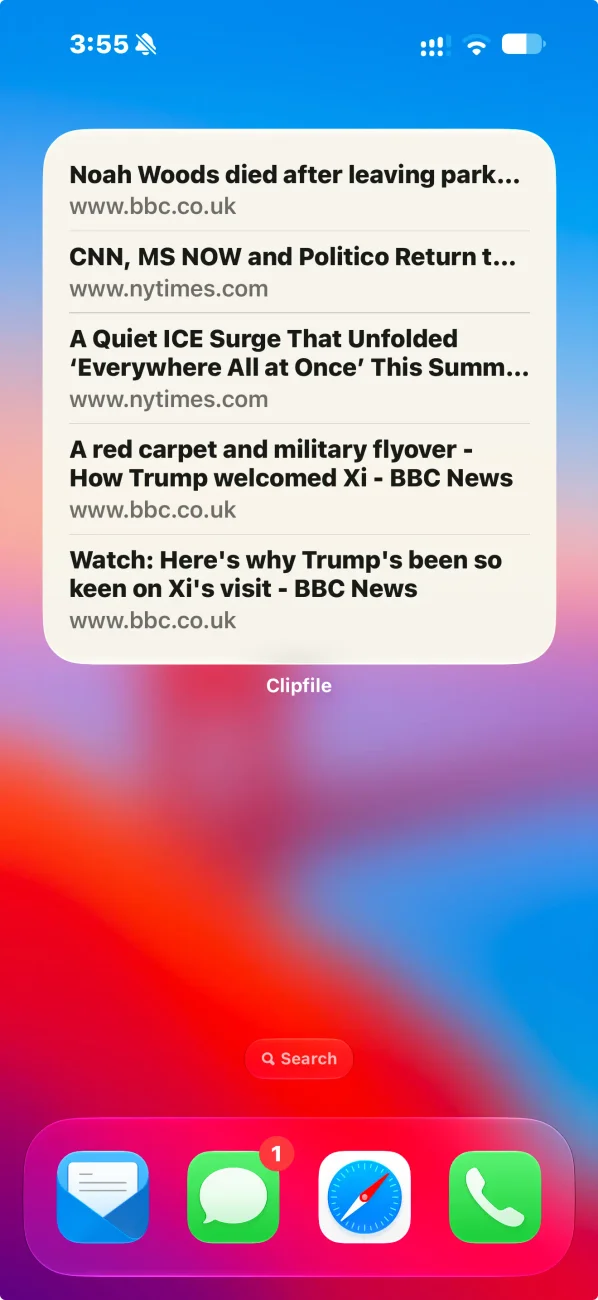
Unread and Read, a search that covers titles, sites and your own notes, and folders that sort themselves: Clipfile files each article under a topic as it arrives, and you can group your list by folder or leave it as one list. A widget keeps your most recent unread articles on your Home Screen, and if something has sat unread for two weeks, Clipfile gives you a gentle nudge.
NOTES ON WHAT YOU SAVE
Add a note to any article — why you saved it, the line that mattered, what to do with it. Notes are searchable, so the article you can't find by its headline turns up by what you wrote about it.
ON YOUR MAC TOO
Clipfile for Mac saves from Safari with one keystroke and brings your list up over whatever you're doing. It's the same list, on every device.
NO ACCOUNT
There is no sign-up. Your iPhone, iPad and Mac find each other through iCloud Keychain, and Link a Device pairs anything iCloud Keychain can't reach with a one-time code. Your list syncs through Clipfile's own server, filed under a random key rather than under your name, and the text of saved articles is stored there encrypted. To sort articles into folders, their titles and web addresses are sent to Google's Gemini. There are no analytics, no advertising and no third-party SDKs.
YOUR DATA, YOURS TO TAKE
Export your whole list as JSON or CSV at any time, from Settings.
Clipfile is free on iPhone and iPad.
Yenilikler
Sürüm 2.8 · 26.10.2026
Ready for iPhone Duo, with your color down the status bar. On the Mac, the arrow keys move through your saved items.
Uygulama gizliliği
Bu uygulamanın verileri nasıl işlediği hakkında Mike Shear tarafından App Store üzerinde yapılan beyan.
-
Sizinle ilişkilendirilen veriler
Toplanabilir ve kimliğinizle ilişkilendirilebilir.
- Kullanıcı içeriği
- Tarama geçmişi
- Tanımlayıcılar
Gizlilik uygulamaları, örneğin kullandığınız özelliklere veya yaşınıza göre değişiklik gösterebilir.
Bilgiler
- Satıcı
- Mike Shear
- Kategori
- Üretkenlik
- Sürüm
- 2.8
- Güncellendi
- 26.10.2026
- Yayın tarihi
- 01.07.2026
- Boyut
- 4,1 MB
- Gereksinim
- iOS 16.0 veya sonrası
- Yaş sınırı
- 4+
- Fiyat
- Ücretsiz
- Uygulama içi satın alma
- Evet
- Diller
- İngilizce
- Telif hakkı
- © 2026 Michael D. Shear
Bunları da beğenebilirsiniz
-
 1Bookmark: All Links in OneÜretkenlik
-
 Bookmarker: Save Links & ReelsÜretkenlik
-
 Coffee: Markdown NotesÜretkenlik
-
 Raven: Markdown Notes & EditorÜretkenlik
-
 Sayso: AI Voice AssistantÜretkenlik
-
 Brainspill: Sesle yapılacaklarSıradaki görev Lock Screen'de
-
 Smolpad - markdown notesÜretkenlik
-
 Multi: Habit Tracker & To DoÜretkenlik
-
 Poet's ComposerÜretkenlik
-
 Trott: Turn Saves into NotesÜretkenlik