
CrowFlies
Compass back to your places
Diseñada para iPhone, iPad
6,99 € · Compras en la aplicación
- Clasificación por edad4+
- CategoríaNavegación
- DesarrolladorTony Davis
- IdiomasInglés
- Tamaño3,4 MB
Enlaza a la página oficial de App Store
Download.org no aloja ningún archivo de CrowFlies. El botón abre la página de la aplicación en App Store, donde la publica Tony Davis. Ficha comprobada por última vez el 12/11/2026.
Capturas de pantalla


Acerca de
El desarrollador no ha proporcionado este texto en tu idioma.
Ever been in a different city and needed to find your car? Or the train station, your hotel, or your tent at a festival? Nobody likes walking in circles.
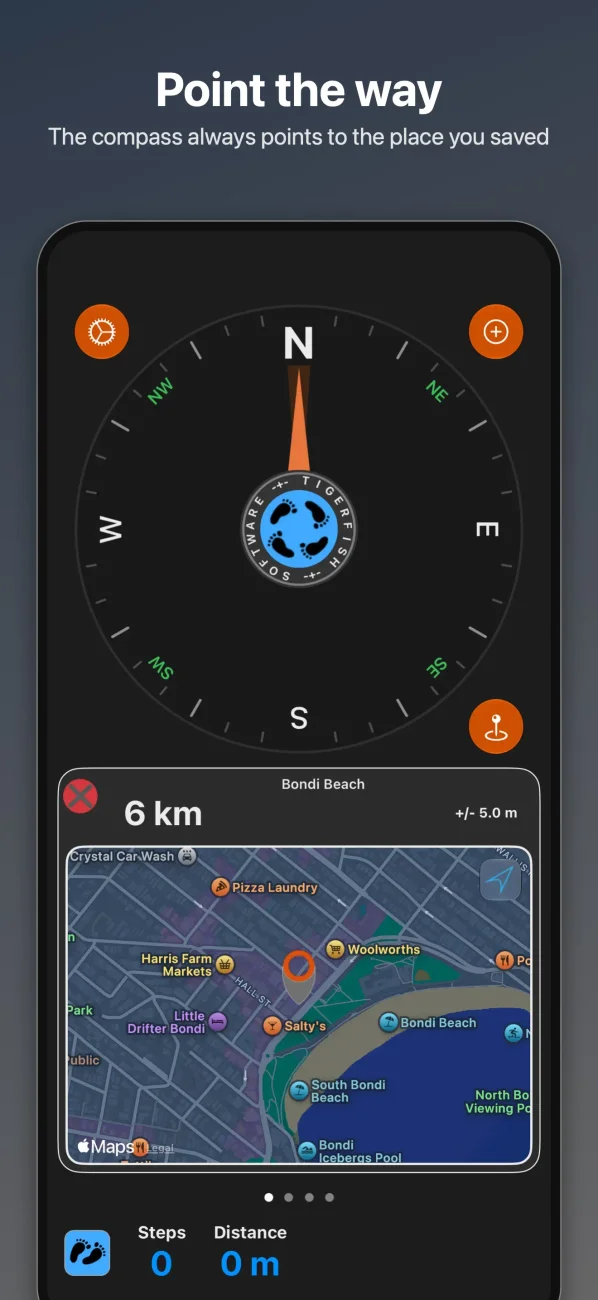
CrowFlies fixes that. Save where you are before you set off and its compass always points straight back, as the crow flies. Or drop a pin anywhere on the map and let the compass show the way there, even with no signal. It tells you how far you have to go, and counts your steps along the way.
Great for exploring new places, meeting friends in a park or a crowd, and finding your way home after a run or a ride somewhere new.
WHAT'S IN 6.1
• Name your places. Give a waypoint a name of your own, like My car or Meet Sam, and the address or spot sits underneath it on the list and on the map.
• Markers that mean something. Pick a marker for each waypoint: pin, home, work, friend, car, food, shop or star. The map pin carries it and the waypoint card shows it.
• A machined compass. The dial sits in a watch-style face with a brushed ring, a sunburst field and a bevelled rim.
• A fresh look. New backgrounds, a cleaner waypoint card, a modern delete control and a friendly empty state when you have no places yet.
• Fixes. The waypoint list and step distance follow your metres or feet setting, the paging dots follow the list, pin callouts wrap on narrow screens, and the map no longer scrolls under your finger on iPhone Duo and iPad.
WHAT'S IN 6.0
• A quiet compass face: a dark dial with the bearing as a slim needle and a soft wedge for heading accuracy.
• Made for iPhone Duo. Open the device and the map sits beside the compass. Half open, the map takes the top half and the compass the bottom. Folded, everything you need fits the outer display.
• Made for iPad, with the same side-by-side layout.
• The map follows your places. Flick through your saved points and the map highlights each one; tap a pin and the list moves with you.
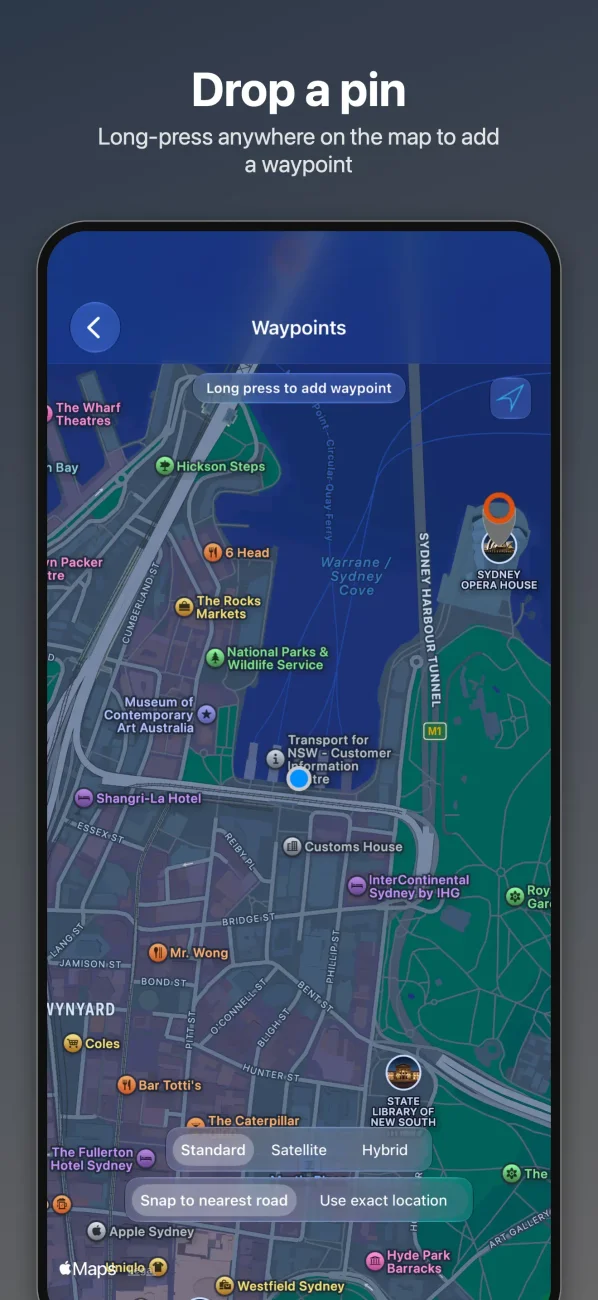
• Add waypoints straight from the map, with an address looked up for you or the exact spot you pressed.
• Liquid Glass controls, and it follows your light or dark setting.
WHAT YOU GET
• A compass that points to any saved place, with distance and bearing.
• Save your current spot with one tap.
• Long-press anywhere on the map to add a waypoint, snapped to the nearest road or exactly where you pressed.
• Name each place and choose its marker.
• Step count and walked distance on the compass screen.
• True north or magnetic north, metres or feet, your choice.
• Works without an internet connection once a place is saved.
Save as many places as you like. No sign-up, no subscription, no in-app purchases.
Novedades
Versión 6.1.1 · 8/11/2026
Some performance improvements
Privacidad de la aplicación
Lo que Tony Davis declara en App Store sobre cómo esta aplicación gestiona los datos.
-
No se recopilan datos
El desarrollador no recopila ningún dato de esta aplicación.
Las prácticas de privacidad pueden variar, por ejemplo, según las funciones que uses o tu edad.
Información
- Vendedor
- Tony Davis
- Categoría
- Navegación
- Versión
- 6.1.1
- Actualizado
- 8/11/2026
- Publicado
- 2/11/2012
- Tamaño
- 3,4 MB
- Requiere
- iOS 27.0 o posterior
- Clasificación por edad
- 4+
- Precio
- 6,99 €
- Compras en la aplicación
- Sí
- Idiomas
- Inglés
- Copyright
- © 2019 Tony Davis, Tigerfish Studios
Quizá también te guste
-
 DistrictHiveViajes
-
 Arrow - Ultraminimal Compass.Navegación
-
 CoolstaysViajes
-
 Kauai Audio Tour GuideViajes
-
 Hitch BermudaViajes
-
 AvantStay Vacation RentalsViajes
-
 Ready Set: cuenta atrásVacaciones y plan de viaje.
-
 Roadie: Planificador de RutasViajes por carretera y camper
-
 Bus RomaNavegación
-
 Shaka Guide | GPS Audio ToursViajes