- 対象年齢4+
- カテゴリナビゲーション
- 開発元Tony Davis
- 言語英語
- サイズ3.4 MB
App Storeの公式ページにリンクしています
Download.orgはCrowFliesのファイルを一切ホストしていません。ボタンを押すと、Tony Davisが公開しているApp Storeのアプリページが開きます。ページの最終確認:2026/11/12。
スクリーンショット


概要
開発元はこのテキストをお使いの言語で提供していません。
Ever been in a different city and needed to find your car? Or the train station, your hotel, or your tent at a festival? Nobody likes walking in circles.
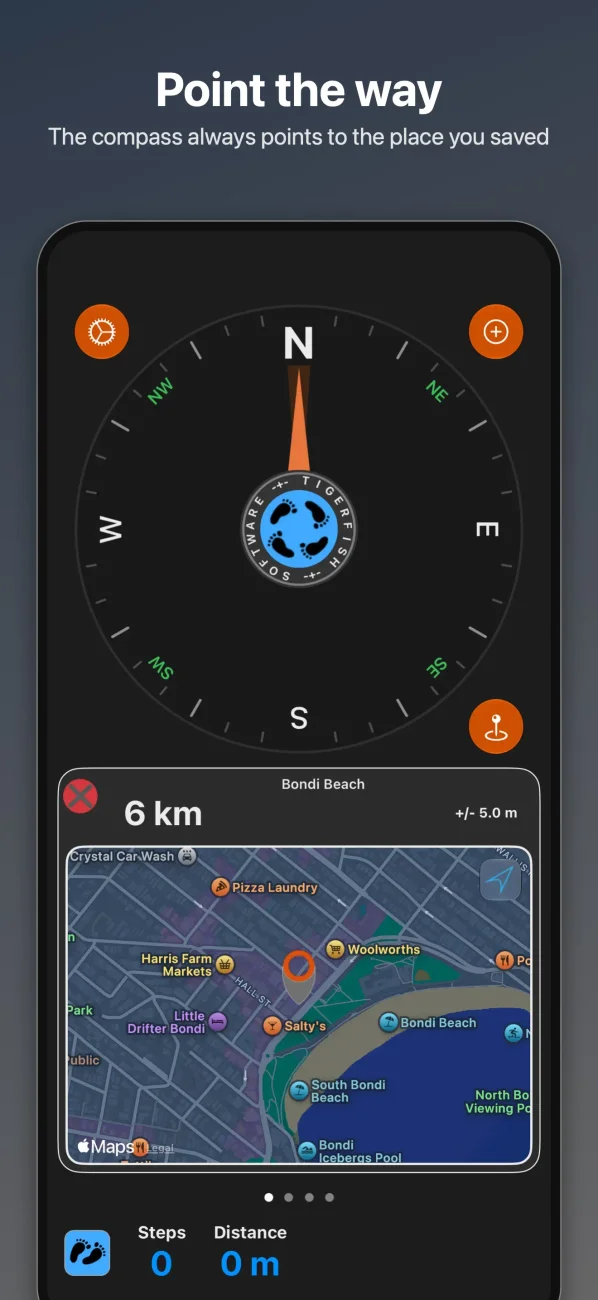
CrowFlies fixes that. Save where you are before you set off and its compass always points straight back, as the crow flies. Or drop a pin anywhere on the map and let the compass show the way there, even with no signal. It tells you how far you have to go, and counts your steps along the way.
Great for exploring new places, meeting friends in a park or a crowd, and finding your way home after a run or a ride somewhere new.
WHAT'S IN 6.1
• Name your places. Give a waypoint a name of your own, like My car or Meet Sam, and the address or spot sits underneath it on the list and on the map.
• Markers that mean something. Pick a marker for each waypoint: pin, home, work, friend, car, food, shop or star. The map pin carries it and the waypoint card shows it.
• A machined compass. The dial sits in a watch-style face with a brushed ring, a sunburst field and a bevelled rim.
• A fresh look. New backgrounds, a cleaner waypoint card, a modern delete control and a friendly empty state when you have no places yet.
• Fixes. The waypoint list and step distance follow your metres or feet setting, the paging dots follow the list, pin callouts wrap on narrow screens, and the map no longer scrolls under your finger on iPhone Duo and iPad.
WHAT'S IN 6.0
• A quiet compass face: a dark dial with the bearing as a slim needle and a soft wedge for heading accuracy.
• Made for iPhone Duo. Open the device and the map sits beside the compass. Half open, the map takes the top half and the compass the bottom. Folded, everything you need fits the outer display.
• Made for iPad, with the same side-by-side layout.
• The map follows your places. Flick through your saved points and the map highlights each one; tap a pin and the list moves with you.
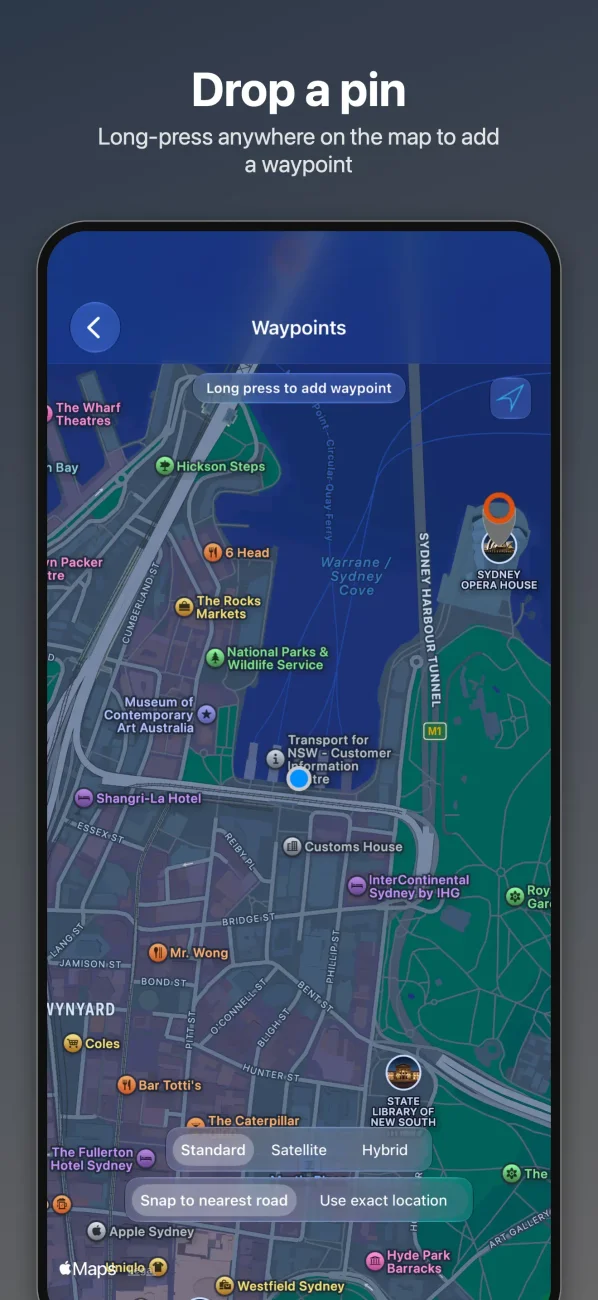
• Add waypoints straight from the map, with an address looked up for you or the exact spot you pressed.
• Liquid Glass controls, and it follows your light or dark setting.
WHAT YOU GET
• A compass that points to any saved place, with distance and bearing.
• Save your current spot with one tap.
• Long-press anywhere on the map to add a waypoint, snapped to the nearest road or exactly where you pressed.
• Name each place and choose its marker.
• Step count and walked distance on the compass screen.
• True north or magnetic north, metres or feet, your choice.
• Works without an internet connection once a place is saved.
Save as many places as you like. No sign-up, no subscription, no in-app purchases.
新機能
バージョン 6.1.1 · 2026/11/8
Some performance improvements
アプリのプライバシー
このアプリのデータの取り扱いについて、Tony DavisがApp Storeで申告している内容です。
-
データの収集なし
開発元はこのアプリからデータを収集しません。
プライバシーの取り扱いは、ご利用の機能やお客様の年齢などに応じて異なる場合があります。
情報
- 販売元
- Tony Davis
- カテゴリ
- ナビゲーション
- バージョン
- 6.1.1
- 更新日
- 2026/11/8
- リリース
- 2012/11/2
- サイズ
- 3.4 MB
- 必要条件
- iOS 27.0以降
- 対象年齢
- 4+
- 価格
- ¥1,000
- アプリ内課金
- あり
- 言語
- 英語
- 著作権
- © 2019 Tony Davis, Tigerfish Studios