
CrowFlies
Compass back to your places
Conçue pour iPhone, iPad
6,99 € · Achats intégrés
- Classification d’âge4+
- CatégorieNavigation
- DéveloppeurTony Davis
- LanguesAnglais
- Taille3,4 Mo
Renvoie vers la page App Store officielle
Download.org n’héberge aucun fichier de CrowFlies. Le bouton ouvre la page de l’application sur App Store, où Tony Davis la publie. Fiche vérifiée pour la dernière fois le 12/11/2026.
Captures d’écran


À propos
Le développeur n’a pas fourni ce texte dans votre langue.
Ever been in a different city and needed to find your car? Or the train station, your hotel, or your tent at a festival? Nobody likes walking in circles.
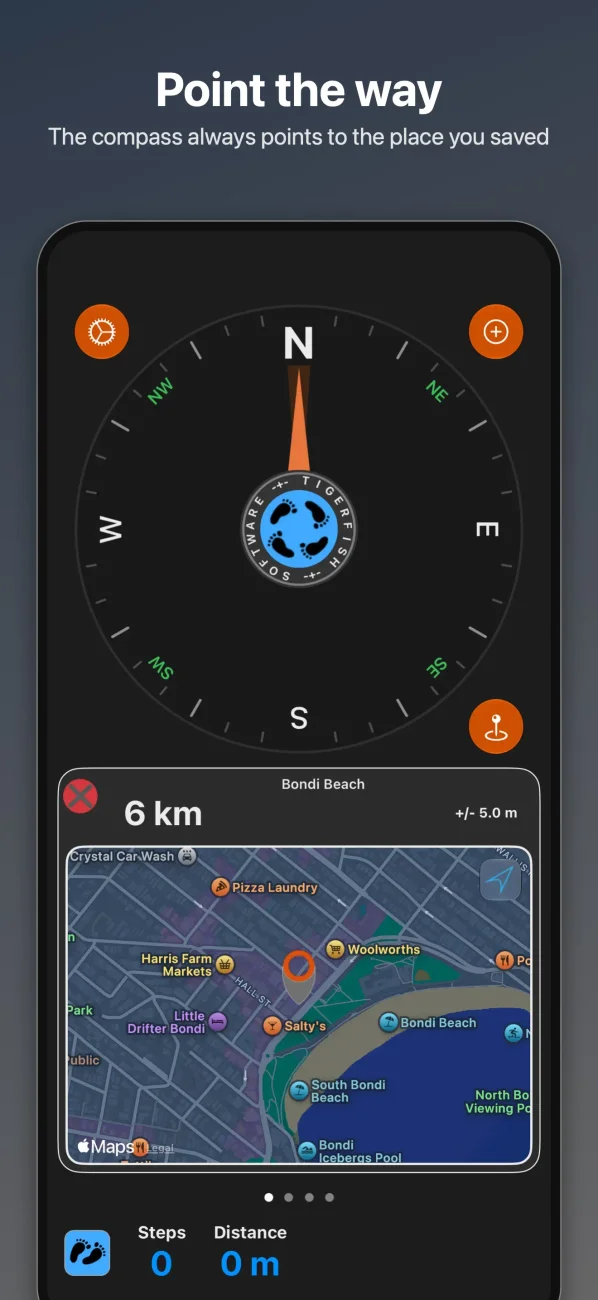
CrowFlies fixes that. Save where you are before you set off and its compass always points straight back, as the crow flies. Or drop a pin anywhere on the map and let the compass show the way there, even with no signal. It tells you how far you have to go, and counts your steps along the way.
Great for exploring new places, meeting friends in a park or a crowd, and finding your way home after a run or a ride somewhere new.
WHAT'S IN 6.1
• Name your places. Give a waypoint a name of your own, like My car or Meet Sam, and the address or spot sits underneath it on the list and on the map.
• Markers that mean something. Pick a marker for each waypoint: pin, home, work, friend, car, food, shop or star. The map pin carries it and the waypoint card shows it.
• A machined compass. The dial sits in a watch-style face with a brushed ring, a sunburst field and a bevelled rim.
• A fresh look. New backgrounds, a cleaner waypoint card, a modern delete control and a friendly empty state when you have no places yet.
• Fixes. The waypoint list and step distance follow your metres or feet setting, the paging dots follow the list, pin callouts wrap on narrow screens, and the map no longer scrolls under your finger on iPhone Duo and iPad.
WHAT'S IN 6.0
• A quiet compass face: a dark dial with the bearing as a slim needle and a soft wedge for heading accuracy.
• Made for iPhone Duo. Open the device and the map sits beside the compass. Half open, the map takes the top half and the compass the bottom. Folded, everything you need fits the outer display.
• Made for iPad, with the same side-by-side layout.
• The map follows your places. Flick through your saved points and the map highlights each one; tap a pin and the list moves with you.
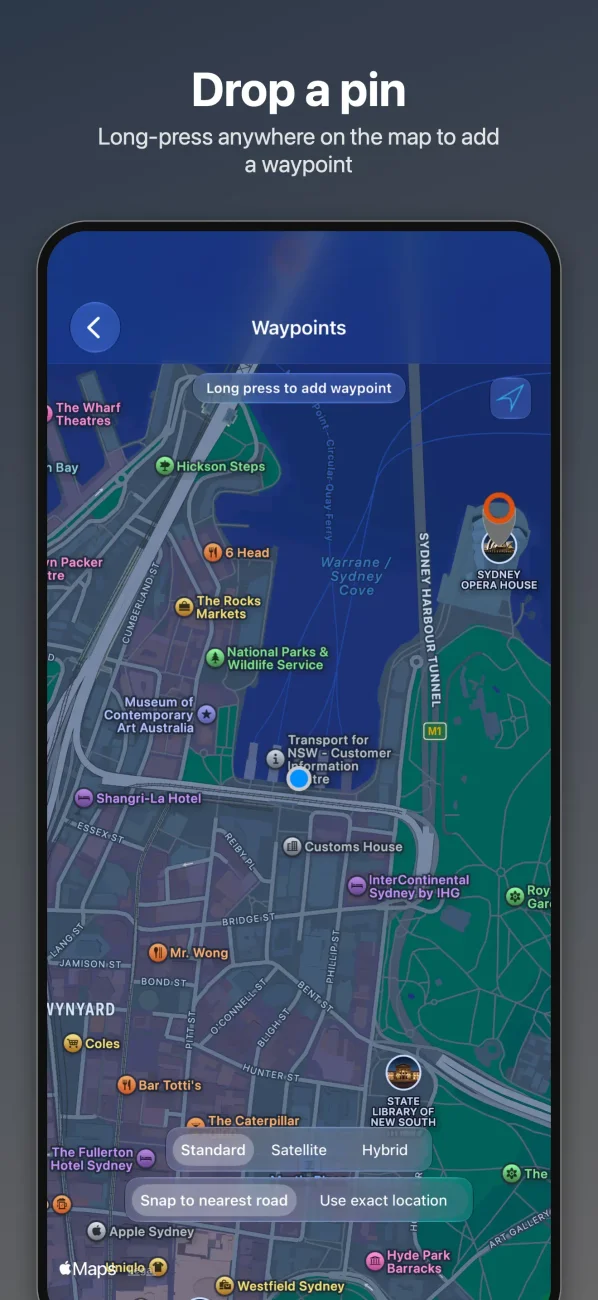
• Add waypoints straight from the map, with an address looked up for you or the exact spot you pressed.
• Liquid Glass controls, and it follows your light or dark setting.
WHAT YOU GET
• A compass that points to any saved place, with distance and bearing.
• Save your current spot with one tap.
• Long-press anywhere on the map to add a waypoint, snapped to the nearest road or exactly where you pressed.
• Name each place and choose its marker.
• Step count and walked distance on the compass screen.
• True north or magnetic north, metres or feet, your choice.
• Works without an internet connection once a place is saved.
Save as many places as you like. No sign-up, no subscription, no in-app purchases.
Nouveautés
Version 6.1.1 · 08/11/2026
Some performance improvements
Confidentialité de l’application
Ce que Tony Davis déclare sur l’App Store au sujet du traitement des données par cette application.
-
Données non collectées
Le développeur ne collecte aucune donnée à partir de cette application.
Les pratiques en matière de confidentialité peuvent varier, notamment en fonction des fonctionnalités que vous utilisez ou de votre âge.
Informations
- Vendeur
- Tony Davis
- Catégorie
- Navigation
- Version
- 6.1.1
- Mis à jour
- 08/11/2026
- Publié
- 02/11/2012
- Taille
- 3,4 Mo
- Nécessite
- iOS 27.0 ou version ultérieure
- Classification d’âge
- 4+
- Prix
- 6,99 €
- Achats intégrés
- Oui
- Langues
- Anglais
- Copyright
- © 2019 Tony Davis, Tigerfish Studios
Vous aimerez peut-être aussi
-
 DistrictHiveVoyages
-
 Arrow - Ultraminimal Compass.Navigation
-
 CoolstaysVoyages
-
 Kauai Audio Tour GuideVoyages
-
 Hitch BermudaVoyages
-
 AvantStay Vacation RentalsVoyages
-
 Vacances: compte à reboursDécompte & Plan Voyage
-
 Roadie - Planificateur VoyageCarnet de route & camping-car
-
 Bus RomaNavigation
-
 Shaka Guide | GPS Audio ToursVoyages