CUEit: Stopwatch Meets Timer
Countdowns for Your Routines
Diseñada para iPhone
Gratis · Compras en la aplicación
- Clasificación por edad4+
- CategoríaProductividad
- DesarrolladorSeunghoon Baek
- IdiomasInglés
- Tamaño3,8 MB
Enlaza a la página oficial de App Store
Download.org no aloja ningún archivo de CUEit: Stopwatch Meets Timer. El botón abre la página de la aplicación en App Store, donde la publica Seunghoon Baek. Ficha comprobada por última vez el 23/11/2026.
Capturas de pantalla

Acerca de
El desarrollador no ha proporcionado este texto en tu idioma.
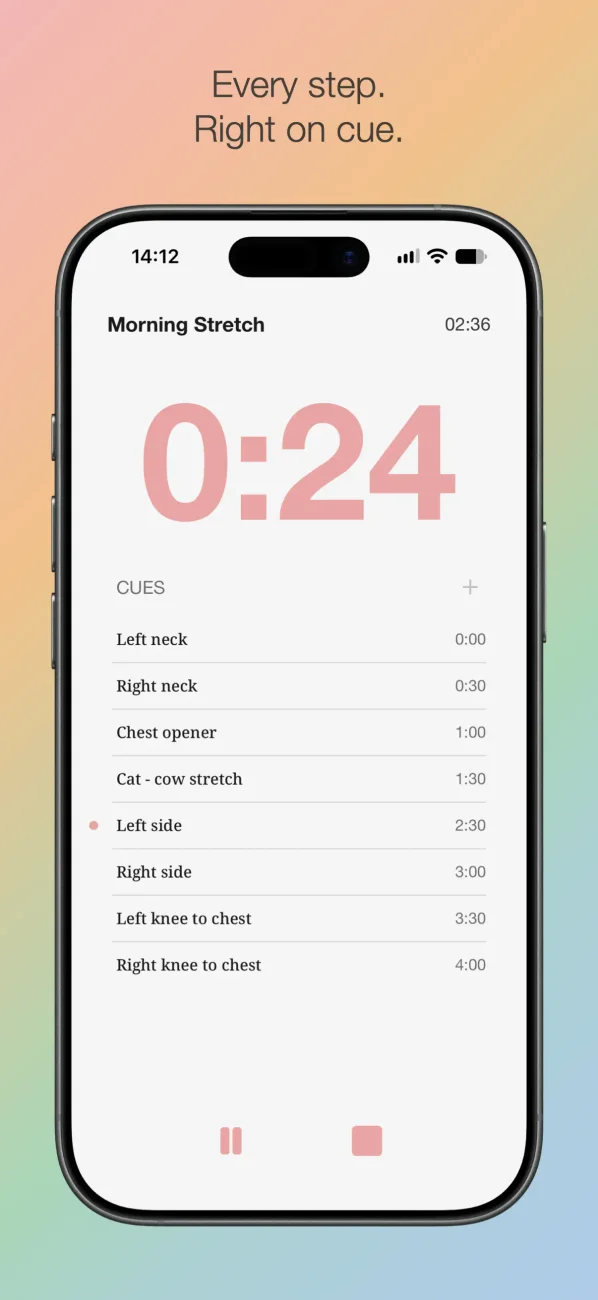
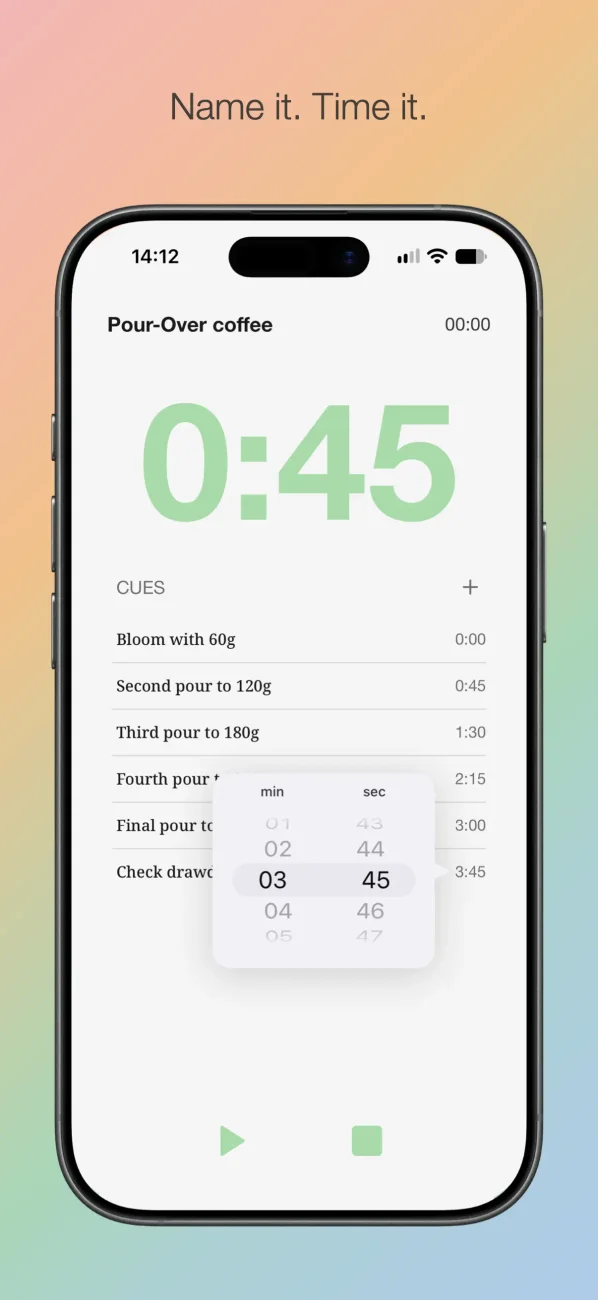
Set a cue to stir the sauce, switch exercises, or take a break. CUEit counts up and shows each cue at the time you choose, so you can follow a whole routine with one timer. Save it once and run it again whenever you need it.
Create and follow a routine
• Name each cue and choose when it appears.
• See your cues on a timeline, with a moving playhead and elapsed time.
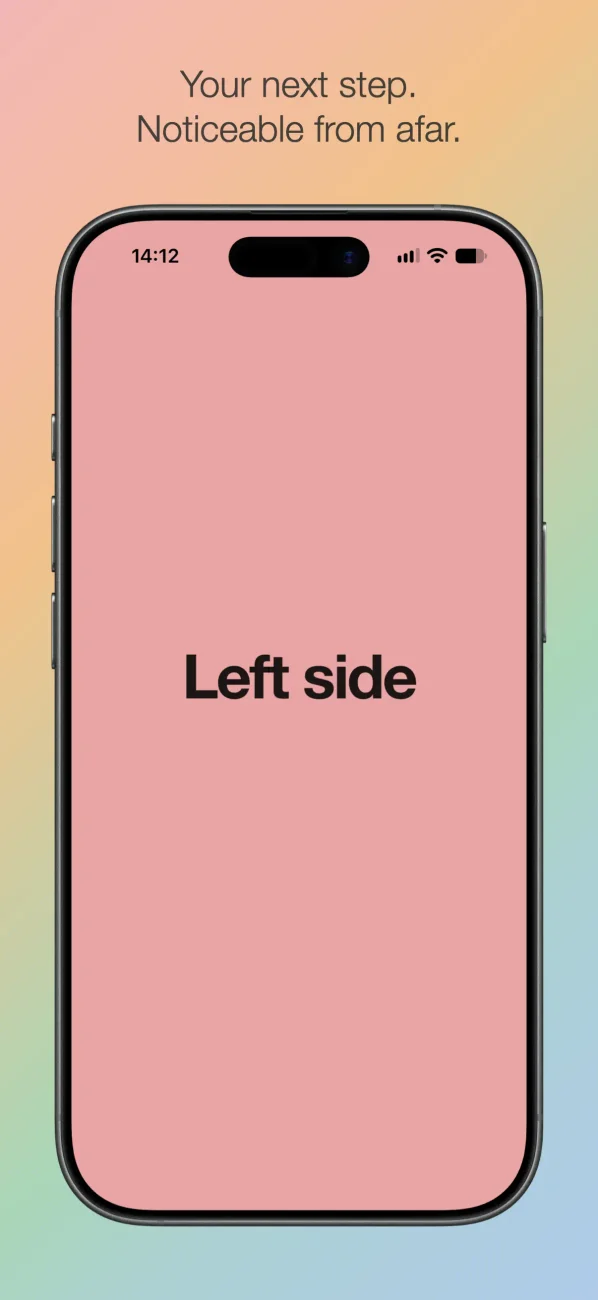
• Read each cue on a full-screen display. Pause when you need to, then pick up where you left off.
• See the cue sequence for each saved timer before you open it.
Make your cues sound right
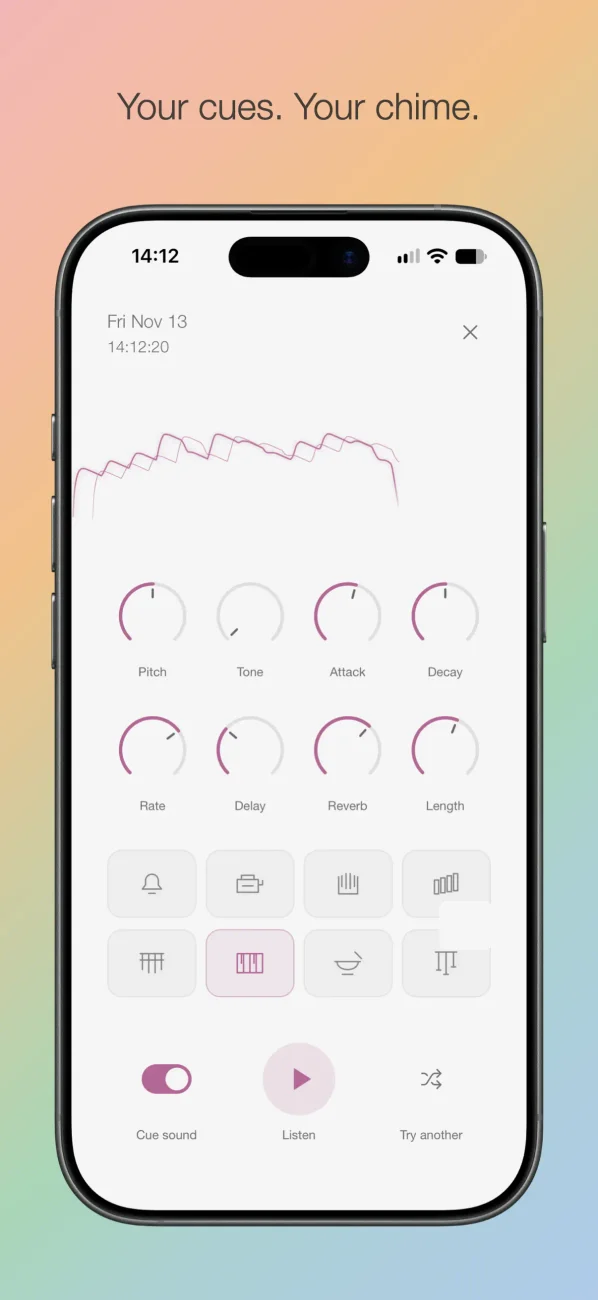
• Choose from eight chime presets, including Bell, Music Box, Soft Keys, and Singing Bowl.
• Adjust pitch, tone, timing, and more, and listen as you fine-tune your chime.
• Tap Try another to discover a new chime variation, or turn cue sounds off when you want a quiet timer.
Keep your timer in view
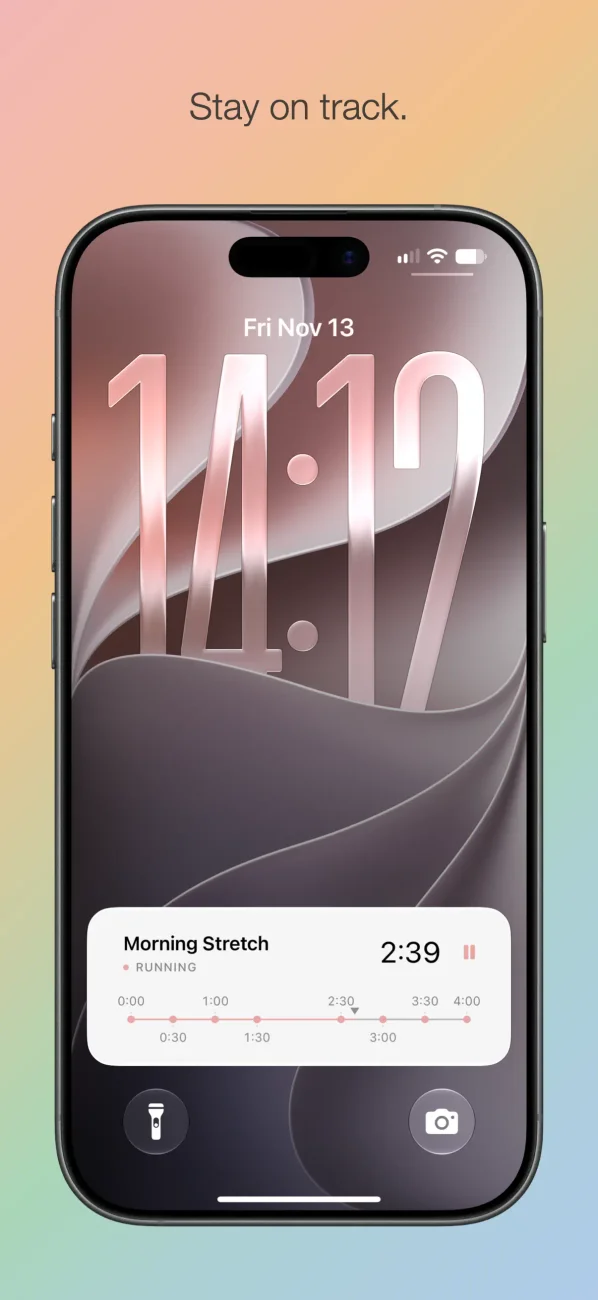
• Follow your timer on the Lock Screen and in the Dynamic Island with Live Activities on supported iPhones.
• Pause or resume from the Live Activity on supported iOS versions, or tap it to return to your timer.
Save more with CUEit Access
• Keep up to 30 saved timers for different activities and routines.
Your timers and cues stay on your device. No account, ads, or cloud sync. Create and run timers offline.
Terms of Use (EULA): https://www.apple.com/legal/internet-services/itunes/dev/stdeula/
Novedades
Versión 1.0.2 · 19/11/2026
A fresh look for CUEit, with more ways to make it yours.
• Find and open your saved timers from a redesigned main screen.
• Customize your cue sound with redesigned chime controls.
• Follow, pause, and resume your timer with Live Activities on the Lock Screen and in the expanded Dynamic Island.
• Save up to 30 timers with CUEit Access, up from 12.
Privacidad de la aplicación
Lo que Seunghoon Baek declara en App Store sobre cómo esta aplicación gestiona los datos.
-
No se recopilan datos
El desarrollador no recopila ningún dato de esta aplicación.
Las prácticas de privacidad pueden variar, por ejemplo, según las funciones que uses o tu edad.
Información
- Vendedor
- Seunghoon Baek
- Categoría
- Productividad
- Versión
- 1.0.2
- Actualizado
- 19/11/2026
- Publicado
- 8/9/2026
- Tamaño
- 3,8 MB
- Requiere
- iOS 17.0 o posterior
- Clasificación por edad
- 4+
- Precio
- Gratis
- Compras en la aplicación
- Sí
- Idiomas
- Inglés
- Copyright
- © 2026 Terryb Studio
Quizá también te guste
-
 Timepiece: Pomodoro Flip ClockProductividad
-
 Horae — Daily Time TrackingProductividad
-
 our.family: Family OrganizerProductividad
-
 Samay: Time TranslatorProductividad
-
 Hourish: Routine TimerProductividad
-
 Scatterbrain: ADHD PriorityProductividad
-
 Blick for Microsoft 365Productividad
-
 Time Aware - Voice Time TrackProductividad
-
 What-Else: Life MaintenanceProductividad
-
 Summon: Meeting AlertsProductividad