- Clasificación por edad4+
- CategoríaUtilidades
- DesarrolladorDeneisha Tieng
- IdiomasInglés
- Tamaño1,6 MB
Es posible que Custom Clock Widget no esté disponible en App Store en este momento
No se pudo acceder a la ficha de la tienda en nuestra última comprobación. El enlace sigue llevando a la página oficial de App Store.
Capturas de pantalla
Acerca de
El desarrollador no ha proporcionado este texto en tu idioma.
Create a clock widget that feels like it belongs on your Home Screen.
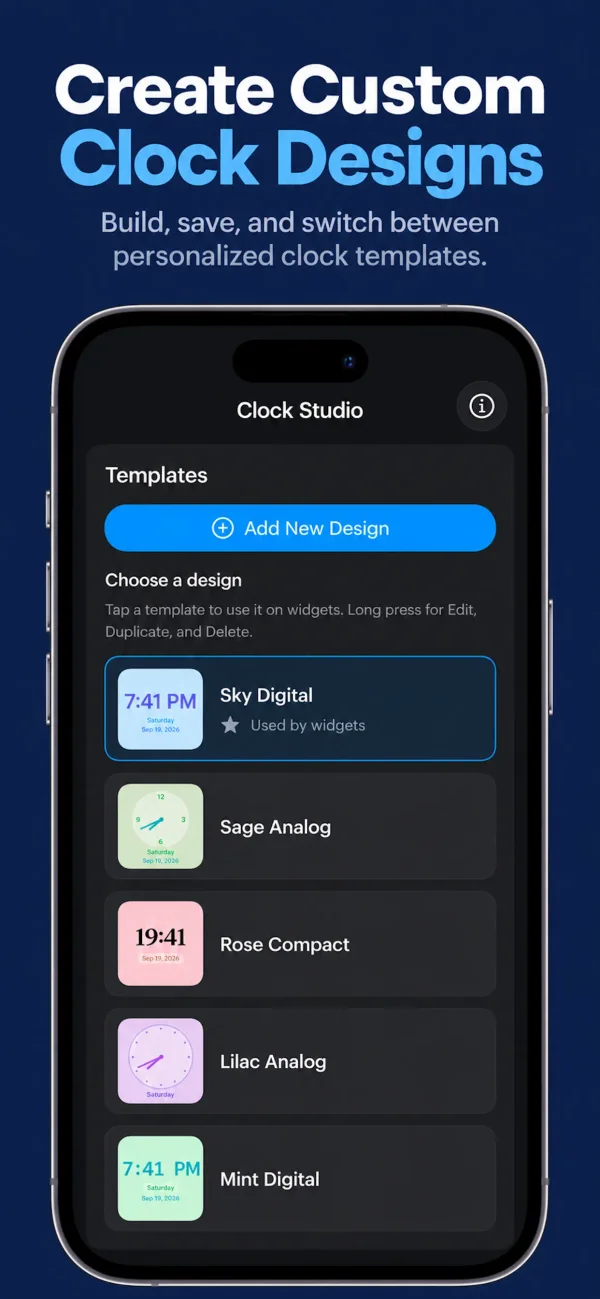
Custom Clock Widget lets you design personalized digital and analog clocks with your own fonts, colors, layouts, backgrounds, and styling. Create multiple designs, preview them in different widget sizes, and choose which design appears on your Home Screen.
CUSTOMIZE YOUR CLOCK
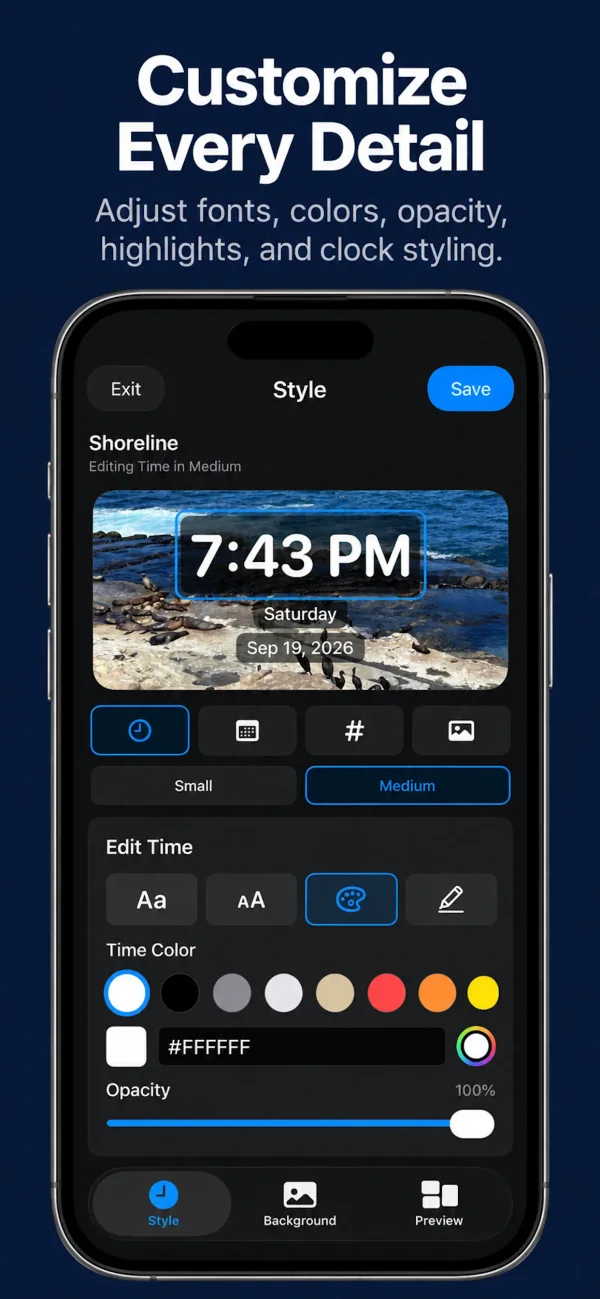
Choose between digital and analog clock styles and personalize the appearance to match your Home Screen.
• Digital and analog clock designs
• 12-hour and 24-hour time formats
• Custom time, day, and date display
• Adjustable fonts and text sizes
• Custom text colors and opacity
• Text highlight styling
• Custom analog clock faces, numbers, and hands
MAKE IT YOURS
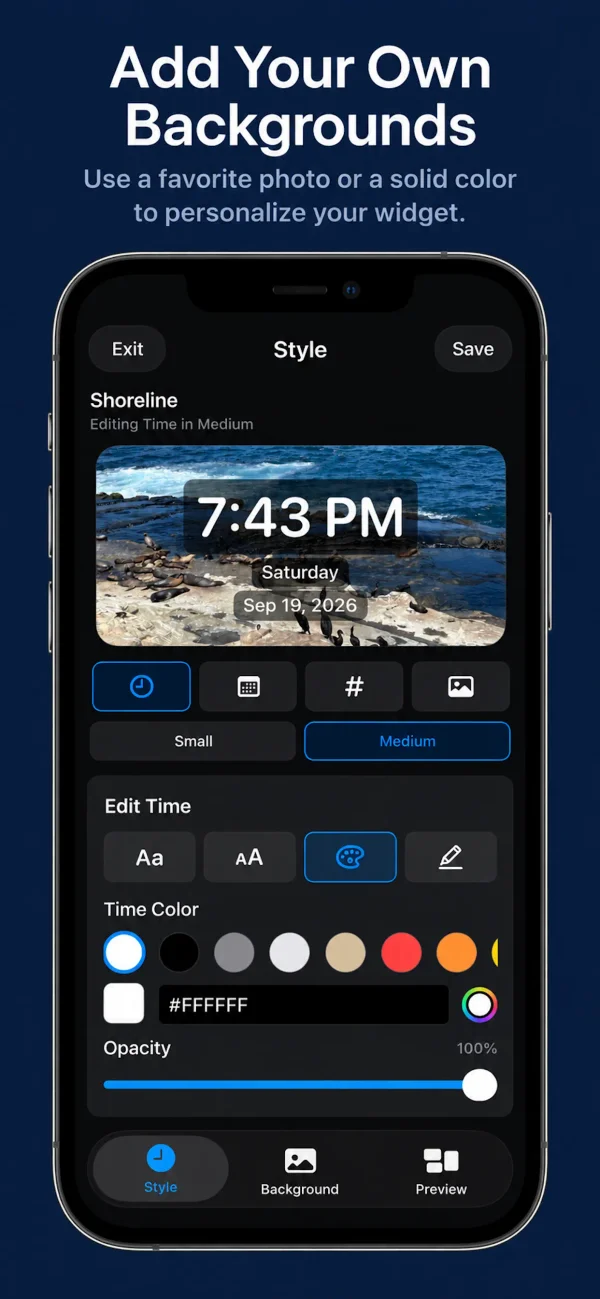
Choose a solid color background or select one of your own photos to create a more personal widget.
Photo backgrounds can be framed separately for small, medium, and large widget sizes so your design looks right wherever you use it.
SAVE MULTIPLE DESIGNS
Create and save multiple clock designs for different Home Screen styles. Duplicate an existing design, make changes, and switch your active clock whenever you want.
PREVIEW BEFORE YOU USE IT
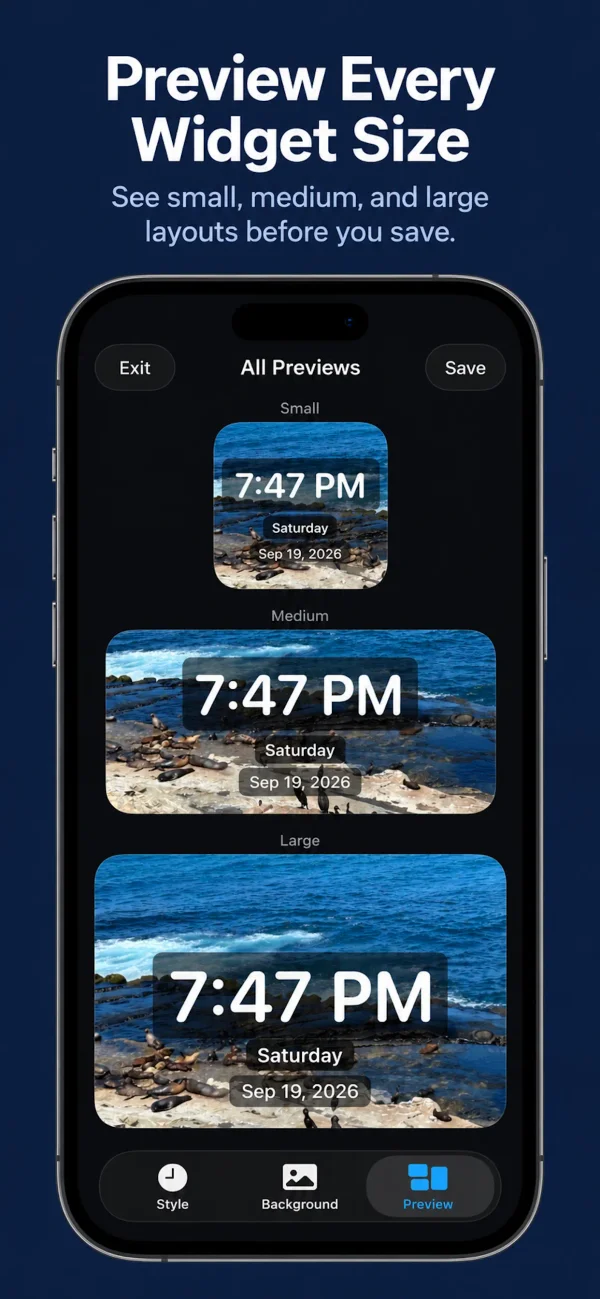
Preview your clock in small, medium, and large widget sizes directly in the app before choosing the design you want to display.
SIMPLE WIDGET SETUP
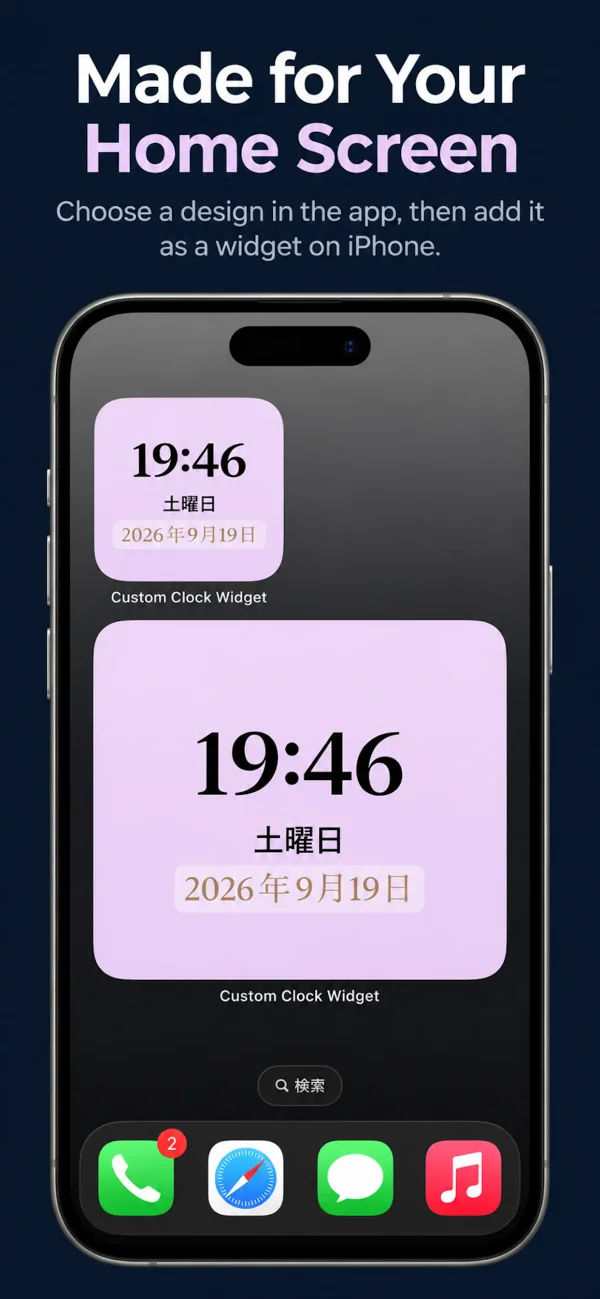
Choose your design in the app, then add the Custom Clock widget to your iPhone Home Screen using the standard iOS widget controls.
No account required. Your clock designs and selected photo backgrounds are used locally on your device.
Privacidad de la aplicación
Lo que Deneisha Tieng declara en App Store sobre cómo esta aplicación gestiona los datos.
-
No se recopilan datos
El desarrollador no recopila ningún dato de esta aplicación.
Las prácticas de privacidad pueden variar, por ejemplo, según las funciones que uses o tu edad.
Información
- Vendedor
- Deneisha Tieng
- Categoría
- Utilidades
- Versión
- 1.0
- Actualizado
- 23/9/2026
- Publicado
- 23/9/2026
- Tamaño
- 1,6 MB
- Requiere
- iOS 17.6 o posterior
- Clasificación por edad
- 4+
- Idiomas
- Inglés
- Copyright
- © 2026 Deneisha Tieng
Quizá también te guste
-
 Big Face ClockUtilidades
-
 Just Nice ClockUtilidades
-
 ElceedeeUtilidades
-
 CKClockUtilidades
-
 Luvelo LauncherUtilidades
-
 Clock Widgets: Flip & DigitalEstilos y modos de reloj
-
 Date & Time - WidgetsUtilidades
-
 ClocksOn: Bedside ClockUtilidades
-
 Timeline CalendarUtilidades
-
 Widget de Reloj AntiguoWidget de fino reloj analógico