- Age rating4+
- CategoryUtilities
- DeveloperDeneisha Tieng
- LanguagesEnglish
- Size1.6 MB
Links to the official App Store page
Download.org hosts no file of Custom Clock Widget. The button opens its official App Store page, published by Deneisha Tieng. Listing last checked on Nov 17, 2026.
Screenshots
About
Create a clock widget that feels like it belongs on your Home Screen.
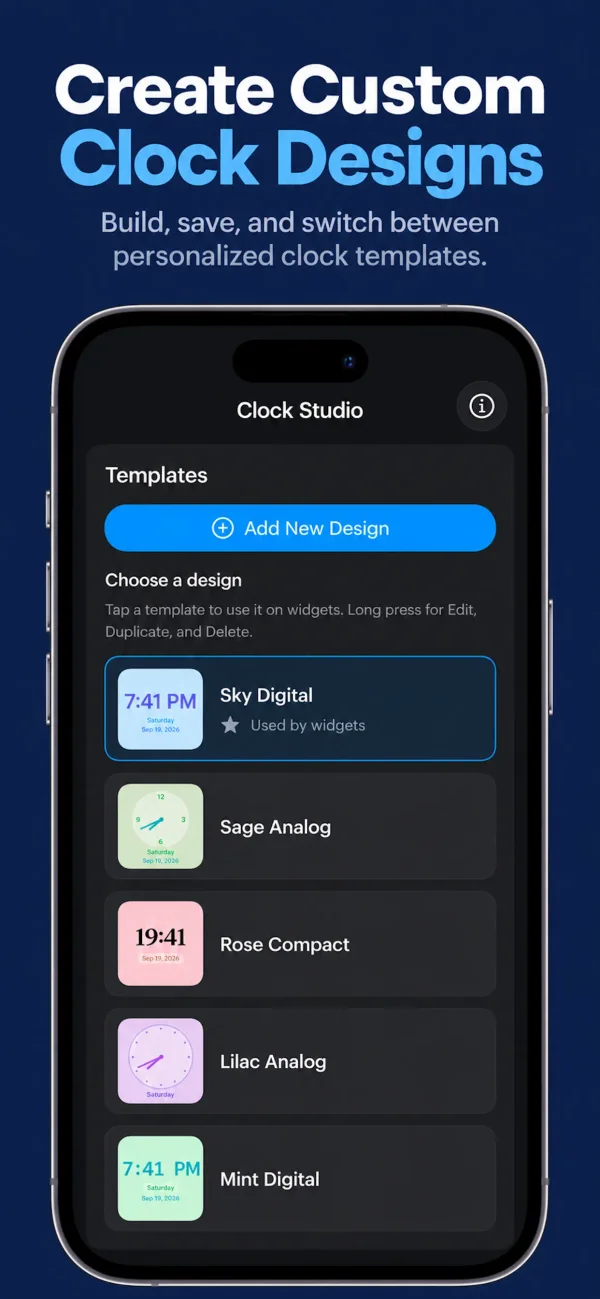
Custom Clock Widget lets you design personalized digital and analog clocks with your own fonts, colors, layouts, backgrounds, and styling. Create multiple designs, preview them in different widget sizes, and choose which design appears on your Home Screen.
CUSTOMIZE YOUR CLOCK
Choose between digital and analog clock styles and personalize the appearance to match your Home Screen.
• Digital and analog clock designs
• 12-hour and 24-hour time formats
• Custom time, day, and date display
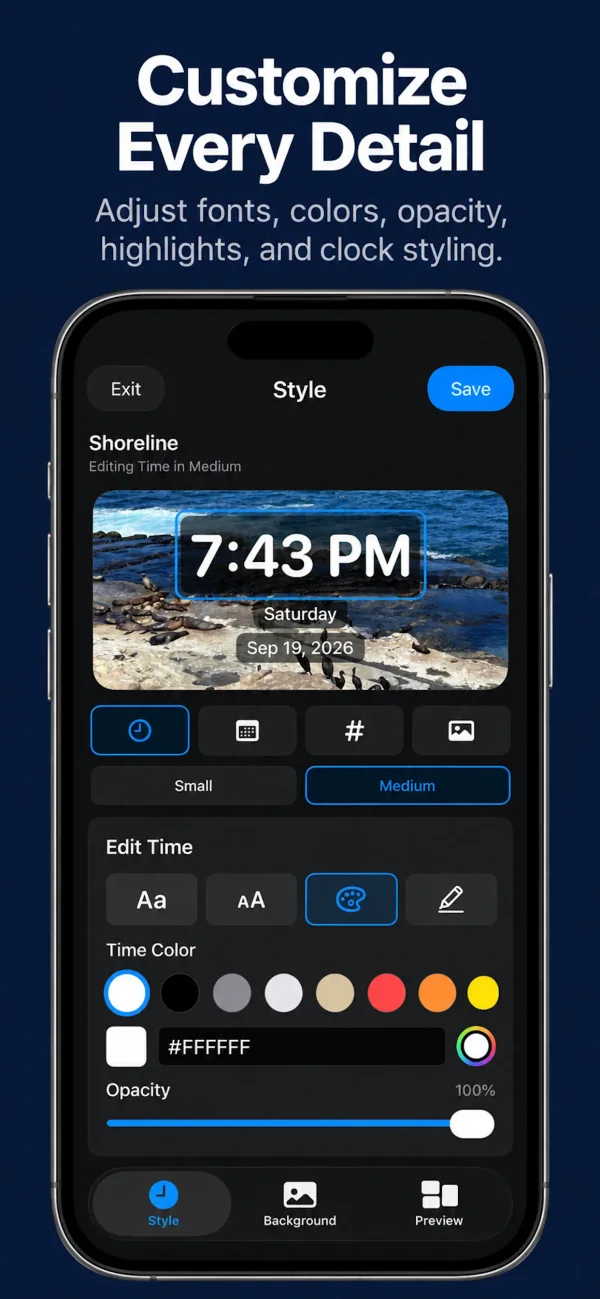
• Adjustable fonts and text sizes
• Custom text colors and opacity
• Text highlight styling
• Custom analog clock faces, numbers, and hands
MAKE IT YOURS
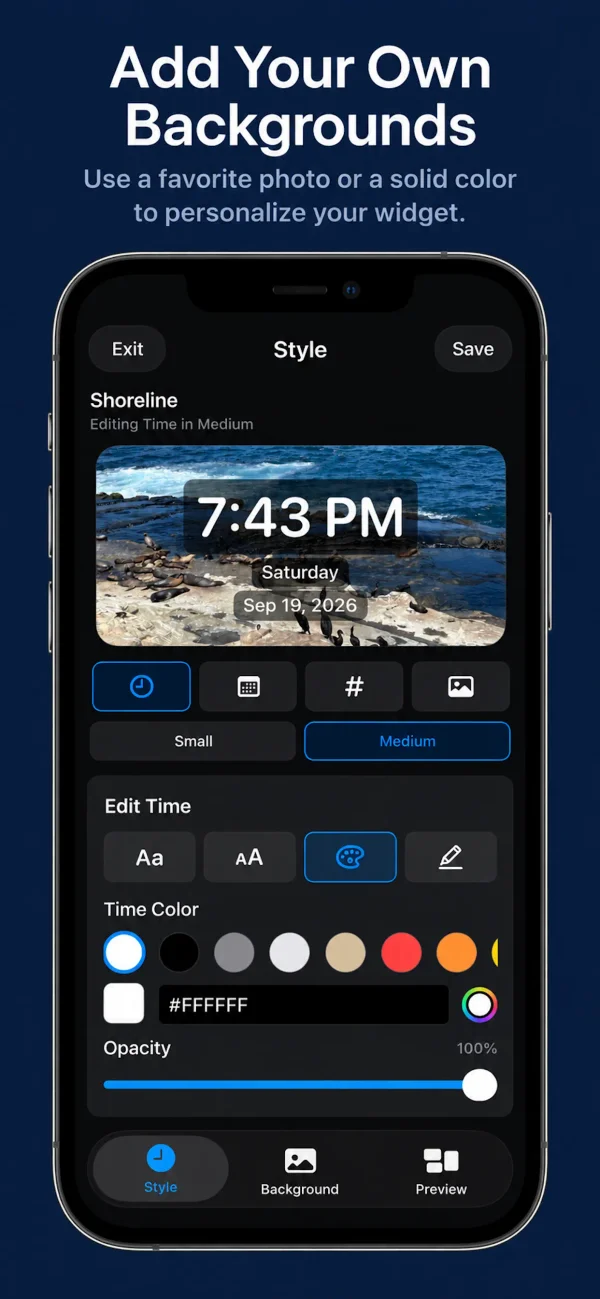
Choose a solid color background or select one of your own photos to create a more personal widget.
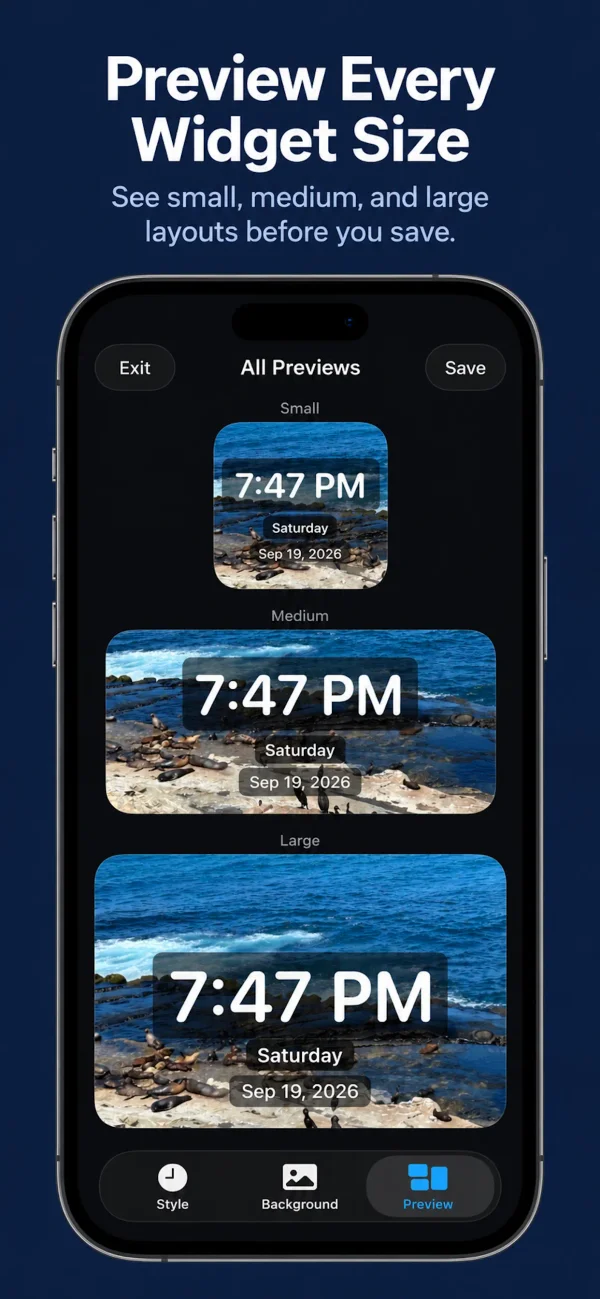
Photo backgrounds can be framed separately for small, medium, and large widget sizes so your design looks right wherever you use it.
SAVE MULTIPLE DESIGNS
Create and save multiple clock designs for different Home Screen styles. Duplicate an existing design, make changes, and switch your active clock whenever you want.
PREVIEW BEFORE YOU USE IT
Preview your clock in small, medium, and large widget sizes directly in the app before choosing the design you want to display.
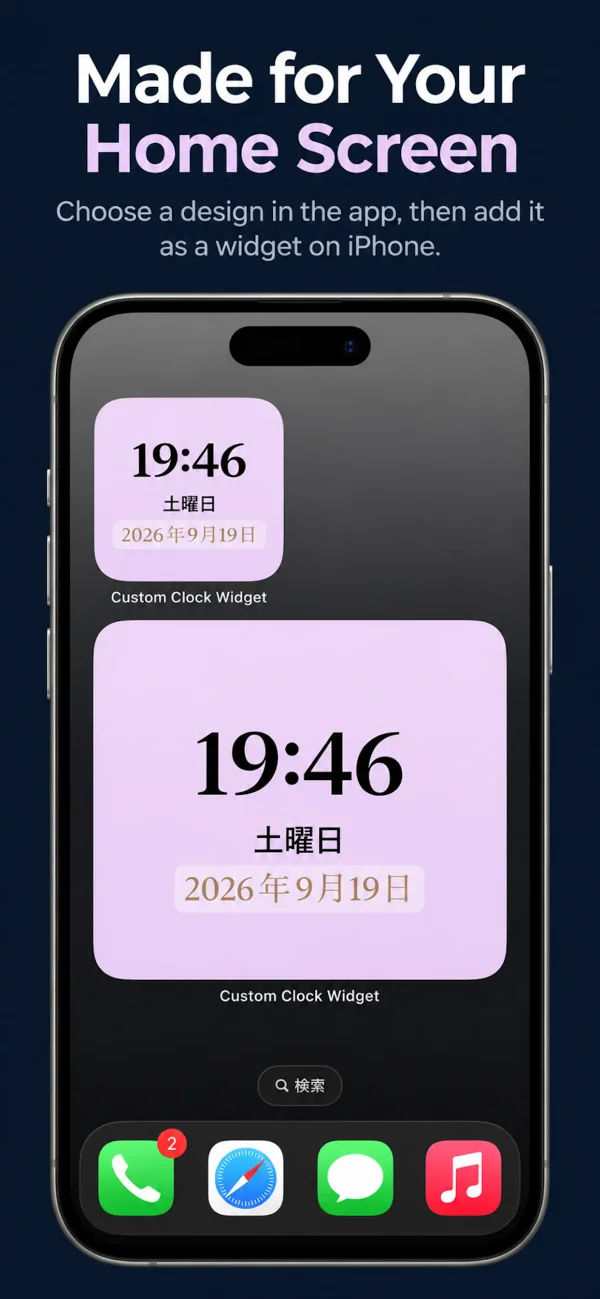
SIMPLE WIDGET SETUP
Choose your design in the app, then add the Custom Clock widget to your iPhone Home Screen using the standard iOS widget controls.
No account required. Your clock designs and selected photo backgrounds are used locally on your device.
App privacy
What Deneisha Tieng declares on the App Store about how this app handles data.
-
Data not collected
The developer does not collect any data from this app.
Privacy practices may vary, for example with the features you use or your age.
Information
- Seller
- Deneisha Tieng
- Category
- Utilities
- Version
- 1.0
- Updated
- Sep 23, 2026
- Released
- Sep 23, 2026
- Size
- 1.6 MB
- Requires
- iOS 17.6 or later
- Age rating
- 4+
- Price
- Free
- Languages
- English
- Copyright
- © 2026 Deneisha Tieng
You might also like
-
 Big Face ClockFlip Clock, Desk & Bedside
-
 Just Nice ClockUtilities
-
 ElceedeeRetro LCD clock
-
 CKClockSimple flip clock
-
 Luvelo LauncherLuvelo, Launch, Launcher
-
 Clock Widgets: Flip & DigitalUnique Clock Styles & Modes
-
 Date & Time - WidgetsDigital & analog clock widgets
-
 ClocksOn: Bedside ClockAdaptive bedside night clock
-
 Timeline CalendarThe new way to view your time
-
 Antique Analog Clock WidgetElegant analog clock widget