DDRM: Double Exposure Camera
Blend two photos like film
Diseñada para iPhone, iPad
- Clasificación por edad4+
- CategoríaFoto y vídeo
- DesarrolladorMyoungki Song
- IdiomasInglés+ 2 más
- Tamaño21,7 MB
Es posible que DDRM: Double Exposure Camera no esté disponible en App Store en este momento
No se pudo acceder a la ficha de la tienda en nuestra última comprobación. El enlace sigue llevando a la página oficial de App Store.
Capturas de pantalla


Acerca de
El desarrollador no ha proporcionado este texto en tu idioma.
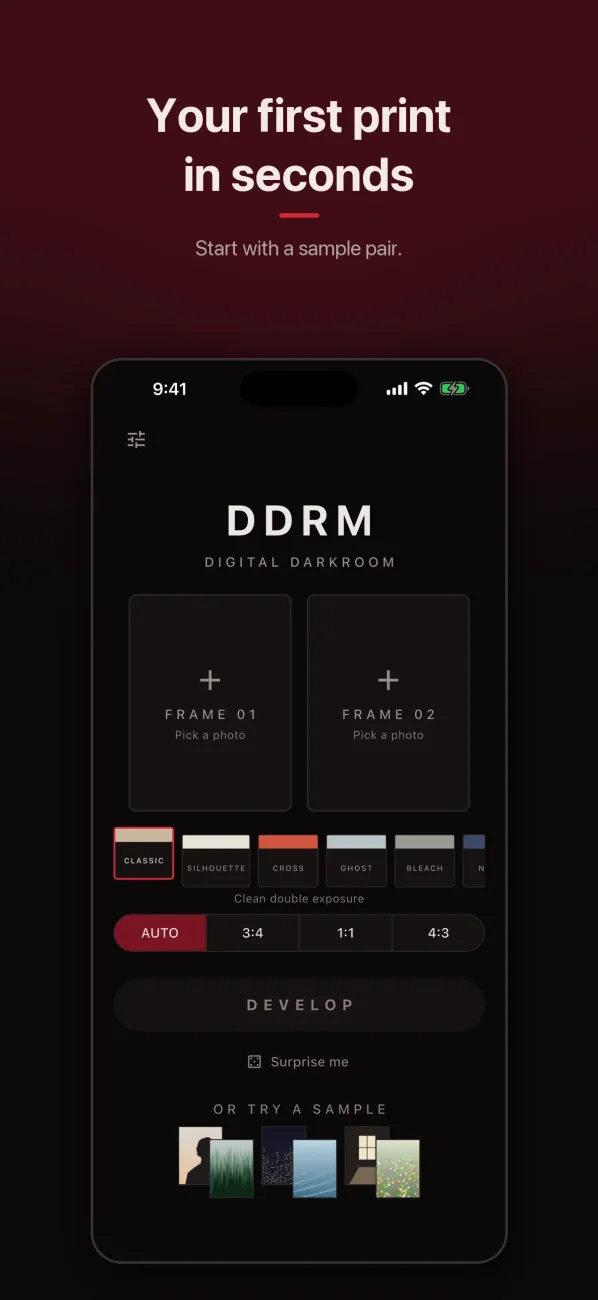
DDRM is a digital darkroom for double exposures.
On film, a double exposure was a happy accident: two moments on one frame, and you only saw the result once it was developed. DDRM brings that feeling back. Choose two photos, press DEVELOP, and the darkroom decides the rest: the blend, the placement, the light, the grain and the color. Not quite right? Develop again. No two takes are the same.
SHOOT LIKE FILM
• Shoot both exposures in the app. Your first shot stays on the viewfinder as a faint ghost, so you can line up the second.
• Or pick either frame from your photo library.
DEVELOP, AGAIN AND AGAIN
• Every DEVELOP makes a new take, composed around the faces and light in your photos.
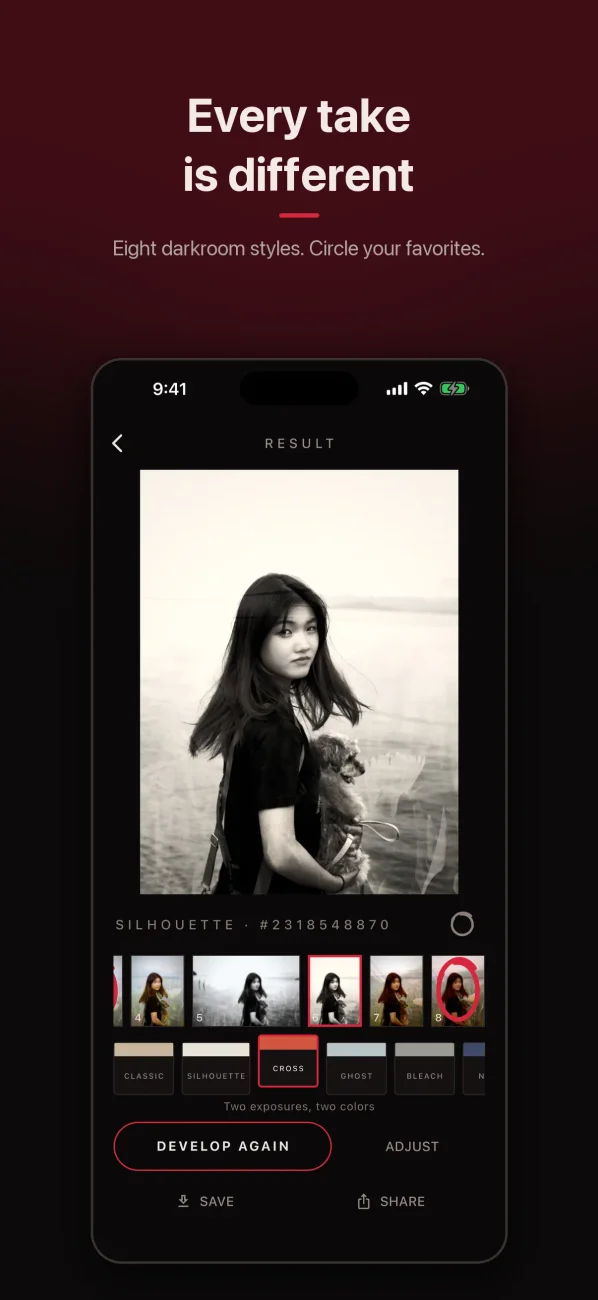
• All your takes land on a contact sheet. Circle your favorites.
• Surprise me picks a darkroom style for you.
SIX DARKROOM STYLES
Classic, Ghost, Bleach, Night, Dream and Accident: from a clean double exposure to wild, misregistered frames.
FINE-TUNE WHEN YOU WANT TO
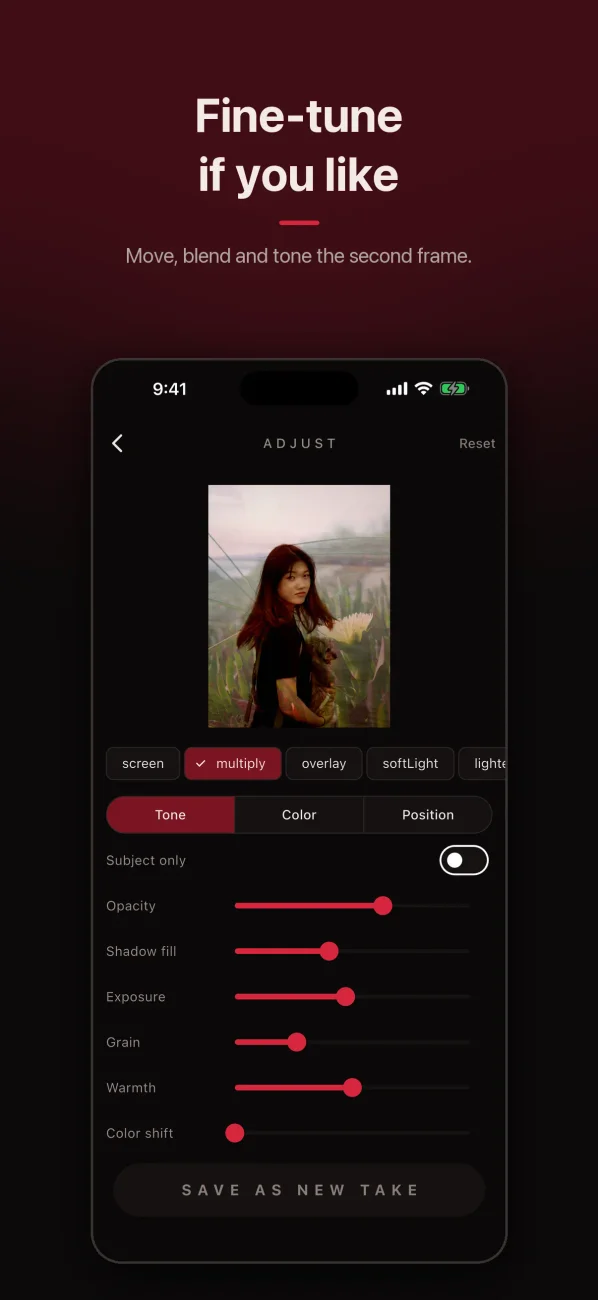
ADJUST lets you move, scale and rotate the second frame, change the blend, and tune opacity, exposure, grain, warmth and color shift. Your adjusted version is saved as a new take, so the original stays on the contact sheet.
REAL FILM CHARACTER
Grain, halation, bloom, vignette, fade and color shift, rendered on your iPhone's GPU.
SAVE AND SHARE
• Save high-resolution prints to Photos.
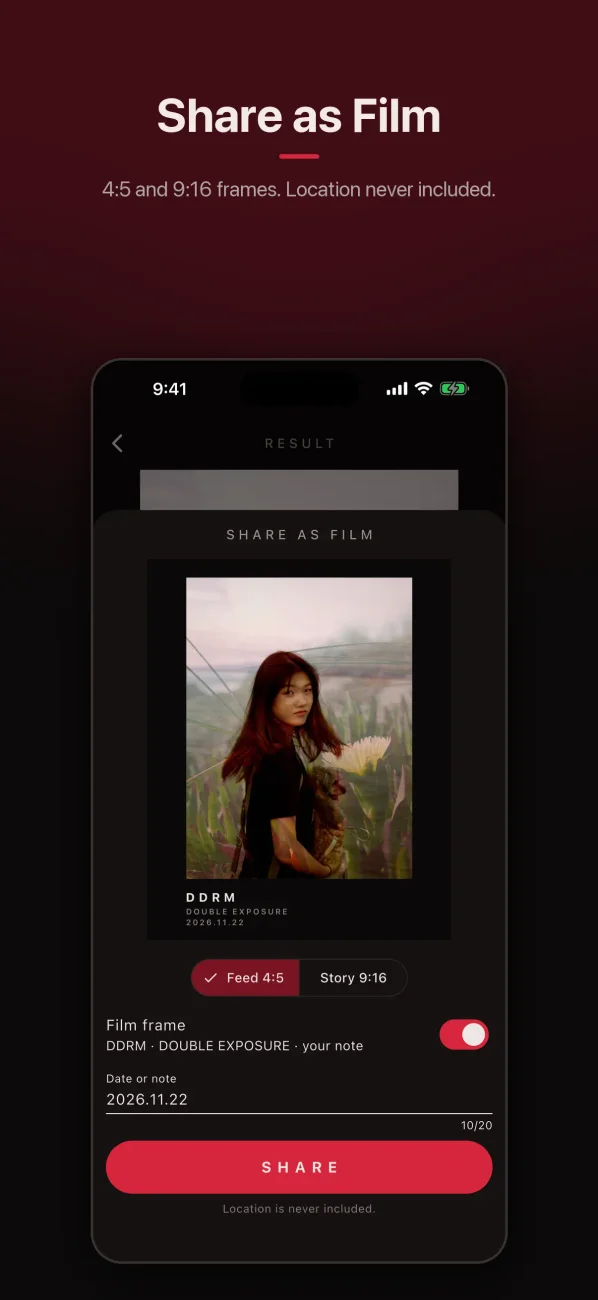
• Share as Film: a 4:5 feed or 9:16 story frame with a film caption.
• Location is never included in the photos you save or share.
PRIVATE BY DESIGN
Your photos are developed on your iPhone and are never uploaded. No account needed.
New to double exposures? Start with a sample pair and get your first print in seconds.
Novedades
Versión 1.2.0 · 22/11/2026
New looks for your double exposures:
• Silhouette — When a photo has a person against a plain background, the second photo fills just the subject while the background stays clean.
• Cross — Give each exposure its own color, like cross-processed film.
• Shadow fill — On bright photos, the second exposure stays in the darker tones, so skies and white walls stay clean.
• Film blend — Both exposures add their light like real film, and highlights wash out softly together.
• Result shape — Choose AUTO, 3:4, 1:1 or 4:3. The photo is cropped around its subject.
• Silhouette assist — When shooting both exposures in the camera, turn it on for the first shot to get a brighter backdrop and a preview of the silhouette look.
Improvements:
• SHARE: the last line of the film frame caption is now yours. It starts as the date, and you can type your own note of up to 20 characters.
• ADJUST: moving the second photo is now precise, and a new Position panel fine-tunes position, size and rotation.
• Your earlier takes look exactly the same.
Privacidad de la aplicación
Lo que Myoungki Song declara en App Store sobre cómo esta aplicación gestiona los datos.
-
Datos no vinculados a ti
Pueden recopilarse, pero no se vinculan a tu identidad.
- Ubicación
- Identificadores
- Datos de uso
Las prácticas de privacidad pueden variar, por ejemplo, según las funciones que uses o tu edad.
Información
- Vendedor
- Myoungki Song
- Categoría
- Foto y vídeo
- Versión
- 1.2.0
- Actualizado
- 22/11/2026
- Publicado
- 30/10/2026
- Tamaño
- 21,7 MB
- Requiere
- iOS 17.0 o posterior
- Clasificación por edad
- 4+
- Idiomas
- Inglés, Japonés, Coreano
- Copyright
- © 2026 DDRM
Quizá también te guste
-
 BlendCamera - Double ExposureFoto y vídeo
-
 ImageFlux: Doble ExposiciónEditor de fotos, collage & RAW
-
 Pixelado facial y desenfoquePixelado facial automático
-
 Doble ExposiciónCámara de fusión ProRAW
-
 EZ Difuminar Foco Foto EfectosDesenfoque fácil,Foco fotos
-
 Passport Photo Maker· ID PhotoFoto y vídeo
-
 Mejorador de Imágenes con IAAclarar Fotos, Mejorar Calidad
-
 Quitar Fondo y Objetos FotosCambiador y Borrar Fondo 2025
-
 Blend: OverlayCapa Fotos Doble Exposición
-
 KIRI Engine:3D Scanner & LiDARFoto y vídeo