DDRM: Double Exposure Camera
Blend two photos like film
Được thiết kế cho iPhone, iPad
Miễn phí
- Độ tuổi4+
- Danh mụcẢnh & Video
- Nhà phát triểnMyoungki Song
- Ngôn ngữTiếng Anh+ 2 ngôn ngữ khác
- Kích thước21,7 MB
Liên kết đến trang App Store chính thức
Download.org không lưu trữ tệp nào của DDRM: Double Exposure Camera. Nút này mở trang ứng dụng trên App Store, nơi Myoungki Song phát hành ứng dụng. Trang được kiểm tra lần cuối: 23/11/2026.
Ảnh chụp màn hình


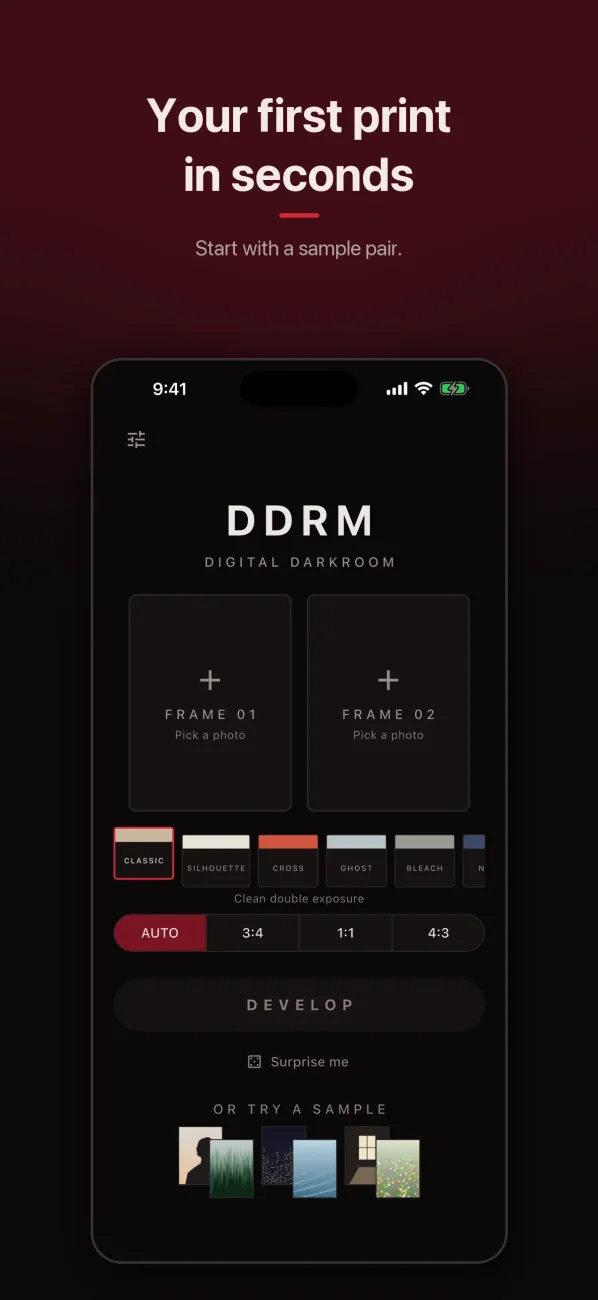
Giới thiệu
Nhà phát triển chưa cung cấp nội dung này bằng ngôn ngữ của bạn.
DDRM is a digital darkroom for double exposures.
On film, a double exposure was a happy accident: two moments on one frame, and you only saw the result once it was developed. DDRM brings that feeling back. Choose two photos, press DEVELOP, and the darkroom decides the rest: the blend, the placement, the light, the grain and the color. Not quite right? Develop again. No two takes are the same.
SHOOT LIKE FILM
• Shoot both exposures in the app. Your first shot stays on the viewfinder as a faint ghost, so you can line up the second.
• Or pick either frame from your photo library.
DEVELOP, AGAIN AND AGAIN
• Every DEVELOP makes a new take, composed around the faces and light in your photos.
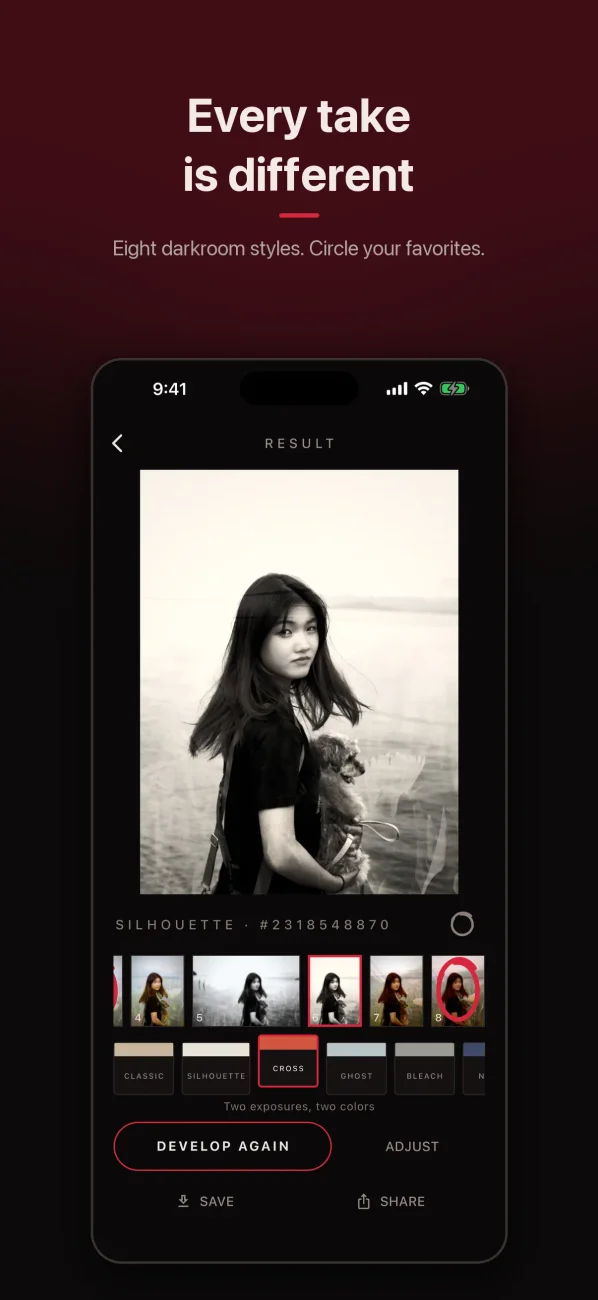
• All your takes land on a contact sheet. Circle your favorites.
• Surprise me picks a darkroom style for you.
SIX DARKROOM STYLES
Classic, Ghost, Bleach, Night, Dream and Accident: from a clean double exposure to wild, misregistered frames.
FINE-TUNE WHEN YOU WANT TO
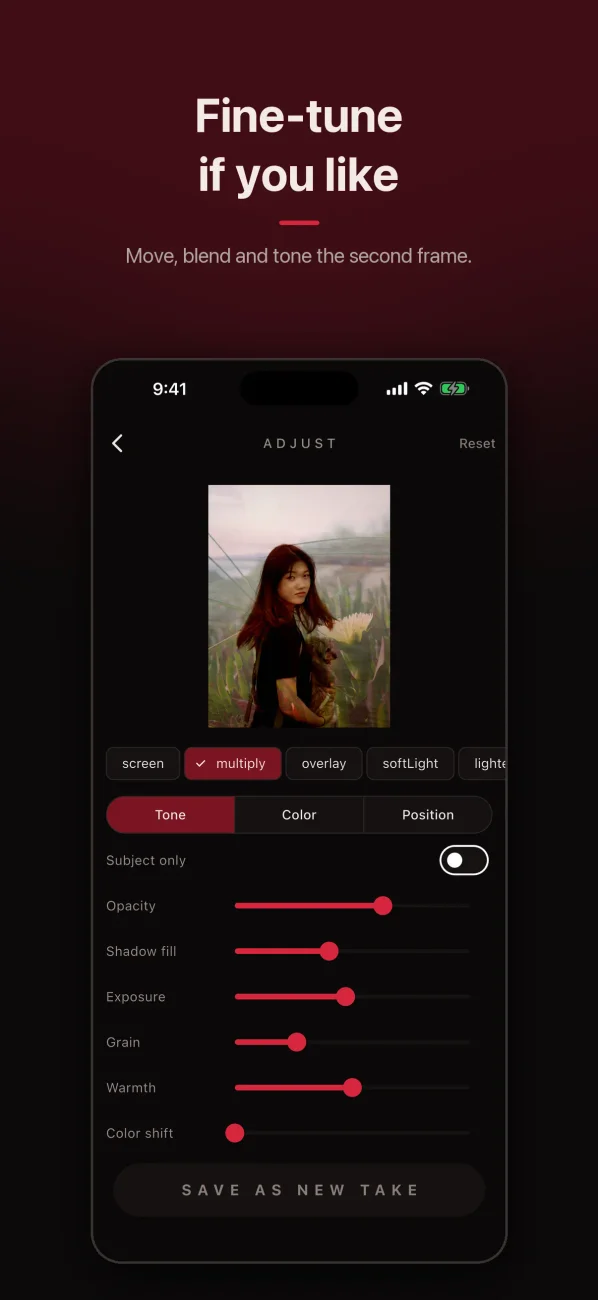
ADJUST lets you move, scale and rotate the second frame, change the blend, and tune opacity, exposure, grain, warmth and color shift. Your adjusted version is saved as a new take, so the original stays on the contact sheet.
REAL FILM CHARACTER
Grain, halation, bloom, vignette, fade and color shift, rendered on your iPhone's GPU.
SAVE AND SHARE
• Save high-resolution prints to Photos.
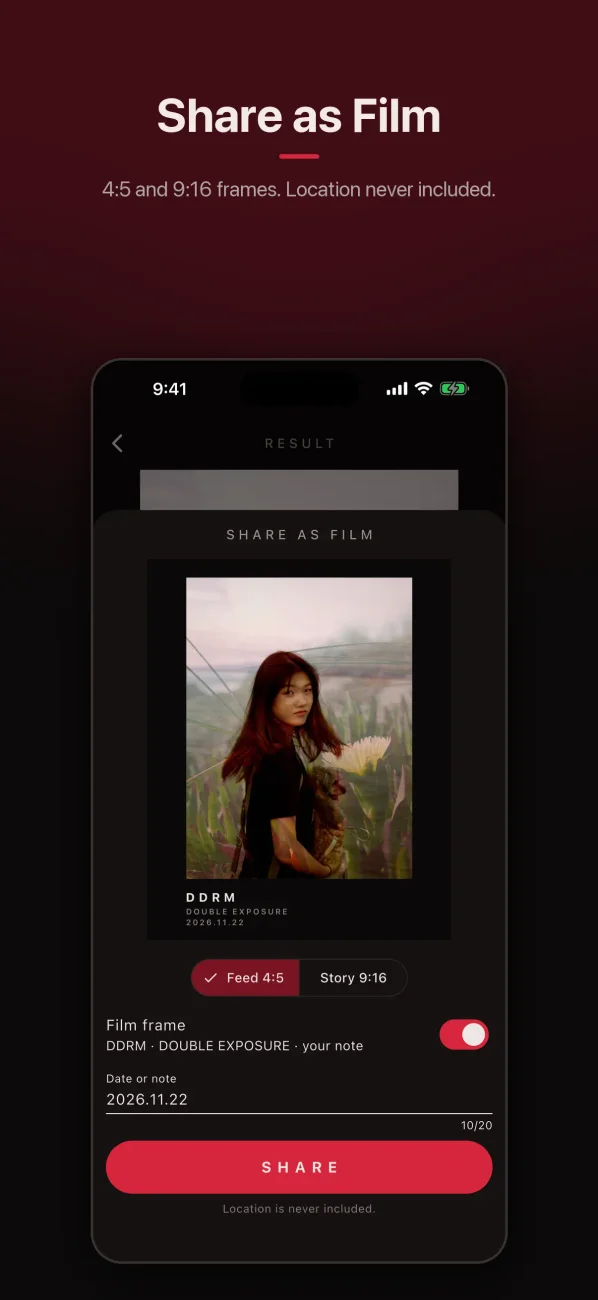
• Share as Film: a 4:5 feed or 9:16 story frame with a film caption.
• Location is never included in the photos you save or share.
PRIVATE BY DESIGN
Your photos are developed on your iPhone and are never uploaded. No account needed.
New to double exposures? Start with a sample pair and get your first print in seconds.
Có gì mới
Phiên bản 1.2.0 · 22/11/2026
New looks for your double exposures:
• Silhouette — When a photo has a person against a plain background, the second photo fills just the subject while the background stays clean.
• Cross — Give each exposure its own color, like cross-processed film.
• Shadow fill — On bright photos, the second exposure stays in the darker tones, so skies and white walls stay clean.
• Film blend — Both exposures add their light like real film, and highlights wash out softly together.
• Result shape — Choose AUTO, 3:4, 1:1 or 4:3. The photo is cropped around its subject.
• Silhouette assist — When shooting both exposures in the camera, turn it on for the first shot to get a brighter backdrop and a preview of the silhouette look.
Improvements:
• SHARE: the last line of the film frame caption is now yours. It starts as the date, and you can type your own note of up to 20 characters.
• ADJUST: moving the second photo is now precise, and a new Position panel fine-tunes position, size and rotation.
• Your earlier takes look exactly the same.
Quyền riêng tư của ứng dụng
Những gì Myoungki Song khai báo trên App Store về cách ứng dụng này xử lý dữ liệu.
-
Dữ liệu không liên kết với bạn
Có thể được thu thập nhưng không liên kết với danh tính của bạn.
- Vị trí
- Mã định danh
- Dữ liệu sử dụng
Phương thức đảm bảo quyền riêng tư có thể khác nhau, chẳng hạn như tuỳ theo các tính năng bạn sử dụng hoặc độ tuổi của bạn.
Thông tin
- Người bán
- Myoungki Song
- Danh mục
- Ảnh & Video
- Phiên bản
- 1.2.0
- Cập nhật
- 22/11/2026
- Phát hành
- 30/10/2026
- Kích thước
- 21,7 MB
- Yêu cầu
- iOS 17.0 trở lên
- Độ tuổi
- 4+
- Giá
- Miễn phí
- Ngôn ngữ
- Tiếng Anh, Tiếng Nhật, Tiếng Hàn
- Bản quyền
- © 2026 DDRM
Có thể bạn cũng thích
-
 BlendCamera - Double ExposureẢnh & Video
-
 ImageFlux: Phơi Sáng KépGhép ảnh, chỉnh sửa ảnh & RAW
-
 Làm mờ & điểm ảnh mặtTự động làm mờ mặt trong ảnh
-
 Double ExposureẢnh & Video
-
 EZ Blur Focus Photo EffectsẢnh & Video
-
 Passport Photo Maker· ID PhotoẢnh & Video
-
 AI Photo Enhancer & UpscalerNâng cao chất lượng hình ảnh
-
 xoá nền ảnh và xoá phông nềntách nền, thay nền, cắt ảnh
-
 Blend: Combine Photo LayersẢnh & Video
-
 KIRI Engine:3D Scanner & LiDARẢnh & Video