DDRM: Double Exposure Camera
Blend two photos like film
iPhone, iPad için tasarlandı
Ücretsiz
- Yaş sınırı4+
- KategoriFotoğraf ve Video
- GeliştiriciMyoungki Song
- Dillerİngilizce+ 2 dil daha
- Boyut21,7 MB
Resmi App Store sayfasına bağlanır
Download.org, DDRM: Double Exposure Camera için hiçbir dosya barındırmaz. Düğme, uygulamanın App Store üzerindeki sayfasını açar; uygulamayı orada Myoungki Song yayınlar. Sayfanın son kontrolü: 23.11.2026.
Ekran görüntüleri


Hakkında
Geliştirici bu metni dilinizde sunmamış.
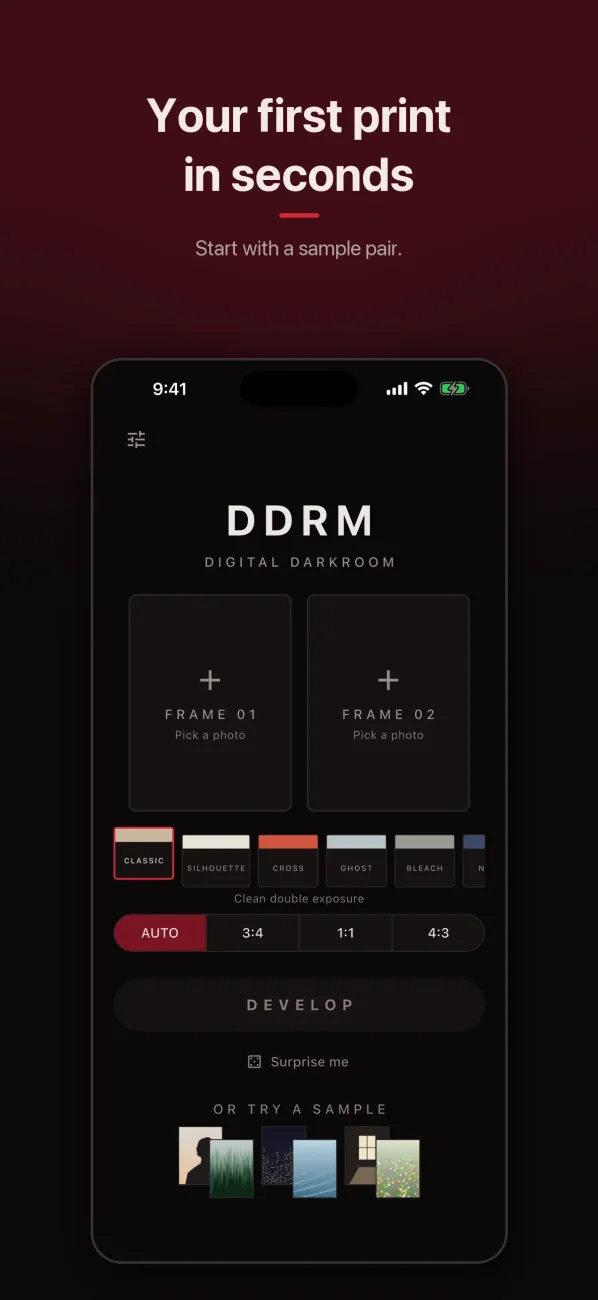
DDRM is a digital darkroom for double exposures.
On film, a double exposure was a happy accident: two moments on one frame, and you only saw the result once it was developed. DDRM brings that feeling back. Choose two photos, press DEVELOP, and the darkroom decides the rest: the blend, the placement, the light, the grain and the color. Not quite right? Develop again. No two takes are the same.
SHOOT LIKE FILM
• Shoot both exposures in the app. Your first shot stays on the viewfinder as a faint ghost, so you can line up the second.
• Or pick either frame from your photo library.
DEVELOP, AGAIN AND AGAIN
• Every DEVELOP makes a new take, composed around the faces and light in your photos.
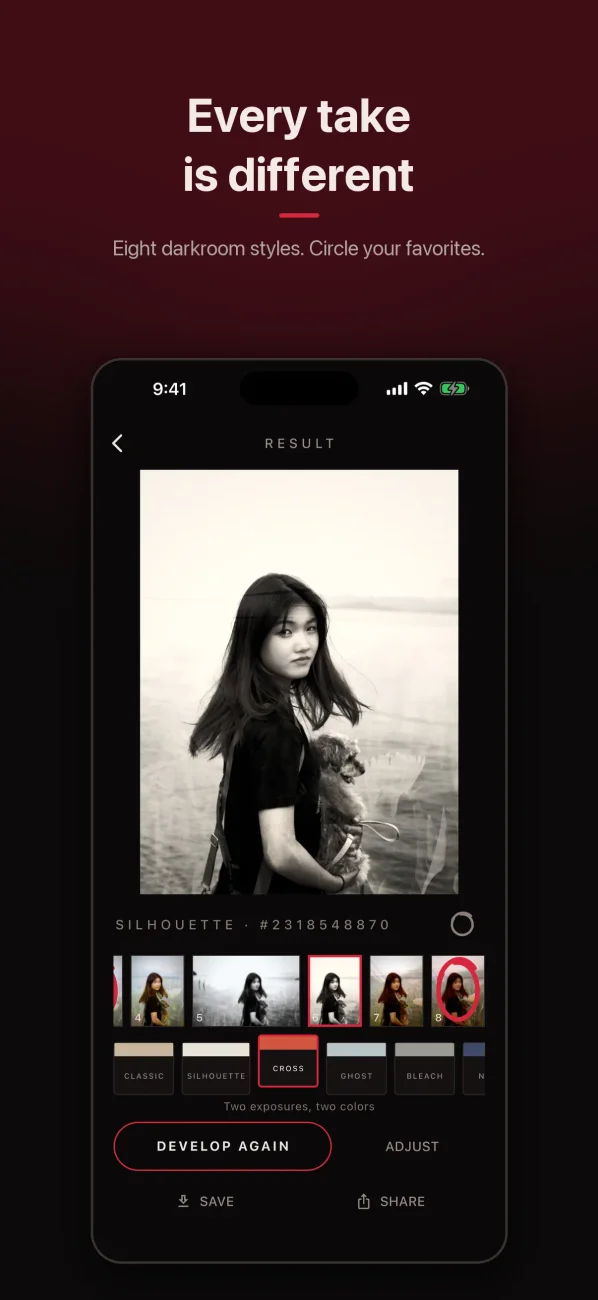
• All your takes land on a contact sheet. Circle your favorites.
• Surprise me picks a darkroom style for you.
SIX DARKROOM STYLES
Classic, Ghost, Bleach, Night, Dream and Accident: from a clean double exposure to wild, misregistered frames.
FINE-TUNE WHEN YOU WANT TO
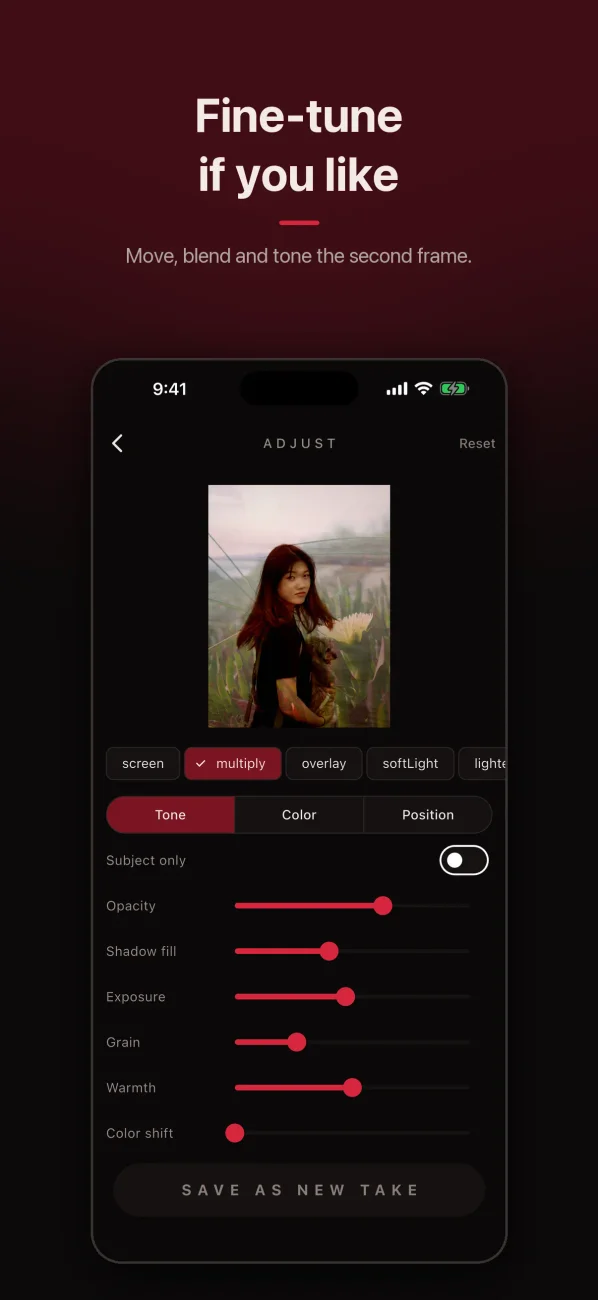
ADJUST lets you move, scale and rotate the second frame, change the blend, and tune opacity, exposure, grain, warmth and color shift. Your adjusted version is saved as a new take, so the original stays on the contact sheet.
REAL FILM CHARACTER
Grain, halation, bloom, vignette, fade and color shift, rendered on your iPhone's GPU.
SAVE AND SHARE
• Save high-resolution prints to Photos.
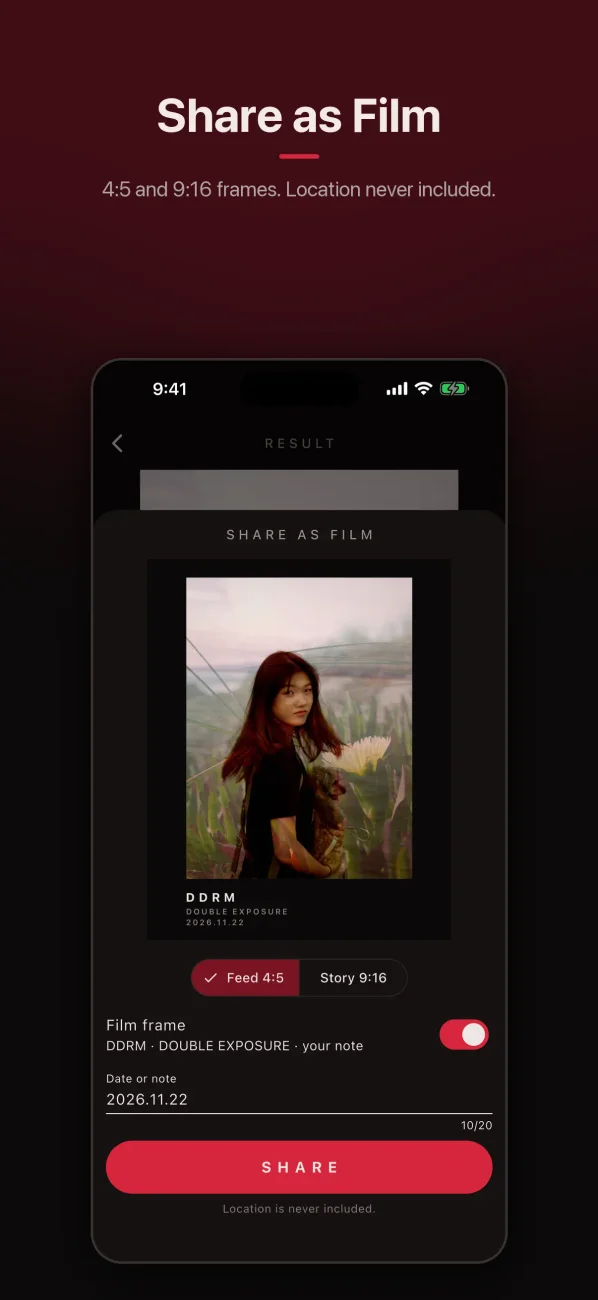
• Share as Film: a 4:5 feed or 9:16 story frame with a film caption.
• Location is never included in the photos you save or share.
PRIVATE BY DESIGN
Your photos are developed on your iPhone and are never uploaded. No account needed.
New to double exposures? Start with a sample pair and get your first print in seconds.
Yenilikler
Sürüm 1.2.0 · 22.11.2026
New looks for your double exposures:
• Silhouette — When a photo has a person against a plain background, the second photo fills just the subject while the background stays clean.
• Cross — Give each exposure its own color, like cross-processed film.
• Shadow fill — On bright photos, the second exposure stays in the darker tones, so skies and white walls stay clean.
• Film blend — Both exposures add their light like real film, and highlights wash out softly together.
• Result shape — Choose AUTO, 3:4, 1:1 or 4:3. The photo is cropped around its subject.
• Silhouette assist — When shooting both exposures in the camera, turn it on for the first shot to get a brighter backdrop and a preview of the silhouette look.
Improvements:
• SHARE: the last line of the film frame caption is now yours. It starts as the date, and you can type your own note of up to 20 characters.
• ADJUST: moving the second photo is now precise, and a new Position panel fine-tunes position, size and rotation.
• Your earlier takes look exactly the same.
Uygulama gizliliği
Bu uygulamanın verileri nasıl işlediği hakkında Myoungki Song tarafından App Store üzerinde yapılan beyan.
-
Sizinle ilişkilendirilmeyen veriler
Toplanabilir ancak kimliğinizle ilişkilendirilmez.
- Konum
- Tanımlayıcılar
- Kullanım verileri
Gizlilik uygulamaları, örneğin kullandığınız özelliklere veya yaşınıza göre değişiklik gösterebilir.
Bilgiler
- Satıcı
- Myoungki Song
- Kategori
- Fotoğraf ve Video
- Sürüm
- 1.2.0
- Güncellendi
- 22.11.2026
- Yayın tarihi
- 30.10.2026
- Boyut
- 21,7 MB
- Gereksinim
- iOS 17.0 veya sonrası
- Yaş sınırı
- 4+
- Fiyat
- Ücretsiz
- Diller
- İngilizce, Japonca, Korece
- Telif hakkı
- © 2026 DDRM
Bunları da beğenebilirsiniz
-
 BlendCamera - Double ExposureFotoğraf ve Video
-
 ImageFlux: Çoklu PozlamaÇift pozlama & RAW harmanlama
-
 Yüz piksel ve bulanıklıkOtomatik yüz bulanıklaştırma
-
 Double ExposureFotoğraf ve Video
-
 EZ Bulanıklık Odak FotoğrafKolay Bulanıklık,odak Fotoğraf
-
 Passport Photo Maker· ID PhotoFotoğraf ve Video
-
 AI Foto İyileştiriciBulanıklık Kaldır&Kalite Artır
-
 Fotoğraf Arka Plan Değiştirme,Silici, Silme, Kaldırma, Kesme
-
 Blend: Çift Pozlama ve KolajKatmanlı Fotoğraf Düzenleyici
-
 KIRI Engine:3D Scanner & LiDARFotoğraf ve Video