- Clasificación por edad9+
- CategoríaEducación
- DesarrolladorDoug Abbot
- IdiomasInglés
- Tamaño627,0 KB
Es posible que DPS Worksheet Helper no esté disponible en App Store en este momento
No se pudo acceder a la ficha de la tienda en nuestra última comprobación. El enlace sigue llevando a la página oficial de App Store.
Capturas de pantalla
Acerca de
El desarrollador no ha proporcionado este texto en tu idioma.
Worksheet Helper – Scan, Type, Draw, Speak
Your all‑in‑one digital worksheet companion for iPad.
Worksheet Helper turns your iPad into an interactive workspace for paper worksheets, handouts, and assignments. Simply take a photo, add text boxes, highlight with a highlighter, and let Live Text read the content aloud – all within one clean, intuitive app.
Key Features
Scan Any Worksheet
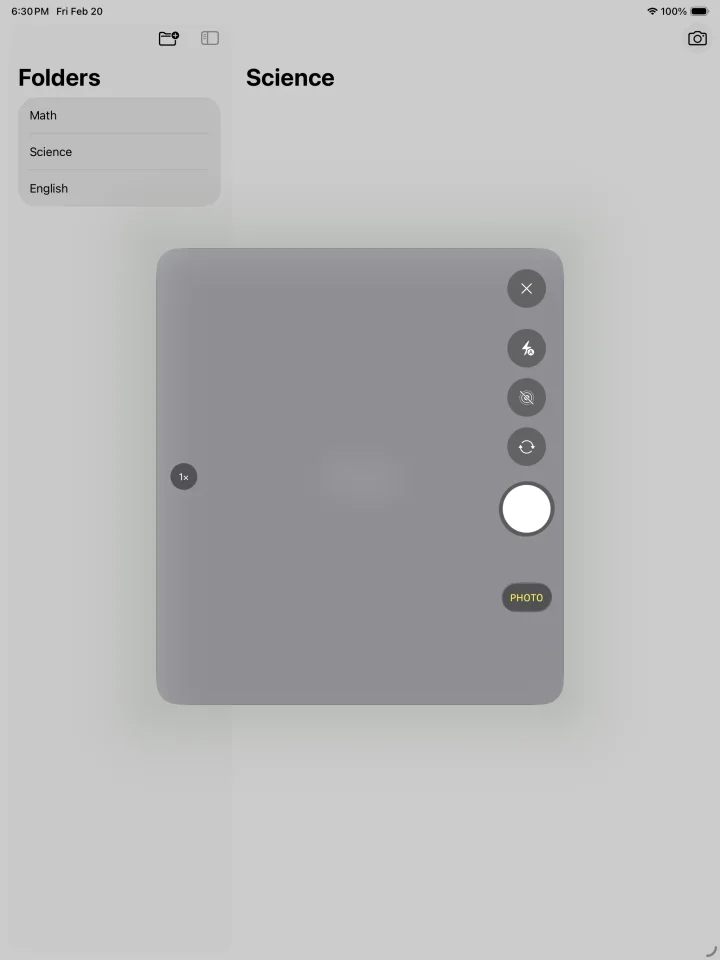
Use the built‑in camera to capture worksheets, book pages, or any printed material.
Live Text OCR automatically recognizes text – tap any word or paragraph to have it spoken aloud (great for struggling readers or learning new vocabulary).
Add & Customize Text Boxes
Overlay resizable text boxes anywhere on the image.
Type your answers, notes, or instructions.
Text wraps automatically and the box expands as you type.
Adjust font size with a simple slider.
Draw & Highlight with PencilKit
Switch to drawing mode to annotate directly on the worksheet.
Choose between pen and eraser, adjust thickness, and pick from five high‑visibility colours (yellow, green, blue, red, black).
Perfect for underlining key points, circling answers, or adding quick sketches.
Organize Your Work
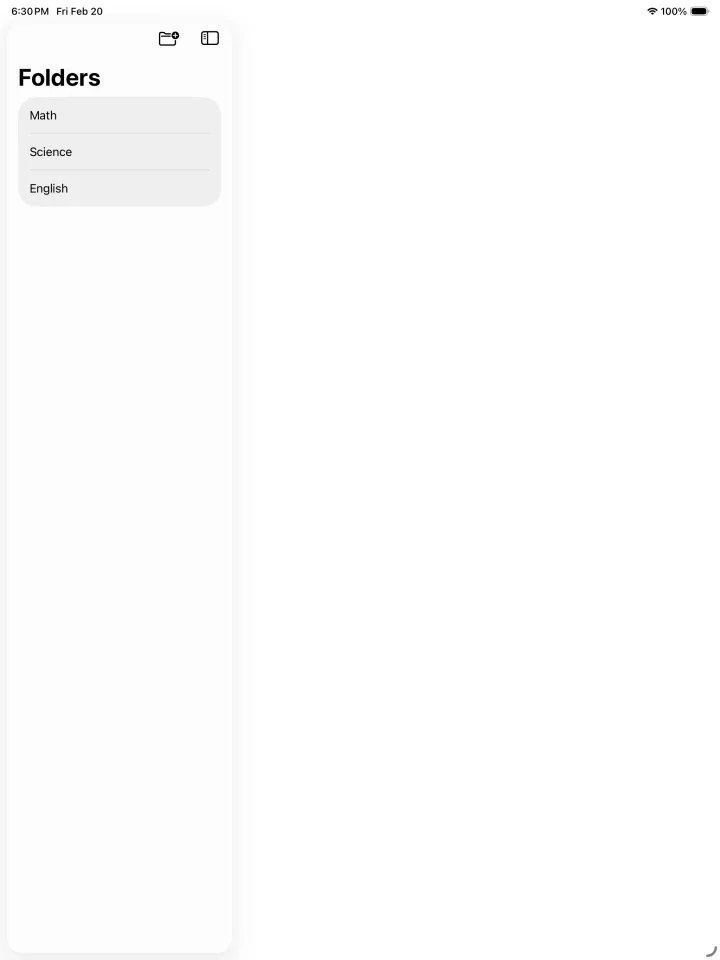
Create folders for different subjects, classes, or projects.
Save all your worksheets in one place, neatly categorized.
Swipe to delete folders or individual worksheets when you’re done.
Export as PDF
Generate a PDF that includes the original image, all your typed text boxes, and (optionally) your drawings.
Share via email, AirDrop, save to Files, or print directly from the share sheet.
Built‑in Text‑to‑Speech
Powered by iOS’s high‑quality speech synthesizer.
Select any text (via Live Text) and hear it read aloud – one paragraph at a time.
Helps with reading comprehension, pronunciation, and independent learning.
Who It’s For
Students who need a flexible way to complete digital worksheets.
Teachers creating interactive assignments for remote or classroom use.
Tutors working one‑on‑one with learners.
Anyone who prefers to type or draw rather than print and fill out paper forms.
Requirements
iPad with iPadOS 16.0 or later (required for Live Text and PencilKit).
Camera access for taking photos of worksheets.
Novedades
Versión 1.15 · 2/4/2026
Drawnings are now exported along with the text boxes.
Privacidad de la aplicación
Lo que Doug Abbot declara en App Store sobre cómo esta aplicación gestiona los datos.
-
No se recopilan datos
El desarrollador no recopila ningún dato de esta aplicación.
Las prácticas de privacidad pueden variar, por ejemplo, según las funciones que uses o tu edad.
Información
- Vendedor
- Doug Abbot
- Categoría
- Educación
- Versión
- 1.15
- Actualizado
- 2/4/2026
- Publicado
- 23/2/2026
- Tamaño
- 627,0 KB
- Requiere
- iOS 16.6 o posterior
- Clasificación por edad
- 9+
- Idiomas
- Inglés
- Copyright
- © SET-BC
Quizá también te guste
-
 Matemáticas Visuales: TDAHResuelve Problemas IA & Quiz
-
 Sketchwise: Mejora tus trazosGuía por etapas con foto
-
 Noise Meter - Keep QuietTeacher Tool: Speech Therapy
-
 Telling Time For Kids + ClockEducación
-
 Aprender Palabras: InglésCurso: vocabulario y idiomas
-
 Toddler educational games kidsEducación
-
 Grid for iPad - SuscripciónSolución completa para la CAA
-
 Vocabulario Inglés: SpellingRompecabezas Pasatiempos Quiz
-
 Twinkl Symbols AAC SystemEducación
-
 WhiteBoard by LiveBoardBlackboard to tutor & teach