- 対象年齢9+
- カテゴリ教育
- 開発元Doug Abbot
- 言語英語
- サイズ627.0 KB
App Storeの公式ページにリンクしています
Download.orgはDPS Worksheet Helperのファイルを一切ホストしていません。ボタンを押すと、Doug Abbotが公開しているApp Storeのアプリページが開きます。ページの最終確認:2026/11/20。
スクリーンショット
概要
開発元はこのテキストをお使いの言語で提供していません。
Worksheet Helper – Scan, Type, Draw, Speak
Your all‑in‑one digital worksheet companion for iPad.
Worksheet Helper turns your iPad into an interactive workspace for paper worksheets, handouts, and assignments. Simply take a photo, add text boxes, highlight with a highlighter, and let Live Text read the content aloud – all within one clean, intuitive app.
Key Features
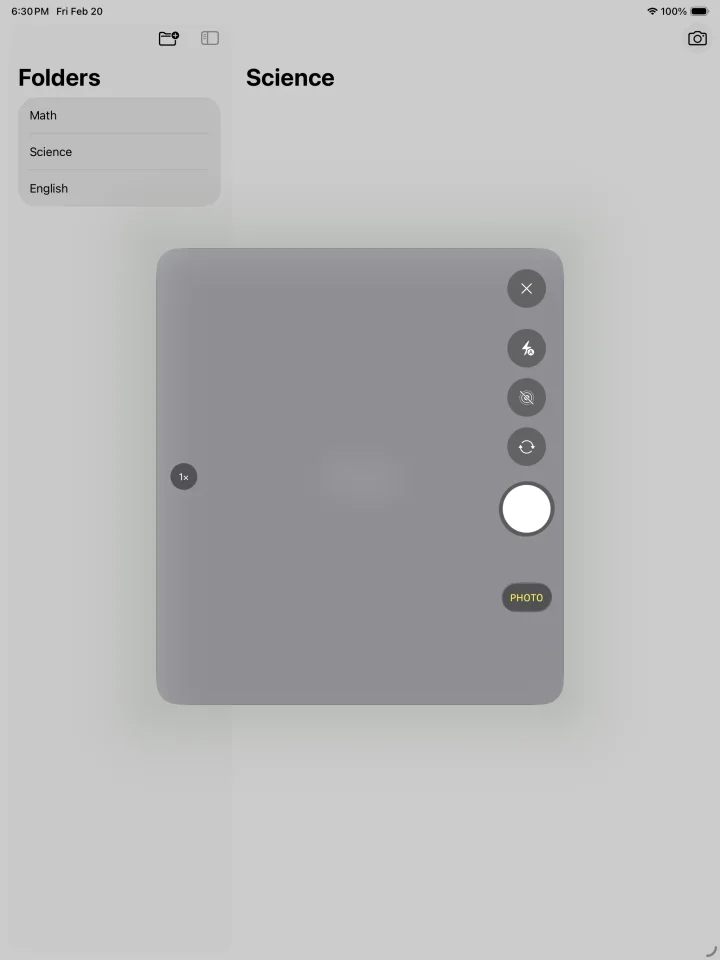
Scan Any Worksheet
Use the built‑in camera to capture worksheets, book pages, or any printed material.
Live Text OCR automatically recognizes text – tap any word or paragraph to have it spoken aloud (great for struggling readers or learning new vocabulary).
Add & Customize Text Boxes
Overlay resizable text boxes anywhere on the image.
Type your answers, notes, or instructions.
Text wraps automatically and the box expands as you type.
Adjust font size with a simple slider.
Draw & Highlight with PencilKit
Switch to drawing mode to annotate directly on the worksheet.
Choose between pen and eraser, adjust thickness, and pick from five high‑visibility colours (yellow, green, blue, red, black).
Perfect for underlining key points, circling answers, or adding quick sketches.
Organize Your Work
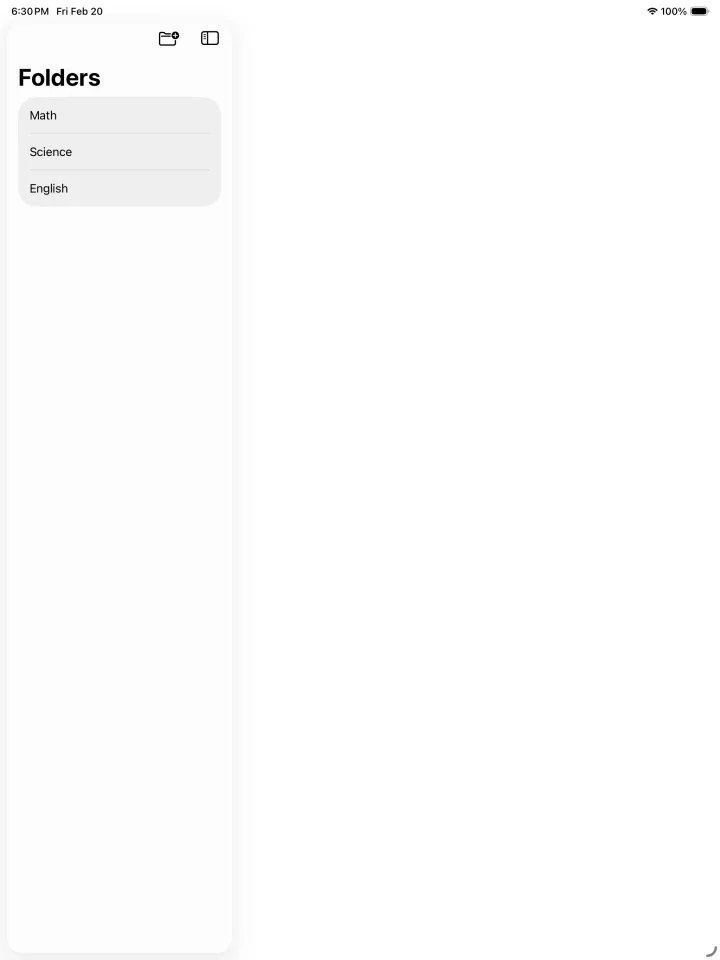
Create folders for different subjects, classes, or projects.
Save all your worksheets in one place, neatly categorized.
Swipe to delete folders or individual worksheets when you’re done.
Export as PDF
Generate a PDF that includes the original image, all your typed text boxes, and (optionally) your drawings.
Share via email, AirDrop, save to Files, or print directly from the share sheet.
Built‑in Text‑to‑Speech
Powered by iOS’s high‑quality speech synthesizer.
Select any text (via Live Text) and hear it read aloud – one paragraph at a time.
Helps with reading comprehension, pronunciation, and independent learning.
Who It’s For
Students who need a flexible way to complete digital worksheets.
Teachers creating interactive assignments for remote or classroom use.
Tutors working one‑on‑one with learners.
Anyone who prefers to type or draw rather than print and fill out paper forms.
Requirements
iPad with iPadOS 16.0 or later (required for Live Text and PencilKit).
Camera access for taking photos of worksheets.
新機能
バージョン 1.15 · 2026/4/2
Drawnings are now exported along with the text boxes.
アプリのプライバシー
このアプリのデータの取り扱いについて、Doug AbbotがApp Storeで申告している内容です。
-
データの収集なし
開発元はこのアプリからデータを収集しません。
プライバシーの取り扱いは、ご利用の機能やお客様の年齢などに応じて異なる場合があります。
情報
- 販売元
- Doug Abbot
- カテゴリ
- 教育
- バージョン
- 1.15
- 更新日
- 2026/4/2
- リリース
- 2026/2/23
- サイズ
- 627.0 KB
- 必要条件
- iOS 16.6以降
- 対象年齢
- 9+
- 価格
- 無料
- 言語
- 英語
- 著作権
- © SET-BC
こちらもおすすめ
-
 ビジュアル算数:発達障害と計算支援AIで文章題を解く&算数クイズ
-
 Sketchwise: 写真で作画を学ぶ段階別ガイドとAI添削
-
 Noise Meter - Keep Quiet教育
-
 Telling Time For Kids + Clock教育
-
 英語を学ぶ:単語とボキャブラリー英語コース:初心者向けと上級者向けの英語の単語
-
 Toddler educational games kids教育
-
 Grid for iPad - AAC教育
-
 英単語ゲーム 語彙力パズル 英語学習スペリング 絵合わせ 脳トレ暇つぶし
-
 Twinkl Symbols AAC System教育
-
 WhiteBoard by LiveBoard教育