
Drawboard Projects
Collaborative design reviews
Diseñada para iPhone, iPad
Gratis
- Clasificación por edad4+
- CategoríaProductividad
- DesarrolladorDrawboard Pty Ltd
- IdiomasInglés
- Tamaño58,4 MB
Enlaza a la página oficial de App Store
Download.org no aloja ningún archivo de Drawboard Projects. El botón abre la página de la aplicación en App Store, donde la publica Drawboard Pty Ltd. Ficha comprobada por última vez el 16/11/2026.
Capturas de pantalla



Acerca de
El desarrollador no ha proporcionado este texto en tu idioma.
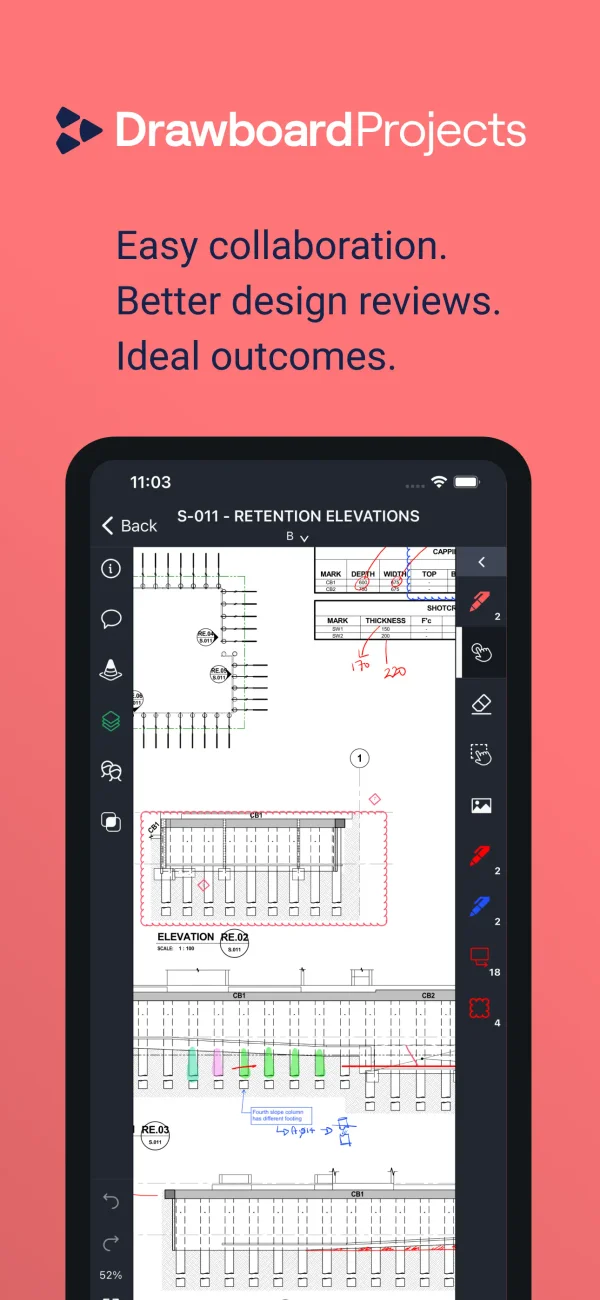
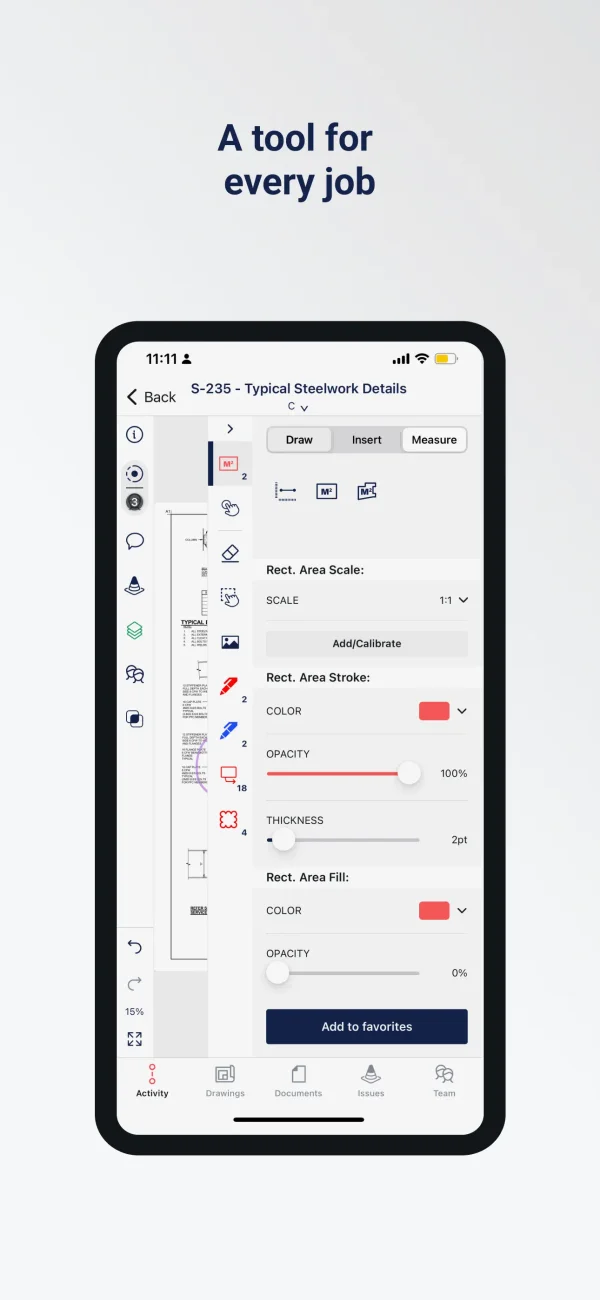
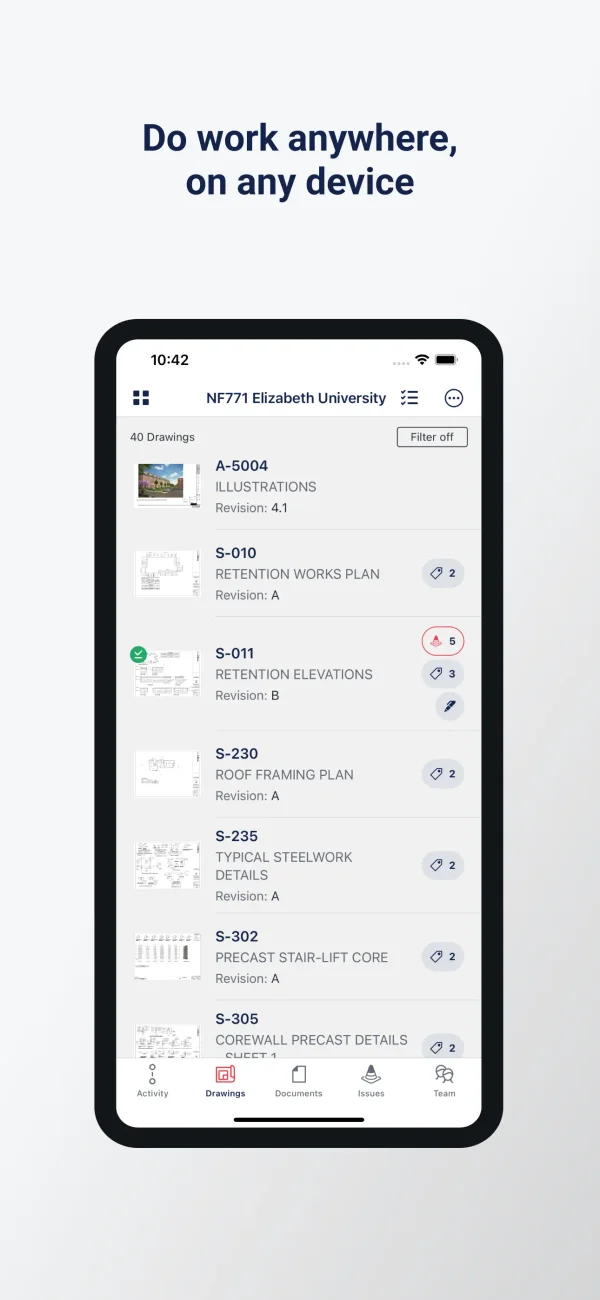
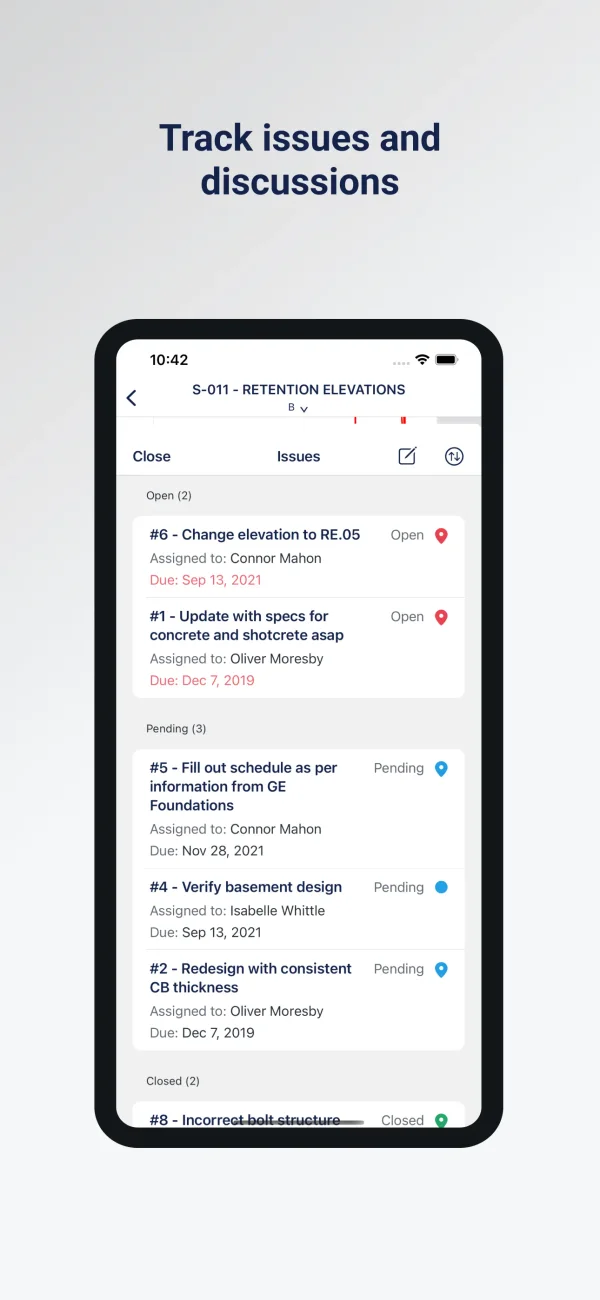
Your collaborative and real-time workspace for design review. Drawboard Projects helps architecture, engineering and construction teams globally save valuable project time by streamlining workflows in the design review lifecycle.
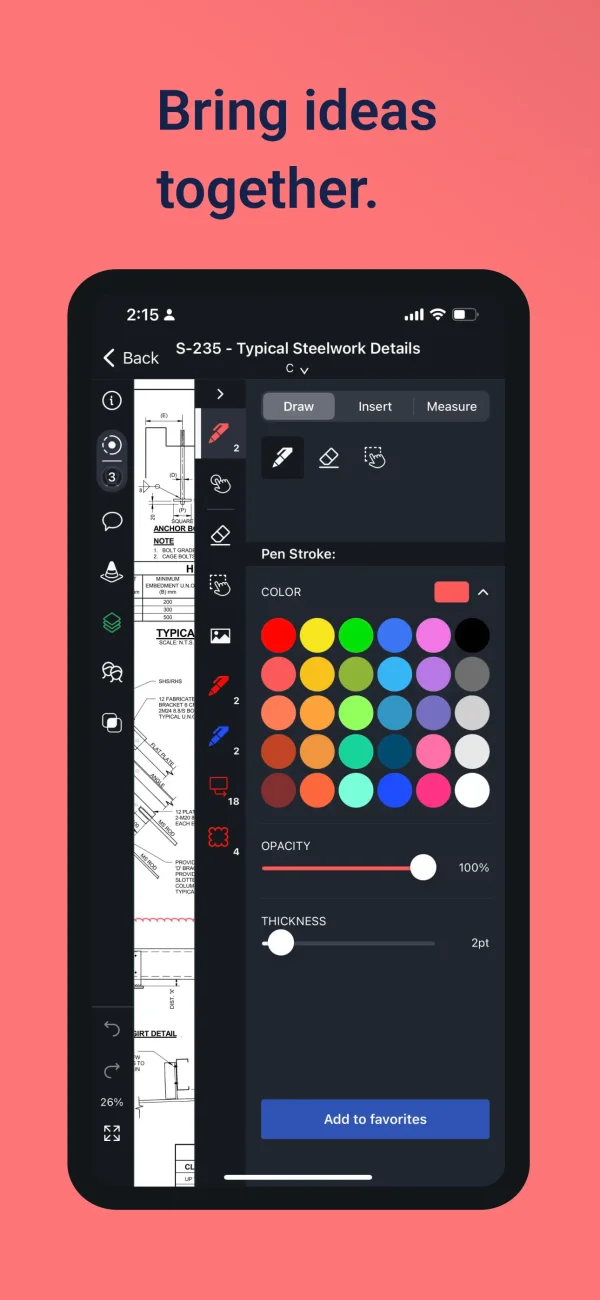
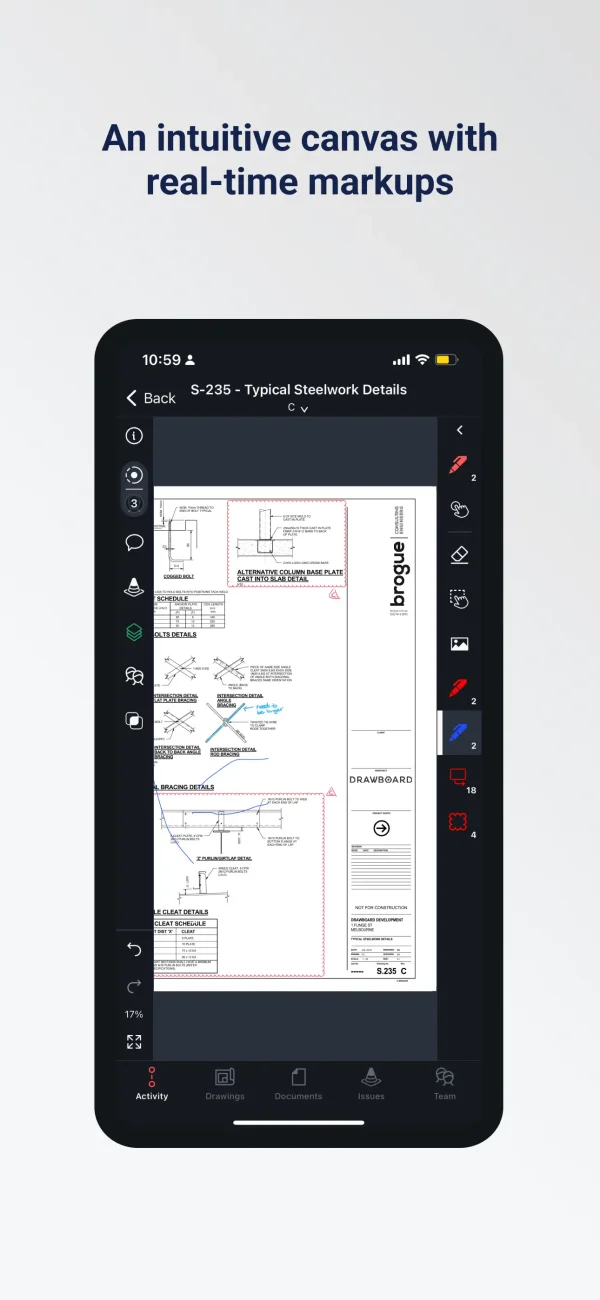
- Mark up on the move: Forget pen and paper with fast and accurate markups
- Cloud collaboration: Collaborate with your team in one location and from any location, with markups synced within seconds.
- Best-in-class ink: With Apple Pencil compatibility, write your notes and feel the tactility of a pen pressed to paper with pressure-sensitive ink
- Instant co-ordination: Manage and mitigate issues with real-time drawing coordination
- Fits your flow: App integrations to connect and improve your existing design workflow.
- Discuss changes: Keep all discussions right on the drawing so that everyone can see the context behind the decisions that were made.
A Projects account is required to use this application.
Novedades
Versión 11.8.0 · 28/10/2026
- New Features
• Keyboard shortcuts such as ⌘Z, Delete and the arrow keys now work on the canvas with a hardware keyboard.
• Hold Shift while drawing or editing a markup to keep its proportions and snap to 45°, or Option to draw and resize from the center.
• Selecting a rectangle or rectangle area now shows resize and rotate handles.
• Snapshots placed in Drawboard Projects for Windows now show on iPad.
- Bug Fixes
• Tapping a drawing in a project's activity feed opens it again.
• Tapping inside an unfilled shape selects it again, and lines can be dragged by the line itself.
• Calibrating a scale no longer moves the selected markup.
• Markups made on a weak connection now sync as soon as the connection recovers.
• Performance improvements.
• Other bug fixes.
Privacidad de la aplicación
Lo que Drawboard Pty Ltd declara en App Store sobre cómo esta aplicación gestiona los datos.
-
Datos vinculados a ti
Pueden recopilarse y vincularse a tu identidad.
- Identificadores
-
Datos no vinculados a ti
Pueden recopilarse, pero no se vinculan a tu identidad.
- Identificadores
- Datos de uso
- Diagnóstico
Las prácticas de privacidad pueden variar, por ejemplo, según las funciones que uses o tu edad.
Información
- Vendedor
- Drawboard Pty Ltd
- Categoría
- Productividad
- Versión
- 11.8.0
- Actualizado
- 28/10/2026
- Publicado
- 1/3/2017
- Tamaño
- 58,4 MB
- Requiere
- iOS 18.0 o posterior
- Clasificación por edad
- 4+
- Precio
- Gratis
- Idiomas
- Inglés
- Copyright
- © Drawboard Pty Ltd
Quizá también te guste
-
 PlanFormGestión Planos Construcción
-
 Monograph: Time and ExpensesProductividad
-
 Atrius FacilitiesProductividad
-
 BIM 360 FieldProductividad
-
 Site Diary - ConstructionProductividad
-
 ScaleTap: PDF Plan MeasureProductividad
-
 DigiTrak LWDAcceso en tiempo real a datos
-
 PlanRadarApp de gestión de obras
-
 Revizto5Productividad
-
 iPoint Tech ProProductividad