
- Clasificación por edad4+
- CategoríaUtilidades
- DesarrolladorFutoshi Ebata
- IdiomasInglés
- Tamaño3,2 MB
Enlaza a la página oficial de App Store
Download.org no aloja ningún archivo de EVA Clock Nixie. El botón abre la página de la aplicación en App Store, donde la publica Futoshi Ebata. Ficha comprobada por última vez el 25/11/2026.
Capturas de pantalla
Acerca de
El desarrollador no ha proporcionado este texto en tu idioma.
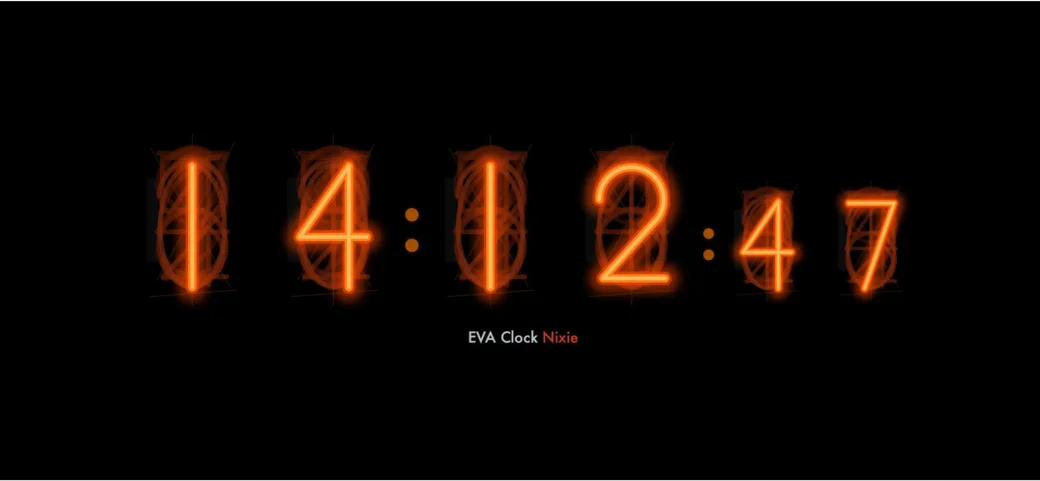
A nixie tube clock for your iPhone or iPad.
The glowing orange digits are not photographs. Every bend of every numeral, and every wire stacked behind it, is drawn from scratch. Each digit is built as a single bent wire, and three layers - bloom, midtone, and glowing core - stack up to make that particular orange light.
The digits that are not lit are still there, as a faint stack of ten numeral-shaped cathodes behind the glowing one. As the time changes, lit and unlit tubes quietly trade places.
Turn the device sideways and the tubes fill the screen. It is meant to sit on your nightstand or desk as the clock itself.
WHAT IT DOES
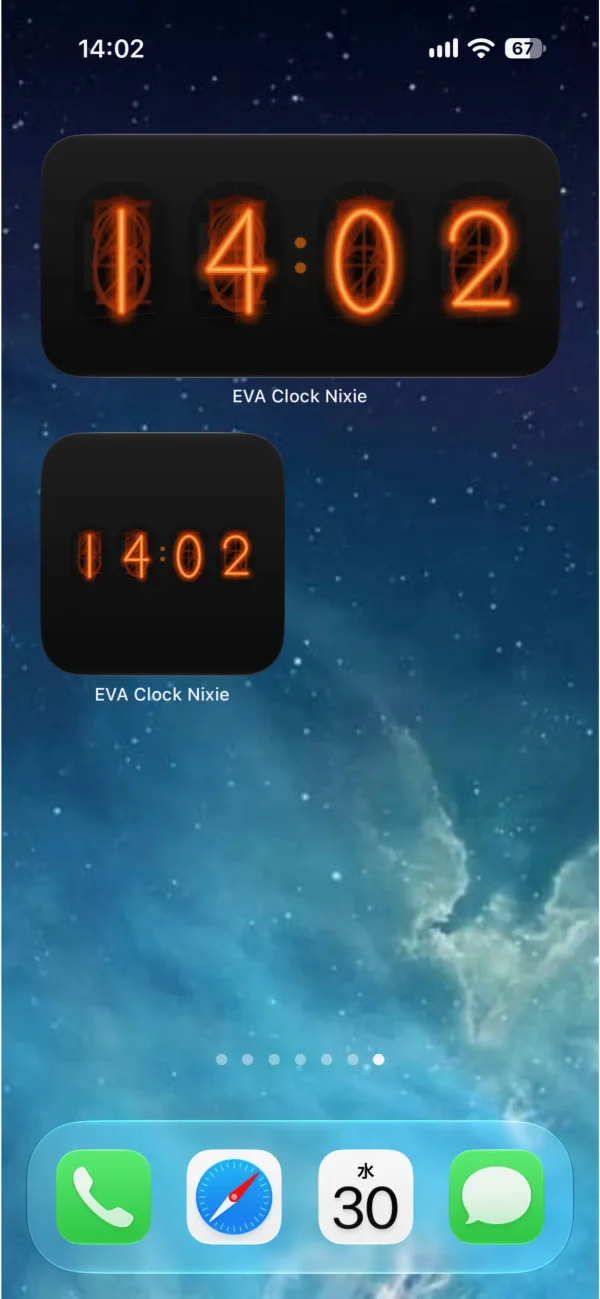
- Home Screen widgets showing hours and minutes, in a small square or a wide rectangle - they work in StandBy too
- Switch between 12-hour and 24-hour display
- Turn the seconds on or off. When off, only hours and minutes are shown, at the same tube size, centered on the screen. On by default.
- Turn colon blinking on or off. When on, the colons between hours, minutes, and seconds blink in step with the seconds. Off by default.
- Hourly chime, with a three-second countdown tone and adjustable volume (it respects the silent switch)
- Keep the screen awake while the clock is showing
- Dim the display for night use
- Protect OLED displays by shifting the clock a few points every few minutes
ABOUT THE WIDGET
It sits on your Home Screen or in StandBy. It shows hours and minutes; seconds do not move. iOS decides when widgets refresh, so the displayed time may lag slightly behind. Lock Screen widgets are not supported - the Lock Screen renders widgets without color, and nixie tubes do not survive that.
USING IT
Tap the screen and a settings button appears in the top-right corner; tap it to open the settings. The button fades away after a few seconds. Otherwise there are no buttons on screen - you get the clock and nothing else.
PRIVACY
This app collects nothing. No analytics, no crash reporting, no advertising. It performs no network communication at all. Your settings are stored only on your device.
REQUIREMENTS
iOS 17.0 or later / iPadOS 17.0 or later
Also available for Mac under the same name.
Novedades
Versión 1.3.0 · 23/11/2026
Settings now open from a button, and the settings show information about the app.
- Tap the clock and a settings button appears in the top-right corner. Tap it to open the settings. The button fades away after a few seconds, so a stray touch no longer opens the settings.
Privacidad de la aplicación
Lo que Futoshi Ebata declara en App Store sobre cómo esta aplicación gestiona los datos.
-
No se recopilan datos
El desarrollador no recopila ningún dato de esta aplicación.
Las prácticas de privacidad pueden variar, por ejemplo, según las funciones que uses o tu edad.
Información
- Vendedor
- Futoshi Ebata
- Categoría
- Utilidades
- Versión
- 1.3.0
- Actualizado
- 23/11/2026
- Publicado
- 4/8/2026
- Tamaño
- 3,2 MB
- Requiere
- iOS 17.0 o posterior
- Clasificación por edad
- 4+
- Precio
- Gratis
- Idiomas
- Inglés
- Copyright
- Copyright © 2026 EVA Titer. All rights reserved.
Quizá también te guste
-
 HoralumeReloj nocturno animado
-
 NixiTubeClockUtilidades
-
 Lumitron: Fullscreen ClockUtilidades
-
 Simple Clock JPUtilidades
-
 Silent Time signalUtilidades
-
 Clockist: Reloj de mesa y díasReloj de paletas y widgets
-
 Clock Widgets: Flip & DigitalEstilos y modos de reloj
-
 30minTimer: Hourly ChimeUtilidades
-
 Segment ChronoTemporizador HIIT e intervalos
-
 EmpireClockUtilidades