- Độ tuổi4+
- Danh mụcTiện Ích
- Nhà phát triểnFutoshi Ebata
- Ngôn ngữTiếng Anh
- Kích thước3,2 MB
Liên kết đến trang App Store chính thức
Download.org không lưu trữ tệp nào của EVA Clock Nixie. Nút này mở trang ứng dụng trên App Store, nơi Futoshi Ebata phát hành ứng dụng. Trang được kiểm tra lần cuối: 25/11/2026.
Ảnh chụp màn hình
Giới thiệu
Nhà phát triển chưa cung cấp nội dung này bằng ngôn ngữ của bạn.
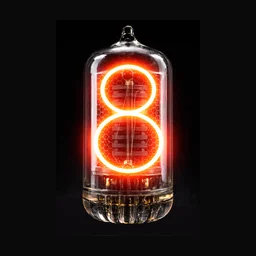
A nixie tube clock for your iPhone or iPad.
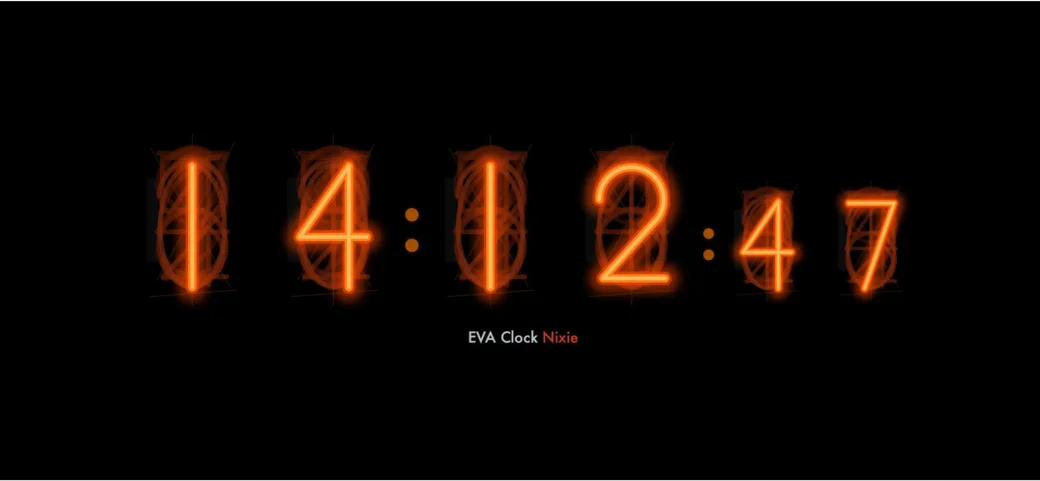
The glowing orange digits are not photographs. Every bend of every numeral, and every wire stacked behind it, is drawn from scratch. Each digit is built as a single bent wire, and three layers - bloom, midtone, and glowing core - stack up to make that particular orange light.
The digits that are not lit are still there, as a faint stack of ten numeral-shaped cathodes behind the glowing one. As the time changes, lit and unlit tubes quietly trade places.
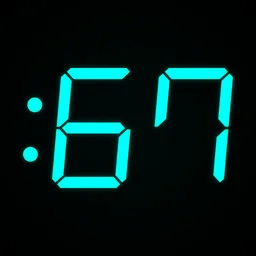
Turn the device sideways and the tubes fill the screen. It is meant to sit on your nightstand or desk as the clock itself.
WHAT IT DOES
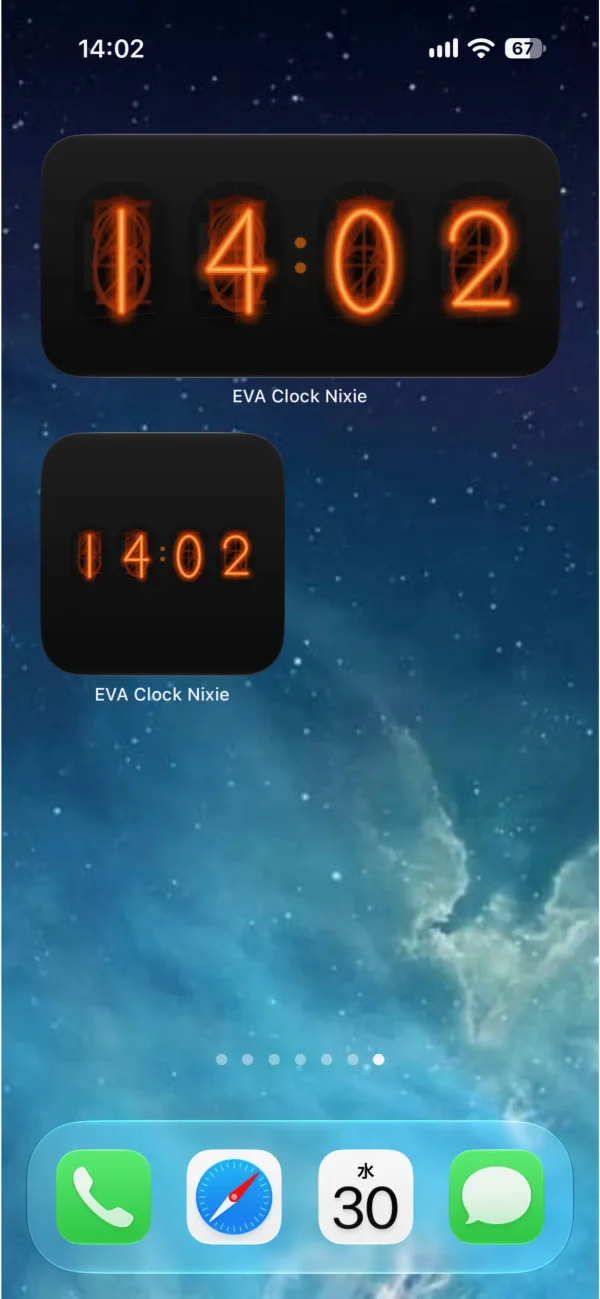
- Home Screen widgets showing hours and minutes, in a small square or a wide rectangle - they work in StandBy too
- Switch between 12-hour and 24-hour display
- Turn the seconds on or off. When off, only hours and minutes are shown, at the same tube size, centered on the screen. On by default.
- Turn colon blinking on or off. When on, the colons between hours, minutes, and seconds blink in step with the seconds. Off by default.
- Hourly chime, with a three-second countdown tone and adjustable volume (it respects the silent switch)
- Keep the screen awake while the clock is showing
- Dim the display for night use
- Protect OLED displays by shifting the clock a few points every few minutes
ABOUT THE WIDGET
It sits on your Home Screen or in StandBy. It shows hours and minutes; seconds do not move. iOS decides when widgets refresh, so the displayed time may lag slightly behind. Lock Screen widgets are not supported - the Lock Screen renders widgets without color, and nixie tubes do not survive that.
USING IT
Tap the screen and a settings button appears in the top-right corner; tap it to open the settings. The button fades away after a few seconds. Otherwise there are no buttons on screen - you get the clock and nothing else.
PRIVACY
This app collects nothing. No analytics, no crash reporting, no advertising. It performs no network communication at all. Your settings are stored only on your device.
REQUIREMENTS
iOS 17.0 or later / iPadOS 17.0 or later
Also available for Mac under the same name.
Có gì mới
Phiên bản 1.3.0 · 23/11/2026
Settings now open from a button, and the settings show information about the app.
- Tap the clock and a settings button appears in the top-right corner. Tap it to open the settings. The button fades away after a few seconds, so a stray touch no longer opens the settings.
Quyền riêng tư của ứng dụng
Những gì Futoshi Ebata khai báo trên App Store về cách ứng dụng này xử lý dữ liệu.
-
Dữ liệu không được thu thập
Nhà phát triển không thu thập bất kỳ dữ liệu nào từ ứng dụng này.
Phương thức đảm bảo quyền riêng tư có thể khác nhau, chẳng hạn như tuỳ theo các tính năng bạn sử dụng hoặc độ tuổi của bạn.
Thông tin
- Người bán
- Futoshi Ebata
- Danh mục
- Tiện Ích
- Phiên bản
- 1.3.0
- Cập nhật
- 23/11/2026
- Phát hành
- 04/08/2026
- Kích thước
- 3,2 MB
- Yêu cầu
- iOS 17.0 trở lên
- Độ tuổi
- 4+
- Giá
- Miễn phí
- Ngôn ngữ
- Tiếng Anh
- Bản quyền
- Copyright © 2026 EVA Titer. All rights reserved.