
FireWorksBld
Shoot and composition/GIF
Diseñada para iPhone, iPad, iPod touch
0,99 €
- Clasificación por edad4+
- CategoríaFoto y vídeo
- DesarrolladorHIROFUMI MARUO
- IdiomasInglés+ 1 más
- Tamaño19,1 MB
Enlaza a la página oficial de App Store
Download.org no aloja ningún archivo de FireWorksBld. El botón abre la página de la aplicación en App Store, donde la publica HIROFUMI MARUO. Ficha comprobada por última vez el 14/11/2026.
Capturas de pantalla


Acerca de
El desarrollador no ha proporcionado este texto en tu idioma.
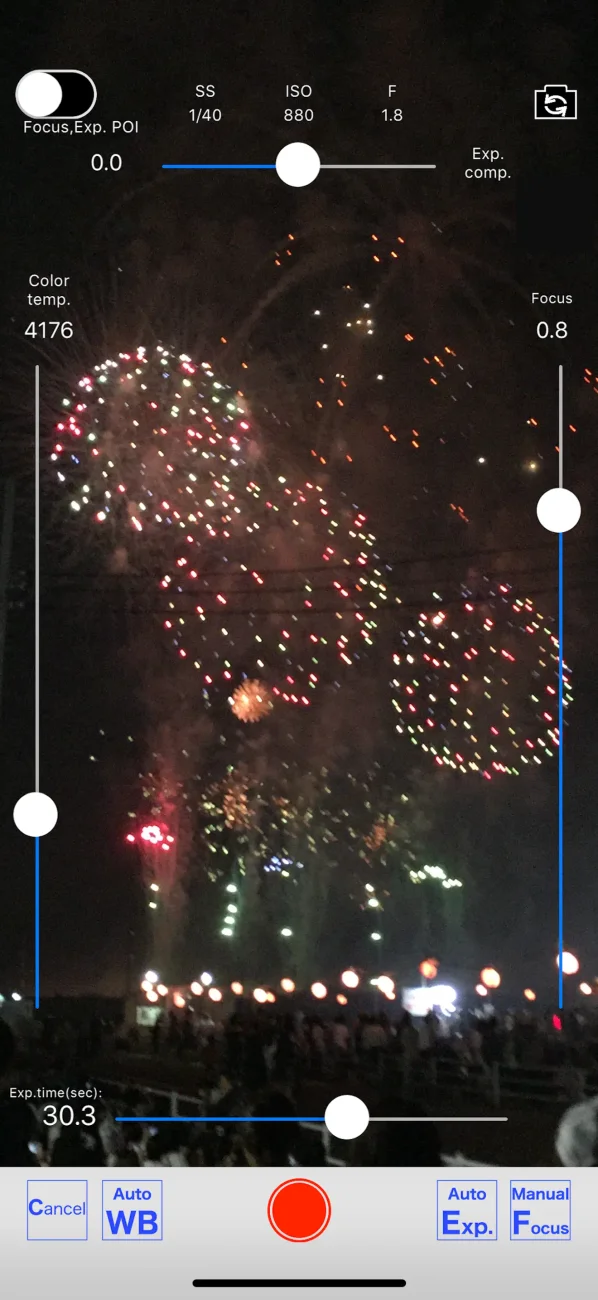
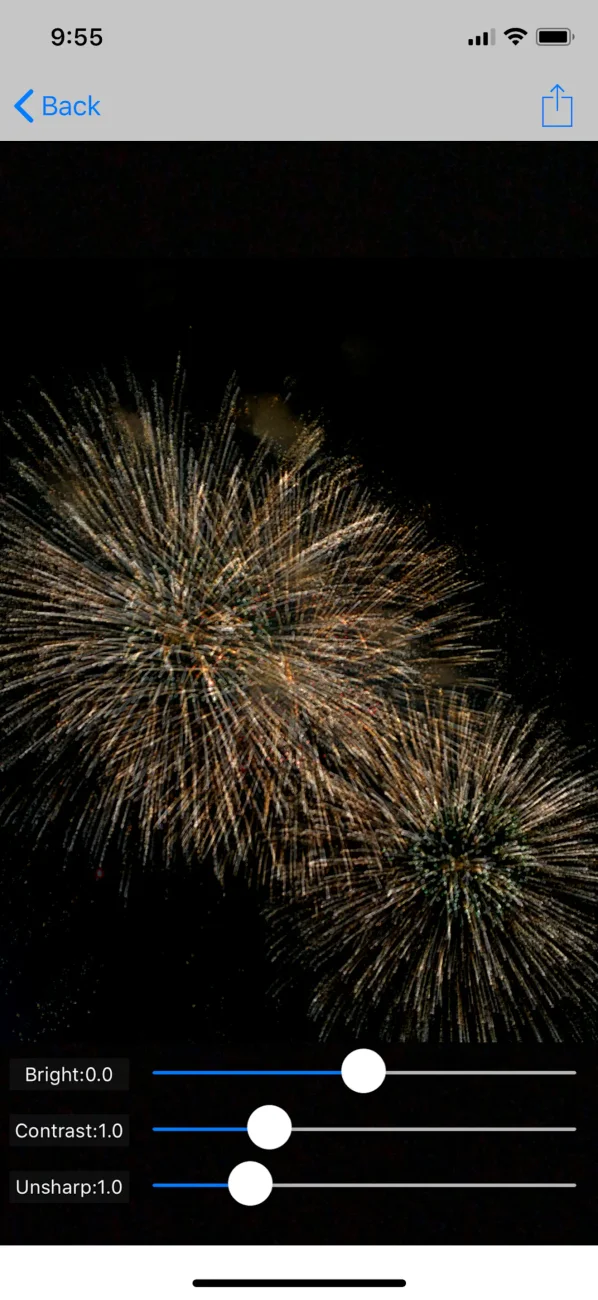
This application can take photos of fireworks from shooting off to the point of falling and make a splendid photo of fireworks by combining several photos afterwards.
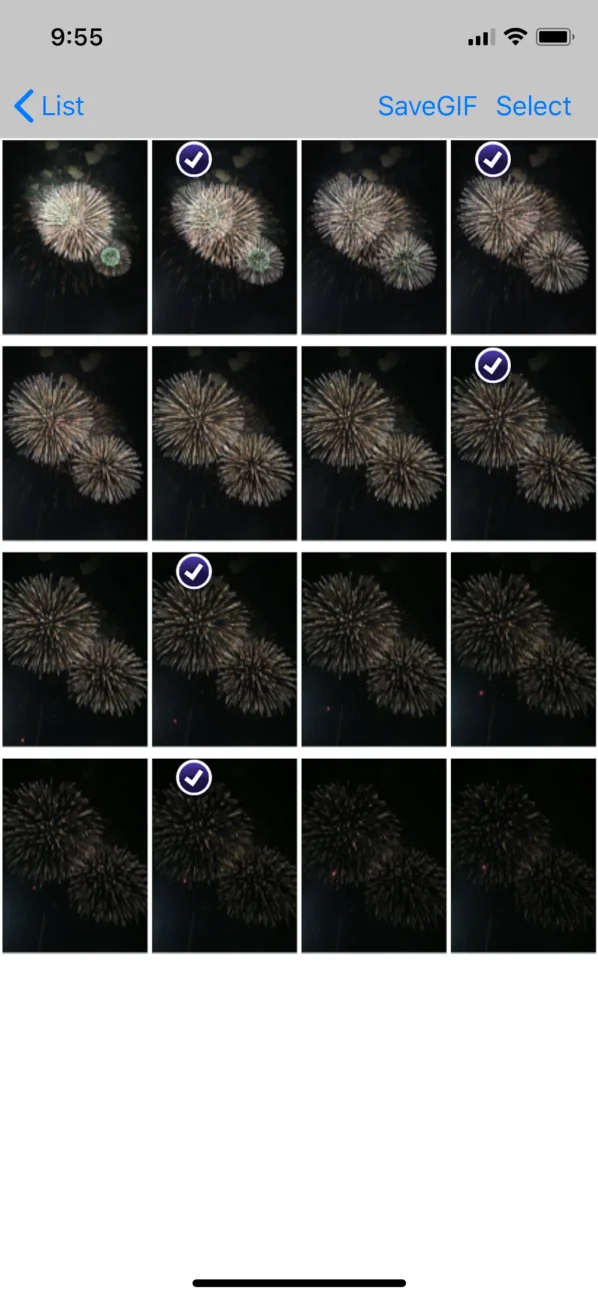
GIF animation can be created. With this, it became possible to watch the appearance of the fireworks going up and opened by animation.
Shooting starts when you release the shutter. If you leave it as it is, it will end after the set number of seconds. If you press the shutter again during shooting, it will end immediately.
The followings are how to use this app and the operability is easy to use.
(1) Set the consecutive shots time (seconds).
Set the time to take photos of fireworks with a slider.
You can set it up to 50 seconds.
(2) Aim a back camera in the direction of setting off fireworks.
When it is far away, the zoom is available.
The front camera is also selectable.
(3) Tap the shutter with the timing of setting off fireworks.
--> Consecutive shooting starts.
(4) Choose images of fireworks to composite among the images of consecutive shots.
(5) Execution of combining.
(6) You can post composite photos on SNS.
・The shutter speed is 1/50 second in default setting. The consecutive shots’ speed becomes slow when you slow it than this.
The consecutive shots are automatically adjusted to make about three shots in a second.
・If the preview is too dark, you can brighten it by increasing the exposure compensation or by switching to manual exposure and increasing the ISO.
When a preview is too bright, reduce ISO level or make shutter speed high.
・In automatic exposure mode, the shutter speed may become slow and consecutive shots’ speed may become slow.
・In addition, this app provides manual setting of focus and manual setting of white balance.
***
The promotion screenshots were taken at the real fireworks.
***
This app includes the following open sources.
・GPUImage(Copyright (c) 2012, Brad Larson, Ben Cochran, Hugues Lismonde, Keitaroh Kobayashi, Alaric Cole, Matthew Clark, Jacob Gundersen, Chris Williams. All rights reserved.)
Novedades
Versión 1.4 · 16/7/2025
- Improved stability. (Completely updated code, and detailed review of functions and display.)
- Specialized for continuous shooting at high resolution latitude, allowing you to capture fireworks more beautifully.
Privacidad de la aplicación
Lo que HIROFUMI MARUO declara en App Store sobre cómo esta aplicación gestiona los datos.
-
No se recopilan datos
El desarrollador no recopila ningún dato de esta aplicación.
Las prácticas de privacidad pueden variar, por ejemplo, según las funciones que uses o tu edad.
Información
- Vendedor
- HIROFUMI MARUO
- Categoría
- Foto y vídeo
- Versión
- 1.4
- Actualizado
- 16/7/2025
- Publicado
- 16/7/2016
- Tamaño
- 19,1 MB
- Requiere
- iOS 12.0 o posterior
- Clasificación por edad
- 4+
- Precio
- 0,99 €
- Idiomas
- Inglés, Japonés
- Copyright
- © 2021 -2025 Cariya Japan.
Quizá también te guste
-
 Burst SelfieFoto y vídeo
-
 Minky's Iridescent RainbowHolographic Rainbow Filters
-
 Lumio: Quick CameraFoto y vídeo
-
 Burst HD - Super Burst CameraFoto y vídeo
-
 Fast CameraFoto y vídeo
-
 OverlyCam: Superponer FotosRecrea fotos antes y después
-
 SnapPal: Timer para fotosRáfaga y temporizador
-
 Cámara Intervalo: AutomáticaFotos sin manos cada 1s–5 min
-
 Snow Effect VideoFoto y vídeo
-
 Cámara de fuegos artificialesFotos de fuegos artificiales