
FireWorksBld
Shoot and composition/GIF
Được thiết kế cho iPhone, iPad, iPod touch
29.000đ
- Độ tuổi4+
- Danh mụcẢnh & Video
- Nhà phát triểnHIROFUMI MARUO
- Ngôn ngữTiếng Anh+ 1 ngôn ngữ khác
- Kích thước19,1 MB
Liên kết đến trang App Store chính thức
Download.org không lưu trữ tệp nào của FireWorksBld. Nút này mở trang ứng dụng trên App Store, nơi HIROFUMI MARUO phát hành ứng dụng. Trang được kiểm tra lần cuối: 14/11/2026.
Ảnh chụp màn hình


Giới thiệu
Nhà phát triển chưa cung cấp nội dung này bằng ngôn ngữ của bạn.
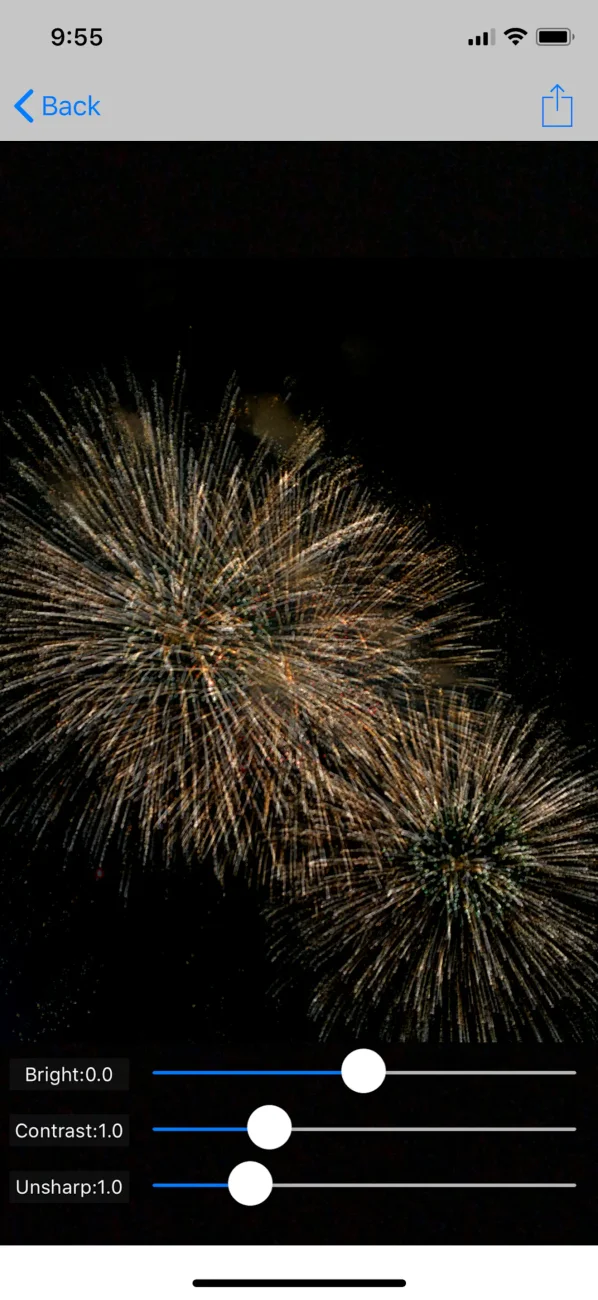
This application can take photos of fireworks from shooting off to the point of falling and make a splendid photo of fireworks by combining several photos afterwards.
GIF animation can be created. With this, it became possible to watch the appearance of the fireworks going up and opened by animation.
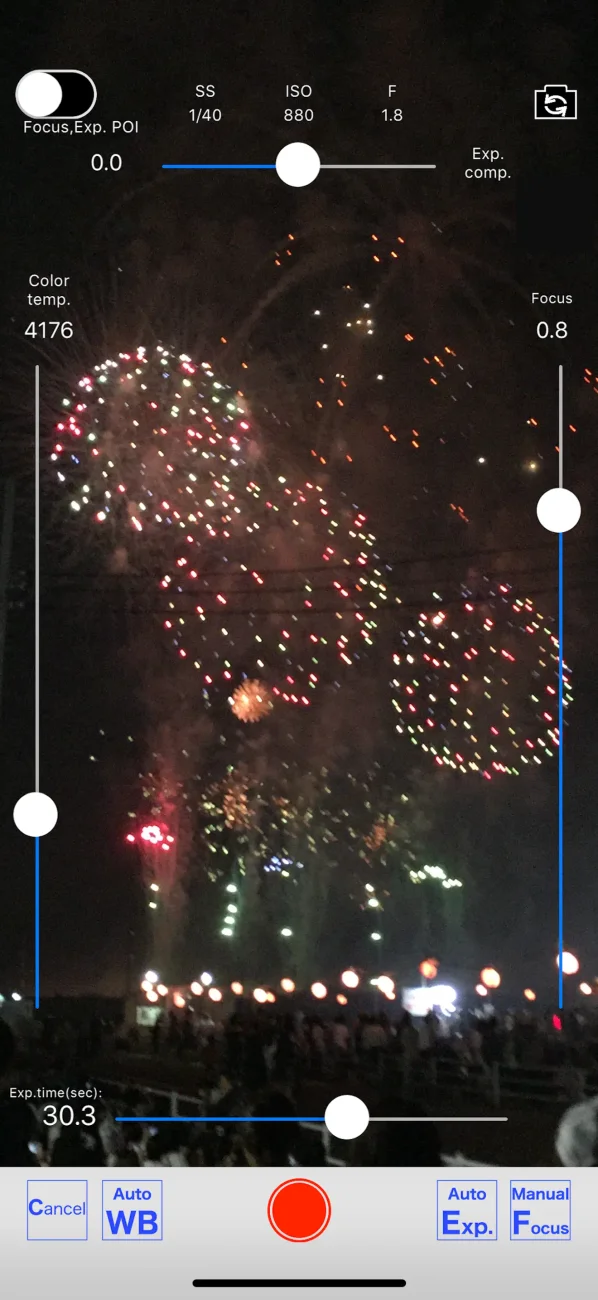
Shooting starts when you release the shutter. If you leave it as it is, it will end after the set number of seconds. If you press the shutter again during shooting, it will end immediately.
The followings are how to use this app and the operability is easy to use.
(1) Set the consecutive shots time (seconds).
Set the time to take photos of fireworks with a slider.
You can set it up to 50 seconds.
(2) Aim a back camera in the direction of setting off fireworks.
When it is far away, the zoom is available.
The front camera is also selectable.
(3) Tap the shutter with the timing of setting off fireworks.
--> Consecutive shooting starts.
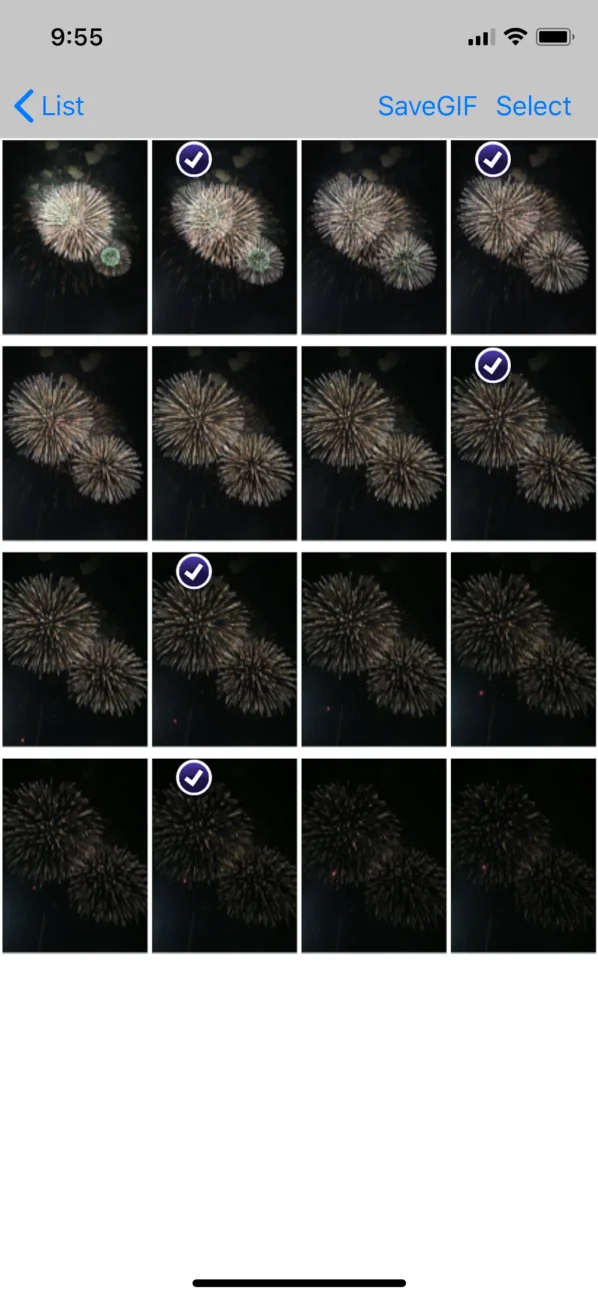
(4) Choose images of fireworks to composite among the images of consecutive shots.
(5) Execution of combining.
(6) You can post composite photos on SNS.
・The shutter speed is 1/50 second in default setting. The consecutive shots’ speed becomes slow when you slow it than this.
The consecutive shots are automatically adjusted to make about three shots in a second.
・If the preview is too dark, you can brighten it by increasing the exposure compensation or by switching to manual exposure and increasing the ISO.
When a preview is too bright, reduce ISO level or make shutter speed high.
・In automatic exposure mode, the shutter speed may become slow and consecutive shots’ speed may become slow.
・In addition, this app provides manual setting of focus and manual setting of white balance.
***
The promotion screenshots were taken at the real fireworks.
***
This app includes the following open sources.
・GPUImage(Copyright (c) 2012, Brad Larson, Ben Cochran, Hugues Lismonde, Keitaroh Kobayashi, Alaric Cole, Matthew Clark, Jacob Gundersen, Chris Williams. All rights reserved.)
Có gì mới
Phiên bản 1.4 · 16/07/2025
- Improved stability. (Completely updated code, and detailed review of functions and display.)
- Specialized for continuous shooting at high resolution latitude, allowing you to capture fireworks more beautifully.
Quyền riêng tư của ứng dụng
Những gì HIROFUMI MARUO khai báo trên App Store về cách ứng dụng này xử lý dữ liệu.
-
Dữ liệu không được thu thập
Nhà phát triển không thu thập bất kỳ dữ liệu nào từ ứng dụng này.
Phương thức đảm bảo quyền riêng tư có thể khác nhau, chẳng hạn như tuỳ theo các tính năng bạn sử dụng hoặc độ tuổi của bạn.
Thông tin
- Người bán
- HIROFUMI MARUO
- Danh mục
- Ảnh & Video
- Phiên bản
- 1.4
- Cập nhật
- 16/07/2025
- Phát hành
- 16/07/2016
- Kích thước
- 19,1 MB
- Yêu cầu
- iOS 12.0 trở lên
- Độ tuổi
- 4+
- Giá
- 29.000đ
- Ngôn ngữ
- Tiếng Anh, Tiếng Nhật
- Bản quyền
- © 2021 -2025 Cariya Japan.
Có thể bạn cũng thích
-
 Burst SelfieẢnh & Video
-
 Minky's Iridescent RainbowHolographic Rainbow Filters
-
 Lumio: Quick CameraẢnh & Video
-
 Burst HD - Super Burst CameraẢnh & Video
-
 Fast CameraẢnh & Video
-
 OverlyCam: Photo OverlayẢnh & Video
-
 SnapPal - Photo TimerẢnh & Video
-
 Camera Hẹn Giờ: Chụp Tự ĐộngẢnh rảnh tay mỗi 1s–5m, selfie
-
 Snow Effect VideoẢnh & Video
-
 Fireworks Camera: FireSnapẢnh & Video